Turning the unit on/off:
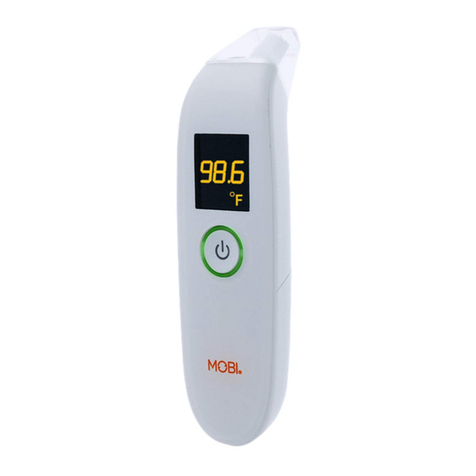
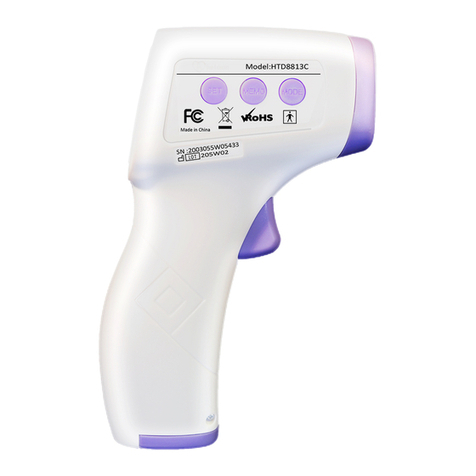
•To turn on the unit, simply press and release the ‘On/Scan’ Trigger. The device will turn on and
‘beep’ (if sound is turned on).
•This unit will automatically power off.
Forehead temperature measurement:
•Ensure the unit is in ‘body mode’. Press and release the ‘MODE’ button to switch between modes,
‘Body’ will be visible on the display.
•Please remove any obstructions like hats, beanies, headbands, and hair for accurate reading.
•For optimal results point the unit towards the forehead holding the probe 0.4 - 2 inches away from
the forehead.
•Ensure you point the unit first, then press and release the ‘ON/Scan’ trigger.
•Allow 1-2 seconds after pressing the ‘ON/Scan’ trigger for temperature to display (if the sound is on
the thermometer will ‘beep’ once).
•Please remember to take temperature in a controlled environment where direct sunlight or cold air
will not affect the measurement.
•Please wait a few minutes before taking the temperature of an individual who has been exposed to
extreme heat or sever cold weather.
Note: Results shown from 93.2
°
F to 109.2
°
F (34.0
°
C to 42.9
°
C). “HI” is displayed for all results above
109.2
°
F (42.9
°
C), and “LO” displayed for result below 93.2
°
F (34.0
°
C).
Surface/food temperature measurement:
•Ensure the unit is in ‘surface mode’. Press and release the ‘MODE’ button to switch between modes,
‘surface’ will be visible on the display.
•For optimal results point the unit towards the ‘surface’ holding the probe ۠.4 - 2 inches away from
the object.
•Ensure you point the unit first, and then press and release the ‘ON/Scan’ trigger.
•Allow 1-2 seconds after pressing the ‘ON/Scan’ trigger for temperature to display (if the sound is on
thermometer will ‘beep’ once).
•Each temperature taken by this unit is stored in the memory
•This unit has the capability to hold 50 readings in the memory.
•To access the memory data please press and release the ‘MEMO’button.
•The latest reading will be displayed. The Memory number will be displayed on the screen.
•Continue to press (and release) the ‘MEMO’ button to filter through the stored information.
•Once the memory is full the oldest data will automatically be deleted and overwritten with the new
information.
•To delete all memory, with the unit turned on, please press and hold the ‘MEMO’button until you
see the screen show ‘CLR’. All stored date will be completely deleted.