2Monitor mode
2 Monitor mode
2.1 Overview of monitor mode
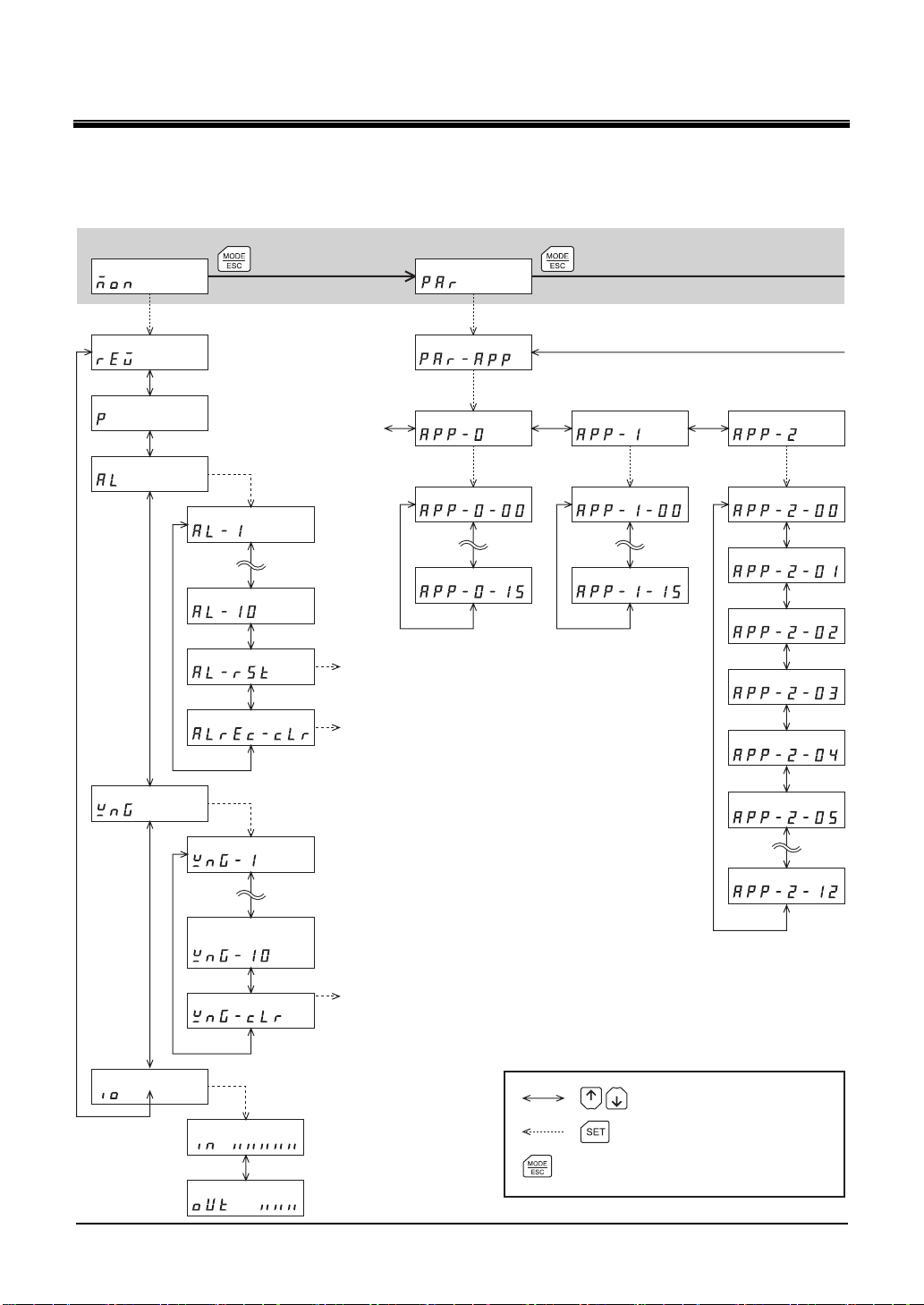
• Monitoring the operating status
The speed and position of the motor can be monitored in real time.
• Checking alarms/warnings, clearing alarm/warning records, and resetting alarms
• If an alarm or warning generates, since a corresponding alarm code or warning code will be displayed,
the details of the alarm/warning can be checked.
• Up to ten most recent alarms/warnings can be displayed, starting from the latest one.
• The present alarm can be reset.
• Alarm/warning records can be cleared.
• Checking I/O signals
The ON/OFF status of each I/O signal for the driver can be checked.
2.2 Monitored items
Speed
The motor rotation speed can be checked (unit: r/min).
Operating direction and display for each series are as follows.
• DGⅡSeries:
When the output table rotates in the CW direction, "-" is displayed. When the output table rotates in the
CCW direction, the sign is not displayed.
• EAS Series:
When the linear slide table moves to the motor side, "-" is displayed. When the linear slide table moves
to opposite the motor side, the sign is not displayed.
When setting the display method to absolute value, the sign indicating the rotation direction is not
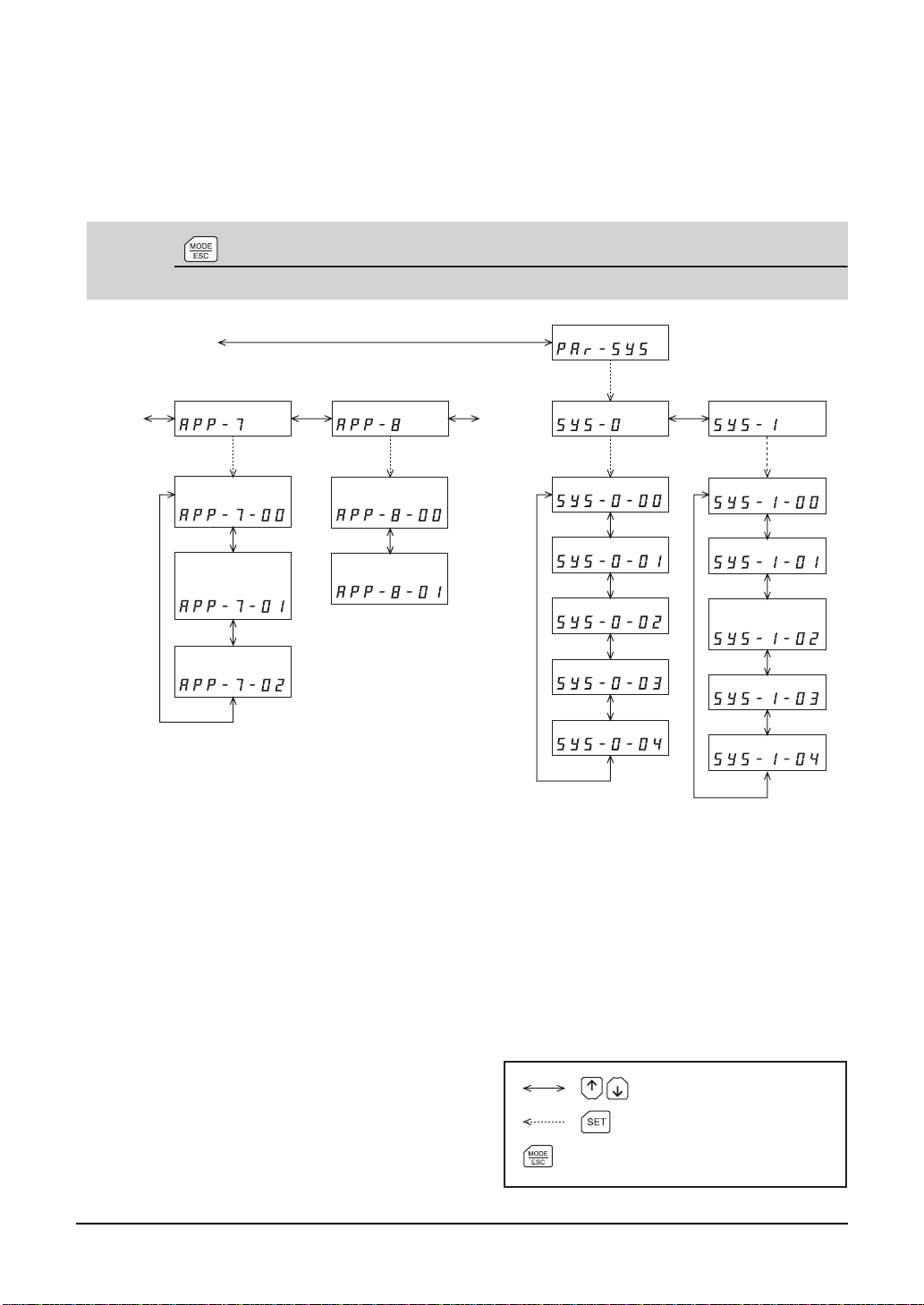
displayed. The value display format can be selected using the "displayed speed on OPX-2A" parameter
[APP-8-00] (p.15). Also, the motor rotation speed can be displayed as rotation speed of the gear output
shaft. For this setting, use the "deceleration rate of speed monitor" parameter [APP-8-01] (p.15).
Position
The present position of the motor with reference to the home position can be checked.
If a resolution is set, an appropriate value based on the resolution is shown as steps.
Present alarm
When an alarm generates, a corresponding alarm code will be displayed.
Also, the present alarm can be reset, and alarm records can be checked or cleared.
Note • Do not turn off the driver power while an alarm is being reset or alarm records are
being cleared (= while the display is blinking). Doing so may damage the data.
• When operations are limited by the edit lock function, the alarm records cannot be
cleared.
• Some alarms cannot be reset on the OPX-2A. For details, refer to “Alarm code list”
on OPX-2A p.7. To reset these alarms, you must cycle the power.
-6-