-6-
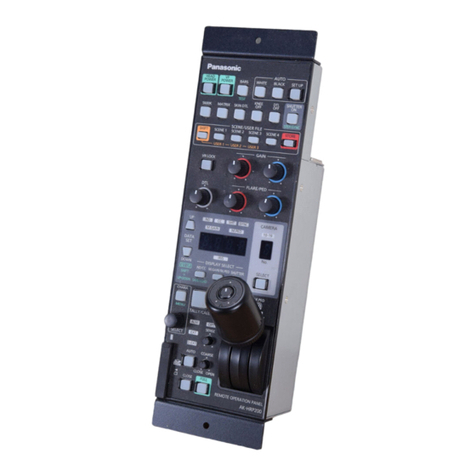
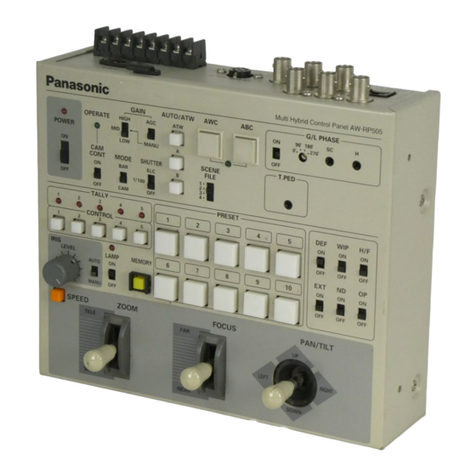
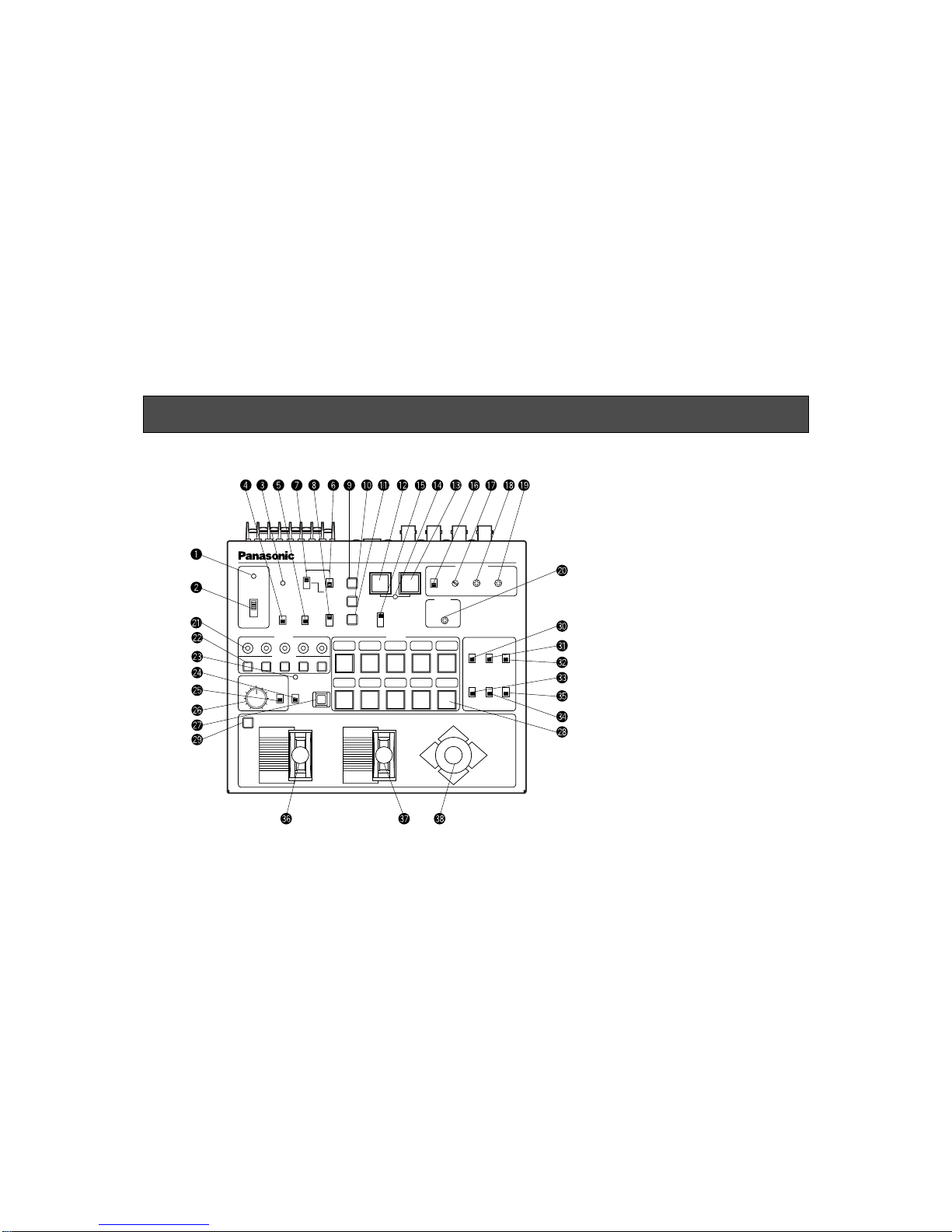
uGain Selection Switch [GAIN, HIGH/MID/LOW]
This switch is valid only when GAIN AGC/MANU
Switch yis in the MANU position. Select a camera
with CONTROL Switch @2, set CAM CONT Switch rto
the ON position, then select HIGH, MID, or LOW.
Normally, keep it in the LOW position. When the cam-
era is used in a dark place or when video output level
is not high enough even if the iris is wide open, set the
switch to the MID or HIGH position.After selecting it,
set CAM CONT Switch rback to the OFF position.
iElectronic Shutter Speed Selection Switch
[SHUTTER, ELC/ 1/100 /OFF]
Used to select a mode of camera electronic shutter
control. Select a camera with CONTROL Switch @2,
set CAM CONT Switch rto the ON position, then
select ELC, 1/100, or OFF. With the switch in the ELC
position, the electronic shutter is controlled and the
camera sensitivity is automatically adjusted when
using the camera in a bright place. The shutter speed
is 1/100 second when the switch is in the 1/100 posi-
tion. The electronic shutter is off when the switch is in
the OFF position. After selecting it, set CAM CONT
Switch rback to the OFF position.
oWhite Balance ATW Selection Switch
[AUTO/ATW, ATW]
When this switch is depressed, the camera selected
with CONTROL Switch @2 keeps automatically adjust-
ing white balance. The switch lights when it is select-
ed.
!0 White Balance Ach Selection Switch
[AUTO/ATW, A]
When this switch is pressed, white balance will be as
stored in Channel A of the camera selected with CON-
TROL Switch @2. The switch lights when it is selected.
When AWC switch !2 is pressed after selecting
AUTO/ATW, A, white balance is automatically adjusted
and stored in Channel A.
!1 White Balance Bch Selection Switch
[AUTO/ATW, B]
When this switch is depressed, white balance will be as
stored in Channel B of the camera selected with
CONTROL Switch @2. The switch lights when it is
selected. When AWC switch !2 is pressed after
selecting AUTO/ATW, B, white balance is automatically
adjusted and stored in Channel B.
!2 Auto White Start Switch [AWC]
If this switch is pressed when AUTO/ATW A Switch !0
or AUTO/ATW B Switch !1 is selected, white balance is
automatically adjusted on the camera selected with
CONTROL Switch @2. The adjustment results are
stored in Channel A or B. This switch is invalid if the
MODE BAR/CAM switch t is in the BAR position.
Auto Set Indicator !4 flashes while AWC is in operation,
and goes out when white balance has been properly
adjusted. Auto Set Indicator !4 remains lit if white
balance adjustment fails.