manuals.online logo
Brands
  1. Home
  2. •
  3. Brands
  4. •
  5. Parrot
  6. •
  7. Automobile Accessories
  8. •
  9. Parrot CK3100 LCD User manual

Parrot CK3100 LCD User manual

Other manuals for CK3100 LCD

22

Other Parrot Automobile Accessories manuals

Parrot CK100 Series User manual

Parrot

Parrot CK100 Series User manual

Parrot MULTICAN User manual

Parrot

Parrot MULTICAN User manual

Parrot CK3100 LCD User manual

Parrot

Parrot CK3100 LCD User manual
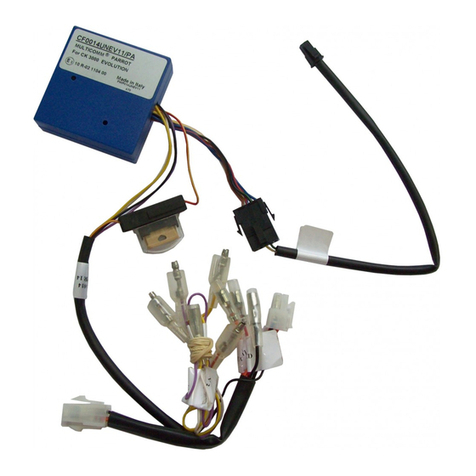
Parrot MULTICAN User manual

Parrot

Parrot MULTICAN User manual

Parrot MKi9200 RU User manual

Parrot

Parrot MKi9200 RU User manual

Parrot Minikit+ User manual

Parrot

Parrot Minikit+ User manual

Parrot Minikit+ Manual

Parrot

Parrot Minikit+ Manual

Parrot Minikt Slim User manual

Parrot

Parrot Minikt Slim User manual

Parrot MKi9200 RU User manual

Parrot

Parrot MKi9200 RU User manual
Parrot Minikit+ User manual

Parrot

Parrot Minikit+ User manual

Parrot 3200 LS-Color User manual

Parrot

Parrot 3200 LS-Color User manual

Parrot MKi9000 User manual

Parrot

Parrot MKi9000 User manual

Parrot Minikit+ User manual

Parrot

Parrot Minikit+ User manual

Parrot Minikit+ User manual

Parrot

Parrot Minikit+ User manual

Parrot CK3100 LCD User manual

Parrot

Parrot CK3100 LCD User manual
Parrot UNIKA User manual

Parrot

Parrot UNIKA User manual
Parrot CK3300 Manual

Parrot

Parrot CK3300 Manual

Parrot CK3100 LCD User manual

Parrot

Parrot CK3100 LCD User manual

Parrot 3100 User manual

Parrot

Parrot 3100 User manual

Parrot MINI KIT Smart User manual

Parrot

Parrot MINI KIT Smart User manual

Parrot MINIKIT Smart User manual

Parrot

Parrot MINIKIT Smart User manual

Parrot CK 3000 Evolution Quick start guide

Parrot

Parrot CK 3000 Evolution Quick start guide

Parrot CK3100 Series User manual

Parrot

Parrot CK3100 Series User manual

Parrot Easydrive User manual

Parrot

Parrot Easydrive User manual

Popular Automobile Accessories manuals by other brands

Magneti Marelli AC161 Installation instruction

Magneti Marelli

Magneti Marelli AC161 Installation instruction

FDI uEZ GUI Start here

FDI

FDI uEZ GUI Start here

JCROffroad JT Install instructions

JCROffroad

JCROffroad JT Install instructions

Rostra VOXXElectronics 250-1930 owner's guide

Rostra

Rostra VOXXElectronics 250-1930 owner's guide

TOP VEHICLE TECH GR3FORD5 installation manual

TOP VEHICLE TECH

TOP VEHICLE TECH GR3FORD5 installation manual

Safe Fleet PRIME DESIGN AR-2000-BLK manual

Safe Fleet

Safe Fleet PRIME DESIGN AR-2000-BLK manual

Skoda Fabia Combi 5J Fitting instructions

Skoda

Skoda Fabia Combi 5J Fitting instructions

Camcar 40077 Al Mounting instructions

Camcar

Camcar 40077 Al Mounting instructions

Camcar 40089 AL Mounting instructions

Camcar

Camcar 40089 AL Mounting instructions

Impac Tradesman 2000 installation manual

Impac

Impac Tradesman 2000 installation manual

DVB OFFROAD BRSB-01 installation manual

DVB

DVB OFFROAD BRSB-01 installation manual

Safari Snorkel SS385HF installation guide

Safari Snorkel

Safari Snorkel SS385HF installation guide

ULTIMATE SPEED 279746 Assembly and Safety Advice

ULTIMATE SPEED

ULTIMATE SPEED 279746 Assembly and Safety Advice

SSV Works DF-F65 manual

SSV Works

SSV Works DF-F65 manual

ULTIMATE SPEED CARBON Assembly and Safety Advice

ULTIMATE SPEED

ULTIMATE SPEED CARBON Assembly and Safety Advice

Witter F174 Fitting instructions

Witter

Witter F174 Fitting instructions

WeatherTech No-Drill installation instructions

WeatherTech

WeatherTech No-Drill installation instructions

TAUBENREUTHER 1-336050 Installation instruction

TAUBENREUTHER

TAUBENREUTHER 1-336050 Installation instruction

manuals.online logo
manuals.online logoBrands
  • About & Mission
  • Contact us
  • Privacy Policy
  • Terms and Conditions

Copyright 2025 Manuals.Online. All Rights Reserved.

This sheet is designed to help you with the installation of a Parrot product and is purely for information. Any installation performed in
compliance with the instructions appearing in this document is done under the sole responsibility of the installer, who is entirely responsible
for the quality of the installation. All rights reserved © Copyright 2011 PARROT SA RCS PARIS 394 149 496. May not be reproduced without the
authorisation of Parrot SA. Pictures for information only.
TRANSPORTER T5
TRANSPORTER T5
Installation manual:
Parrot MKi + Parrot
CK3100 range
The VOLKSWAGEN TRANSPORTER T5 marque and VOLKSWAGEN logo are the property of the VOLKSWAGEN France Group s.a or VOLKSWAGEN
AG. This document is only valid for the vehicle model TRANSPORTER T5 year 2002 to 2009, excluding all other models in the same range and
excluding later modifications made to the vehicle by the manufacturer.
The Parrot brand name and logos are the exclusive property of Parrot SA.
This sheet is designed to help you with the installation of a Parrot product and is purely for information. Any installation performed in
compliance with the instructions appearing in this document is done under the sole responsibility of the installer, who is entirely responsible
for the quality of the installation. All rights reserved © Copyright 2011 PARROT SA RCS PARIS 394 149 496. May not be reproduced without the
authorisation of Parrot SA. Pictures for information only.
TRANSPORTER T5
Disassembly
15min
Mounting kit
20min
Reassembly
15min
Testing
15min
Total
1h 05min
NO
+IGN
NO
ISO
NO
UNIKA
FRONT LOUDSPEAKER
TEL mode
ALL
MUSIC mode
Fitting time (estimated) / Main features
-TORX screwdriver
- Cutting pliers
- Crimping pliers
- Multimeter or Test lamp
- Wire tie
- Electrical tape
- Soldering Iron
Plastic trim removal tools
FACOM / BOJO
Accessories required
To get the most out of your hands-free kit we recommend that you update your
software regularly. The update procedure can be found at
http://www.parrot.com/usa/support/downloads
Updating
FACOM DX-25 kit (tool no.1)
Tools
"Please contact your wholesaler to purchase
accessories. A list of wholesalers is available at
www.certified.parrot.com. "
Kram ref.
Dealer ref.
CK range
86 200
YY 138 CABL 2
MKi range
84 942
YY 138 CABL 2
Photos for illustration purposes
CK range MKi range
This sheet is designed to help you with the installation of a Parrot product and is purely for information. Any installation performed in
compliance with the instructions appearing in this document is done under the sole responsibility of the installer, who is entirely responsible
for the quality of the installation. All rights reserved © Copyright 2011 PARROT SA RCS PARIS 394 149 496. May not be reproduced without the
authorisation of Parrot SA. Pictures for information only.
TRANSPORTER T5
Disassembly
This sheet is designed to help you with the installation of a Parrot product and is purely for information. Any installation performed in
compliance with the instructions appearing in this document is done under the sole responsibility of the installer, who is entirely responsible
for the quality of the installation. All rights reserved © Copyright 2011 PARROT SA RCS PARIS 394 149 496. May not be reproduced without the
authorisation of Parrot SA. Pictures for information only.
TRANSPORTER T5
Disassembly
Insert the removal tools into the 4
slots in the radio.
Press them down until the radio
unclips and remove the radio unit
with the tools.
Unclip the fusebox cover.
1
3
2
This sheet is designed to help you with the installation of a Parrot product and is purely for information. Any installation performed in
compliance with the instructions appearing in this document is done under the sole responsibility of the installer, who is entirely responsible
for the quality of the installation. All rights reserved © Copyright 2011 PARROT SA RCS PARIS 394 149 496. May not be reproduced without the
authorisation of Parrot SA. Pictures for information only.
TRANSPORTER T5
Finding an ACC wire
Using a guide, feed an electric
wire from the fusebox to the radio
housing.
Then connect to the 5 amp fuse
(located in the middle of the lower
row) by means of a 2.5 mm
terminal.
Connect the +IGN using a male
round terminal to the blue wire
of the 84942 adapter in front of
the fuse holder or on the red
wire of the 86200 or
YY138CABL2 adapter.
1
3
2
This sheet is designed to help you with the installation of a Parrot product and is purely for information. Any installation performed in
compliance with the instructions appearing in this document is done under the sole responsibility of the installer, who is entirely responsible
for the quality of the installation. All rights reserved © Copyright 2011 PARROT SA RCS PARIS 394 149 496. May not be reproduced without the
authorisation of Parrot SA. Pictures for information only.
TRANSPORTER T5
Wiring the microphone
Unclip the upper steering wheel
cover. Using a guide, feed the
cable under the steering wheel
cover towards the radio housing.
Glue the bracket (supplied) in the
centre of the plastic steering wheel
cover after degreasing.
Then replace the flexible cover.
1
3
2
This sheet is designed to help you with the installation of a Parrot product and is purely for information. Any installation performed in
compliance with the instructions appearing in this document is done under the sole responsibility of the installer, who is entirely responsible
for the quality of the installation. All rights reserved © Copyright 2011 PARROT SA RCS PARIS 394 149 496. May not be reproduced without the
authorisation of Parrot SA. Pictures for information only.
TRANSPORTER T5
Feeding the accessory cable
Remove the cover. Feed the cable towards the radio
housing.
1 2
Then block the hole with the
cover (provided) on the cable.
3
This sheet is designed to help you with the installation of a Parrot product and is purely for information. Any installation performed in
compliance with the instructions appearing in this document is done under the sole responsibility of the installer, who is entirely responsible
for the quality of the installation. All rights reserved © Copyright 2011 PARROT SA RCS PARIS 394 149 496. May not be reproduced without the
authorisation of Parrot SA. Pictures for information only.
TRANSPORTER T5
Fitting the hands-free system 1 / 2
Connect the adaptor to the original connector
and connect all of the wires to the blue box as
shown in the diagram below. Test the assembly
before completing fitting and then slide
everything behind the air conditioning control
unit.
1
Direct adaptor cable
This sheet is designed to help you with the installation of a Parrot product and is purely for information. Any installation performed in
compliance with the instructions appearing in this document is done under the sole responsibility of the installer, who is entirely responsible
for the quality of the installation. All rights reserved © Copyright 2011 PARROT SA RCS PARIS 394 149 496. May not be reproduced without the
authorisation of Parrot SA. Pictures for information only.
TRANSPORTER T5
Fitting the hands-free system 2 / 2
Unclip the release button cover to
the left of the radio.
Make a notch using a file or a
knife.
Feed the screen cable via the
cover towards the radio.
2
4
3
Then glue the mounting (supplied)
onto the same button cover after
degreasing it (TAKE CARE not to
trap the cable).
5
!
This sheet is designed to help you with the installation of a Parrot product and is purely for information. Any installation performed in
compliance with the instructions appearing in this document is done under the sole responsibility of the installer, who is entirely responsible
for the quality of the installation. All rights reserved © Copyright 2011 PARROT SA RCS PARIS 394 149 496. May not be reproduced without the
authorisation of Parrot SA. Pictures for information only.
TRANSPORTER T5
Testing
Before refitting the system, switch the kit on using the
ignition (or by starting the car). By pushing the central knob
of the remote control, check:
1 - that the menu is displayed on the screen (language or
iPod etc).
2 - that the radio system is muted when the kit is in use (click
in the blue box).
3 - that the sound through all speakers is properly muted.
4 - that there is sound through the front speakers for spoken
menus.
5 - then turn off the ignition, verify that the kit turns off and
that the message “goodbye” is displayed on the screen
(otherwise reverse the fuses on the kit power supply
harness).
6 - pair a telephone with the kit and make a call (check that
both the microphone and the kit are working).