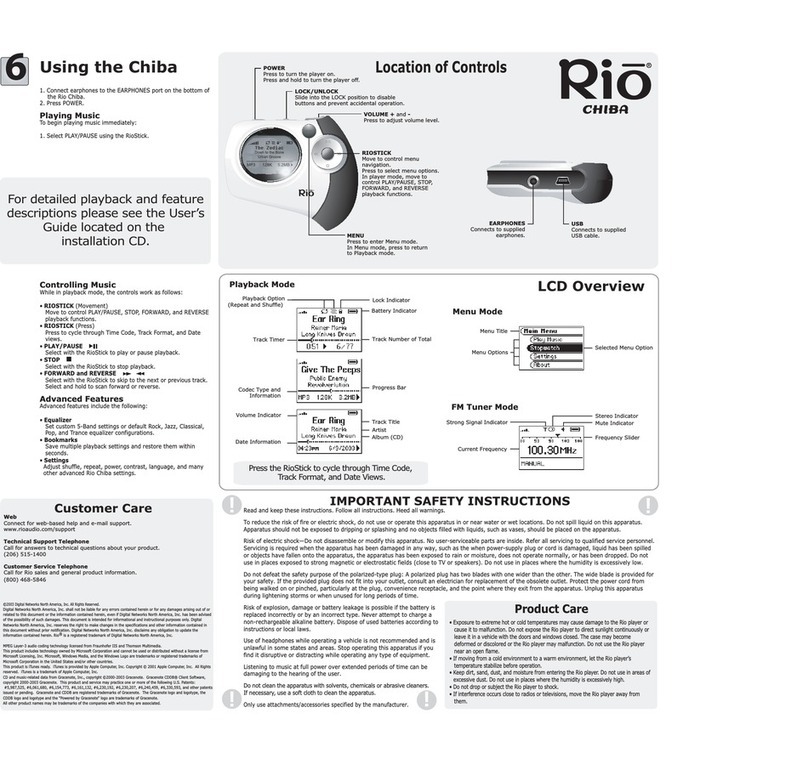
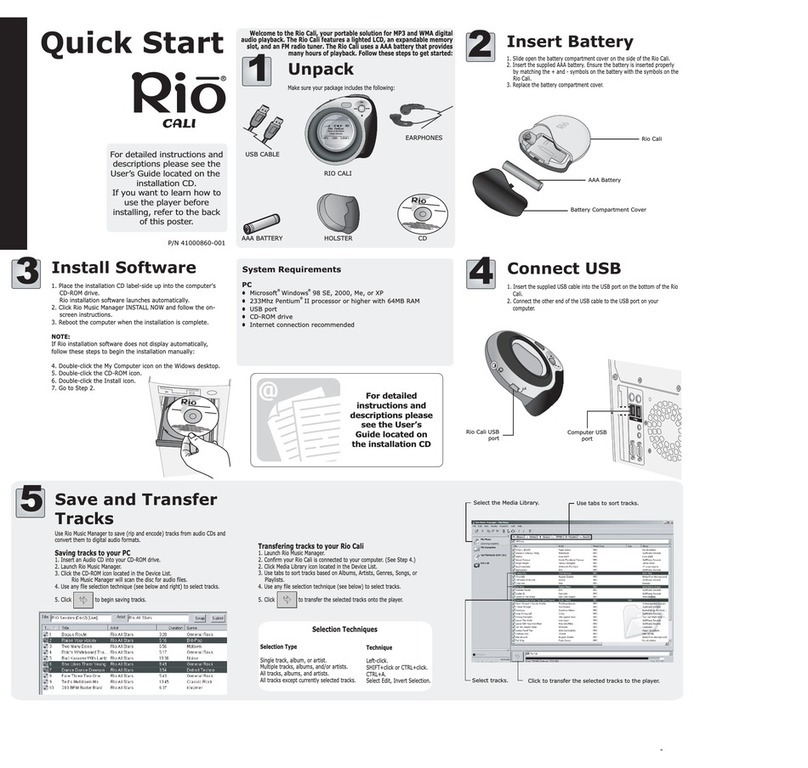
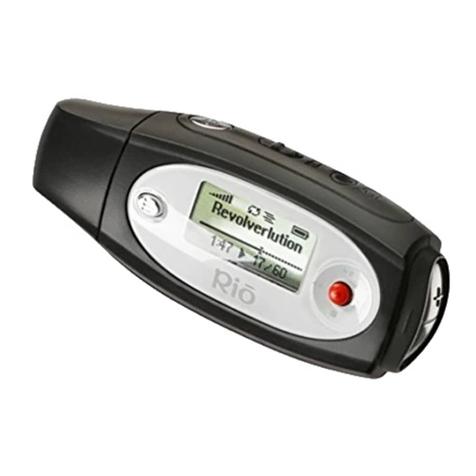
Rio Cali User manual
Rio Cali
User’s Guide
®
Table of Contents
Getting Started
Connections
Software Setup
Basic Operations
Advanced Features
Help
Index

Contents Index
ii
Rio Cali
Package Contents
Copyright/Trademarks
© 2003 Digital Networks North America, Inc. All rights reserved.
Digital Networks North America, Inc. shall not be liable for any errors contained herein or for
any damages arising out of or related to this document or the information contained herein,
even if Digital Networks North America has been advised of the possibility of such damages.
This document is intended for informational and instructional purposes only. Digital Networks
North America, Inc. reserves the right to make changes in the specifications and other infor-
mation contained in this document without prior notification. Digital Networks North America,
Inc. disclaims any obligation to update the information contained herein. Rio®is a registered
trademark of Digital Networks North America, Inc.
RealOne is a registered trademark of RealNetworks, Inc.
This product is iTunes ready. iTunes is provided by Apple Computer, Inc. Copyright © 2001
Apple Computer, Inc. All rights reserved. iTunes is a trademark of Apple Computer, Inc. Mac
and the Mac logo are trademarks of Apple Computer, Inc. registered in the United States and
other countries.
Microsoft, Windows Media and the Windows Logo are trademarks or registered trademarks of
Microsoft Corporation in the United States and/or other countries.
All other product names may be trademarks of the companies with which they are associated.
P/N 41000865-001
•Earphones
• Installation CD
• Mini USB Cable
• Quick Start Poster
•RioCali
• Rio Cali Holster

Contents Index
iii
Rio Cali
Table of Contents
1 - Getting Started
Welcome.......................................................1
• Learning More .................................................1
Tour of the Rio Cali ................................2
LCD Overview ............................................5
• Playback Mode ................................................5
• Menu Mode .....................................................5
• Date View........................................................6
• Time Code View..............................................6
• Track Format View..........................................6
• Play Screens.....................................................6
• FM Radio.........................................................7
• Store Preset......................................................7
• FM Radio.........................................................7
• Manual.............................................................7
• FM Radio.........................................................7
• Preset ...............................................................7
2 - Connections
Basic Connections...................................8
• Battery .............................................................8
• Earphones ........................................................8
• USB .................................................................8
• Additional Accessories....................................9
3 - Software Setup
Windows.....................................................11
• Rio Music Manager .......................................12
• RealOne Player..............................................13
Mac.................................................................14
• iTunes ............................................................15
4 - Basic Operations
Basic Operations....................................16
Copy ..............................................................17
• Copying Tracks with Rio Music Manager ....17
Transfer ......................................................18
• Rio Music Manager .......................................18
• RealOne Player..............................................19
• iTunes ............................................................20
Control .........................................................21
Play................................................................22
Play Music..................................................23
• Play All..........................................................24
• Play Track......................................................24
• Playlists .........................................................24
Tuner ............................................................25
• FM Control ....................................................25
• Manual...........................................................26
• Store Preset....................................................26

Contents Index
iv
Rio Cali
• Preset .............................................................26
5 - Advanced Features
Advanced Features...............................27
Stopwatch..................................................28
Settings.......................................................29
Playback .....................................................30
Equalizer.....................................................31
• Custom...........................................................31
• Normal...........................................................31
• Rock...............................................................32
• Jazz ................................................................32
• Classical.........................................................33
• Pop.................................................................33
• Trance ............................................................34
Bookmarks ................................................35
Power ...........................................................36
Resume........................................................37
Display .........................................................38
Time ..............................................................39
Language....................................................40
Tuner ............................................................41
Lock Setup.................................................42
About ............................................................43
6 - Help
Troubleshooting.....................................44
• Customer Service Information ......................44
• Frequently Asked Questions .........................45
Glossary of Digital Audio Terms...48
• Bass ...............................................................48
• Bitrate ............................................................48
• Codec.............................................................48
• Firmware .......................................................48
• Gain ...............................................................48
• ID3 Tag..........................................................49
• MP3 ...............................................................49
• Rip and Encode .............................................49
• Synchronize ...................................................49
• Treble.............................................................49
• VBR...............................................................49
• WMA.............................................................49
Limited Warranty and
Software License...................................50
• Warranty........................................................50
• Warranty Service...........................................50
• Scope of and Limitation on Warranty ...........51
FCC and
Industry Canada Compliance.........52
• Federal Communications Commission ........52
• Industry Canada.............................................52
Safety ...........................................................53
• Warning .........................................................53
• CAUTION .....................................................53

Contents Index
1
Rio Cali
Chapter 1 Getting Started
:: Welcome
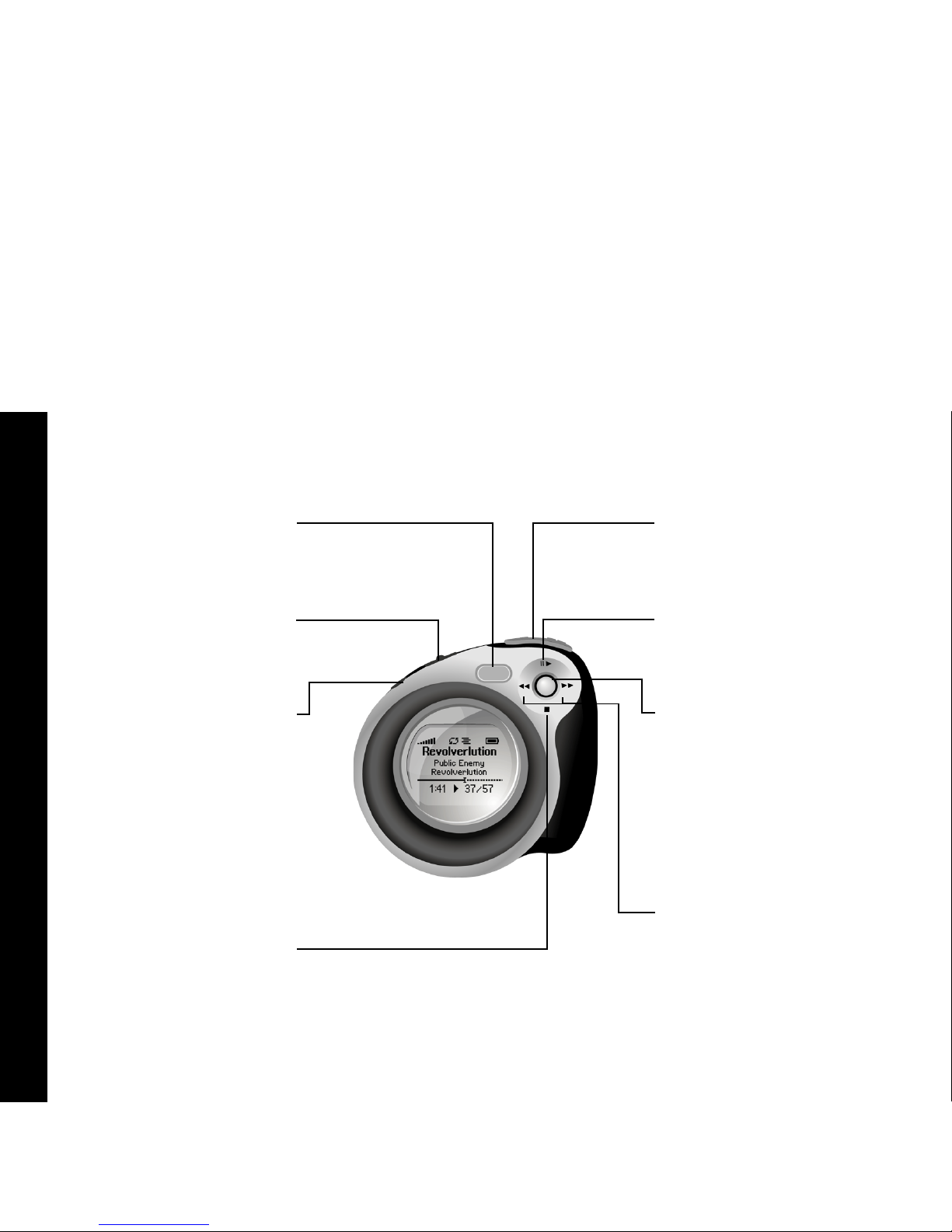
Thank you for purchasing the Rio Cali. The Rio Cali is a portable digital audio player that provides many hours of
MP3 and WMA playback. The Rio Cali features a lighted LCD, a memory expansion slot, stopwatch, and an FM radio
tuner.
Learning More
• Refer to the Quick Start poster for the basics on how to set up and start using the Rio Cali.
• Visit the Rio website at www.rioaudio.com.
Contents Index
2
Rio Cali
:: Tour of the Rio Cali
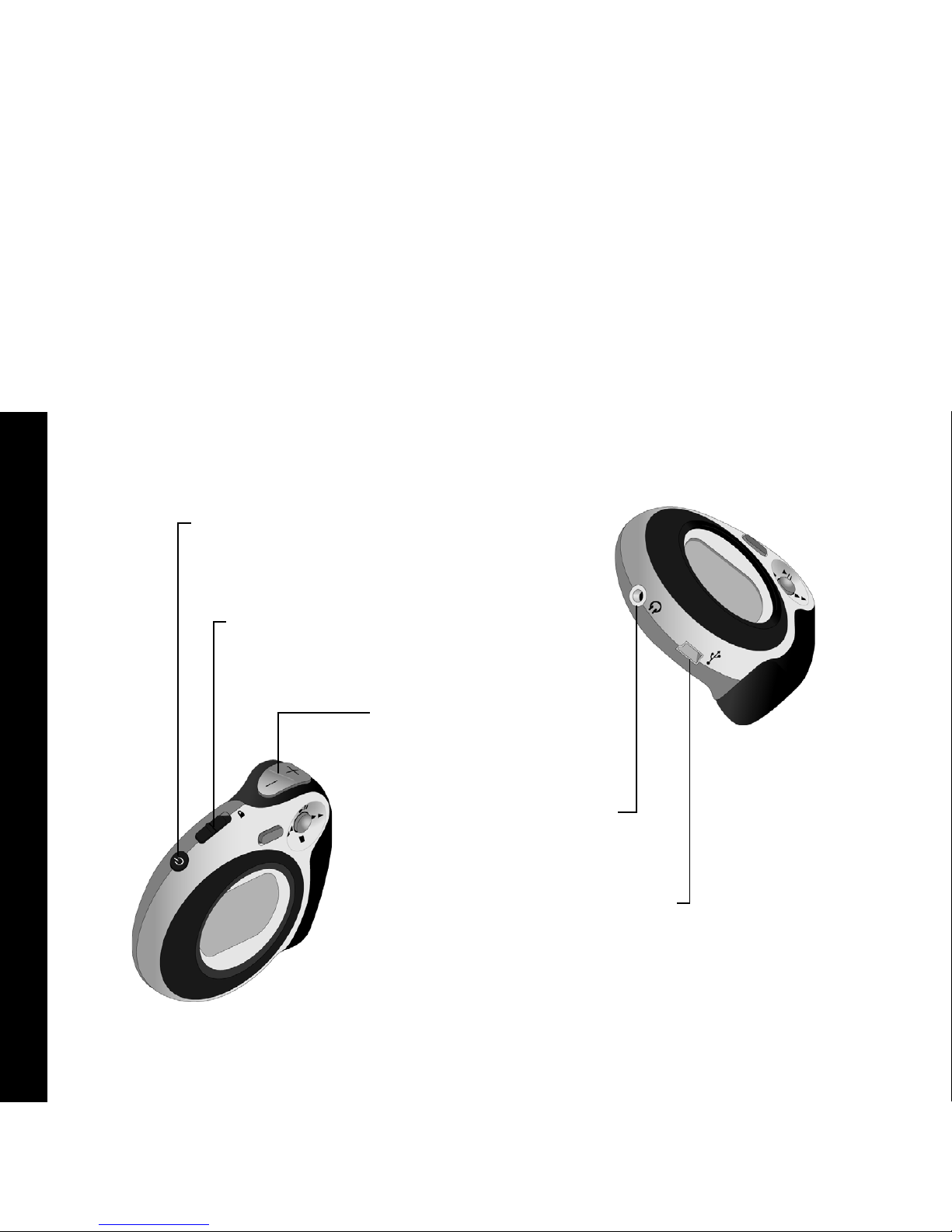
MENU
Press to enter Menu mode.
When in Menu mode, press to
return to Playback mode.
FORWARD and
REVERSE
Select with the RioStick to
skip to the next or previous
track.
Select and hold to scan
forward or reverse.
LOCK/UNLOCK
Slide into the LOCK position
to disable buttons and
prevent accidental operation.
VOLUME + and -
Press to adjust volume
level.
POWER
Press to turn the player on.
Press and hold to turn the
player off.
PLAY/PAUSE
Select with the RioStick to
play or pause playback.
STOP
Select with the RioStick to
stop playback.
RIOSTICK
Press to select menu options.
Move to control menu
navigation.
In Playback mode, move to
control PLAY/PAUSE, STOP,
FORWARD, and REVERSE
playback functions.
Contents Index
3
Rio Cali
invisible text
EARPHONES
Connects to supplied earphones.
Mini USB
Connects to supplied Mini USB
cable.
VOLUME + and -
Press to adjust volume level.
LOCK/UNLOCK
Slide into the LOCK position
to disable buttons and
prevent accidental operation.
POWER
Press to turn the player on. Press
and hold to turn the player off.

Contents Index
4
Rio Cali
invisible
Optional Memory Card
The Rio Cali supports optional MMC
and SD memory sizes of 8MB -
512MB.
AAA Battery
Insert AAA-battery. The Rio Cali supports
both alkaline and NiMH batteries.
Battery Compartment Cover
Remove to access the battery compartment.
Contents Index
5
Rio Cali
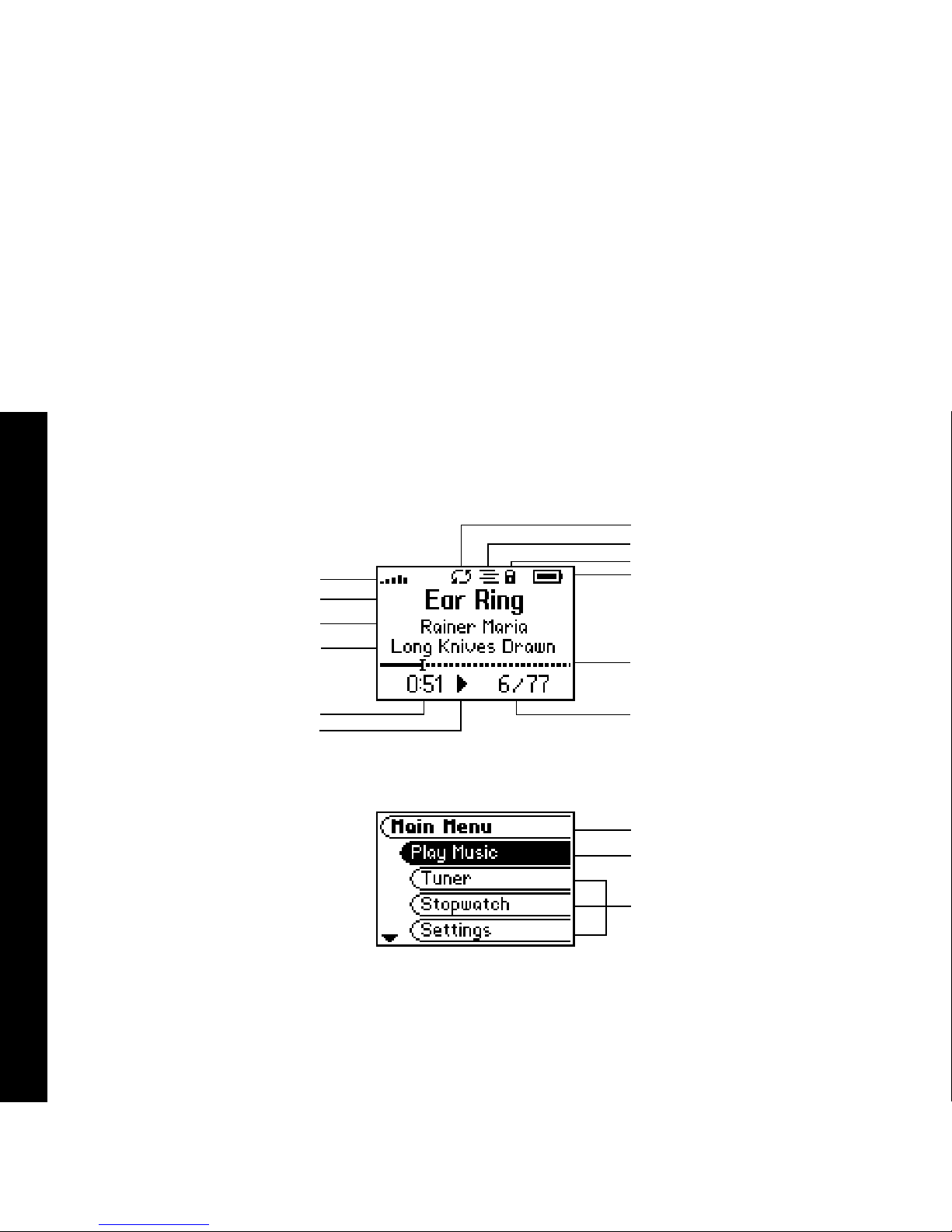
:: LCD Overview
Repeat Playback Indicator
Shuffle Playback Indicator
Lock Indicator
Power Indicator
Playback Mode
Menu Title
Menu Mode
Volume Level
Track Position Bar
Track Number/Total
Number of Tracks
Selected Option
Options
Artist
Track Time
Play Indicator
Track
Album
Contents Index
6
Rio Cali
invisible text
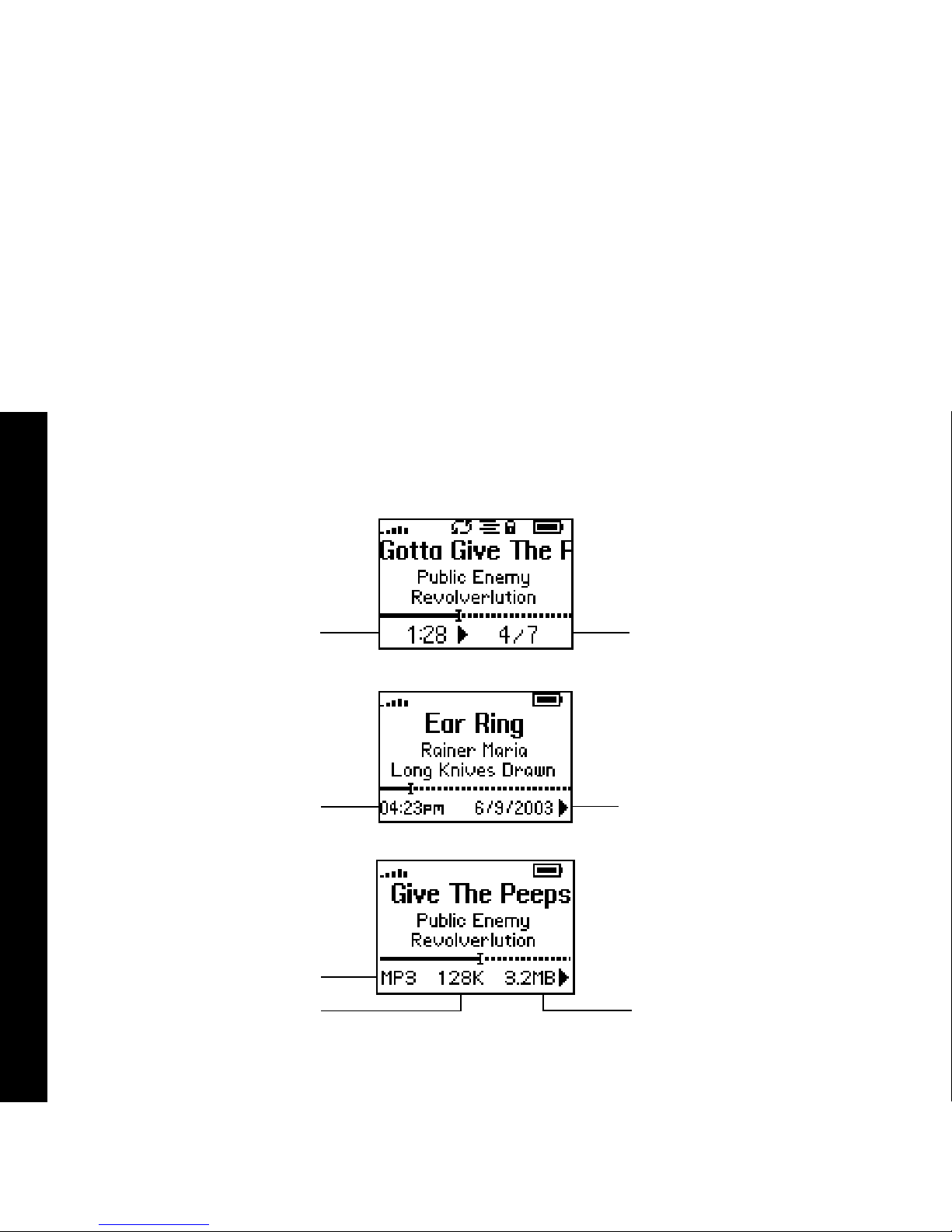
Date View
Time Code View
Track Format View
Track Number/Total
Number of Tracks
Track Size
Time
Codec
Bitrate
Track Time
Month/Day/Year
Play Screens
Press the RioStick to cycle through
Time Code, Track Format, and Date
Views.
Other manuals for Cali
1
Table of contents
Other Rio MP3 Player manuals