EnglishDeutsch
 logo
Brands
  1. Home
  2. •
  3. Brands
  4. •
  5. Samson
  6. •
  7. Controllers
  8. •
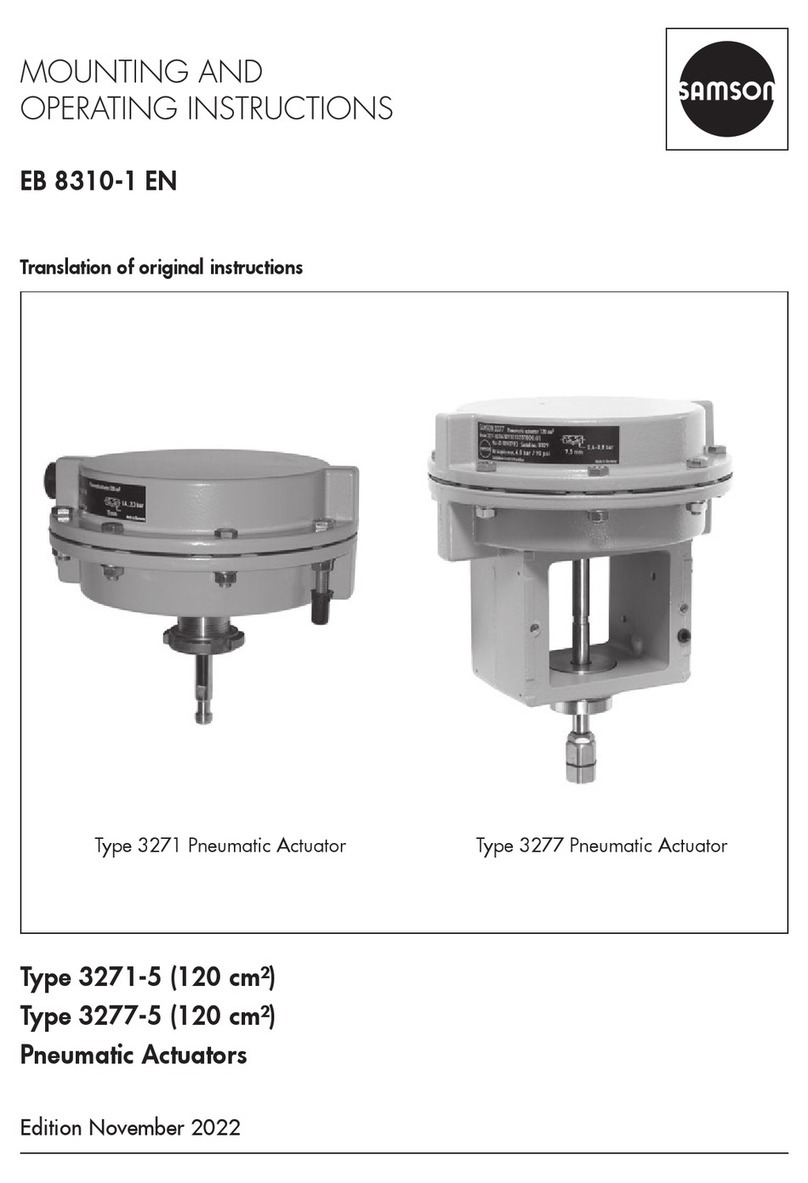
  9. Samson 3277 User manual

Samson 3277 User manual

Other manuals for 3277

3

Other Samson Controllers manuals

Samson 3372 Service manual

Samson

Samson 3372 Service manual

Samson TROVIS 5500 Service manual

Samson

Samson TROVIS 5500 Service manual

Samson 44-6 B Service manual

Samson

Samson 44-6 B Service manual

Samson TROVIS 5757-3 Service manual

Samson

Samson TROVIS 5757-3 Service manual

Samson 3372 Service manual

Samson

Samson 3372 Service manual

Samson 3371 Series Service manual

Samson

Samson 3371 Series Service manual

Samson TROVIS 5757-7 Service manual

Samson

Samson TROVIS 5757-7 Service manual

Samson TROVIS 5578-E Setup guide

Samson

Samson TROVIS 5578-E Setup guide

Samson TROVIS 5500 Service manual

Samson

Samson TROVIS 5500 Service manual

Samson 42-37 Service manual

Samson

Samson 42-37 Service manual

Samson 3274 Service manual

Samson

Samson 3274 Service manual

Samson 4708-5352 Service manual

Samson

Samson 4708-5352 Service manual

Samson series 43 Service manual

Samson

Samson series 43 Service manual

Samson TROVIS 5474 Service manual

Samson

Samson TROVIS 5474 Service manual

Samson 3725 series Service manual

Samson

Samson 3725 series Service manual

Samson EB 8315 EN User manual

Samson

Samson EB 8315 EN User manual

Samson TROVIS 5757-3 Service manual

Samson

Samson TROVIS 5757-3 Service manual

Samson 46-5 Service manual

Samson

Samson 46-5 Service manual

Samson 5857 Service manual

Samson

Samson 5857 Service manual

Samson 3730 Series Service manual

Samson

Samson 3730 Series Service manual

Samson 3273 Service manual

Samson

Samson 3273 Service manual

Samson 46-7 Service manual

Samson

Samson 46-7 Service manual

Samson 3374 Service manual

Samson

Samson 3374 Service manual

Samson 3271 Service manual

Samson

Samson 3271 Service manual

Popular Controllers manuals by other brands

Digiplex DGP-848 Programming guide

Digiplex

Digiplex DGP-848 Programming guide

YASKAWA SGM series user manual

YASKAWA

YASKAWA SGM series user manual

Sinope Calypso RM3500ZB installation guide

Sinope

Sinope Calypso RM3500ZB installation guide

Isimet DLA Series Style 2 Installation, Operations, Start-up and Maintenance Instructions

Isimet

Isimet DLA Series Style 2 Installation, Operations, Start-up and Maintenance Instructions

LSIS sv-ip5a user manual

LSIS

LSIS sv-ip5a user manual

Airflow Uno hab Installation and operating instructions

Airflow

Airflow Uno hab Installation and operating instructions

ABB ACS580-01 drives Hardware manual

ABB

ABB ACS580-01 drives Hardware manual

Panasonic GM1 Series Reference manual

Panasonic

Panasonic GM1 Series Reference manual

Emerson SW93 owner's manual

Emerson

Emerson SW93 owner's manual

AutoAqua Smart ATO micro SATO-120P manual

AutoAqua

AutoAqua Smart ATO micro SATO-120P manual

Panasonic FP? Positioning Unit RTEX Technical manual

Panasonic

Panasonic FP? Positioning Unit RTEX Technical manual

Alpha IP MIOB 21001 manual

Alpha IP

Alpha IP MIOB 21001 manual

Siemens OpenAir GMA 1 Series Mounting instructions

Siemens

Siemens OpenAir GMA 1 Series Mounting instructions

Surecom SR-629 user manual

Surecom

Surecom SR-629 user manual

Regulus SRS1 T Installation and operation manual

Regulus

Regulus SRS1 T Installation and operation manual

3M MicroTouch EX113 reference guide

3M

3M MicroTouch EX113 reference guide

KUHN TKS user manual

KUHN

KUHN TKS user manual

S&C PMH Instructions for operation

S&C

S&C PMH Instructions for operation

https://manuals.online logo
https://manuals.online logoBrands
  • About & Mission
  • Contact us
  • Privacy Policy
  • Terms and Conditions

Copyright 2026 Manuals.Online. All Rights Reserved.

i/p Positioners Types3730‑4/‑5
This Quick Guide does not substitute the mounting and operating
instructions delivered with the positioner. The warnings and safety
instructions in the mounting and operating instructions must be
followed.
1 Mounting
Direct attachment to SAMSON Type3277 Actuator
Travel [mm]Actuator [cm²] Lever Pin position
7.5 120 M25
15 120, 175, 240, 350 M35
30 355, 700, 750 M50
ÎTo mount the positioner, lift the lever so that the follower pin rests
on the follower clamp of the actuator stem. Make sure the lever
can move freely.
NAMUR attachment
Travel [mm] Actuator [cm²] Travel Pin position
7.5 60, 120 with Type3510 Valve S17
7.5 120 M25
7.5 700, 750 M35
15 120, 175, 240, 350 M35
15, 30 355, 700, 750 M50
30 1000, 1400, 2800 L70
60 1000, 1400, 2800 L100
120 1400, 2800 XL 200
200 See manufacturer‘s specations XXL 300
ÎDetermine the travel range of the control valve (closed position to
as far it will go in the other direction) by applying the max. supply
air to the actuator and then venting the actuator completely.
Î
Fasten the lever with the follower pin onto the shaft of the
positioner.
Î
Fasten the NAMUR bracket onto the valve yoke so that it is aligned
centrally to the slot of the follower plate when the travel position
is at approx. 50%.
ÎFasten the positioner to the NAMUR bracket, making sure that the
follower pin is in the slot of the follower plate. Make sure the lever
can move freely.
Attachment to rotary actuators
Lever Pin position
M90°
ÎPlace the valve into the closed position. Determine the opening
direction.
ÎPlace the follower plate on the slotted actuator shaft and fasten it
to the coupling wheel. Mount the top and bottom brackets to the
actuator.
ÎFasten the positioner on the bracket. Make sure that:
–The lever with its follower pin engages the slot of the coupling
wheel, while taking into account the opening direction.
–
The lever in the middle valve position is parallel to the long side
of the positioner housing.
2 Start‑up
1. Apply supply air (1.4 to 7bar).
2. Connect electrical reference variable according to IEC61158-2.
i/p‑Stellungsregler Typ3730‑4/‑5
Die vorliegende Kurzanleitung ersetzt nicht die dem Gerät beiliegen-
de Einbau- und Bedienungsanleitung. Die in der Einbau- und Bedie-
nungsanleitung enthaltenen Sicherheits- und Warnhinweise sind zu
beachten.
1 Montage
Direktanbau an SAMSON-Antrieb Typ3277
Hub [mm]Antrieb [cm²] Hebel Stiftposition
7, 5 120 M25
15 120, 175, 240, 350 M35
30 355, 700, 750 M50
ÎZur Montage des Stellungsreglers den Hebel anheben, damit der
Abtaststift auf dem Mitnehmer der Antriebsstange zum Liegen
kommt. Auf freie Hebelbeweglichkeit achten.
NAMUR‑Anbau
Hub [mm]Antrieb [cm²] Hebel Stiftposition
7, 5 60, 120 mit SAMSON-Ventil Typ 3510 S17
7, 5 120 M25
7, 5 700, 750 M35
15 120, 175, 240, 350 M35
15, 30 355, 700, 750 M50
30 1000, 1400, 2800 L 70
60 1000, 1400, 2800 L100
120 1400, 2800 XL 200
200 vgl. Herstellerangabe XXL 300
Î
Hubbereich des Stellventils (Stellung ZU bis zum gegenüberlie-
genden Anschlag) durch volles Be- und Entlüften ermitteln.
Î
Entsprechenden Hebel mit Abtaststift auf der Welle des Stellungs-
reglers verschrauben.
ÎNAMUR-Winkel so am Ventiljoch festschrauben, dass er bei ca.
50% Hubstellung mittig zum Schlitz der Mitnehmerplatte steht.
Î
Stellungsregler am NAMUR-Winkel befestigen. Der Abtaststift
muss im Schlitz der Mitnehmerplatte liegen. Auf freie Hebelbe-
weglichkeit achten.
Anbau an Schwenkantriebe
Hebel Stiftposition
M90°
ÎVentil in ZU-Stellung bringen. Öffnungsrichtung bestimmen.
ÎMitnehmer auf die geschlitzte Antriebswelle aufstecken und zu-
sammen mit Kupplungsrad verschrauben. Untere und obere Be-
festigungswinkel am Antrieb montieren.
ÎStellungsregler am Winkel festschrauben. Darauf achten, dass
–
der Hebel mit seinem Abtaststift unter Berücksichtigung der
Öffnungsrichtung in den Schlitz des Kupplungsrads eingreift.
–der Hebel in der mittleren Hubstellung parallel zur Längsseite
des Stellungsreglergehäuses steht.
2 Inbetriebnahme
1. Pneumatische Hilfsenergie (1,4 bis 7bar) aufschalten.
2. Elektrischen Sollwert gemäß IEC61158-2 anschließen.
!
българскиезик[BG] · Čeština[CS] · Dansk[DA] · Deutsch[DE] · ελληνικά[EL]
English[EN] · Español[ES] · Eesti[ET] · Suomi[FI] · Français[FR]
Hrvatskijezik[HR] · Magyar[HU] · Italiano[IT] · 日本語 [JA]
Lietuviųkalba[LT] · Nederlands[NL] · Polski[PL] · Português[PT]
Română [RO] · Русский[RU] · Slovenčina[SK] · Slovenščina[SL] ·
Svenska[SV] · Türkçe[TR] · 中文[ZH]
Îwww.samson.de
Edition March 2016 Quick Guide KA 8384‑5 EN
Set the fail‑safe position of the valve at the slide switch:
ÎAIR TO OPEN (signal pressure opens the valve)
ÎAIR TO CLOSE (signal pressure closes the valve)
Adapt the volume restriction Q (only <240cm²):
MIN SIDE for connection at the side
MIN BACK for connection at the back
ÎInitialize the positioner (see overleaf).
3 Conguration and operation
Each parameter has a code number which is shown in the display.
Parameters that have a code marked with * can only be changed
when they are enabled beforehand using Code3(display: ).
–Select parameter/value: turn rotary pushbutton ()
–Conrm parameter/value: press rotary pushbutton ()
–Cancel action: until ESC then 
4 Initialization
Initialization mode: MAX (see EB for other modes)
WARNUNG! Risk of crushing! During the initialization, the control
valve moves through its entire travel range/angle of rotation.
Note: After changing the installation, reset the positioner before
initialization (Code 36/Std).
ÎMount and start up the positioner, then press INIT key. READY!
The positioner adapts itself automatically to the maximum travel/
rotational angle range of the control valve.
After applying the set point, the positioner goes to the last used
operating mode. Code0appears on the display.
5 Codes/icons and their meaning
For detailed information on mounting and operation, refer to:
uEB8384-4 for Type3730-4, uEB8384-5 for Type3730-5
Code Meaning
0Operating mode
1Manual w
2Reading direction
3Enable conguration
4* Pin position
5* Nominal range
6* Initialization mode
7* Direction of action
8*/9 Travel/angle range start/end
10/11* Travel/angle upper/lower limit
12/13* w-start/end
14/15* Set point cutoff decrease/
increase
16* Pressure limit
17/18* Kp/Tv step
19* Tolerance band
Code Meaning
20* Characteristic
21/22* Required transit time OPEN/
CLOSED
23* Total valve travel
24* LV total valve travel
34* Closing direction
35* Blocking position
36* Reset
37* Position transmitter option
38* Inductive alarm
39-45 Information (see EB)
50-56 Initialization errors (see EB)
57-60 Operational errors (see EB)
62-67 Hardware errors (see EB)
68-78 Data errors (see EB)
79-81 Diagnosis errors (see EB)
Legend: w = set point; x = travel
Icon Meaning
Conguration enabled
Maintenance demanded
SFail-safe position
blinks Not initialized
blinks Emergency mode
Icon Meaning
Err Error
TunE Autotuning
ZP Zero calibration
Ausgabe März 2016 Kurzanleitung KA 8384‑5
Sicherheitsstellung des Stellventils am Schiebeschalter einstellen:
ÎAIR TO OPEN, wenn Stelldruck das Ventil öffnet
ÎAIR TO CLOSE, wenn Stelldruck das Ventil schließt
Volumendrossel Q anpassen (nur für Antriebsächen <240cm²):
MIN SIDE bei seitlichem Anschluss
MIN BACK bei rückseitigem Anschluss
ÎStellungsregler initialisieren (vgl. Rückseite).
3 Konguration und Bedienung
Jedem Parameter ist ein Code zugeordnet, derim Display angezeigt
wird. Parameter,die zu einem mit * gekennzeichneten Code gehören,
können nur dann verändert werden, wenn vorher über Code3die
Freigabe erfolgt ist (Anzeige: ).
–Parameter/Wert auswählen: Dreh-/Druckknopf drehen ()
–Parameter/Wert bestätigen: Dreh-/Druckknopf drücken ()
–Bedienhandlung abbrechen: bis ESC dann 
4 Initialisierung
Initialisierungsmodus: MAX (andere vgl. EB)
WARNUNG! Quetschgefahr! Während der Initialisierung durchfährt
das Ventil den gesamten Hub-/Winkelbereich.
Hinweis: Nach Änderung der Einbausituation, den Stellungsregler
vor der Initialisierung resetten (Code 36/Std).
ÎMontieren, Inbetriebnehmen und Taste INIT drücken. FERTIG!
Der Stellungsregler adaptiert sich vollautomatisch auf den maxi-
malen Hub-/Drehwinkelbereich des Stellventils.
Nach Anlegen deselektrischen Sollwerts bendet sich das Gerät in
der zuletzt benutzten Betriebsart. Im Display wird Code0angezeigt.
5 Codes/Symbole und ihre Bedeutung
Einzelheiten vgl. zugehörige Einbau- und Bedienungsanleitungen:
uEB8384-4 für Typ3730-4, uEB8384-5 für Typ3730-5
Code Bedeutung
0Betriebsart
1Hand-w
2Leserichtung
3Kongurationsfreigabe
4* Stiftposition
5* Nennbereich
6* Initialisierungsmode
7* Bewegungsrichtung
8*/9 x-Bereich Anfang/Ende
10/11* x-Grenze unten/oben
12/13* x-Anfang/-ende
14/15* w-Endlage größer/kleiner
16* Druckgrenze
17/18* Kp/Tv-Stufe
19* Toleranzband
Code Bedeutung
20* Kennlinie
21/22* w-Rampe Auf/Zu
23* Wegintegral
24* Grenzwert Wegintegral
34* Schließrichtung
35* Blockierstellung
36* Reset
37* Stellungsmelderoptionen
38* Induktiv-Alarm
39...45 Informationen (vgl. EB)
50...56 Feher Initialisierung (vgl. EB)
57...60 Fehler Betrieb (vgl. EB)
62...67 Fehler Hardware (vgl. EB)
68...78 Fehler Daten (vgl. EB)
79...81 Fehler Diagnose (vgl. EB)
Legende: w = Sollwert; x = Hub
Symbol Bedeutung
Kongurationsfreigabe
Wartungsanforderung
SSicherheitsstellung
blinkt nicht initialisiert
blinkt Notmodus
Symbol Bedeutung
Err Fehler
TunE Selbstabgleich

ZP Nullpunktabgleich