logo
Brands
  1. Home
  2. •
  3. Brands
  4. •
  5. Soleus Air
  6. •
  7. Air Conditioner
  8. •
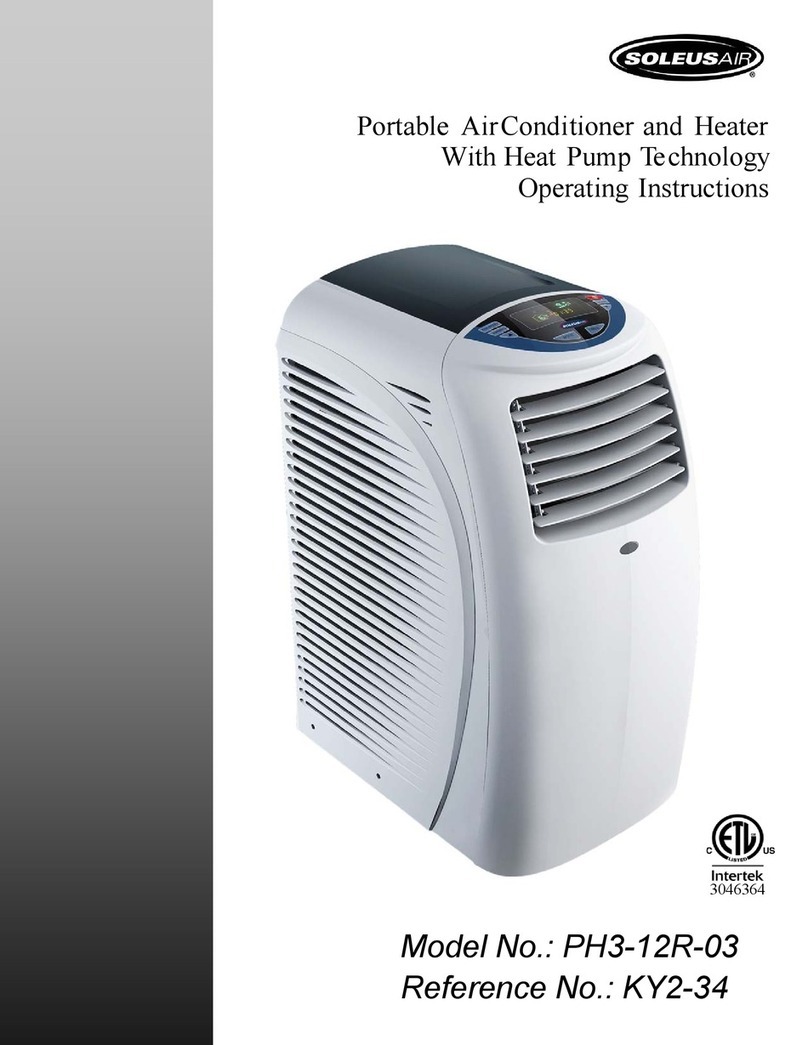
  9. Soleus Air PH3-09R-03 User manual

Soleus Air PH3-09R-03 User manual

This manual suits for next models

1

Other Soleus Air Air Conditioner manuals

Soleus Air SG-WAC-15ESE-C User manual

Soleus Air

Soleus Air SG-WAC-15ESE-C User manual

Soleus Air SG-WAC-15ESE User manual

Soleus Air

Soleus Air SG-WAC-15ESE User manual

Soleus Air LX-135DHP User manual

Soleus Air

Soleus Air LX-135DHP User manual

Soleus Air WM1-05M-01 User manual

Soleus Air

Soleus Air WM1-05M-01 User manual

Soleus Air FE-08BA User manual

Soleus Air

Soleus Air FE-08BA User manual

Soleus Air SG-WAC-18HCE User manual

Soleus Air

Soleus Air SG-WAC-18HCE User manual

Soleus Air HM1-10-32 User manual

Soleus Air

Soleus Air HM1-10-32 User manual

Soleus Air LX-140BL User manual

Soleus Air

Soleus Air LX-140BL User manual

Soleus Air PE2-09R-32 User manual

Soleus Air

Soleus Air PE2-09R-32 User manual

Soleus Air SG-PAC-10E5 User manual

Soleus Air

Soleus Air SG-PAC-10E5 User manual

Soleus Air SE-PAC-08E9 User manual

Soleus Air

Soleus Air SE-PAC-08E9 User manual

Soleus Air WCM1-08E-01 User manual

Soleus Air

Soleus Air WCM1-08E-01 User manual

Soleus Air GH-PAC-12E1 User manual

Soleus Air

Soleus Air GH-PAC-12E1 User manual

Soleus Air KFH-12/KFH-12-1 User manual

Soleus Air

Soleus Air KFH-12/KFH-12-1 User manual

Soleus Air SPTAC-09H User manual

Soleus Air

Soleus Air SPTAC-09H User manual

Soleus Air KFHHP-18-ID Specification sheet

Soleus Air

Soleus Air KFHHP-18-ID Specification sheet

Soleus Air PSC-12HP-201 User manual

Soleus Air

Soleus Air PSC-12HP-201 User manual

Soleus Air PA1-12R-32 User manual

Soleus Air

Soleus Air PA1-12R-32 User manual

Soleus Air KC-45H Specification sheet

Soleus Air

Soleus Air KC-45H Specification sheet

Soleus Air SG-PAC-12E1HP User manual

Soleus Air

Soleus Air SG-PAC-12E1HP User manual

Soleus Air TM-PAC-08E3 User manual

Soleus Air

Soleus Air TM-PAC-08E3 User manual

Soleus Air PE4-11R-03 User manual

Soleus Air

Soleus Air PE4-11R-03 User manual

Soleus Air PH1-14R-03 User manual

Soleus Air

Soleus Air PH1-14R-03 User manual

Soleus Air LX-140 User manual

Soleus Air

Soleus Air LX-140 User manual

Popular Air Conditioner manuals by other brands

Panasonic CS-E12HKEW operating instructions

Panasonic

Panasonic CS-E12HKEW operating instructions

Mitsubishi Electric MSZ-GE60VA null

Mitsubishi Electric

Mitsubishi Electric MSZ-GE60VA null

Samsung AVMFC052EA0(4) null

Samsung

Samsung AVMFC052EA0(4) null

Haier HSU-09H03/R null

Haier

Haier HSU-09H03/R null

Haier HSU-24C03 null

Haier

Haier HSU-24C03 null

Mitsubishi Electric MSZ-GE22VA null

Mitsubishi Electric

Mitsubishi Electric MSZ-GE22VA null

Samsung AVMCH052CA1 null

Samsung

Samsung AVMCH052CA1 null

nedis ACMB1WT7 quick start guide

nedis

nedis ACMB1WT7 quick start guide

Daikin FCFV50A Operation manual

Daikin

Daikin FCFV50A Operation manual

Fujitsu Inverter ASBA30JFC operating manual

Fujitsu

Fujitsu Inverter ASBA30JFC operating manual

Toshiba RAS-M10SMUV-E installation manual

Toshiba

Toshiba RAS-M10SMUV-E installation manual

Daikin FXLQ20MAVE Operation manual

Daikin

Daikin FXLQ20MAVE Operation manual

CIAT Magister 2 Series Installation, Operation, Commissioning, Maintenance

CIAT

CIAT Magister 2 Series Installation, Operation, Commissioning, Maintenance

Bestron AAC6000 instruction manual

Bestron

Bestron AAC6000 instruction manual

Frigidaire FFRE0533S1E0 Use & care guide

Frigidaire

Frigidaire FFRE0533S1E0 Use & care guide

Samsung AS09HM3N user manual

Samsung

Samsung AS09HM3N user manual

Frigidaire CRA073PU11 use & care

Frigidaire

Frigidaire CRA073PU11 use & care

McQuay MCK020A Technical manual

McQuay

McQuay MCK020A Technical manual

https://manuals.online logo
https://manuals.online logoBrands
  • About & Mission
  • Contact us
  • Privacy Policy
  • Terms and Conditions

Copyright 2025 Manuals.Online. All Rights Reserved.

© 2006 Soleus Air International
Portable Air Conditioner and Heater
With Heat Pump Technology
PH3-09R-03 / PH3-10R-03
Operating Instructions
Model No. PH3-09R / PH3-10R
3046364
2
Thank you for choosing a Soleus Air Portable Air Conditioner. This owner s manual will provide you
with valuable information necessary for the proper care and maintenance of your new product. Please
take a few moments to thoroughly read the instructions and familiarize yourself with all the opera-
tional aspects of your new Soleus Air Portable Air Conditioner with Heat Pump technology.
For your own records, please attach a copy of your sales receipt to this manual. Also, write the store
name/location, date purchased, and serial number below:
Store Name: ____________________________________________________
Location: ______________________________________________________
Date Purchased: _________________________________________________
Serial Number (located on back of unit): ______________________________
IMPORTANT INSTRUCTIONS
Before installing and using your portable air conditioner, please read this owner’s manual carefully. Store this
manual in a safe place for future reference.
1) Always place the unit on a level surface.
2) Never use or store gasoline or other flammable vapor or liquid near this unit unless instructed by this
manual.
3) Maintain at least 10 inches (25 cm) clearance space around this unit. Do not block or cover air inlet or
outlet grilles.
4) The unit must be connected to a correctly grounded power supply.
5) Do not start or stop the unit by inserting or pulling out the power plug.
6) Do not use an adapter plug or extension cord.
7) Do not use the unit in the immediate surroundings of a bath, a shower or a swimming pool.
8) Do not insert anything into the air outlet. Do not obstruct air inlet or outlet grills unless instructed by this
manual.
9) Do not let children play near this unit.
10) Always inspect the cord for signs of damage before use. If the power cord is damaged, it must be replaced
by the manufacturer or a qualified service technician.
11) When cleaning the unit, always turn the unit off and unplug the power cord.
3
SPECIFICATIONS
• The cooling capacity is measured at an ambient temperature of DB 86 °F, WB 78 °F.
• Noise level is measured at a distance of 3.28 ft away from the front of the unit, when the unit is in cooling mode.

• Power consumption is measured when the fan runs at the highest speed setting.
• These specifications are for reference only. For actual data, please refer to the rating label on the back of the unit.
• If the environment temperature is higher than the max operating temperature or lower than the minimum operating temperature,
the air conditioner may not work properly.
PACKA E CONTENTS
Portable Air Conditioner
Exhaust Hoses (1)
Hose Adapters (1)
Window Kit Adapter (1)
Remote Control
AAA Batteries (2)
Window Kit - 3 Sliding Panels (1 single hose panel, 2 extension panels)
Owner s Manual
MODEL PH3-09R-03 PH3-10R-03
Cooling Capacity 9 000 BTU/Hr 10 000 BTU/Hr
Heating Capacity 9 200 BTU/Hr 10 500 BTU/Hr
Dehumidifying Capacity 55 pts/day 60 pts/day
Power Consump-
tion
Cooling 1200 W 1256W
Heating 1050 W 1179W
Air Flow Volume 285CFM 285CFM
Power Source 115 V / 60 HZ 115 V / 60 HZ
Rated Current Cooling 11.0 A 11.5A
Heating 9.5 A 10.8A
Sound Pressure Level <45 db(A) <45 db(A)
Weight 68.3lbs 68.3lbs
Dimensions (WxDxH) 12.98” x 22.17”x 27.78”
12.98” x 22.17” x 27.78”
Refrigerant R22 R22
DISCLAIMER
ALL INFORMATION AND THE TECHNICAL SPECIFICATIONS PRESENTED IN THIS USER’S MANUAL ARE THE
PRESENTATION OF THE MANUFACTURER. SOLEUS INTERNATIONAL HAS NOT CONDUCTED INDEPENDENT
TEST TO THE INFORMATION AND THE SPECIFICATIONS PRESENTED HEREWITHIN.
4
PRODUCT DIA RAM (Actual product design may differ slightly from images below)
FRONT
A. Control panel
B. Vertical air louvers
C. Air outlet
D. Horizontal air louvers
E. Casters
F. Power Cord & Plug
BACK
A. Hot air outlet grill
B. Lower air inlet grill
ACCESSORIES
Flexi le exhaust hose with 2 adapters
• 3-piece set
• stretches from 14 1/4” to 60 5/8”
(36cm to 150cm)
Window exhaust adapter
Adjusta le window slider kit
• 3-piece set
• adjusts 33 1/2” to 70” (85cm to 177.8cm)
Drain tu e
Drain pan
5
INSTALLATION
SELECTIN THE LOCATION
Place the unit in a flat location where the air out-
lets are not o structed. Place the unit at least
20” (50cm) away from a wall or other o stacle.
MOUNTIN THE EXHAUST HOSE
Slide the square end of the exhaust duct over the
hot air outlet on the ack of the unit.
The exhaust hose should e kept as short and
straight as possi le. Prevent any sharp ends in
the exhaust hose, as this will trap hot exhaust air.
The hot exhaust air can e vented through the
wall or out a window. If mounting in the wall, the
height of the hole should e 16 to 50 inches
(40cm to 130cm).
6
LCDI POWER CORD AND PLU
This air conditioner is equipped with an LCDI (Leakage Current Detection and Interruption) power cord and
plug as required by US National Electric Code 440.65. This cord consists of a length of shielded flexible cord
with no termination on the load side and a LCDI attachment plug on the line side.
The LCDI power cord and plug will remove the supply source via electrical disconnect (circuit trip) if the
nominal current leakage between the cord shield and either load conductor exceeds a predetermined value.
The cord will remain de-energized until the devise has been manually reset. This is intended to reduce the risk
of a fire in the power cord or combustible materials nearby. The cord shields are not grounded and they must
be considered a shock hazards if exposed. The cord shield must not be connected to ground or to any exposed
metal.
The test and reset buttons on the LCDI Plug are used to check if the plug is functioning properly. To test:
1. Plug power cord into wall outlet
2. Press TEST Button, circuit should trip, cutting power to the air conditioner
3. Press RESET button for use
If a test is performed and the indicator light remains ON, current leakage has been detected. Do not use the air
conditioner or attempt to reset the LCDI Plug. Contact Soleus Air Customer Service for troubleshooting
recommendations.
WARNING:
1. DO NOT press the TEST button while the air conditioner is operating.
2. The TEST and RESET buttons should not be used as “ON” and “OFF” switches.
3. The cord and plug are not intended to offer protection to externally connected loads or supply circuits.
4. The cord and plug are intended for indoor use only.
RESET
TEST
7
WINDOW KIT INSTALLATION
The window kit is designed to fit into most standard
vertical and horizontal windows, as well as some
sliding glass doors. However, it may e necessary to
modify some aspects of the installation process for
certain window types.
Open the window or sliding door and adjust the
length of the window kit to fit the opening. If
the window kit is not long enough, connect the
extra window kit panel to fit the opening. Mark
and cut down a single panel of the window kit
if necessary.
Place the window kit etween the window and the
window frame as shown in the images to the
right. Close the window onto the window kit to
form a tight seal.
Attach the exhaust duct adapter to the window kit.
Ta s located on the adapter will lock into
place securing the adapter to the window kit.
WINDOW KIT INSTALLATION
8
WINDOW KIT INSTALLATION (cont’d)
9
MULTI-COLOR DISPLAY
A. Auto Mode
B. Cool Mode
C. Dehumidify Mode
D. Fan Mode
E. Heat Mode
F. Fan Speed (Low High Me-
dium)
G. Temperature
H. Swing Mode
I. Sleep Mode
J. Clock and Timer
K. Timer On
L. Timer Off
M. Compressor is on
CONTROL PANEL, DISPLAY, & OPERATIN INSTRUCTIONS
CONTROL PANEL & MULTI-COLOR DISPLAY
10
OPERATIN INSTRUCTIONS
CONTROL PANEL BUTTONS (Refer to the images on page 9)
1) Power On and Off - Press the POWER button once to manually turn the unit on. Press the POWER
button once more to turn the unit off.
2) Mode Selection - Press the ODE Button repeatedly to cycle between the different modes: Auto mode,
Air Conditioner, Dehumidifier, and Fan.
3) Fan Speed Control - Press the FAN SPEED Button to cycle through the different fan speeds: High,
edium, and low. The fan speed can be visually distinguished by the speed of the digital air segments
progressing out from the windmill fan image on the Multi-color display. There is an additional auto speed
setting that is enabled in only heating and cooling modes. This speed is next setting after low when press-
ing the speed control button. The speeds will cycle through in this order: Low, edium, High, Auto. Each
change in speed will be associated with a “beep” sound from the unit.
4) Temperature - Select the desired temperature by pressing either ▼ or ▲ button when using the unit in
cooling or heating mode. The temperature indicator flashes to display the desired temperature setting. After

the temperature is set, the unit will display this temperature setting until it is changed by the user. The
Multi-color display shows temperature in Celsius or Fahrenheit. Press the ▼ or ▲ buttons simultaneously
on the control panel to select the desired temperature setting.
5) Timer - To program the timer, press the TI ER ON button until the display shows a flashing “ ”.
Press the ▲ or ▼ buttons to change the clock to the desired time for the unit to automatically turn on.
Press the TI E OFF button and the display on the unit will flash “ ”. Press the ▲ or ▼ but-
tons to change the clock to the desired time for the unit to automatically turn off. The TI E OFF
indicator will flash for 3 seconds to activate your programmed on and off times.
6) Time Display - In the diagram above, the letter “J” points to the adjustable time display. To adjust the
time, Press FAN SPEED and SWING together (at the same time), then press UP to adjust the hours, and
press DOWN to adjust the minutes.
7) Swing - To start horizontal oscillation, press the Swing button once. ‘‘ “ icon will appear on the

multi-color display. To stop oscillation, press the Swing button again. Vertical air flow direction can be

adjusted manually.
NOTE: The timer will remember your settings when it is set. If you set the timer while in Air Conditioning
mode, the timer will automatically turn the unit on and off in air conditioning mode according to the desired
programmed times. The timer will also remember the temperature settings, fan speed, and oscillation setting.
The timer works when the unit is in Air Conditioner mode, Dehumidifier mode, Fan mode, and Auto mode.