3.1 HW Configuration and Control SW
3.1.1 Connectors and connections
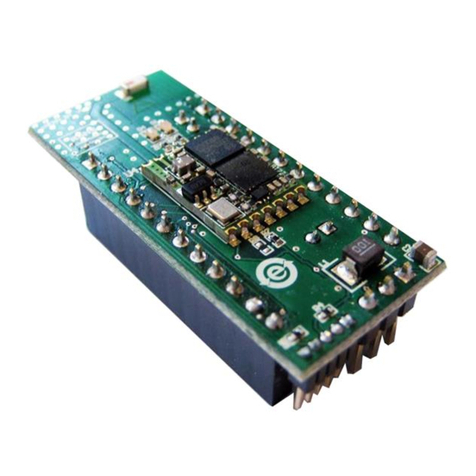
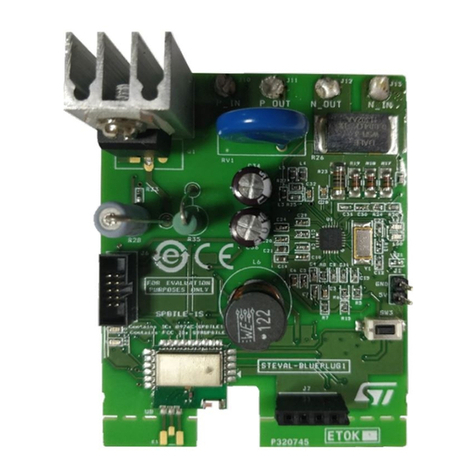
The 492 module embeds a Stand Alone connection which is different from the previous power amplifiers boards
developed.
Based on that:
•The Voltage Supply to the power amplifier can be provided through J3 connector (Vbat 3.3–18V, GND) with
the chance to use the sense technique close to the device through the VCC/GND test points;
•The Feedback default configuration including the output L-C low-pass filter, allowing superior frequency
response linearity and lower distortion. Furthermore, there is also the chance to use the FDA903U as
traditional class D amplifiers with the feedback directly connected to the PWM output (before L-C filter
stage). Both working modes can be selected mounting or not the following resistors:
Table 2. Working mode selection
R5, R6 R7, R8
Traditional feedback 0 Ω DO NOT MOUNT
Feedback after the demodulation filter DO NOT MOUNT 0 Ω
•The Device State and Address Selection of the power amplifier can be set through the ENABLE pins ENx
( x = 1, 2, 3, 4) on J10 connector. With an open connection the ENx is set to high logical value and through a
jumper it is possible to pull down (to GND) the ENx desired thus setting the low logical value. In this way it is
possible to select different I2C addresses (up to 8) or to configure the device in 4 different legacy modes
according to the Data Sheet table;
•The HW Mute of the power amplifier can be set through the MUTE pin on J10 connector. With an open
connection the MUTE pin is set to high value (the amplifier is in play state) and through a jumper it is
possible to pull down (to GND) the MUTE pin thus setting the low value and put in mute state the amplifier;
•The Output Channel of the power amplifier can be monitored/analyzed through the J1 connector (CH+/
CH-);
3.1.2 How to manage the I2C
3.1.2.1 I2C HW & SW control
For the programmability of a “Stand Alone module” in terms of I2C settings, there is the J10 connector on 424
stand alone module (I2C SCL, I2C SDA, GND).
GUI is available and it is running on a Windows PC if the user adopts ST interface board (description available in
the dedicated user manual)
For the GUI description, please refer to its own manuals.
There are other possibilities to control the device in terms of I2C settings (e.g. FTDI, etc) but the SW control
needs to be implemented by the final user.
3.1.2.2 I2S HW & SW control
The I2S signals (I2S SCL, I2S WS, I2S SDA1) of 492 “Stand Alone module” can be provided through the J10
connector with different HW configurations:
1. Directly from Audio Precision instruments:
a. PSIA controller (AP 2700 series)
b. Digital Serial Transmitter (APx5xx series)
2. ST interface board (description available in the dedicated user manual)
UM2635
HW Configuration and Control SW
UM2635 - Rev 1 page 5/12