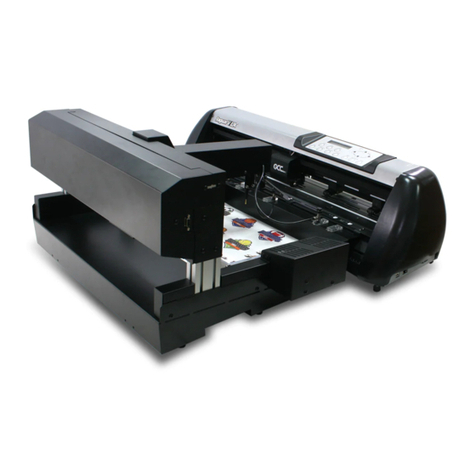
S One User’s Manual
Table of contents V
List of Figures
1-1 Example of Properly grounded plug-socket combination................................................ 1-3
1-2 S One cutter front view...................................................................................................... 1-6
1-3 S One cutter rear view.......................................................................................................1-7
1-4 Media is loaded and the cutter is ready............................................................................ 1-8
1-5 Cutter is ready and no media is loaded ............................................................................ 1-8
1-6 Position pinch roller ........................................................................................................1-17
1-7 Pinch roller lever .............................................................................................................1-18
1-8 Core holders ....................................................................................................................1-18
1-9 Position media core holder cutter...................................................................................1-18
1-10 Feeding roll media without using the core holders......................................................1-19
1-11 Media position...............................................................................................................1-19
1-12 Pinch roller lever ...........................................................................................................1-20
1-13 Removing the drag knife holder from the clamp..........................................................1-22
1-14 Removing the knife from the standard drag knife holder ............................................1-22
1-15 Knife length adjustment................................................................................................1-23
1-16 clamp drag head ...........................................................................................................1-23
1-17 Knife pressure test pattern...........................................................................................1-24
1-18 Peeled Knife pressure test pattern ...............................................................................1-25
1-19 Knife is chosen tool.......................................................................................................1-26
1-20 Pen is chosen tool .........................................................................................................1-26
2-1 Touchscreen ...................................................................................................................... 2-1
2-2 screen saver ...................................................................................................................... 2-1
2-3 Peeled Knife pressure test pattern ................................................................................... 2-4
2-4 Correct knife offset pattern............................................................................................... 2-5
2-5 Length calibration pattern................................................................................................. 2-9
2-6 FlexCut principle..............................................................................................................2-11
2-7 Knife depth setting normal cutting.................................................................................2-14
2-8 Knife depth setting cutting through................................................................................2-14
3-1 margins printing on a roll.................................................................................................. 3-2
3-2 margins printing on a sheet .............................................................................................. 3-2
3-3 OPOS alignment methods.................................................................................................. 3-3
3-4 Positioning the media for multiple sheets ......................................................................3-11
3-5 Opos barcode Job loaded................................................................................................3-12
4-1 Main menu .........................................................................................................................4-1
4-2 Action menu....................................................................................................................... 4-3
4-3 Settings menu....................................................................................................................4-4
4-4 Overcut ..............................................................................................................................4-4
4-5 Settings menu.................................................................................................................... 4-6
5-1 cleaning sleeves ................................................................................................................ 5-1
5-2 Media sensors S Class 2 cutters ....................................................................................... 5-2
5-3 Sliding surfaces on Y-guide rail ........................................................................................ 5-3
5-4 Power entry module .......................................................................................................... 5-4