manuals.online logo
Brands
  1. Home
  2. •
  3. Brands
  4. •
  5. Takex
  6. •
  7. Accessories
  8. •
  9. Takex PA-6612E User manual

Takex PA-6612E User manual

Other Takex Accessories manuals

Takex PXB-100ATC User manual

Takex

Takex PXB-100ATC User manual

Takex PIR-T40NAM User manual

Takex

Takex PIR-T40NAM User manual

Takex F71 Series User manual

Takex

Takex F71 Series User manual

Takex TX-124R User manual

Takex

Takex TX-124R User manual

Takex GS-1100E User manual

Takex

Takex GS-1100E User manual

Takex TXF-125 Series User manual

Takex

Takex TXF-125 Series User manual

Takex PA-450EA User manual

Takex

Takex PA-450EA User manual

Takex MW-50L User manual

Takex

Takex MW-50L User manual

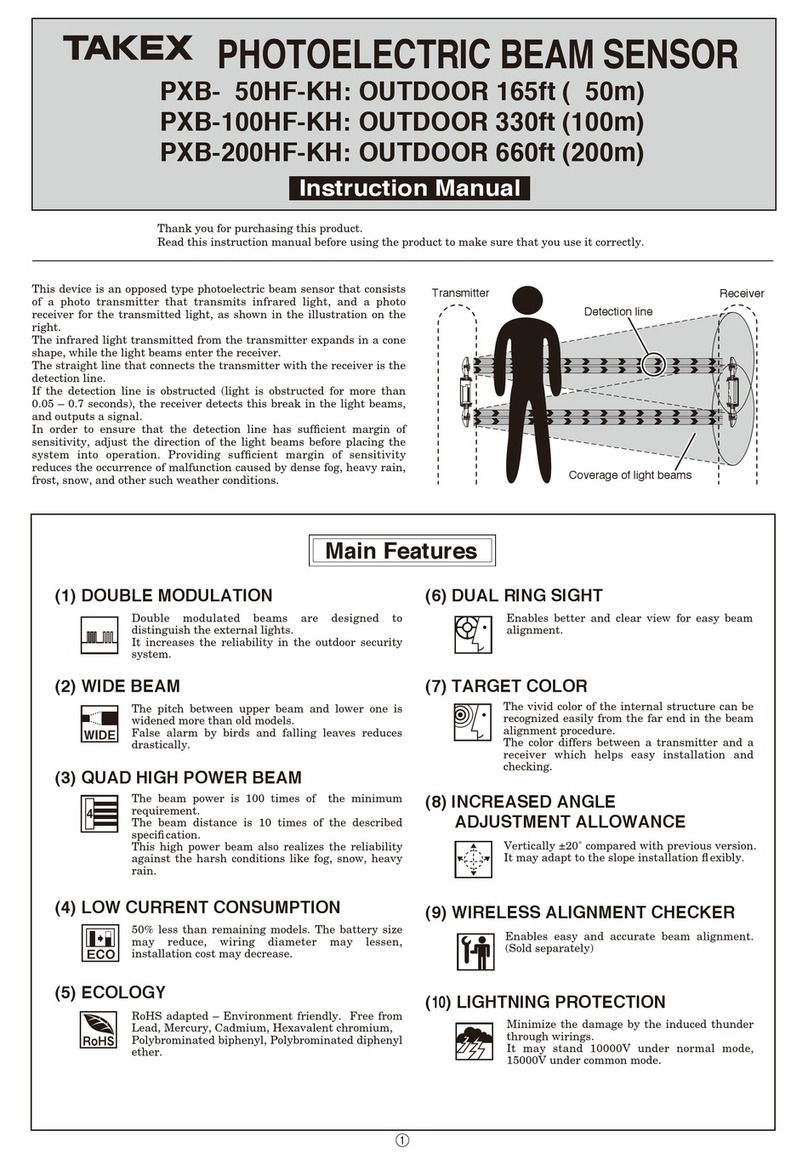
Takex PXB-50HF-KH User manual

Takex

Takex PXB-50HF-KH User manual

Takex MS-12TE User manual

Takex

Takex MS-12TE User manual

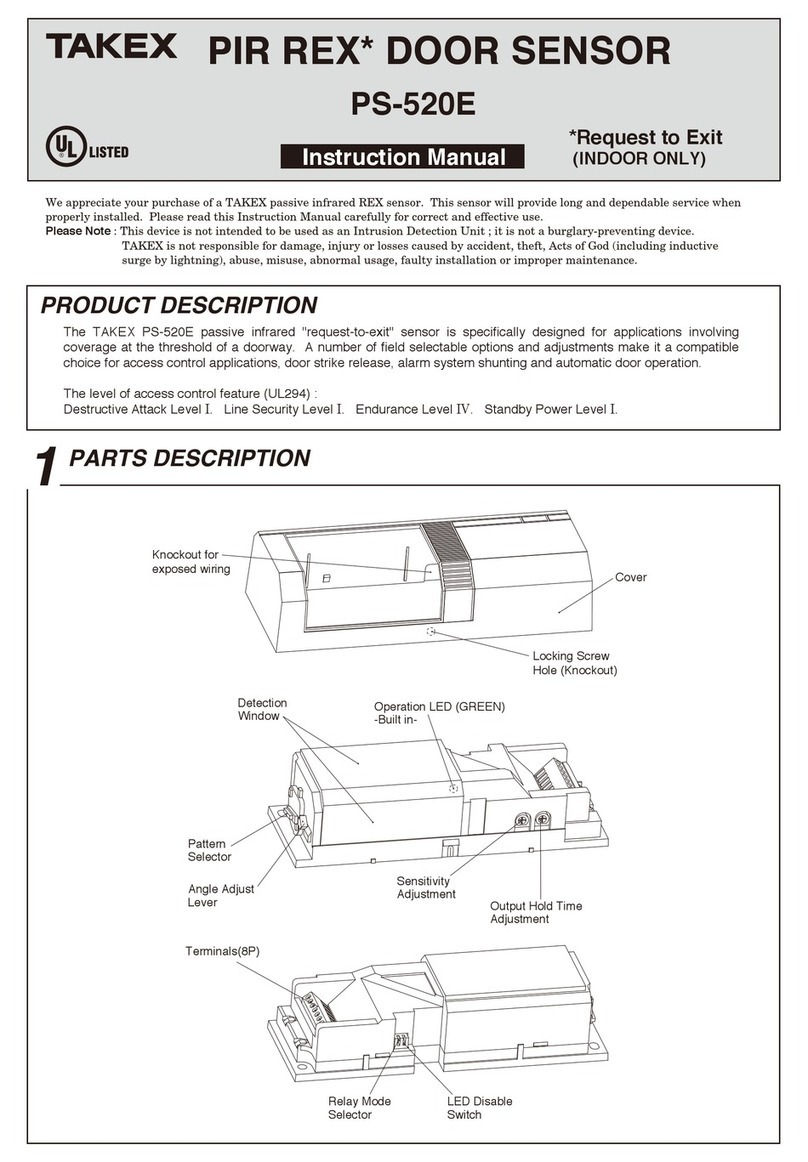
Takex PS-520E User manual

Takex

Takex PS-520E User manual

Takex MW-100AL Manual

Takex

Takex MW-100AL Manual

Takex PR-11BE User manual

Takex

Takex PR-11BE User manual

Takex PR-11BE User manual

Takex

Takex PR-11BE User manual

Takex TXF-20TDM User manual

Takex

Takex TXF-20TDM User manual

Takex ASW-SG85F User manual

Takex

Takex ASW-SG85F User manual

Takex PA-15WE User manual

Takex

Takex PA-15WE User manual

Takex TX-114TR User manual

Takex

Takex TX-114TR User manual

Takex PA-480S User manual

Takex

Takex PA-480S User manual

Takex DA-303S User manual

Takex

Takex DA-303S User manual

Takex MS-12TE User manual

Takex

Takex MS-12TE User manual

Takex PB- 50FA User manual

Takex

Takex PB- 50FA User manual

Takex F71R User manual

Takex

Takex F71R User manual

Takex FS-1000E User manual

Takex

Takex FS-1000E User manual

Popular Accessories manuals by other brands

Quincy lab 140AE-1 operating manual

Quincy lab

Quincy lab 140AE-1 operating manual

HomePro ZIR000 user manual

HomePro

HomePro ZIR000 user manual

DOL 20SCR Technical user guide

DOL

DOL 20SCR Technical user guide

RAB Smart Task installation manual

RAB

RAB Smart Task installation manual

Kemppi KMS 300 quick guide

Kemppi

Kemppi KMS 300 quick guide

Stearns 57,500 Series Installation and service instructions

Stearns

Stearns 57,500 Series Installation and service instructions

iGuzzini TWILIGHT COPENAGHEN manual

iGuzzini

iGuzzini TWILIGHT COPENAGHEN manual

Adelaide Annexe & Canvas Avan Deluxe installation guide

Adelaide Annexe & Canvas

Adelaide Annexe & Canvas Avan Deluxe installation guide

OHAUS 5000 instruction manual

OHAUS

OHAUS 5000 instruction manual

HOME8 WLS1300 quick start guide

HOME8

HOME8 WLS1300 quick start guide

MAXBOTIX MaxSonar quick start guide

MAXBOTIX

MAXBOTIX MaxSonar quick start guide

ioSmart iSmart56 Installation and user guide

ioSmart

ioSmart iSmart56 Installation and user guide

Focusrite Scarlett 18i8 user guide

Focusrite

Focusrite Scarlett 18i8 user guide

Velleman ED38105 user manual

Velleman

Velleman ED38105 user manual

JumpSport SkyBounce user manual

JumpSport

JumpSport SkyBounce user manual

Prima-Temp PRIYA Instructions for use

Prima-Temp

Prima-Temp PRIYA Instructions for use

Tefcold BC85I-BC85I W user manual

Tefcold

Tefcold BC85I-BC85I W user manual

Vaisala WMS302 user guide

Vaisala

Vaisala WMS302 user guide

manuals.online logo
manuals.online logoBrands
  • About & Mission
  • Contact us
  • Privacy Policy
  • Terms and Conditions

Copyright 2025 Manuals.Online. All Rights Reserved.

InstructionManual
1PARTS DESCRIPTION
2COVERAGE AND RANGE
Wide angle protection : PA-6612E
TWIN MIRROR
PASSIVE INFRARED SENSOR
We appreciate your purchase of a TAKEX passive infrared sensor. This sensor will provide long and dependable service when
properly installed. Please read this Instruction Manual carefully for correct and effective use.
Please Note : This sensor is designed to detect intrusion and to initiate an alarm ; it is not a burglary-preventing device.
TAKEX is not responsible for damage, injury or losses caused by accident, theft, Acts of God ( including inductive
surge by lightning ), abuse, misuse, abnormal usage, faulty installation or improper maintenance.
■Wide angle protection
Variablerange
8.5'
(2.6m)
20'
(6m)
40'
(12m)
3.2' (1m)
4.9' (1.5m)
6.5' (2m)
1.6' (0.5m)
Top view
●
●Side view
Wire lead
(For exposed wiring)
Wire lead
(Knockout) Wiring hole Locking screw hole Release lever
Terminals
Front mark Wiring hole
Memory LED
(inside) : Yellow
Alarm LED
(inside) : Red
【BASE UNIT】
【SENSOR UNIT】
Front mark
Pattern
selector
Area set chart
Indicator
Mode set chart
Mode selector
19.5°
52°
6.5°
84°
0
(6.5°〜26°)
4INSTALLATION
3DO'S AND DON'T'S
5WIRING
●Install the sensor in a location
such that intruders are more likely
to cross the protection zones,
rather than approach head on.
●Do not install in a site which
is subject to electrical noise or
intense vibration.
●Avoid direct sunlight, spot light or
intense reections on the sensor or
the protection zone.
●Do not install the sensor outdoors
(indoor only).
[MAINTENANCE]
1.When the unit is soiled, clean the cover with a soft cloth
moistened with a small amount of cleansing -solution. Do not
use chemicals such as thinners or alcohol.
2.Check operation once a week. Do not fail to check operation
whenever furniture in coverage area is moved.
●The passive infrared sensor is designed to detect infrared energy
variations caused by the presence of a human body. Therefore,
note that similar variations in conditions in protection area, due
to other reasons, may cause the sensor to create an alarm as it is
unable to distinguish between sources.
(1) Slide release lever
to a direction that
an arrow points to
detach sensor unit
from base unit.
(2) Mount the base on the ceiling with screws.
Fix so that the front mark ( ) is pointing to
the center of protection area.
*Break knockout
and put the wire
through wire
lead on base
unit, when
exposed wiring.
(3) Connect the wires to the terminals referring
to the paragraph on WIRING.
(4) Set the protection area referring to the
paragraph on PATTERN SETTING.
(5) Match up a front
mark on base unit
with that on
sensor unit.
Put a sensor unit
into a base unit
from front mark
side.
Push sensor unit until release lever will
clicks.
【Basic connection】
[When two units are used]
【Allowable wiring distance between sensor and power source】
Size of wire used
AWG 22 (Dia. 0.65mm)
AWG 20 (Dia. 0.80mm)
AWG 18 (Dia. 1.00mm)
Distance at 12VDC
820 ft. (250m)
1476 ft. (450m)
2296 ft. (700m)
Note 1) The maximum wire length, when two or more units are connected, is
the above distance divided by the number of units.
2) The protection circuit can be wired to a distance of 3,280 ft (1,000m)
with AWG 22 (0.65mm dia.) wire.
*Allow approx. one minute for warm-up after power is applied. (Alarm
LED is ashing) In the meantime, an alarm is not initiated.
*After the one minute has passed the unit will be in the armed condition
and will trigger when detecting a human body.
*
All wiring should be in accordance with the national electric code NFPA-70.
Power
}
Signal
input
+
ー
Sensor(N.C.)
1
23
41
23
4
Sensor(N.C.)
①
②
(6) When sensor unit is detached, hold
it and slide release lever as
illustrated.
(7) When sensor unit is locked,
tighten the locking screw.
Sensor locking screw
Release lever
【Terminal
arrangement】
123 4
7
Alarm output
Dry contact (Semi-Conductor)
N.C. N.O. changeover
Reset : approx. 2 sec.
24V (AC/DC) 0.25A
(Protective resistor 3.3Ω)
Power (non-polarity)
10.5〜28V DC
25mA or less
(+2mA at L/C use)
Tamper
N.C.
30V(AC/DC)
0.25A
L/C
LED
Control
6
5
The power supply used with this unit
must have a minimum 4 hours
stand-by power capbillity.
※
6PATTERN SETTING
7OPERATION
The protection area can be set depending on installation height and max. protection distance by the pattern selector on the rear
of sensor, referring to the area set chart.
Note : Alphabet letters appear alternately on the indicator.
[Horizontally]
Make use of mounting hole for horizontal adjustment. (25°adjustable)
(1) Turn the power ON, and wait for 1 minute until the alarm LED stops ashing.
(2) Walk test in the protection area to check if an alarm is activated.
Check on both of the alarm LED and control panel.
(3) After correct operation has been conrmed, turn the alarm LED OFF with mode selector on the rear of sensor unit.
(When set at OFF, the alarm LED does not light even if an alarm is activated.)
[i.e.]
When the sensor is to protect an area
40' (12m) at 10' (3m) heigh, turn the
pattern selector such that the
indicator shows "C".
[Vertically]
C
B
D DOWNUP
AREA SET
CHART
C
D
B
▲
▲
Indicator
DISTANCE
HEIGHT
m
ft
10
3.0 4.0 4.9 6.0 7.0 7.9 9.0
13 16 20 23 26 30
10.0
33
11.0
36
12.0
40
2.0
2.6
3.0
4.0
6.5
8.5
10
13
F
H
H
H
H
GGG
F
FF
F
E
EE
E
E
C
CCCC
C
D
D
D
D
CB
BBA
A
A
A
A
8MODE SETTING
Sensor operation can be adjusted by mode selectors on the rear of unit to suit
its application / environment.
(1) Alarm LED ON/OFF
ON : Lights at alarm
OFF : LED disabled
This function allows sensor
to detect small movements of
hands or body in a narrow
range.
This mode is quite sensitive to detect even slight
movement. Its ability to discriminate against
small animals such as rodents is low. Therefore
this should be taken into consideration when
selecting this function.
This function has not been evaluated by UL.
(3) Changeover of alarm
contact
ON : N.O.
OFF : N.C.
(4) Sensitivity
(5) Pulse count
1 : Most sensitive.
2 : Normally set to this position.
3 / 4 : Least sensitive, prevents false alarms caused by
temperature uctuation.
ON
OFF
Switch3
ON
N.O.
OFF
N.C.
(Factory set)
Switch1
ON
OFF
(Factory set)
ON
OFF
12
(Factory set)34
Switch6・7
ON
OFF
120%100%
(Factory set)80%60%
Switch4・5
12345678
FACTORY SET AT
Note 1) :
Note 2) :
(6) Fine motion detection Switch8
ON
OFF
(Factory set)
ON
1
LED
3
ALARM
4,5
SENS.(%)
6,7
COUNT
8
FINE
MOTION
2
MEMORY
OFF
ON
OFF
OFF
ON
N.O.
N.C.
120
100
80
60
1
2
3
4
Memory is always stored when sensor is armed.
When an alarm has been activated, the memory LED ashes for 3
min. and then remains lit for 47 min. It automatically reset and
memory is also canceled.
Operation :
(2) Changeover of alarm memory
ON
Memory ON
OFF
Memory OFF
(Factory set)
Switch2
Contact switch
Power
Signal
input
Controls
LED CONTROL FUNCTIONS
Wire terminal ⑦(L/C) through an external
control contact switch with Power (−)
●OPERATION
Turn the Mode selector ①OFF
When the switch is turned ON, the alarm LED lights at alarm.
When the switch is turned OFF, the alarm LED does not light.
①④
⑦
③②
①④
⑦
③②
When the sensor is installed at higher than 10' (3m), there
could be some uncovered spaces between the neighboring
areas which could cause no detection. Readjust the detection
area if you nd the sensor cannot achieve proper detection.
If you still nd the sensor fails to detect even after
readjusting the area, switch on the ne motion detection.
Please note with the ne motion detection the sensor will be
more sensitive to temperature uctuations or to small
animals.
No.04-822
In Japan
Takex America Inc.Takenaka Engineering Co., Ltd.
http : // www. takex-eng. co. jp /
Takex America Inc.
http : // www. takex. com
Takex Europe Ltd.
http : // www. takex. com
In the U.S. In the U.K.
In Australia
1510
Aviary Court, Wade Road,
Basingstoke, Hampshire. RG24 8PE, U.K.
Tel : (+44) 01256-475555
Fax : (+44) 01256-466268
4/15 Howleys Road, Notting Hill,
VIC, 3168
Tel : +61 (03) 9544-2477
Fax : +61 (03) 9543-2342
83-1, Gojo-sotokan, Higashino,
Yamashina-ku, Kyoto 607-8156, Japan
Tel : 81-75-501-6651
Fax : 81-75-593-3816
151, San Zeno WAY
Sunnyvale, CA 94086, USA
Tel : 408-747-0100
Fax : 408-734-1100
Limited Warranty :
TAKEX products are warranted to be free from defects in material and workmanship for 12 months from original date of shipment. Our warranty does not cover
damage or failure caused by natural disasters, abuse, misuse, abnormal usage, faulty installation, improper maintenance or any repairs other than those provided
by TAKEX. All implied warranties with respect to TAKEX, including implied warranties for merchantability and implied warranties for tness, are limited in
duration to 12 months from original date of shipment. During the Warranty Period, TAKEX will repair or replace, at its sole option,free of charge, any defective
parts returned prepaid. Please provide the model number of the products, original date of shipment and nature of difculty being experienced. There will be
charges rendered for product repairs made after our Warranty Period has expired.
9TROUBLESHOOTING
11EXTERNAL DIMENSIONS
10 SPECIFICATIONS
Solve possible problems according to the following table. If normal operations cannot be
restored by this means, contact either the dealer from whom you bought the unit or TAKEX.
Completely inactive
Sometimes inactive
No power supply, broken wire or improper voltage.
Not yet 1 minute after power turned on (Alarm LED is flickering.)
Cover shielded by substances (including glass).
Improper area adjustment.
Cover face is soiled with dust or water drop.
Is the protection range proper ?
Unstable power voltage.
Something moving in protected area or too rapid temperature variations.
Intense reflection of sun light or head light shining on the sensor.
Is the sensor reacting to passersby outside ?
Poor contact output connection or broken wire or short circuit.
Contact output is not working.
Is the connected unit operation nomal ?
Correct power supply or replace broken wire.
Allow for warming up time (about 1 min.)
Remove the substances.
Readjust the protection area setting.
Reposition so that the range is proper.
Stabilize the power voltage.
Remove the cause.
Relocate device.
Relocate device. Shield with a blind.
Readjust the protection area.
Check the wiring or connection.
Check the contact output terminal using a tester.
Check the connected unit.
Model
Detection system
Coverage
Sensitive zone
Supply voltage
Current consumption
Alarm signal
Alarm memory
Alarm LED
Memory LED
Adjustment
Count changeover
Fine motion detection
Ambient temperature range
Mounting position
Wiring connection
Weight
Appearance
Accessory
PA-6612E
Passive infrared
Wide angle
40' (12m) Max.
17 pairs (64)
10.5〜28V DC (non-polarity)
25mA Max.
(+2mA at L/C use)
Dry contact (Semi-Conductor) (N.C. N.O. changeover)
Reset : Approx. 2 sec., 24V(AC/DC) 0.25A
(protective resistance 3.3Ω)
3 minutes ashing, 47 minutes lighting and
automatically reset
Red : Flashing at warming up
Lighting at alarm (LED disabled)
Yellow : Flashing at memory activated
Lighting at memory indication
Vertically 19.5°, Horizontally 25°(on mounting hole of base)
1 / 2 / 3 / 4 changeover
Slight movements of human beings can be detected
+5°F to +131°F (-15°Cto +55°C) without condensation
Indoor ceiling (wall mount with optional attachment BCW-401)
Terminals on separate base unit
4.73oz (135g)
Thermo plastic resin
Tapping screw : 2 pcs. Sensor locking screw : 1 pce.
The specications are subject to change without notice.
Clean the cover with soft cloth.
(Do not use chemicals such as thinners or alcohol.)
Activated when no person
has passed
The alarm LED lights, but
connected units are inactive
Large electrical noise source such as power machine nearby or
its wiring close to that of sensor.
Trouble Check Corrective Action
Protection
Sensorunit
Baseunit
φ4.72"(φ120mm)
▲
▲
▲
▲
▲
▲
▲
▲
Wirehole
▲
▲
▲
▲
▲
▲
▲
▲
▲
▲
▲
▲
▲
▲
▲
▲
▲
▲
▲
▲
35゜
35゜
35゜
35゜
R0.59"
(R15mm)
Releaselever
Locking
screwhole
φ3.88"(φ98.5mm)

2.17"(55mm)

0.31"(8mm)

φ3.29"(φ83.5mm)
2.63"(66.7mm)
5-φ0.17"
(5-φ4.2mm)
φ0.35"
(φ9mm)
0.17"(4.2mm)
1.34"
(34mm)
0.41"
(10.5mm)