manuals.online logo
Brands
  1. Home
  2. •
  3. Brands
  4. •
  5. Toshiba
  6. •
  7. IP Phone
  8. •
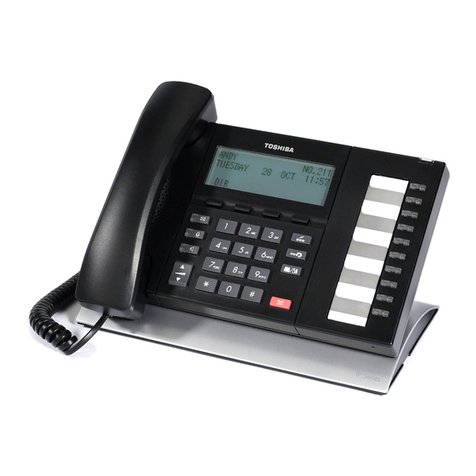
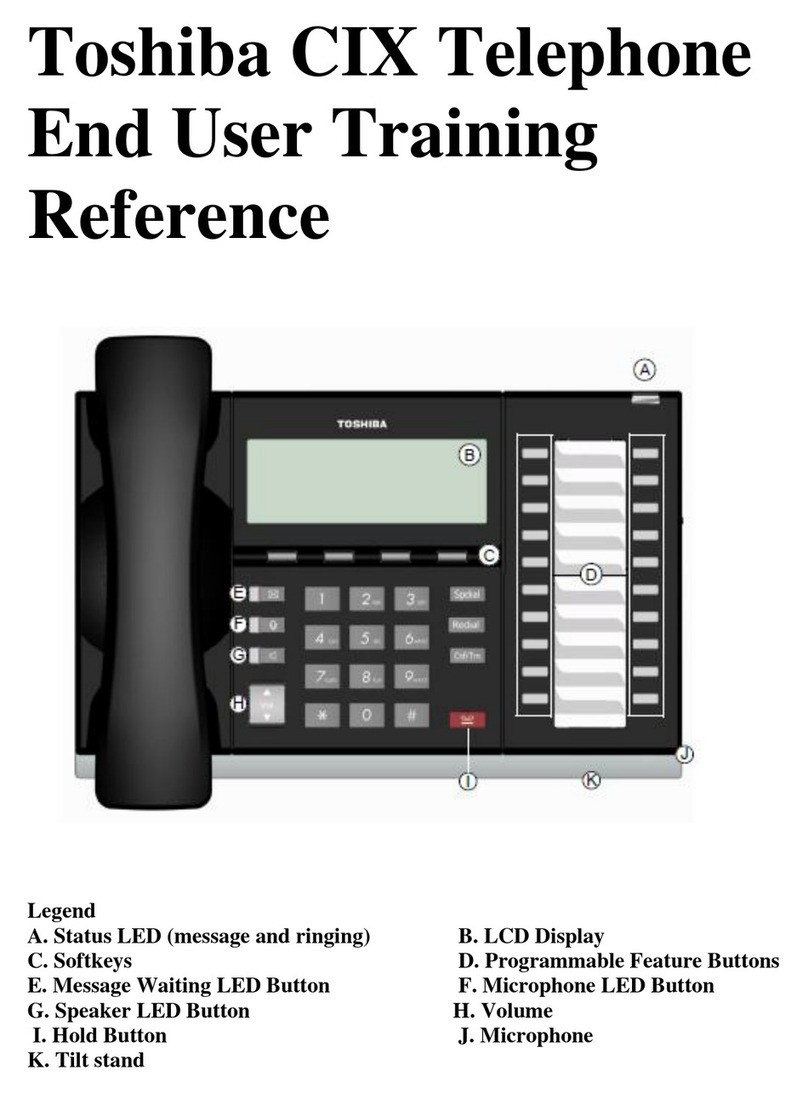
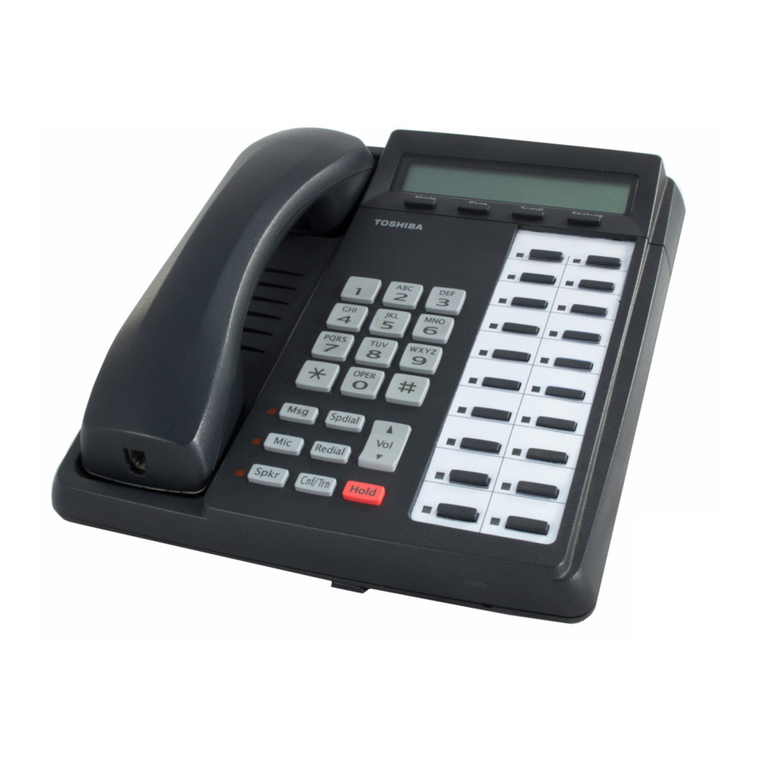
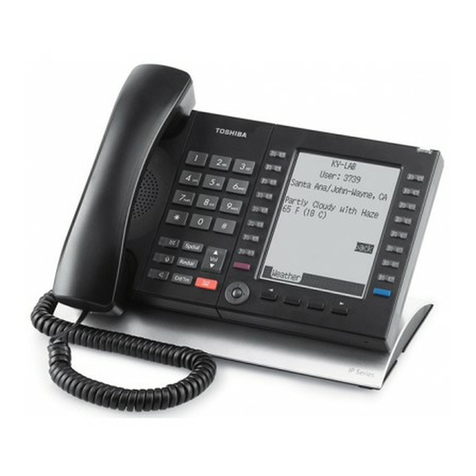
  9. Toshiba IPT 2010F-SD User manual

Toshiba IPT 2010F-SD User manual

This manual suits for next models

1

Other Toshiba IP Phone manuals

Toshiba Strata CIX670 User manual

Toshiba

Toshiba Strata CIX670 User manual

Toshiba Strata DK 2000-series User manual

Toshiba

Toshiba Strata DK 2000-series User manual

Toshiba Perception E User manual

Toshiba

Toshiba Perception E User manual

Toshiba IP EDGE User manual

Toshiba

Toshiba IP EDGE User manual

Toshiba Stratagy iES16 User manual

Toshiba

Toshiba Stratagy iES16 User manual

Toshiba IPedge User manual

Toshiba

Toshiba IPedge User manual

Toshiba Strata CTX DKT3000 Series User manual

Toshiba

Toshiba Strata CTX DKT3000 Series User manual

Toshiba Strata DK 2000-series User manual

Toshiba

Toshiba Strata DK 2000-series User manual

Toshiba DKT3210-SD - Digital Phone - Charcoal User manual

Toshiba

Toshiba DKT3210-SD - Digital Phone - Charcoal User manual

Toshiba DKT3200 series User manual

Toshiba

Toshiba DKT3200 series User manual

Toshiba Strata AirLink DK280 User manual

Toshiba

Toshiba Strata AirLink DK280 User manual

Toshiba Starta DK Digital Telephone User manual

Toshiba

Toshiba Starta DK Digital Telephone User manual

Toshiba Strata CS User manual

Toshiba

Toshiba Strata CS User manual

Toshiba Strata CIX DP-5000 series User manual

Toshiba

Toshiba Strata CIX DP-5000 series User manual

Toshiba DK User manual

Toshiba

Toshiba DK User manual

Toshiba Strata DK Backup User manual

Toshiba

Toshiba Strata DK Backup User manual

Toshiba Strata DK14 Manual

Toshiba

Toshiba Strata DK14 Manual

Toshiba Strata DK Backup User manual

Toshiba

Toshiba Strata DK Backup User manual

Toshiba Strata CIX IP5000-UG-VB User manual

Toshiba

Toshiba Strata CIX IP5000-UG-VB User manual

Toshiba Strata CTX DKT2001 Service manual

Toshiba

Toshiba Strata CTX DKT2001 Service manual

Toshiba PERCEPTIONe&ex User manual

Toshiba

Toshiba PERCEPTIONe&ex User manual

Toshiba Strata DK 24 User manual

Toshiba

Toshiba Strata DK 24 User manual

Toshiba Strata CT DKT2520-FS User manual

Toshiba

Toshiba Strata CT DKT2520-FS User manual

Toshiba CT User manual

Toshiba

Toshiba CT User manual

Popular IP Phone manuals by other brands

Cortelco C62 VoIP Phone user guide

Cortelco

Cortelco C62 VoIP Phone user guide

VanillaIP Polycom IP300 user manual

VanillaIP

VanillaIP Polycom IP300 user manual

Yealink Yealink SIP-T22P Quick installation guide

Yealink

Yealink Yealink SIP-T22P Quick installation guide

Viking SR-IP product manual

Viking

Viking SR-IP product manual

Yealink VP59 Teams user guide

Yealink

Yealink VP59 Teams user guide

Panasonic KX-UT133-B Administrator's guide

Panasonic

Panasonic KX-UT133-B Administrator's guide

Avaya one-X 9600 Series overview

Avaya

Avaya one-X 9600 Series overview

AVA Enterprises B179 Installation and administration guide

AVA Enterprises

AVA Enterprises B179 Installation and administration guide

Cisco Unified 7900 Series System guide

Cisco

Cisco Unified 7900 Series System guide

Polycom SoundPoint IP 450 datasheet

Polycom

Polycom SoundPoint IP 450 datasheet

Cisco SPA-500 Series user guide

Cisco

Cisco SPA-500 Series user guide

IPitomy IP290 user manual

IPitomy

IPitomy IP290 user manual

Polycom SoundPoint IP 650 user guide

Polycom

Polycom SoundPoint IP 650 user guide

Proximus Maestro 3016 IP quick start guide

Proximus

Proximus Maestro 3016 IP quick start guide

Polycom IP 450 user guide

Polycom

Polycom IP 450 user guide

Fanvil X4 user manual

Fanvil

Fanvil X4 user manual

Snom 320 quick start guide

Snom

Snom 320 quick start guide

Avaya Integral 5 R3.0 user guide

Avaya

Avaya Integral 5 R3.0 user guide

manuals.online logo
manuals.online logoBrands
  • About & Mission
  • Contact us
  • Privacy Policy
  • Terms and Conditions

Copyright 2025 Manuals.Online. All Rights Reserved.

Issue 10 4.2.09
1
Basic Call Handling
Answer a call Lift receiver or press Spkr key to answer call handsfree
Make a call Lift receiver and dial 9 and telephone number or dial number without lifting receiver
for a handsfree call
Dial by name Press “Mode” in the display, select the type of search (E.G. int. = internal directory) then
type the name using the dial pad. Press find to search for name, press “Call” to call
number in display or “Next/Prev” to search through other names.
Hold a call Press fixed hold key once [This will put the call on system hold]
Press fixed hold key twice [This will put the call on exclusive hold –only retrieve from
your Phone]
Retrieve a held call Press the green flashing line key
Transfer a call To announce the call:- Press the key [Conference / transfer], dial the extn number,
announce call and replace receiver
To transfer without announcing:- Press the Mode key underneath TRNS in the display,
ial the extn number and replace receiver.
Retrieve a call If you are announcing the call and there is no response from the extn, press the green
flashing line key, or press the scroll key underneath RTRN in the display
Transfer a caller to a mailbox Whilst on a call, press the key, dial # 407 and mailbox number [extn number], press
# and hang up
Redial Last number Press the [Redial] key this will redial the last number you have dialled [Int or
ext]
CIX IPT 2010F-SD / 2020F-SD User Guide
Issue 10 4.2.09
2
Further Telephone Features
Auto busy redial Only available on digital ISDN lines –When you have dialled a busy external number press
the soft key underneath ABR in the display. The system will try the number for you
normally once a minute for a maximum of 15 times (Dependent upon your system settings)

Cancel Auto busy redial Dial #442
Call back If you dial a busy extension, press the scroll key underneath ACB in the display. When the
extn or line becomes free your phone will ring and display Auto Call back. Lift receiver and
the system will call their extn.
Cancel Call back Dial # 431
Park a call Press key, followed by # 33, now enter the extension number you
want to retrieve the call on or dial # to park the call on your extn, then replace the
receiver
Retrieve a parked call From the nominated extn press „Park‟ key or dial #32 or dial #32 and the extn number
where you parked the call
All call page Lift receiver and dial #30 (Your message will come out through the speakers of any free
extns)

Conference Calls Receive / make 1st call, press CONF key in display above page, dial 3rd party, when they
answer, press JOIN above page to join all 3 together. Process can be repeated to a
maximum of 8 in total
Exit conference Press EXIT in display and then hang up
Pickup –Group Press programmed Pick up key or dial #5#34
Pick up a specific extn Dial #5#5 and ringing extn number
Diverting your telephone
Call Forward Immediately:- Dial #6011, destination number to receive calls, Spkr –Display will show CF
–ALL
Busy:- Dial #6021, destination number to receive calls, Spkr –Display will show CF –Busy
No answer:- Dial #6031, destination number to receive calls, timer in seconds 08 - 60, # ,
Spkr –Display will show CF –NA
Busy no answer:- Dial #6041, destination number to receive calls, timer in seconds, # ,
Spkr –Display will show CF –BNA
Cancel call forward:- Dial #6051, Spkr
External:- Dial #6011, dial 9 + telephone number, press the # key and hang up (ISDN
Only)
Cancel external call forward:- Dial #6051, Spkr
Do not disturb:- Press DND key or dial #6091 to switch on and #6092 to switch off
Issue 10 4.2.09
3
Storing useful telephone numbers
Personal speed dials Program:- Dial # 9876 or press Program key, press the key, enter speed dial location 100
–119 (Dependent upon your system settings), enter 9 + telephone number, press the spkr
key, enter the name of the speed dial using the numeric keypad, press the key to store,
press the spkr key, lift and replace receiver or press Program key again.
NOTE: To enter letters which are under the same number, e.g. when entering HOME, „O‟
and „M‟ are both under number 6, use the scroll soft key under the display to scroll along.
After you have entered „O‟, press the scroll key and then press 6 again to enter the „M‟.
Use:- Press [Speed Dial] key and then location 100 –119
System speed dials Use:- Press [Speed Dial] key and then location 200 - 999
Customising your spare keys
Light Grey Keys [Ideal for speed dialling]
Receiver down
Press Program key or dial #9876
Press light grey key you wish to program, dial number for speed dial inc 9 for an outside line
Press key again
Press Program key or lift and replace receiver
Dark Grey keys [With LED‟s]
Receiver down
Press Program key or dial #9876
Press „Hold‟ key
Press the dark grey key you wish to program
Enter code from list below
Press Dark grey key again
Press Program key or lift and replace receiver
Feature codes for programming keys Please see Toshiba Quick Reference Guide for full list of codes
Extension monitoring 610 Call Pick Up
(To program an extension button) Incoming group pick up 430
Do not disturb 180 Incoming directed call pick up 440
Program Key (Replaces #9876) 650
Park button 170
Page all groups 220
Call Forward –Any calls (External and Internal) Call Forward –incoming eternal calls only
All calls 340 Busy / no answer 420
Busy 350
No Answer 360
Busy No Answer 370
Change ring tone Dial # 9876 or press Program key, press Intercom key, Press Hold to switch
between External and Internal, enter 01,02,11 - 18, press Intercom key to save,
lift and replace receiver or press Program key. (Choice of 10 for both internal and
external, 01 is the default ring for internal calls and 11 is the default ring for
External calls)