TPG FRITZ! 7490 User manual

1
Modem Setup Guide –NBN FTTP
FRITZ! Box 7490
Please follow the steps below to set up your FRITZ! Box 7490.
1. Ensure your NBN Connection Box is turned on.
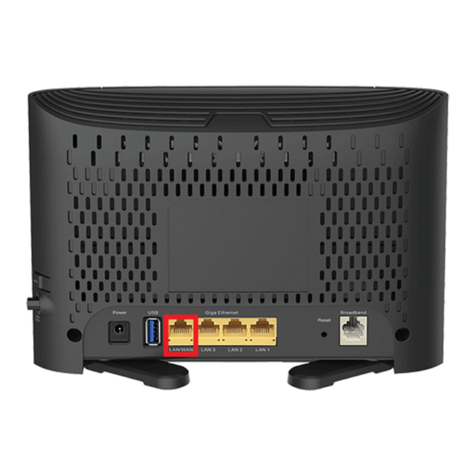
2. Plug an Ethernet cable from the UNI-D1 port on your NBN Connection Box into the
yellow LAN 1 port on your FRITZ! Box modem.
If UNI-D1 doesn’t work, try each UNI-D port.
3. Using the supplied power cable, connect the FRITZ! Box's Power port to an electrical
outlet and turn it on.
4. You can connect devices such as PC desktops, laptops or gaming consoles by plugging
Ethernet cables from the devices to any of the three remaining yellow LAN ports, or you
can connect devices via WiFi.
5. Go to http://192.168.178.1 in your browser.
6. On the Welcome screen click Cancel, and then click Exit Wizard to exit the Setup
Wizard.
7. Select Internet, then click Account Information.

2
Modem Setup Guide –NBN FTTP
8. Select Other Internet service provider from the Internet service provider drop down.
Enter TPG as name.
9. Under "Connection", select External modem or router.
10. Under "Operating Mode", select Establish own connection to the internet.
11. Under "Account information", make sure that Is account information required? is set
to Yes.
12. Enter your TPG Username and Password.

3
Modem Setup Guide –NBN FTTP
13. Under "Data Throughput", enter the Downstream and Upstream speeds for your NBN
plan as per the reference table below. Note: If you're not sure which NBN plan you have,
please check your order confirmation.
Service speed
Downstream
(Kbps)
Upstream
(Kbps)
NBN12
12000
1000
NBN25
25000
5000
NBN50
50000
20000
NBN100
100000
20000
NBN Home Superfast
250000
25000
NBN Home Ultrafast
1000000
50000
14. Click Change connection settings beneath the downstream/upstream entry and
select Maintain permanently (recommended for flat rates).
15. Click Apply.
Once you receive notification that your TPG NBN service is active, your FRITZ! Box 7490
should now be online. If you are still having issues, please call us on 1300 997 271 for
further assistance.
Table of contents
Other TPG Modem manuals
TPG
TPG HG658 User manual
TPG
TPG USB E1762 User manual
TPG
TPG TD-W9970 User manual
TPG
TPG Netgear Nighthawk D7800 User manual
TPG
TPG VR1600v User manual
TPG
TPG WiFi Cube 3 4G User manual
TPG
TPG Netgear Nighthawk RAX120 User manual

TPG
TPG HG658 User manual
TPG
TPG Netcomm NB9W User manual
TPG
TPG TP-Link VX420-G2v User manual