UBI EasyCoder 601 User manual

UBI EasyCoder 601 – User's Manual
1
CONTENTS
Introduction Presentation of the EasyCoder 601 ........................................................... 3
Get to Know Your Printer Front View................................................................................................. 4
Rear View .................................................................................................. 4
Paper Stock Compartment ......................................................................... 5
Paper Load Tear-Off ..................................................................................................... 6
Cut-Off ...................................................................................................... 9
Ribbon Load Loading Instructions ................................................................................ 12
Ribbon Width Adjustment....................................................................... 14
Maintenance Printhead Cleaning .................................................................................. 15
External Cleaning .................................................................................... 17
Printhead Replacement ............................................................................ 18
Troubleshooting....................................................................................... 19
UBI EasyCoder 601
User's Manual
Edition 1, May 1996
Article No. 1-960387-50

UBI EasyCoder 601 – User's Manual
2
Information in this manual is subject to change without prior notice and does not represent a
commitment on the part of UBI Printer AB.
© Copyright UBI Printer AB, 1996. All rights reserved. Published in Sweden.
EasyCoder and LabelShop are trademarks of United Barcode Industries (UBI).
Apple and Macintosh are registered trademarks of Apple Computer Inc.
Microsoft is a registered trademark of Microsoft Corporation.
Speedo is a trademark of Bitstream, Inc.
Torx is a registered trademark of Camcar Division of Textron Inc.
TrueType is a trademark of Apple Computer Inc.
Windows is a trademark of Microsoft Corporation.
FCC Notice
United States of America
WARNING:
This equipment generates, uses, and can radiate radio frequency energy and if not installed and used in accordance
with the instructions manual, may cause interference to radio communications. It has been tested and found to
comply with the limits for a Class A computing device pursuant to Subpart J of Part 15 of FCC Rules, which are
designed to provide reasonable protection against such interference when operated in a commercial environment.
Operation of this equipment in a residential area is likely to cause interference in which case the user at his own
expense will be required to take whatever measures may be required to correct the interference.
DOC Notice
Canada
Canadian Dept. of Communication
REGULATIONS COMPLIANCE
(DOC-A)
This digital apparatus does not exceed the class A limits for radio noise emissions from a digital apparatus as set out
in the radio interference regulations of the Canadian Department of Communication.
✳ ✳ ✳
Ministère des Communications du Canada
CONFORMITE DE REGLEMENTS
(DOC-A)
Leprésentappareilnumériquen´émetpasdebruitsradio-électriquesdépassantleslimitesapplicablesaux appareils
numériques de classe A prescrites dans le règlement sur brouillage radioélectrique édicté par le Ministère des
Communications du Canada.
VDE Notice
Germany
ALLGEMEINE VORSCHRIFT:
Reparaturen oder sonstige Eingriffe, die sich nicht auf normale Bedienung der Maschine beziehen, dürfen
ausschließlich nur von einem ausgebildeten, zuständigen Fachmann vorgenommen werden.

UBI EasyCoder 601 – User's Manual
3
INTRODUCTION
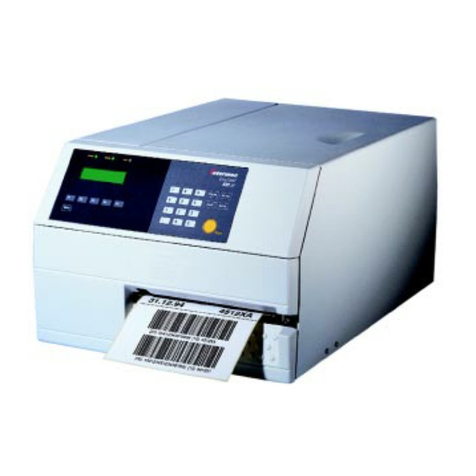
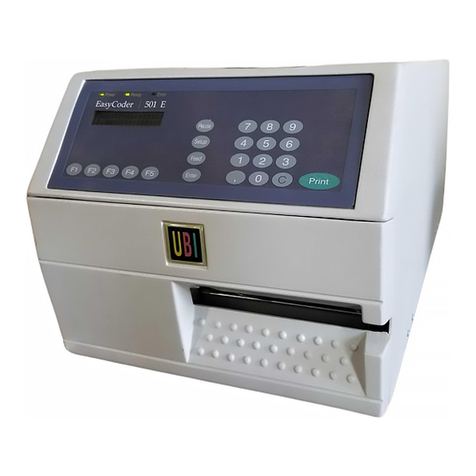
The EasyCoder 601 is a modular multipurpose
thermal transfer/direct thermal printer for wide
labels,tickets,tagsorstripfromanexternalsupply,
usually in the form of fan-folds. The print width is
160 mm (6.3") and the printhead density is 8 dots
per mm (203.2 dots per inch).
TheEasyCoder601canoptionallybefittedwith
asoftwarepackagethatcanhandleTrueTypeand
Speedo fonts, a memory card adapter, a parallel
interface board, a paper cutter, and other useful
accessories.
The built-in UBI Shell startup program makes
the printer very suitable for installations, where
youwanttoswitchbetweendifferentapplication
programs, such as the UBI LabelShop label-
editing program for Windows,the UBI Windows
Driver, or the UBI Macintosh Driver.
You can also edit label layouts and add variable
data by means of the UBI Direct Protocol, or
create your own programs in the built-in UBI
Fingerprint programming language. Compre-
hensive information on installation, setup, paper,
transferribbons, options andcomputerconnection
can be found in the Technical Manual.
The following manuals may be of interest to the
operator or programmer:
• UBI EasyCoder 601, Operator's Guide
• UBI Shell Standard, Startup Manual
• UBI EasyCoder 601, Technical Manual
• UBI Direct Protocol, Programmer's Guide
• UBI Fingerprint, Programmer's Guide
• UBI Fingerprint, Reference Manual
• UBI LabelShop, various manuals
• UBI Windows Driver, Installation Instructions
• UBI Macintosh Driver, Installation Instructions

UBI EasyCoder 601 – User's Manual
4
GET TO KNOW YOUR PRINTER
Print Key
Label Taken Sensor
(option)
Display Window
LED Indicator Lamps
Memory Card Adapter
(option)
Front Door
The front door can be swung open and
removed from the hinges. It can also be
replaced by an optional paper cutter
unit.
UBI PRINTER AB • SWEDEN
Type
Art. No.
Ser. No.
115/230 V 2.6/1.3 A 50–60 Hz
Continued!
Voltage Switch
Provision for Parallel Interface Connector
Display Contrast Adjustment
Main Switch
Mains Receptacle
Machine Sign
Lower External Paper Intake
Upper External Paper Intake with Paper Guides
Serial Interface Connector "uart1:"
Cutter Interface Connector

UBI EasyCoder 601 – User's Manual
5
The paper stock compartment becomes accessible when the
right-handandfrontdoorsareswungopen.Althoughtheprinter
is operable when the doors are left opened or completely
removed, you are strongly recommended to keep them closed
duringnormaloperation,soastopreventtheprintermechanism
from being exposed to dust.
GET TO KNOW YOUR PRINTER, cont'd.
Load
Print
Guide Shafts
Paper Inlet with Guides
Transfer Ribbon Supply
Transfer Ribbon Take-Up
Locking Arm
Printhead Lift Knob
Thermal
Printhead
Tear-Off Edge

UBI EasyCoder 601 – User's Manual
6
PAPER LOAD – TEAR OFF
Load
Print
Open the front and right-hand doors. Fold the locking handle downward/outward.
Turn the printhead lift knob to “Load” position. Insert the paper through the paper guides in the rear
plate and adjust the position of the outer guide.
Thread the paper forward under the label stop sensor.
Push the paper inwards as far as it will go.
Thread the paper above the rear guide shaft, under the
front guide shaft, and into the print unit.
1
3
5 6
4
2
Load
Print
Load
Print

UBI EasyCoder 601 – User's Manual
7
Load
Print
PAPER LOAD – TEAR OFF, cont'd.
7a
8
10 11
9
Return the locking handle to closed position.Turn the printhead lift knob to “Print” position.
Load
Print
Load
Print
Adjust the position of the two guide rings so they guide
the paper with a minimum of play. Close the front and side doors.
7b
This diagram shows the path of the paper when the paper
guides are in upper position (standard).
The paper guides are held by two Torx screws and can
easily be moved to the lower position when the paper
supply is placed low, e.g. on the floor.

UBI EasyCoder 601 – User's Manual
8
PAPER LOAD – TEAR OFF, cont'd.
To tear off the paper, pull it downwards.
12 13
Feed out two blank copies by pressing
the <Print> key twice.
# 1
# 2
2x
Take precautions to protect the paper stock
from sand, grit and other hard particles,
that may damage the printhead!

UBI EasyCoder 601 – User's Manual
9
PAPER LOAD - CUT OFF
Turn off the power using the switch on the rear plate. Open the optional cutter unit and the right-hand door.
Fold the locking handle downward/outward. Turn the printhead lift knob to “Load” position.
Thread the paper forward between the two guide shafts
and into the print mechanism.
Insert the paper through the paper guides in the rear
plate and adjust the position of the outer guide.
1
3
5 6
4
2
Load
Print
Load
Print
Load
Print

UBI EasyCoder 601 – User's Manual
10
Load
Print
Thread the paper forward under the label stop sensor.
Push the paper inwards as far as it will go. This diagram shows the path of the paper when the paper
guides are in upper position (standard).
The paper guides are held by two Torx screws and can
easily be moved to the lower position when the paper
supply is placed low, e.g. on the floor. Turn the printhead lift knob to “Print” position.
Adjust the position of the two guide rings so they guide
the paper with a minimum of play.Return the locking handle to closed position.
7
8b
10 11
9
8a
PAPER LOAD - CUT OFF, cont'd.
Load
Print
Load
Print
Other manuals for EasyCoder 601
1
Table of contents
Other UBI Printer manuals

UBI
UBI EasyCoder 501E User manual

UBI
UBI EasyPak 201 IIE User manual

UBI
UBI EasyCoder 101 Manual

UBI
UBI EasyCoder 101 User manual

UBI
UBI EasyPak 501 User manual
UBI
UBI EasyCoder 501 SA User manual

UBI
UBI EasyCoder 401 User manual

UBI
UBI EasyCoder 401 User manual

UBI
UBI EasyCoder 501 SA User manual

UBI
UBI EasyCoder 401 Linerless User manual

UBI
UBI EasyCoder 91 User manual

UBI
UBI EasyCoder 601 XP User manual

UBI
UBI EasyCoder 91 User manual

UBI
UBI EasyCoder 71 User manual

UBI
UBI EasyCoder 71 User manual

UBI
UBI EasyPak 501 SA User manual

UBI
UBI EasyCoder 101 User manual
UBI
UBI EasyCoder 501 User manual
UBI
UBI EasyCoder 301 User manual

UBI
UBI EasyCoder 201 II User manual