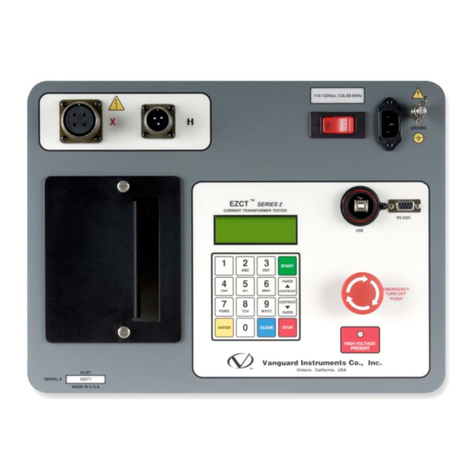
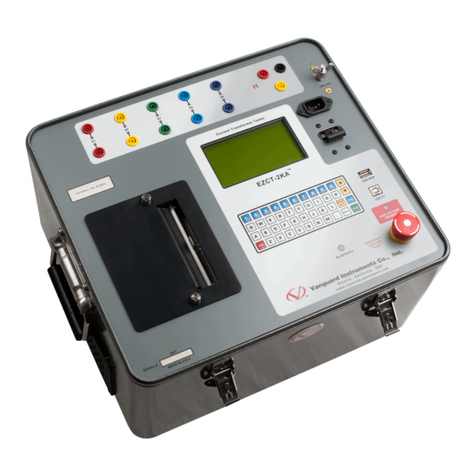
REV 1 EZCT S2A USER’S MANUAL
ii
TABLE OF CONTENTS
CONVENTIONS USED IN THIS DOCUMENT ..................................................................................... 1
1.0 INTRODUCTION.................................................................................................................... 2
1.1 General Description and Features ................................................................................... 2
1.2 Furnished Accessories...................................................................................................... 3
1.3 Technical Specifications ................................................................................................... 4
1.4 EZCT S2A Controls and Indicators.................................................................................... 5
2.0 PRE-TEST SETUP ................................................................................................................... 7
2.1 Operating Voltages .......................................................................................................... 7
2.2 LCD Screen Contrast Control............................................................................................ 7
2.3 Printer Paper Control....................................................................................................... 7
2.4 Printer Paper.................................................................................................................... 7
3.0 OPERATING PROCEDURES ................................................................................................... 9
3.1 EZCT S2A Cable Connections ........................................................................................... 9
3.2 Performing Tests............................................................................................................ 11
3.2.1. Entering Test Record Header Information ............................................................. 11
3.2.2. Performing Excitation and Ratio Tests ................................................................... 14
3.3 Working With Test Records ........................................................................................... 24
3.3.1. Restoring and Printing a Test Record From Flash EEPROM ................................... 24
3.3.2. Restoring and Printing a Test Record From a USB Flash Drive .............................. 29
3.3.3. Printing a Restored Test Record............................................................................. 32
3.3.4. Printing a Directory of Test Records Stored in the EZCT S2A’s Memory ............... 34
3.3.5. Erasing Test Records From the Flash EEPROM ...................................................... 37
3.3.6. Erasing Test Records From a USB Flash Drive ........................................................ 40
3.4 Working With Test Plans................................................................................................ 43
3.4.1. Extracting the Test Plan From a Test Record ......................................................... 43
3.4.2. Printing a Directory of Test Plans Stored in the EZCT S2A’s Memory.................... 45
3.4.3. Printing a Directory of Test Plans Stored in a USB Flash Drive .............................. 47
3.4.4. Printing a Test Plan................................................................................................. 49
3.4.5. Erasing Test Plans From the Flash EEPROM........................................................... 51
3.4.6. Erasing Test Plans From a USB Flash Drive............................................................. 54
3.4.7. Loading a Test Plan from the EZCT S2A’s Flash EEPROM....................................... 57
3.4.8. Loading a Test Plan from a USB Flash Drive ........................................................... 59
3.4.9. Running a Test Using a Loaded Test Plan............................................................... 61
3.4.10. Unloading a Test Plan from the Working Memory ................................................ 66
4.0 CHANGING SETUP PARAMETERS ....................................................................................... 67
4.1 Setting the Knee Point Marker ...................................................................................... 67
4.2 Enabling and Disabling the Buried CT in Transformer Delta Option ............................. 70
4.2.1. Enabling the Buried CT in Transformer Delta Option............................................. 70
4.2.2. Disabling the Buried CT in Transformer Delta Option............................................ 71
4.3 Setting the Clock ............................................................................................................ 75
4.4 Printing Raw Memory Buffer Data................................................................................. 76
5.0 DIAGNOSTICS, VERIFICATION, AND TROUBLESHOOTING ................................................. 78