EnglishDeutsch
 logo
Brands
  1. Home
  2. •
  3. Brands
  4. •
  5. AEMC
  6. •
  7. Test Equipment
  8. •
  9. AEMC 6400 series User manual

AEMC 6400 series User manual

Other AEMC Test Equipment manuals

AEMC OX 7102 Setup guide

AEMC

AEMC OX 7102 Setup guide

AEMC OX 5042 User manual

AEMC

AEMC OX 5042 User manual

AEMC MN122 User manual

AEMC

AEMC MN122 User manual

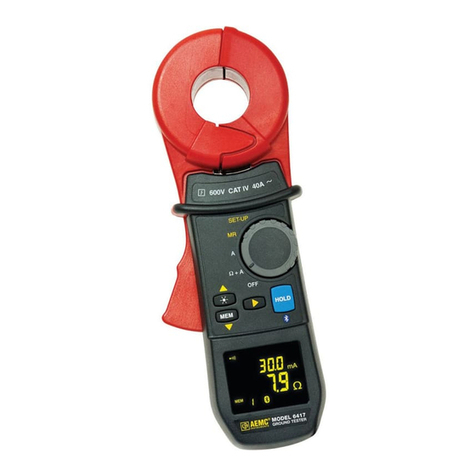
AEMC 6417 User manual

AEMC

AEMC 6417 User manual

AEMC MN03 User manual

AEMC

AEMC MN03 User manual

AEMC 6240 User manual

AEMC

AEMC 6240 User manual

AEMC MN217 User manual

AEMC

AEMC MN217 User manual

AEMC MF 300-6-2-10-HF User manual

AEMC

AEMC MF 300-6-2-10-HF User manual

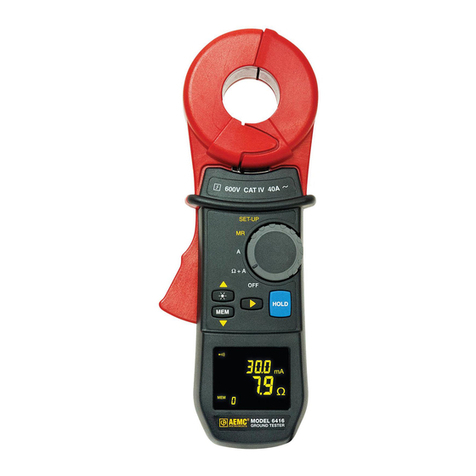
AEMC 6416 User manual

AEMC

AEMC 6416 User manual

AEMC 8505 User manual

AEMC

AEMC 8505 User manual

AEMC 6418 User manual

AEMC

AEMC 6418 User manual

AEMC K100 User manual

AEMC

AEMC K100 User manual

AEMC 6471 User manual

AEMC

AEMC 6471 User manual

AEMC OX III Series User manual

AEMC

AEMC OX III Series User manual

AEMC JM845A User manual

AEMC

AEMC JM845A User manual

AEMC 6417 Setup guide

AEMC

AEMC 6417 Setup guide

AEMC Simple Logger AmpFlex AL24-2500 User manual

AEMC

AEMC Simple Logger AmpFlex AL24-2500 User manual

AEMC 6416 Installation and operating instructions

AEMC

AEMC 6416 Installation and operating instructions

AEMC 3620 User manual

AEMC

AEMC 3620 User manual

AEMC pmr-1 User manual

AEMC

AEMC pmr-1 User manual

AEMC MA114 User manual

AEMC

AEMC MA114 User manual

AEMC 6470 User manual

AEMC

AEMC 6470 User manual

AEMC CM605 User manual

AEMC

AEMC CM605 User manual

AEMC OX 5022B User manual

AEMC

AEMC OX 5022B User manual

Popular Test Equipment manuals by other brands

SMART KANAAD SBT XTREME 3G Series user manual

SMART

SMART KANAAD SBT XTREME 3G Series user manual

Agilent Technologies BERT Serial Getting started

Agilent Technologies

Agilent Technologies BERT Serial Getting started

Agilent Technologies N3280A user guide

Agilent Technologies

Agilent Technologies N3280A user guide

Lifeloc R.A.D.A.R. quick start guide

Lifeloc

Lifeloc R.A.D.A.R. quick start guide

Fluke T5-600 Service information

Fluke

Fluke T5-600 Service information

Mercury TSL01 user manual

Mercury

Mercury TSL01 user manual

MAHA MBT Series Original operating instructions

MAHA

MAHA MBT Series Original operating instructions

Fuji Electric P-61 instruction manual

Fuji Electric

Fuji Electric P-61 instruction manual

ETC SealerAtor user manual

ETC

ETC SealerAtor user manual

Skyfine ETHYWAY V2 user manual

Skyfine

Skyfine ETHYWAY V2 user manual

Appion G5 Twin Operation manual

Appion

Appion G5 Twin Operation manual

PCB Piezotronics 8159-0112A Installation and operating manual

PCB Piezotronics

PCB Piezotronics 8159-0112A Installation and operating manual

BW Technologies MicroDock II user manual

BW Technologies

BW Technologies MicroDock II user manual

Sun Nuclear 1027 user guide

Sun Nuclear

Sun Nuclear 1027 user guide

Biomark HPR LITE READER user manual

Biomark

Biomark HPR LITE READER user manual

Hioki 3169-20 instruction manual

Hioki

Hioki 3169-20 instruction manual

Ashcroft ATE-100 operating manual

Ashcroft

Ashcroft ATE-100 operating manual

Rohde & Schwarz RTA4000 user manual

Rohde & Schwarz

Rohde & Schwarz RTA4000 user manual

https://manuals.online logo
https://manuals.online logoBrands
  • About & Mission
  • Contact us
  • Privacy Policy
  • Terms and Conditions

Copyright 2026 Manuals.Online. All Rights Reserved.

The Ground Resistance Checker (Cat. #5000.74) provides a quick and
simple way to check the measurement accuracy of your ground resistance
tester. The unit provides test resistances for:
■RE (25.0 or 5.0Ω, depending on switch position) with ±2%
accuracy
■RH (100.0Ω) with ±3% accuracy
■RS (100.0Ω) with ±3% accuracy
To use the Ground Resistance Checker:
1. Connect the Ground Resistance Checker to the instrument. The
leads are color-coded; match each lead’s color to the appropriate
instrument terminal color. (If required by your instrument’s terminals,
use the four fork terminals supplied with the Ground Resistance
Checker.)
2. Turn the Ground Resistance Checker’s switch to the left (25.0Ω).
3. If you are testing a Model 6400 series instrument, turn the dial to a
setting that displays RE, RH, and RS. For some instruments this is the
4 Pole setting, for others (e.g. the Model 6472) this is 3+1 Pole.
The Ground Resistance Checker (Cat. #5000.74) provides a quick and
simple way to check the measurement accuracy of your ground resistance
tester. The unit provides test resistances for:
■RE (25.0 or 5.0Ω, depending on switch position) with ±2%
accuracy
■RH (100.0Ω) with ±3% accuracy
■RS (100.0Ω) with ±3% accuracy
To use the Ground Resistance Checker:
1. Connect the Ground Resistance Checker to the instrument. The
leads are color-coded; match each lead’s color to the appropriate
instrument terminal color. (If required by your instrument’s terminals,
use the four fork terminals supplied with the Ground Resistance
Checker.)
2. Turn the Ground Resistance Checker’s switch to the left (25.0Ω).
3. If you are testing a Model 6400 series instrument, turn the dial to a
setting that displays RE, RH, and RS. For some instruments this is the
4 Pole setting, for others (e.g. the Model 6472) this is 3+1 Pole.
AEMC®GROUND RESISTANCE CHECKER AEMC®GROUND RESISTANCE CHECKER
www.GlobalTestSupply.com
Find Quality Products Online at: sales@GlobalTestSupply.com

4. Hold down the START button for >2 seconds. After a few moments
the RE reading (and for Model 6400 series the RH, and RSreadings)
appear on the LCD.
5. Check the readings. These should fall within the range of:
RE = 25.0Ω ±2%
(Model 6400 series only) RH and RS = 100Ω ±3%
6. Turn the switch on the Ground Resistance Checker to the right (5.0Ω
setting).
7. Hold down the START button and take a measurement. The REread-
ing should be 5.0Ω ±2%.
8. You can also use the Ground Resistance Checker to perform a
4-pole mΩ test.
Chauvin Arnoux®, Inc. d.b.a. AEMC®Instruments
4. Hold down the START button for >2 seconds. After a few moments
the RE reading (and for Model 6400 series the RH, and RSreadings)
appear on the LCD.
5. Check the readings. These should fall within the range of:
RE = 25.0Ω ±2%
(Model 6400 series only) RH and RS = 100Ω ±3%
6. Turn the switch on the Ground Resistance Checker to the right (5.0Ω
setting).
7. Hold down the START button and take a measurement. The REread-
ing should be 5.0Ω ±2%.
8. You can also use the Ground Resistance Checker to perform a
4-pole mΩ test.
Chauvin Arnoux®, Inc. d.b.a. AEMC®Instruments
www.GlobalTestSupply.com
Find Quality Products Online at: sales@GlobalTestSupply.com