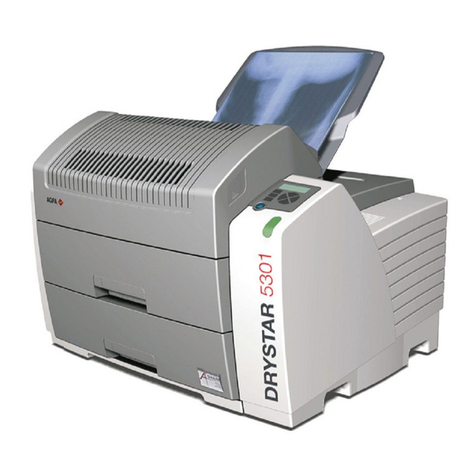
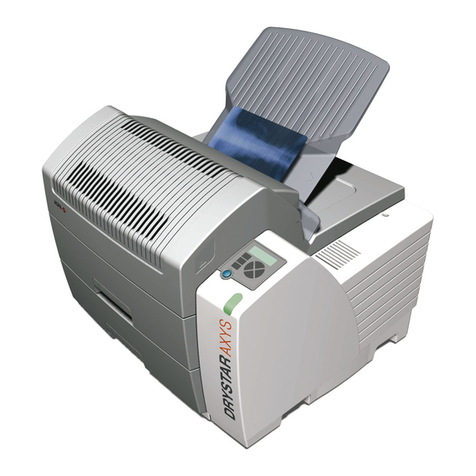
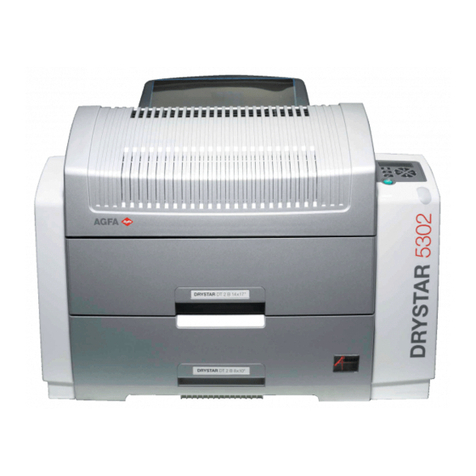
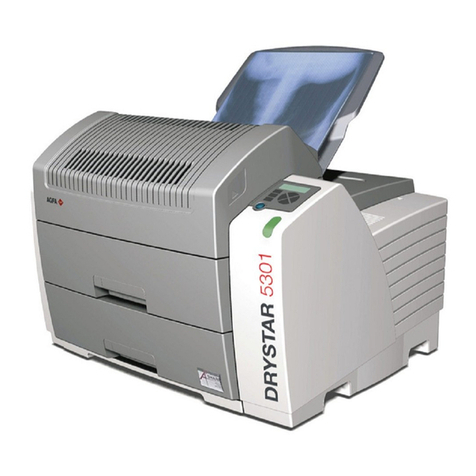
AGFA Drystar 5301 User manual

Drystar 5301, Drystar 5302
5366/110
5366/100
Reference Manual
1
2830F EN 20210520 0952

Contents
Legal Notice ..........................................................................5
About the safety notices in this document .............................. 6
Scope .....................................................................................7
Advanced Operation (key-operator mode) .............................8
The menu structure ................................................... 9
Accessing the Key-operator menus ........................... 10
Data entry ................................................................12
Viewing printer information .................................... 13
Accessing the Show settings menu ................14
Viewing general information ........................15
Viewing input tray information .................... 16
Viewing network (DICOM) information ....... 17
Viewing general image quality information ....
18
Viewing image quality information for a modality
..........................................................................19
Viewing the logical printers configuration ... 20
Viewing installed datasets information ........ 21
Changing the configuration settings ........................ 22
Accessing the Change settings menu ............ 23
Changing the General settings ..................... 25
Changing the input tray settings ...................28
Changing Network (DICOM) configuration ....
29
Changing the image quality settings .............37
Printing images ........................................................45
Accessing the print images menu ................. 46
Printing test images ..................................... 47
Saving the configuration settings ............................. 48
Accessing the save configuration menu ........ 49
General save configuration procedure ..........50
Network only save configuration procedure ....
52
Restoring the configuration settings .........................54
Accessing the restore configuration menu .... 55
Restoring the printer settings ....................... 56
Restoring the network settings .....................59
Performing the calibration procedures ..................... 61
Accessing the Calibration menu ................... 62
Film calibration ........................................... 63
Service actions .........................................................66
Overview of service actions ..........................67
Accessing the Service actions menu ............. 68
Installation .............................................................. 69
ii | Drystar 5301, Drystar 5302 | Contents
2830F EN 20210520 0952

Installing new or upgrading existing software ..
70
Using the installation wizard ........................72
Controlling the printer via a remote PC (with browser) ........80
Features ...................................................................81
Setup .......................................................................82
Configuration with direct network cable ...... 83
Configuration over a network ...................... 84
Setting up the connection ........................................ 85
Setting up a direct link .................................86
Setting up a link through a network ............. 89
Starting the remote session ......................................90
Starting the remote session .......................... 91
Entering the operator level .......................... 92
Entering the Key-operator level ....................93
System Description .............................................................. 95
Main components .................................................... 96
Front view ................................................... 97
Rear panel ................................................... 98
Functional description ............................................. 99
Network configuration ........................................... 100
Problem solving ................................................................. 101
Checking the status indicator LED ..........................102
The printer does not print ...................................... 103
Reset of the printer .................................... 104
Checking the connections .......................... 105
Checking error messages ............................106
Checking USB flash drive error messages ... 107
Checking the print queue ........................... 108
Clearing of film jams ..............................................109
Film input tray jams ................................... 110
Film transport jams (clearing from the top) ....
112
Unauthorized opening of the printer .......... 115
Film identification problems ...................................116
No identification code detected .................. 117
Invalid content of Film Identification tag ... 119
Film overrun from current pack ................. 120
Start-up errors ....................................................... 121
Error messages while the printer starts up ..122
Display self test failed ................................ 123
System self test failed .................................124
Software self test failed ..............................125
Maintaining image quality and resolving image quality
problems ............................................................... 126
Maintaining optimal Image Quality ............127
Persistent white dots or lines appear in the
transport direction .....................................128
Warning messages ................................................. 129
Maintenance messages ...........................................130
Drystar 5301, Drystar 5302 | Contents | iii
2830F EN 20210520 0952


Key-operator user name and password ............................... 131
Film density response data .................................................132
Blue transparant (original Agfa branded Drystar film) .
133
Clear transparant (original Agfa branded Drystar film)
134
iv | Drystar 5301, Drystar 5302 | Contents
2830F EN 20210520 0952
Legal Notice
Agfa NV, Septestraat 27, B-2640 Mortsel - Belgium
For more information on Agfa products, please visit www.agfa.com.
Agfa and the Agfa rhombus are trademarks of Agfa-Gevaert N.V., Belgium or
its affiliates. Drystar is a trademark of Agfa NV, Belgium or one of its affiliates.
All other trademarks are held by their respective owners and are used in an
editorial fashion with no intention of infringement.
Agfa NV makes no warranties or representation, expressed or implied, with
respect to the accuracy, completeness or usefulness of the information
contained in this document and specifically disclaims warranties of suitability
for any particular purpose. Products and services may not be available for
your local area. Please contact your local sales representative for availability
information. Agfa NV diligently strives to provide as accurate information as
possible, but shall not be responsible for any typographical error. Agfa NV
shall under no circumstances be liable for any damage arising from the use or
inability to use any information, apparatus, method or process disclosed in
this document. Agfa NV reserves the right to make changes to this document
without prior notice. The original version of this document is in English.
Copyright 2021 Agfa NV
All rights reserved.
Published by Agfa NV
B-2640 Mortsel - Belgium.
No part of this document may be reproduced, copied, adapted or transmitted
in any form or by any means without the written permission of Agfa NV
Drystar 5301, Drystar 5302 | Legal Notice | 5
2830F EN 20210520 0952
About the safety notices in this document
The following samples show how warnings, cautions, instructions and notes
appear in this document. The text explains their intended use.
DANGER:
A danger safety notice indicates a hazardous situation of direct,
immediate danger for a potential serious injury to a user,
engineer, patient or any other person.
WARNING:
A warning safety notice indicates a hazardous situation which
can lead to a potential serious injury to a user, engineer, patient
or any other person.
CAUTION:
A caution safety notice indicates a hazardous situation which
can lead to a potential minor injury to a user, engineer, patient
or any other person.
An instruction is a direction which, if it is not followed, can
cause damage to the equipment described in this manual or any
other equipment or goods and can cause environmental
pollution.
A prohibition is a direction which, if it is not followed, can cause
damage to the equipment described in this manual or any other
equipment or goods and can cause environmental pollution.
Note: Notes provide advice and highlight unusual points. A note is
not intended as an instruction.
6 | Drystar 5301, Drystar 5302 | About the safety notices in this document
2830F EN 20210520 0952
Scope
The reference manual contains information for the advanced operation of the
printer and is available in English only. Refer to the user manual of the printer
for general safety instructions, system information and instructions for
performing a basic workflow.
This manual appies to two printer models: Drystar 5301 and Drystar 5302.
The further chapters describe Drystar 5302. All information applies equally to
Drystar 5301, apart from the differences in this table:
Table 1: Difference between the two printer models
Drystar 5301 Drystar 5302
One input tray.
Only the upper tray is available. Functionality of the lower
tray described in the manual equally applies to the upper
tray.
Two input
trays.
Drystar 5301, Drystar 5302 | Scope | 7
2830F EN 20210520 0952

Advanced Operation (key-operator mode)
The printer features the following functions on the main menu level of the
Key-operator mode:
Menu item Function
Show settings To consult the current settings of the printer.
Change settings To change the current settings of the printer.
Print image To print one of the standard test images. To load
and print images from a USB flash drive.
Save configuration To make a back-up of the printer settings.
Restore configuration To restore the back-up of the printer settings.
Calibration To calibrate the printer.
Service actions To view error and maintenance data.
Quality Control To perform the QC procedure.
Installation To install or update the printer software.
Note: These functions are described in detail in the Reference
manual.
Topics:
•The menu structure
•Accessing the Key-operator menus
•Data entry
•Viewing printer information
•Changing the configuration settings
•Printing images
•Saving the configuration settings
•Restoring the configuration settings
•Performing the calibration procedures
•Service actions
•Installation
8 | Drystar 5301, Drystar 5302 | Advanced Operation (key-operator mode)
2830F EN 20210520 0952

The menu structure
General
Upper Input tray
Network(DICOM)
Image quality
General
Upper input tray
Lower input tray
Network(DICOM)
Image quality
Logical printers
Installed datasets
Test image
Time and date
Printer AE-title
Hostname
Domain name
Printer IP-address
Netmask
Router IP-address
Remove modality
Add modality
General
Film calibration
Warning messages
Clean therm. head
Language
Beep on empty tray
General setting
Service actions
Quality Control
Installation
Printer installation
Calibration
Restore configuration
Save configuration
Change settings
NETWORK only
SMPTE
Etc...
Show open and update
Show closed items
=
=
Show settings
Print image
General
NETWORK only
General
Other...
Per modality setting
Film type
Film format
Film view
Lower Input tray
Film type
Film format
Film view
From USB
Error messages
Maintenance
Drystar 5301, Drystar 5302 | Advanced Operation (key-operator mode) | 9
2830F EN 20210520 0952
Accessing the Key-operator menus
The Key-operator mode functions (i.e. the main menu level) can be accessed
by pressing the Key-operator key on the front panel.
After pressing the Key-operator key the main menu is displayed:
Note: The two characters displayed in inverse video in the upper
right corner indicate the current menu item (e.g. ‘KO’ for main
Key-operator menu, ‘QC’ for Quality Control, etc.).
5 Restore config.
6 Calibration
7 Service Actions
8 Quality Control
9 Installation
Reachable with Up/Down arrow keys
Visible
Note: When you try to enter the Key-operator mode during
printing, it will first finish the active print job(s):
Note: If certain mandatory site-specific data has not yet been
entered, the following screen is displayed when entering the
Key-operator mode.
You can scroll through the menu items by pressing the Down and Up keys and
select a menu item by pressing the Confirm key. The active keys are indicated
by their respective LEDs.
At any moment you can press the Escape key on the main menu level to exit
the Key-operator mode. If you press this key on a lower level menu you are
10 | Drystar 5301, Drystar 5302 | Advanced Operation (key-operator mode)
2830F EN 20210520 0952
Other manuals for Drystar 5301
2

This manual suits for next models
3
Table of contents
Other AGFA Printer manuals

AGFA
AGFA ADC Compact Plus Guide

AGFA
AGFA AP1100 User manual

AGFA
AGFA Printer User manual

AGFA
AGFA Drystar 5500 User manual

AGFA
AGFA ANAPURNA M4F User manual

AGFA
AGFA Dry 2.4M User manual

AGFA
AGFA DRY 3.4 User manual

AGFA
AGFA Dry 2.4M User manual

AGFA
AGFA Crystal-M Imager User manual

AGFA
AGFA AP2700 User manual

AGFA
AGFA Drystar 5302 Guide

AGFA
AGFA Avalon N User manual

AGFA
AGFA Crystal Imager User manual

AGFA
AGFA Anapurna H3200i LED User manual

AGFA
AGFA DRYSTAR AXYS User manual

AGFA
AGFA Drystar 5300 User manual

AGFA
AGFA d-lab.1 Operating instructions

AGFA
AGFA Drystar AXYS XL User manual

AGFA
AGFA DRYSTAR AXYS User manual

AGFA
AGFA DRYSTAR AXYS User manual