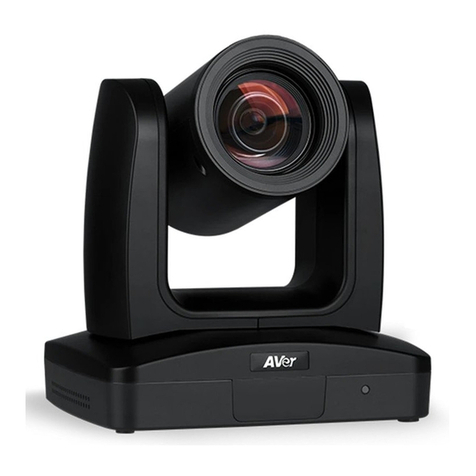
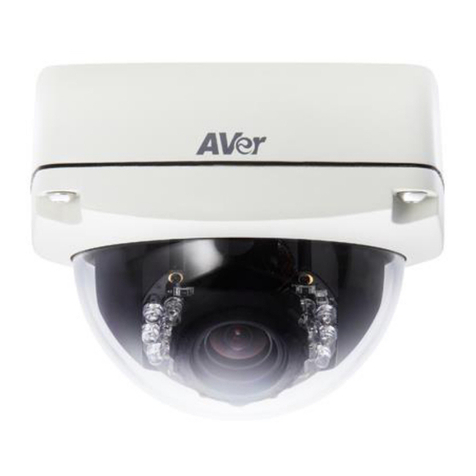
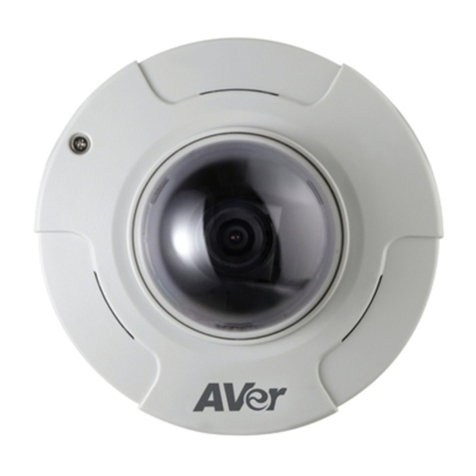
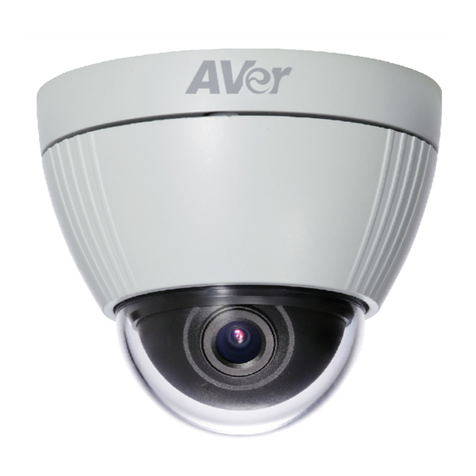
AVer SF2012H-D User manual

AVer SF2012H-D
User Manual

Table of Contents
PREFACE ............................................................................................................................1
PRODUCT SPECIFICATIONS.............................................................................................1
PACKAGE CONTENTS.......................................................................................................4
PRODUCT INSTALLATION.................................................................................................5
MONITOR SETTING .............................................................................................................5
HARDWARE INSTALLATION AND I/OPIN ASSIGNMENT ..............................................................6
POWER OVER ETHERNET (POE) .........................................................................................9
IPASSIGNMENT................................................................................................................10
FINDING IPCAMERA BY USING “NXULITE RECORDING SOFTWARE”....................................10
FINDING IPCAMERA BY USING “IP INSTALLER”..................................................................13
USING DHCPSERVER/ROUTER NETWORK.........................................................................14
USING NON-DHCPSERVER/ROUTER NETWORK................................................................15
INSTALLACTIVEXCONTROL...............................................................................................18
USING THE IP CAMERA BROWSER INTERFACE..........................................................20
PREVIEW .........................................................................................................................20
SYSTEM >GENERAL...........................................................................................................1
SYSTEM >GENERAL >MAINTENANCE...................................................................................1
To Upgrade the IP Camera Firmware.........................................................................2
SYSTEM >GENERAL >DATE &TIME.....................................................................................3
SYSTEM >USER MANAGEMENT ...........................................................................................4
SYSTEM >USER MANAGEMENT >ACCOUNT..........................................................................4
SYSTEM >NETWORK SETTING>SETTING ..............................................................................5

SYSTEM >NETWORK SETTING>SEVER.................................................................................6
SYSTEM >NETWORK SETTING>DDNS.................................................................................7
SYSTEM >NETWORK SETTING >OTHER 1.............................................................................9
SYSTEM >NETWORK SETTING >OTHER 2...........................................................................11
SYSTEM >IMAGE..............................................................................................................15
SYSTEM >IMAGE>OSD....................................................................................................15
SYSTEM >IMAGE>PREFERENCE ........................................................................................16
SYSTEM >IMAGE>ADVANCED............................................................................................17
SYSTEM >IMAGE>PRIVACY MASK......................................................................................18
SYSTEM >VIDEO STREAM>GENERAL.................................................................................19
SYSTEM >VIDEO STREAM>STREAM1.................................................................................20
SYSTEM >VIDEO STREAM>STREAM2.................................................................................22
SYSTEM >VIDEO STREAM>STREAM3.................................................................................24
SYSTEM >AUDIO..............................................................................................................25
SYSTEM >SD CARD.........................................................................................................26
EVENT >ARRANGEMENT>MOTION .....................................................................................27
EVENT >ARRANGEMENT >PREFERENCE ............................................................................28
EVENT >SCHEDULE .........................................................................................................29
EVENT >DI/DO...............................................................................................................30
STATUS INFORMATION .......................................................................................................32
FACTORY DEFAULT .........................................................................................................35
TROUBLESHOOTING.......................................................................................................36
APPENDIX.........................................................................................................................37

FCC NOTICE (CLASS B) ..................................................................................................37

COPYRIGHT......................................................................................................................38
NOTICE..............................................................................................................................38
WARNING..........................................................................................................................38
LIMITED WARRANTY .......................................................................................................39
GOVERNING LAW AND YOUR RIGHTS ..........................................................................40

1
Preface
The SF2012H-D is a 2-megapixel dome camera with 3-axis adjustment and a vari-focal lens that
allows you to line up the camera precisely where you need it and capture a wide sweep or close into a
narrower specific point. It has both the adjustability to capture the exact target area you require and the
technology to keep that area under clear day-and-night surveillance. The SF2012H-D provides smooth
30fps, HD720p video, and a mechanical IR-cut filter plus built-in IR illuminators to give superb
performance during the day and at night.
Product Specifications
Video out support
High Definition (720p) 30fps support
2M-pixel CMOS sensor
Power over Ethernet (PoE)
H.264/MJPEG/MPEG-4 (3GPP Only) compression formats
SD/SDHC card backup
2-way audio
3GPP mobile phone/PDA support
SDK for software integration
Free bundled recording software
3-Axis Gimbals adjustments
IR LED Built-in 15M
Mechanism IR Cut Filter available
Specifications
Hardware
CPU ARM 9 ,32-bit RISC
RAM 256MB
Flash 16MB
Image sensor 1/3” CMOS(2 Megapixel)
Support DC IRIS Yes
Lens Type Vari-focal 2.7~9mm Megapixel Lens
ICR Mechanism IR cut Filter
LED Built-in 18 IR LED
IR Distance-15M

2
Hardware
I/O 1 in/ 1 Relay Out
Video Out 1
Audio In 1
Audio Out 1
Power over Ethernet Yes
Power Consumption DC 12V 470mA
3-Axis Gimbal
Adjustments Angle
Pan: 172∘
Tilt 30∘~90∘
Rotation 180∘
Dimensions 132L x 108.4H(mm)
Network
Ethernet 10/100 Base-T
Network Protocol HTTP, TCP/ IP, SMTP, FTP, PPPoE, DHCP, DDNS, NTP,
UPnP, 3GPP,RTSP, RTP, RTCP, Multi-casting
System
Video Resolution 1600x1200, 1280x1024, 1280x960,1280x720,
800x600,640x480, 320x240, 176x144
VideoAdjust Brightness, Contrast, Sharpness, BLC, Night Mode
Triple Streaming Yes
Image Snapshot Yes
Full Screen Monitoring Yes
Privacy Mask Yes, 3 different areas
Compression Format H.264/ JPEG/ MPEG-4 (3GPP only)
Video Bitrates Adjust CBR, VBR
Motion Detection Yes, 3 different areas

3
System
TriggeredAction Mail, FTP, Save to SD/SDHC card, Relay, NAS
Pre/ Post Alarm Yes (Configurable)
Security Password Protection
Firmware Upgrade HTTP mode, can be upgraded remotely
Simultaneous Connection
Up to 10
Audio Yes, 2-way(mono)
SD/SDHC card management
Recording Trigger Motion Detection, IP Check, Network Breakdown (wire only),
Schedule, Alarm
Video Format AVI, JPEG
Video Playback Yes
Delete Files Yes
Web browsing requirement
OS Windows
®
XP (32-bit), 7 (32/64-bit)

Microsoft
®
IE 6.0 or above (32-bit only)
Hardware
Suggested Intel
®
Dual Core 1.66GHz, RAM: 1024MB, Graphics Card:
128MB
Minimum Intel-C 2.8G, RAM: 512MB, Graphics Card: 64MB

4
Package contents
Item Descriptions
1. SF2012H-D
2. Accessory pack
3. Ethernet cable
4. RJ45 socket
5. Power Adaptor(DC 12V /1A)
(Optional)
6. CD (User’s Manual and Quick Guide
included)

5
Product Installation
Monitor Setting
1. Right-click on the desktop. Select “ Properties”
2. Change “Color quality” to “Highest (32-bit)”.

6
Hardware Installation and I/O Pin Assignment
1. Connect a power adapter and IP camera to PC or local network.
2. 3-Axis Gimbals Adjustments
Once the users open the case, the gimbals adjustment offers the convenience method to install on
the wall. The pan, tilt, and rotation are provided in this model. The users can adjust the
gimbals with Pan 172 degrees, tilt 30~90 degrees, and rotation 180 degrees respectively.
3.5mm Phone Jack (Audio Input, Red)
3.5mm Phone Jack (Audio Output, Green)
Pan: 172°
Rotation: 180°
Tilt: 30°~90°
This manual suits for next models
1
Table of contents
Other AVer Security Camera manuals