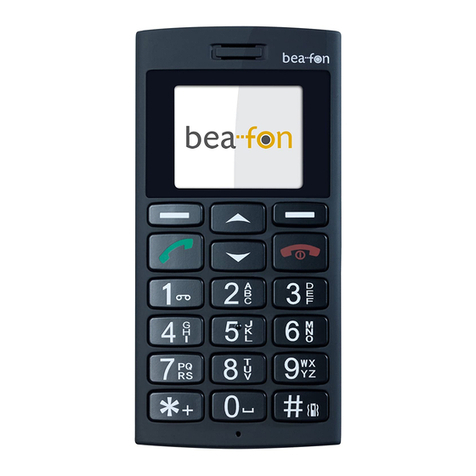
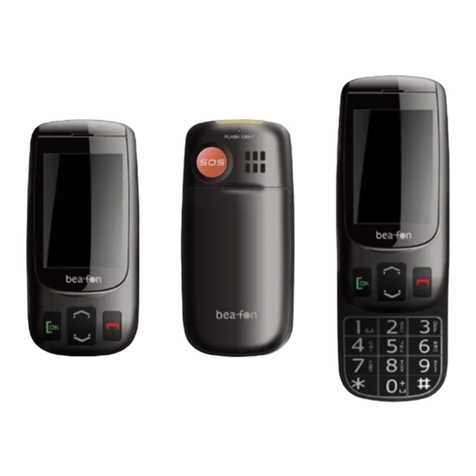
Bea-fon SL205 User manual

User Manual
English
Bea-fon SL205

2
General Information
Congratulations on the purchase of your Bea-fon SL205!
Please read this information before using the phone to
make a better use of your phone. We are not responsible
for any damage due to your misunderstanding of this
information and misacting.
We are endeavoring to improve our products and services.
We reserve all the rights to revise and change the
description of this product and its software as well as this
user’s manual without obligation to notify any person of
such revisions and changes.
This user manual is for your better use of this phone not an
approval of any accessories. All the pictures in this manual
are for reference only. There may be slight difference
between the appearance of phone/ keys/ contents of
display used in this manual and those of your phone. Please
refer to your phone for actuality. Some features introduced
in this manual are network or subscription-supported
features. Please contact your network operator for further
information.
Please check the package contents to ensure that all
components listed below are included. If the product is
defective or if there is a component missing, immediately
contact the retailer where you purchased this handset.

3
General Information
Your Bea-fon SL205 box contains:
•1 mobile phone (SL205)
•1 desktop charger (SL205)
•1 travel charger (SL205)
•1 battery (SL205)
•User manuals (SL205)
If you find the size of the script not easily readable for you,
you can also find this manual on our website, where you
will be able to adjust the size of the script.
Go to: www.beafon.com
Device Code:
This device code ensures that unauthorized persons will not
be able to use your phone. The default code is 1234
PIN-Code:
The PIN-code was supplied to you by your network operator
together with your SIM card and/or adjusted/set up by
yourself.

4
Directory
General Information.............................................................1
Device Code: .................................................................... 3
PIN-Code:......................................................................... 3
Directory .............................................................................4
Your Phone .........................................................................8
Getting started ................................................................. 10
What is a SIM card? ....................................................... 10
Insert the SIM card and Micro SD card as follows: ......... 10
Insert the battery as follows: ......................................... 11
Charging the battery:...................................................... 11
Switching the telephone on or off:..................................12
To lock the handset keypad ............................................13
Standby: .........................................................................13
Display (Standby mode): ................................................14
Screen icons:...................................................................14
Menu Operation ..............................................................16
Connect an optional headset...........................................17
Call function.......................................................................18
Make a call: ....................................................................18
Make a call using the phone book:..................................18
Answering a call: ............................................................19
Operations during a call:.................................................19
Hands Free:.....................................................................19
Menu................................................................................. 20
Phonebook .........................................................................21
To access the phonebook: ...............................................21
Add new contact: ............................................................21
To edit (change) a Phone Book entry:.............................21
To delete all entries from the phone or SIM card........... 22

5
Directory
To copy all entries from the phone or SIM card ............. 22
Store a Phonebook entry to a Speed dial key (2-9) ....... 22
Messages .......................................................................... 23
Write SMS...................................................................... 23
Inbox: ............................................................................ 24
Write messages ........ Fehler! Textmarke nicht definiert.
Outbox:.......................................................................... 25
Drafts: ........................................................................... 24
Write MMS................ Fehler! Textmarke nicht definiert.
Voice mail:..................................................................... 25
Message Settings ..... Fehler! Textmarke nicht definiert.
SMS ............................................................................... 25
MMS ......................... Fehler! Textmarke nicht definiert.
Data account:............ Fehler! Textmarke nicht definiert.
MMS settings:........... Fehler! Textmarke nicht definiert.
Call center......................................................................... 27
Call history .................................................................... 27
Missed Dialled, , and Received:...................................... 27
Delete call logs: ............................................................. 27
Call settings:.................................................................. 27
Organizer .......................................................................... 29
Alarm:............................................................................ 29
Tasks ............................................................................. 29
Calendar: .......................................................................30
Calculator: .....................................................................30
Stopwatch:.....................................................................30
File Manager:.................................................................30
Camera......................... Fehler! Textmarke nicht definiert.
Take a picture: .......... Fehler! Textmarke nicht definiert.

6
Directory
Image viewer: ........... Fehler! Textmarke nicht definiert.
Settings .............................................................................31
Tone settings:.................................................................31
Display:...........................................................................31
Time and date:................................................................31
Direct Number: ...............................................................31
SOS.................................................................................31
SOS description: ............................................................ 32
SOS setting:................................................................... 34
Language: ................. Fehler! Textmarke nicht definiert.

Pref. Input method: .. Fehler! Textmarke nicht definiert.
Connectivity:.................................................................. 35
Bluetooth:...................................................................... 35
Data account............. Fehler! Textmarke nicht definiert.
Network settings: .......................................................... 34
Security settings:...... Fehler! Textmarke nicht definiert.
Restore factory settings: ............................................... 36
Basic Specifications: ...................................................... 36
FAQ ................................................................................... 37
Battery.............................................................................. 39
Phone................................................................................40
For your safety.................................................................. 42
Traffic Safety:................................................................ 43
Operating environment:................................................. 43
Electronic devices: ......................................................... 43
Pacemakers: .................................................................. 43
Hearing aids:..................................................................44
Other medical devices: ..................................................44
Posted facilities:............................................................44

7
Directory
Vehicles: ........................................................................ 45
Certification information (SAR): ....................................46
Information....................................................................... 47
Liability Disclaimer: ....................................................... 47
Information: .................................................................. 47
Address: ........................................................................ 47

8
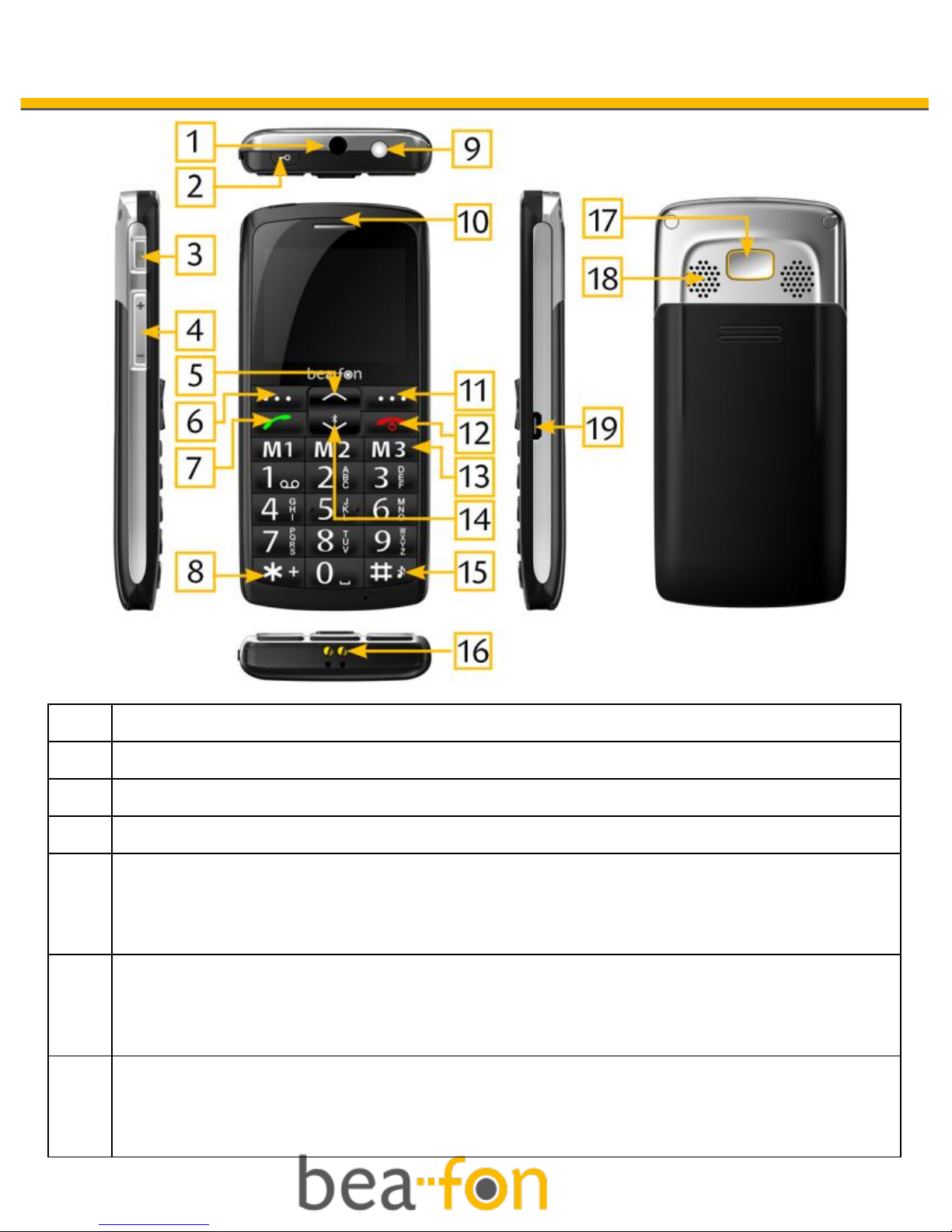
Your Phone
1
Headset
2
Keylock
3
Torch key
4
Volumen key
5
Arrow key (up)
On the starting screen this button takes you to the Message
menu.
6
Menu key (left).
On the starting screen, this button takes you to the main
menu.
7
Dial key
Green button on the starting screen, this button takes you to
the call list.

9
Your Phone
8
* Key
Press this button on the starting screen to enter the following
symbols : * /+ /P / W.

9
Torch (Power LED light)
10
Loudspeaker
11
Menu key (right).
On the starting screen this button takes you to the
Phonebook.
12
On/Off button
Hang-up button
Ends a call or rejects an incoming call.
13
Direct dialing numbers (M1,M2,M3)
14
Arrow key (down)
On the starting screen this button takes you to the Bluetooth
menu
15
# Key
On the starting screen, by holding this button you activate /
deactivate silent mode. In edit mode, change the input
method.
16
Cradle port
17
SOS button
18
Polyphone speaker
19
Charger port

10
Getting started
What is a SIM card?
Every mobile phone has a SIM card (Subscriber Identity
Module). This is a micro-chip that holds your personal
information such as names and phone numbers. Your phone
won’t work without it. If you already have contacts on your
SIM card, they can be transferred in most cases.
Keep the SIM card away from children. The SIM card can
easily be damaged or bent. You should therefore handle the
SIM card with care during installation and/or removal.
Insert the SIM card and Micro SD card as
follows:
1. Make sure that the phone is switched off and the
charger is disconnected from the phone.
2. Turn the phone over and remove the battery cover.
3. If the battery is already inside, remove it.
4. You can see two card slots (upside: SIM, downside:
Micro SD).
5. Slide the SIM card carefully into the SIM card slot. Make
sure that the gold-colored connectors on the SIM card
are facing downwards and that the beveled corner is on
the right.
6. Memory Card: Slide the Micro SD card into the Micro SD
card slot.
Table of contents
Other Bea-fon Cell Phone manuals

Bea-fon
Bea-fon S10 User manual

Bea-fon
Bea-fon SL250 User manual

Bea-fon
Bea-fon SL550 User manual

Bea-fon
Bea-fon S400 User manual

Bea-fon
Bea-fon X5 Premium User manual

Bea-fon
Bea-fon C150 User manual

Bea-fon
Bea-fon SL640 User manual

Bea-fon
Bea-fon SL570 User manual

Bea-fon
Bea-fon S30 User manual

Bea-fon
Bea-fon CLASSIC C245 User manual

Bea-fon
Bea-fon S400 User manual

Bea-fon
Bea-fon SL240 User manual

Bea-fon
Bea-fon SL630 User manual

Bea-fon
Bea-fon SL320 User manual

Bea-fon
Bea-fon T850 User manual

Bea-fon
Bea-fon CLASSIC LINE C350 User manual

Bea-fon
Bea-fon S15 User manual

Bea-fon
Bea-fon S700 User manual

Bea-fon
Bea-fon SL651A User manual

Bea-fon
Bea-fon SL595 User manual