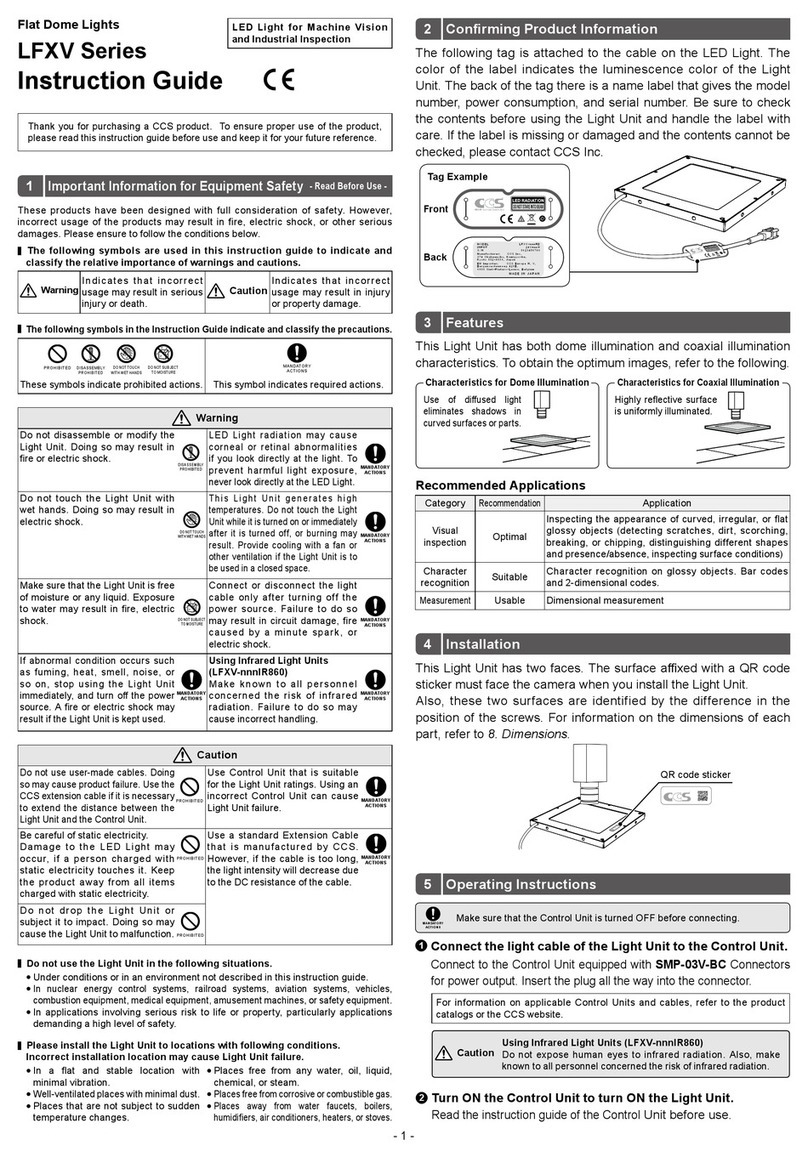
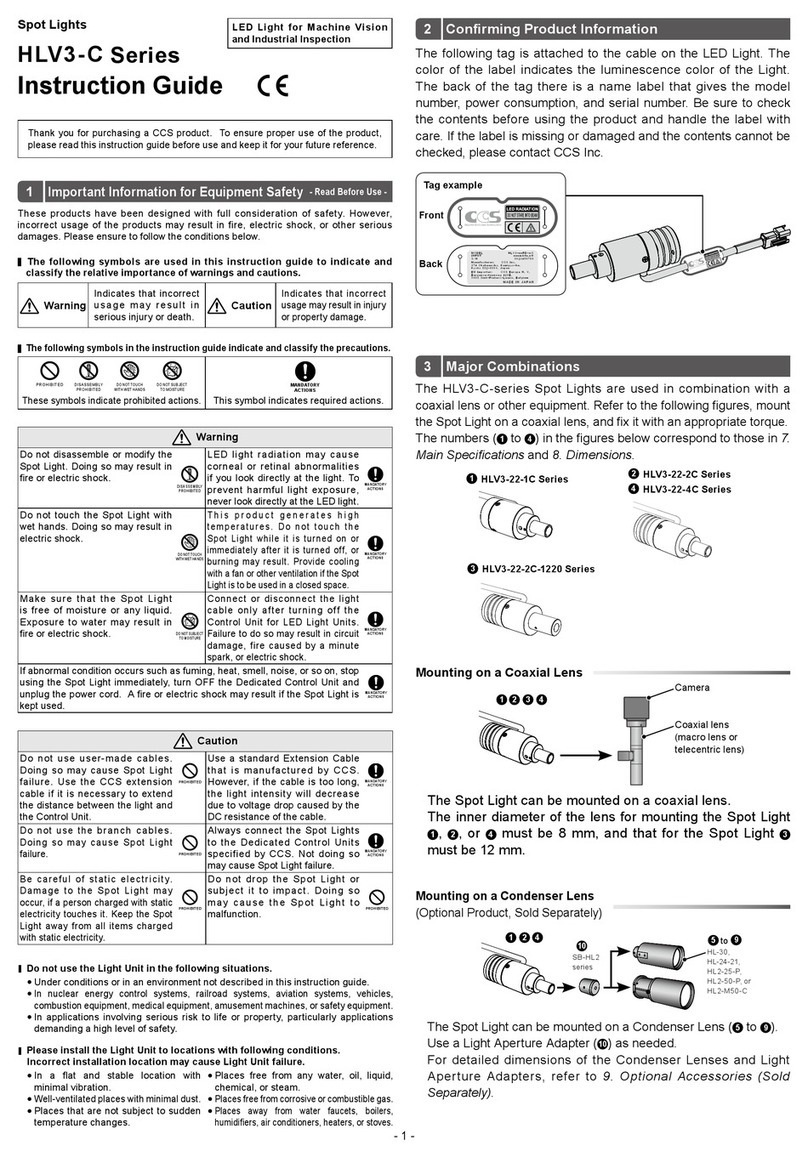
- 1 -
TH2 Series
IR Series Infrared Lights
(Over 1000-nm Type)
Instruction Guide
LED Light for Machine Vision
and Industrial Inspection Conrming Product Information
MADE IN JAPAN
MODEL
INPUT
S/N
TH2-nnnxnnnIRnnn
24V=n.nW
0123456789
Manufacturer: CCS Inc.
374 Okakuencho, Kamigyo-ku,
Kyoto 602-8011, Japan
EU Importer: CCS Europe N. V.
Bergensesteenweg 421B,
1600 Sint-Pieters-Leeuw, Belgium
Tag Example
Back
Front
2
3
4Operating Instructions
Infrared-enabled
camera
Inspection object
TH2 series
Read the instruction guide of the Control Unit
before use.
Connect the light cable of the Light Unit to the Control Unit
output connector.
1
Turn ON the Control Unit
and turn ON the Light Unit.
2
• Use a Control Unit that is
suitable for the Light Unit
ratings and is equipped
with the corresponding
power output connectors.
• Make sure that the Control
Unit is turned OFF before
connecting.
• Insert the plug all the way
into the connector.
MANDATORY
Adjust light range, light angle, and radiant quantity to optimize
images. Adjust the radiant quantity at the Control Unit.
3
Installation
Attach M3 screws to the tapped holes
on the bottom of the Light Unit to x it.
Fix the Light Unit with M3 screw.
Bottom Installation
Recommended tightening torque: 0.6 N m
Side Installation
Required Parts
M3 screws
Tap depth: 6 mm
The following tag is attached to the cable on the LED Light. The
back of the tag there is a name label that gives the model number,
power consumption, and serial number. Be sure to check the
contents before using the product and handle the label with care.
If the label is missing or damaged and the contents cannot be
checked, please contact CCS Inc.
- Read Before Use -
Required Parts
M3 screws
Tap depth: 6 mm
Do not expose human eyes to
infrared radiation. Also, make known
to all personnel concerned the risk
of infrared radiation.
Caution
The LEDs that appear to be not lit radiate infrared light. Do not look
at the radiated light directly with your naked eyes. To check for LED
radiation, use an infrared-enabled camera to look at the LEDs indirectly.
Caution
M3 screws
Tapped hole
M3 screws
Thank you for purchasing a CCS product. To ensure proper use of the product,
please read this instruction guide before use and keep it for your future reference.
DO NOT TOUCH
DO NOT SUBJECT
TO MOISTURE
MANDATORY
These symbols indicate prohibited actions.
This symbol indicates required actions.
The following symbols in the Instruction Guide indicate and classify the precautions.
The following symbols are used in this instruction guide to indicate and
classify the relative importance of warnings and cautions.
Warning
Indicates that incorrect
usage may result in serious
injury or death.
Caution
Indicates that incorrect
usage may result in injury
or property damage.
These products have been designed with full consideration of safety. However,
incorrect usage of the products may result in fire, electric shock, or other serious
damages. Please ensure to follow the conditions below.
Important Information for Equipment Safety
- Read Before Use -
1
Do not disassemble or modify the
Light Unit. Doing so may result in
re or electric shock.
DISASSEMBLY
LED Light radiation may cause
corneal or retinal abnormalities
if you look directly at the light. To
prevent harmful light exposure,
never look directly at the LED Light.
Do not touch the Light Unit with
wet hands. Doing so may result in
electric shock.
DO NOT TOUCH
This Light Unit generates high
temperatures. Do not touch the Light
Unit while it is turned on or immediately
after it is turned off, or burning may
result. Provide cooling with a fan or
other ventilation if the Light Unit is to
be used in a closed space.
ACTIONS
Make sure that the Light Unit is free
of moisture or any liquid. Exposure
to water may result in re, electric
shock.
DO NOT SUBJECT
TO MOISTURE
Connect or disconnect the light
cable only after turning off the
power source. Failure to do so
may result in circuit damage, fire
caused by a minute spark, or
electric shock.
ACTIONS
If abnormal condition occurs such
as fuming, heat, smell, noise, or
so on, stop using the Light Unit
immediately, and turn o the power
source. A re or electric shock may
result if the Light Unit is kept used.
Make known to all personnel
concerned the risk of infrared
radiation. Failure to do so may
cause incorrect handling.
Do not use user-made cables. Doing
so may cause product failure. Use the
CCS extension cable if it is necessary
to extend the distance between the
Light Unit and the Control Unit.
PROHIBITED
Use Control Unit that is suitable
for the Light Unit ratings. Using an
incorrect Control Unit can cause
Light Unit failure.
Be careful of static electricity.
Damage to the LED Light may
occur, if a person charged with
static electricity touches it. Keep
the product away from all items
charged with static electricity.
Use a standard Extension Cable
that is manufactured by CCS.
However, if the cable is too long,
the light intensity will decrease due
to the DC resistance of the cable.
ACTIONS
Do not drop the Light Unit or
subject it to impact. Doing so may
cause the Light Unit to malfunction.
Please install the Light Unit to locations with following conditions.
Incorrect installation location may cause Light Unit failure.
In a at and stable location with
minimal vibration.
Well-ventilated places with minimal dust.
Places that are not subject to sudden
temperature changes.
Places free from any water, oil, liquid,
chemical, or steam.
Places free from corrosive or combustible gas.
Places away from water faucets, boilers,
humidiers, air conditioners, heaters, or stoves.
Do not use the Light Unit in the following situations.
Under conditions or in an environment not described in this instruction guide.
In nuclear energy control systems, railroad systems, aviation systems, vehicles,
combustion equipment, medical equipment, amusement machines, or safety equipment.
In applications involving serious risk to life or property, particularly applications
demanding a high level of safety.