EnglishDeutsch
 logo
Brands
  1. Home
  2. •
  3. Brands
  4. •
  5. Crestron
  6. •
  7. Touch Panel
  8. •
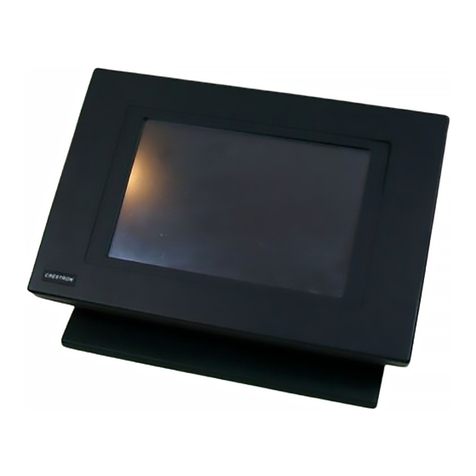
  9. Crestron TSD-2220 Dimensional drawing

Crestron TSD-2220 Dimensional drawing

Other Crestron Touch Panel manuals

Crestron C2N-FT-TPS4 User manual

Crestron

Crestron C2N-FT-TPS4 User manual

Crestron TS-1542 User manual

Crestron

Crestron TS-1542 User manual

Crestron TSCW-730 Dimensional drawing

Crestron

Crestron TSCW-730 Dimensional drawing

Crestron SmarTouch STX-1700CXP User manual

Crestron

Crestron SmarTouch STX-1700CXP User manual

Crestron Isys TPS-3100L User manual

Crestron

Crestron Isys TPS-3100L User manual

Crestron QM-FTCC-TPS4 How to use

Crestron

Crestron QM-FTCC-TPS4 How to use

Crestron CT-3500 User manual

Crestron

Crestron CT-3500 User manual

Crestron TSW-770R Series User manual

Crestron

Crestron TSW-770R Series User manual

Crestron SmarTouch STS ST-1550C User manual

Crestron

Crestron SmarTouch STS ST-1550C User manual

Crestron TPS-FPAR4000L User manual

Crestron

Crestron TPS-FPAR4000L User manual

Crestron Isys i/O TPMC-15-CH-L User manual

Crestron

Crestron Isys i/O TPMC-15-CH-L User manual

Crestron Isys TPS-6L How to use

Crestron

Crestron Isys TPS-6L How to use

Crestron TSW-770-GV User manual

Crestron

Crestron TSW-770-GV User manual

Crestron Isys TPS-4000L User manual

Crestron

Crestron Isys TPS-4000L User manual

Crestron TPS-FPAR5000L User manual

Crestron

Crestron TPS-FPAR5000L User manual

Crestron TST-600 User manual

Crestron

Crestron TST-600 User manual

Crestron TSW-570 User manual

Crestron

Crestron TSW-570 User manual

Crestron TPS-6X Series User manual

Crestron

Crestron TPS-6X Series User manual

Crestron Isys TPS-12 User manual

Crestron

Crestron Isys TPS-12 User manual

Crestron Isys TPS-6000 User manual

Crestron

Crestron Isys TPS-6000 User manual

Crestron TST-600 User manual

Crestron

Crestron TST-600 User manual

Crestron SmarTouch STX-1700CW User manual

Crestron

Crestron SmarTouch STX-1700CW User manual

Crestron TSW-560P Dimensional drawing

Crestron

Crestron TSW-560P Dimensional drawing

Crestron STX-1550C User manual

Crestron

Crestron STX-1550C User manual

Popular Touch Panel manuals by other brands

FlowLine Data loop quick start

FlowLine

FlowLine Data loop quick start

ALPEX AEx-8 P Series user manual

ALPEX

ALPEX AEx-8 P Series user manual

Ltech E5S manual

Ltech

Ltech E5S manual

Harman AMX MODERO S MSD-701-L2 quick start guide

Harman

Harman AMX MODERO S MSD-701-L2 quick start guide

Acnodes PC 1150 installation guide

Acnodes

Acnodes PC 1150 installation guide

AIS IP10IA99 series user guide

AIS

AIS IP10IA99 series user guide

IBASE Technology ASTUT-152-RE1S user manual

IBASE Technology

IBASE Technology ASTUT-152-RE1S user manual

YASKAWA TP 610C manual

YASKAWA

YASKAWA TP 610C manual

B&R Power Panel C Series user manual

B&R

B&R Power Panel C Series user manual

AXIOMTEK GOT321W-521 user manual

AXIOMTEK

AXIOMTEK GOT321W-521 user manual

TRIDONIC.ATCO x-touchBOX Operation manual

TRIDONIC.ATCO

TRIDONIC.ATCO x-touchBOX Operation manual

Qomo QIT1386 user manual

Qomo

Qomo QIT1386 user manual

DFI KS104-CD user manual

DFI

DFI KS104-CD user manual

AMX AXP-PPC Dimensional drawing

AMX

AMX AXP-PPC Dimensional drawing

Sartorius X3 PR 5410 operating manual

Sartorius

Sartorius X3 PR 5410 operating manual

AMX Modero X Series quick start guide

AMX

AMX Modero X Series quick start guide

Advantech TPC-30 Series user manual

Advantech

Advantech TPC-30 Series user manual

B&R Industries MAPPC900-ENG user manual

B&R Industries

B&R Industries MAPPC900-ENG user manual

https://manuals.online logo
https://manuals.online logoBrands
  • About & Mission
  • Contact us
  • Privacy Policy
  • Terms and Conditions

Copyright 2026 Manuals.Online. All Rights Reserved.

DO GUIDE
Once the TSD-2220 is aligned with the mounting bracket, use a screwdriver and the appropriate
number of M4 mounting screws to attach the TSD-2220 to the bracket.
DO Connect the Device
1. Locate the cable cover on the rear of the TSD-2220. Remove the cover by gently pushing in
the two tabs that secure the cover to the touch screen until the cover is disengaged.
2. Make any necessary connections to the TSD-2220 as shown in the following illustration.
NOTE: Power should be supplied to the touch screen using only the included 12 Vdc
power pack. Apply power after all connections have been made.
NOTE: The HDMI®input requires an appropriate adapter or an interface cable to
accommodate a DVI signal. Crestron CBL-HD-DVI cables are sold separately.
HDMI:
From HDMI output
on digital graphics engine
or computer console
USB:
From USB port
on digital graphics engine
or computer console
12 Vdc:
From power
supply
The Crestron®TSD-2220 is a 21.5" (546 mm) HD touch screen display that can be used with the
Crestron DGE-100 or DM-DGE-200-C digital graphic engine (each sold separately) to provide
a powerful touch screen control solution. The TSD-2220 also can be used as a high-denition
display for a television or a computer.
NOTE: For more information about installing and conguring the DGE-100 or DM-DGE-200-C,
refer to the DGE-100/DM-DGE-200-C DO Guide (Doc. 7695) and DGE-100/DM-DGE-200-C
Supplemental Guide (Doc. 7696) at www.crestron.com/manuals.
DO Install the TSD-2220
The TSD-2220 can be installed using a variety of VESA compliant mounting accessories,
including wall-mount brackets, desk stands, and articulating arms. The TSD-2220 is compatible
with VESA 100 x 100 mm and VESA 200 x 100 mm brackets (not included).
CAUTION: Ensure that the chosen VESA mount is rated for the size and weight of the
TSD-2220. Refer to the table of specications on the product webpage for more information.
To install the TSD-2220 using a VESA mount, align the threaded holes in the rear of the
TSD-2220 with the appropriate holes in the mounting bracket. (Refer to the illustration below.)
The TSD-2220 supports 100 x 100 mm center mounting, 100 x 100 mm edge mounting, and
200 x 100 mm mounting.
• For 100 x 100 mm center mounting, use the four center threaded holes.
• For 100 x 100 mm edge mounting, use the four rightmost threaded holes.
• For 200 x 100 mm mounting, use all six threaded holes.
TSD-2220
21.5" HD Touch Screen Display
DO Check the Box
QTY PRODUCT COLOR PART NUM.
1 Cable, USB 2.0, A - B, 6' (1.83 m) 2048150
1 Power Cord, 6' 7" (2 m) 2025416
1 Power Pack, 12 Vdc 4.16 A, 100-240 Vac 2048149
1 Screw, M3 x 6 mm, Pan Head, Phillips 2013272
Threaded holes
for VESA mounting
DO GUIDE DOC. 7965B (2048028) 02.17
Specications subject to change without notice.
3. Reattach the cable cover by aligning the tabs on the cover with their respective slots on the
rear of the TSD-2220, and then gently push the cover upward until the tabs snap into place.
Route all cables through the gap in the top of the cable cover.
4. To secure the cable cover to the TSD-2220, use a Phillips screwdriver to attach the
included M3 x 6 mm screw to the TSD-2220 as shown in the following illustration.

DO Learn More
Visit the website for additional information and the latest rmware updates. To learn
more about this product, use a QR reader application on your mobile device to scan
the QR image.
Crestron Electronics
15 Volvo Drive, Rockleigh, NJ 07647
888.CRESTRON | www.crestron.com

As of the date of manufacture, the product has been tested and found to comply with specications for CE marking.
Federal Communications Commission (FCC) Compliance Statement
This device complies with part 15 of the FCC Rules. Operation is subject to the following two conditions:
(1) This device may not cause harmful interference, and (2) this device must accept any interference received, including interference
that may cause undesired operation.
CAUTION:Changes or modications not expressly approved by the manufacturer responsible for compliance could void the
user’s authority to operate the equipment.
NOTE: This equipment has been tested and found to comply with the limits for a Class B digital device, pursuant to part 15 of the
FCC Rules. These limits are designed to provide reasonable protection against harmful interference in a residential installation.
This equipment generates, uses and can radiate radio frequency energy and, if not installed and used in accordance with the
instructions, may cause harmful interference to radio communications. However, there is no guarantee that interference will not
occur in a particular installation.
If this equipment does cause harmful interference to radio or television reception, which can be determined by turning the
equipment off and on, the user is encouraged to try to correct the interference by one or more of the following measures:
• Reorient or relocate the receiving antenna.
• Increase the separation between the equipment and receiver.
• Connect the equipment into an outlet on a circuit different from that to which the receiver is connected.
• Consult the dealer or an experienced radio/TV technician for help.
Industry Canada (IC) Compliance Statement
CAN ICES-3(B)/NMB-3(B)
Electrical Connection:
“This product must be connected to an earthed mains socket-outlet.”
• Finland: “Laite on liitettävä suojamaadoituskoskettimilla varustettuun pistorasiaan.”
• Norway: “Apparatet må tilkoples jordet stikkontakt.”
• Sweden: “Apparaten skall anslutas till jordat uttag.”
The specic patents that cover Crestron products are listed at http://www.crestron.com/legal/patents. The product warranty can be found at www.crestron.com/warranty.
Certain Crestron products contain open source software. For specic information, please visit www.crestron.com/opensource.
Crestron and the Crestron logo are either trademarks or registered trademarks of Crestron Electronics, Inc. in the United States and/or other countries. HDMI is either a trademark or a registered
trademark of HDMI Licensing, LLC in the United States and/or other countries. Other trademarks, registered trademarks, and trade names may be used in this document to refer to either the
entities claiming the marks and names or their products. Crestron disclaims any proprietary interest in the marks and names of others. Crestron is not responsible for errors in typography or
photography.
This document was written by the Technical Publications department at Crestron.
©2017 Crestron Electronics, Inc.
Cable cover
Screw (1):
M3 x 6 mm