1
English
Connection
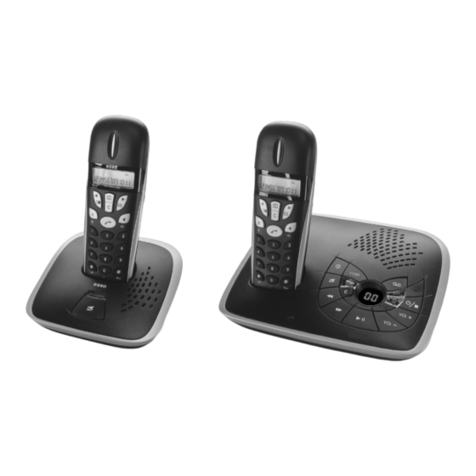
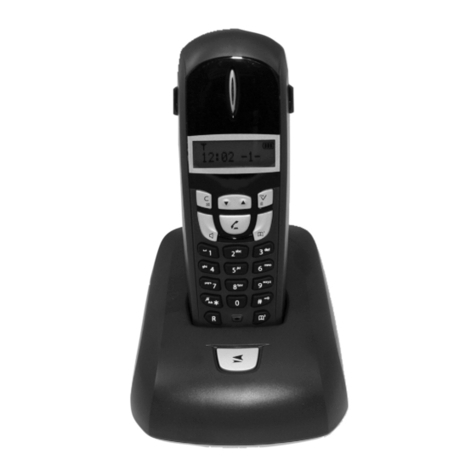
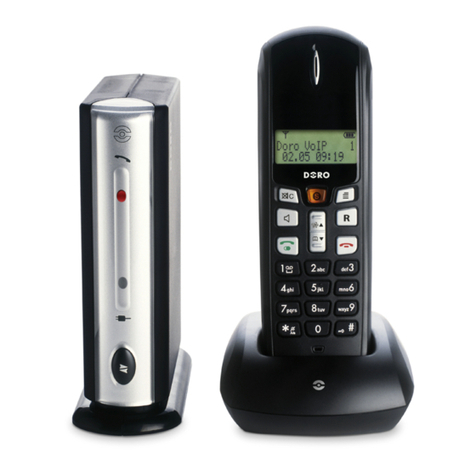
1. Connect mains adapter and phone cable to respective wall sockets.
2. Insert the batteries(AAA 1.2V NiMH) in the handset
with plus and minus terminals as directed.
3. Chargethehandsetwiththekeypadfacingoutwards(for24hoursthersttime).
4. Select language/date by following the instructions below.
Language
5. Press☼toilluminatethedisplay.
6. Press Menu.
7. Scroll to Settingwiththescrollbutton(☼/b). Press OK.
8. Scroll to Handset Set withthescrollbutton(☼/b). Press OK.
9. Scroll to Language withthescrollbutton(☼/b). Press OK.
10.Scrolltorequiredsettingwiththescrollbutton(☼/b). Press OK.
11. Hold down Lto return to standby.
Date/Time
12. Press Menu. Scroll to Date/Time withthescrollbutton(☼/b). Press OK.
13. Scroll to Date/Timewiththescrollbutton(☼/b). Press OK.
14. Set date (DD.MM.YY). Press OK.
15. Enter time of day (HH MM). Press OK.
16. Hold down Lto return to standby.
New Zealand Purchasers
Before use please change the Recall (R) button timing to setting 600ms as described on page 12. This will ensure
correct operation of additional network services such as ”Call Waiting”.
In order for the 0/00 prex to be included when receiving a caller-id number the NZ CID mode must be set to
on. The telephone will add the required prex in accordance with current Telecom NZ guidelines. If a charge for
local calls is unacceptable the NZ CID mode should not be activated.
1. Press *. Scroll to Caller list. Press OK.
2. Select NZ Caller-ID. Press OK.
3. Select On. Press OK. Hold down Lto return to standby.
Connection .............................1
The display..............................2
Base unit indicator .................2
Battery.....................................3
Coverage ................................3
Making a call...........................3
Receiving a call......................3
Volume control .......................3
Turning the handset Off/On..3
Redialling ................................3
Mute button.............................3
Temporary silent mode .........4
Key lock...................................4
Speaker/Group listening .......4
Paging .....................................4
Phonebook.............................4
Incoming numbers (caller ID)6
SMS messages .....................7
Network services...................9
Date/Time/Alarm....................9
Other settings.........................10
Cordless Baby Monitor..........10
Country Code.........................11
Register...................................11
Signals and display................11
System settings......................12
Call barring..............................13
Net. Provider...........................13
Expanded system (+1)...........14
Specic absorption rate
(SAR).......................................14
Declaration of conformity......14
UK............................................14
Troubleshooting .....................15
Guarantee...............................15