Repair Instruction,Electrical
4/00021-2/FEA 209 544/62 C
Ericsson Mobile Communications AB
7(16)
5 Display/Illumination Problems
• Make a general visual inspection for corrosion or oxidation from liquid damage. No
further action should be taken for a liquid damaged phone. Handle the unit on according
to the local company directives.
• Switch the phone on and press some buttons. Check the display and the illumination. The
illumination is lightened when the phone starts in ~20 seconds if
Settings/5.Display/1.Light/Automatic is selected.
Another way of testing the display and illumination is to use the service tests in the
software, see chapter 12. Service functions in the software.
Choose: 3. Service tests / 1. Display. Different contrasts are shown. Check that no rows or
pixels are missing.
Choose: 3. Service tests / 2. LED/illumination. The illumination will switch on and off.
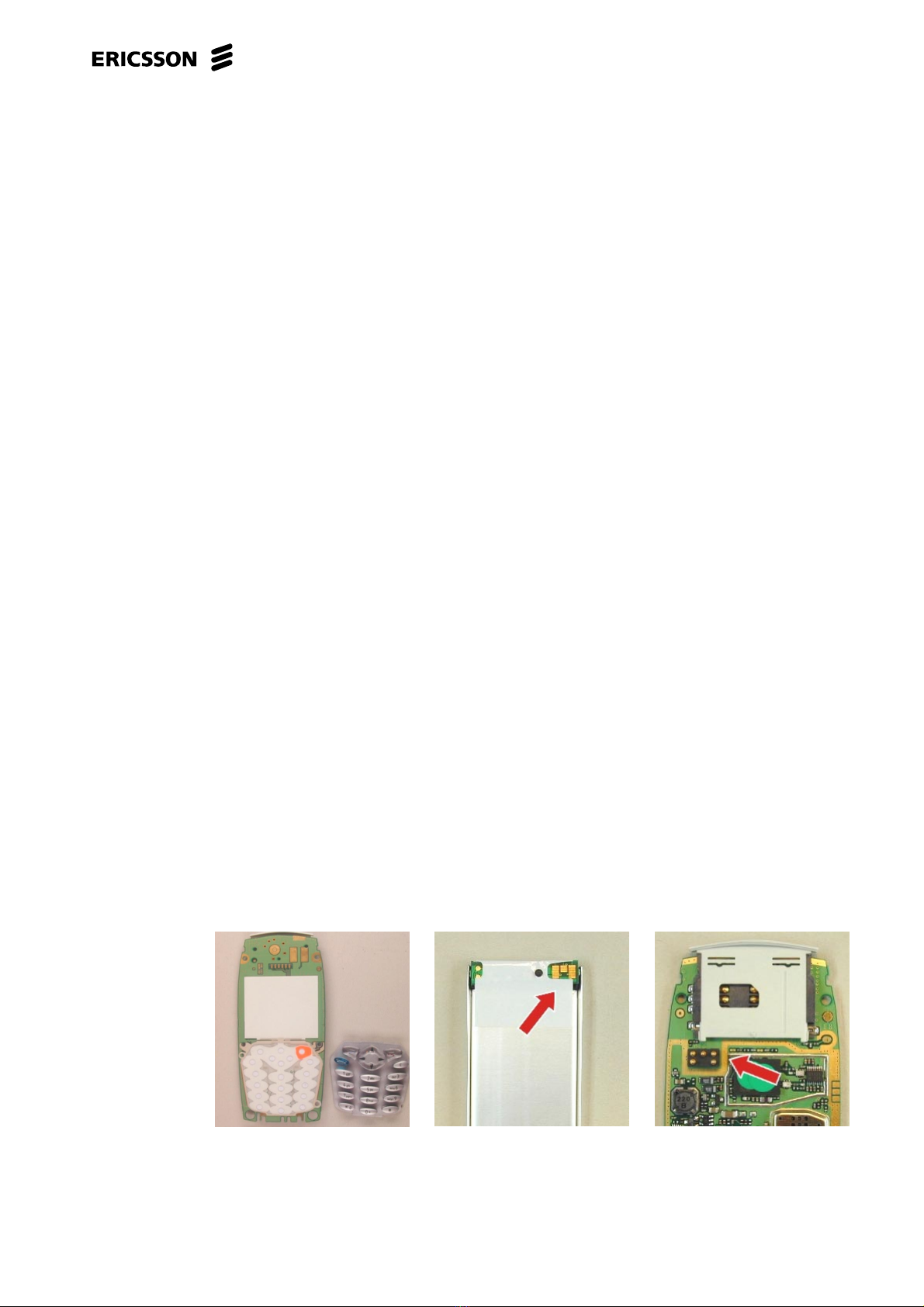
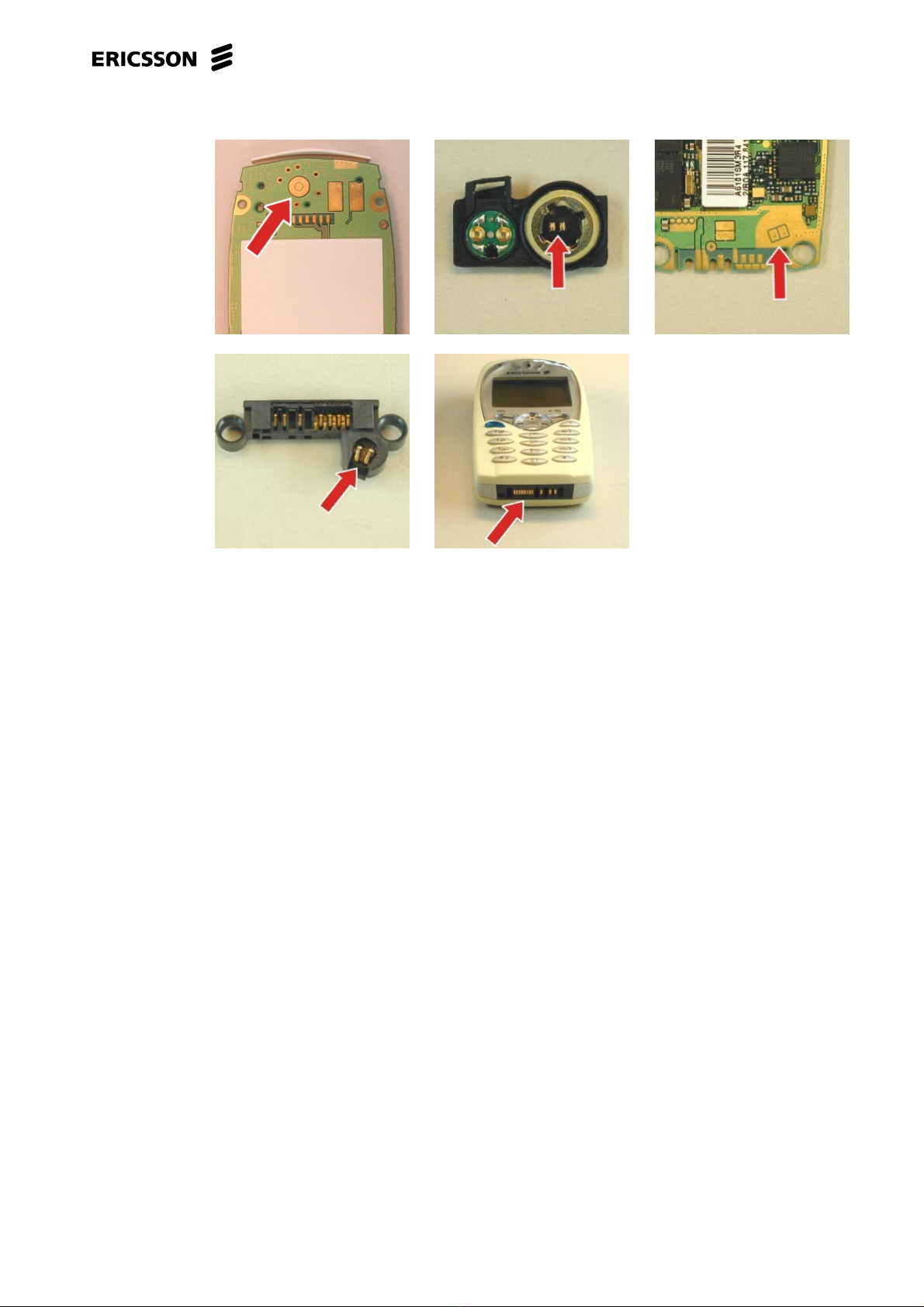
• If all the segments (characters) are missing, check that the display contact surface on the
PCB is free from dirt/dust (Fig. 1). If necessary clean it.
Check the display elastomer for dirt/mechanical damage (Fig. 2) and replace it, if
necessary.
If the fault still remains, replace the display.
When the display is replaced the contrast should be checked. If it is necessary, change the
contrast with the service tests in the software, see chapter 12. Service functions in the
software.
Choose: 2. Service settings / 1.Contrast. Check the test pattern and change the contrast
with the arrow keys or numbers on the keyboard. The settings are stored with the key
"Yes".
• If some of the segments (characters) are missing replace the display.
When the display is replaced the contrast should be checked. If it is necessary, change the
contrast with the service tests in the software, see chapter 12 Service functions in the
software.
Choose: 2. Service settings / 1.Contrast. Check the test pattern and change the contrast
with the arrow keys or numbers on the keyboard. The settings are stored with the key
"Yes".
• If the contrast is bad try to change the contrast with the service tests in the software, see
chapter 12 Service functions in the software.
Choose: 2. Service settings / 1.Contrast. Check the test pattern and change the contrast
with the arrow keys or numbers on the keyboard. The settings are stored with the key
"Yes".
If the fault still remains replace the display and change the contrast with the service tests
in the software, if necessary.
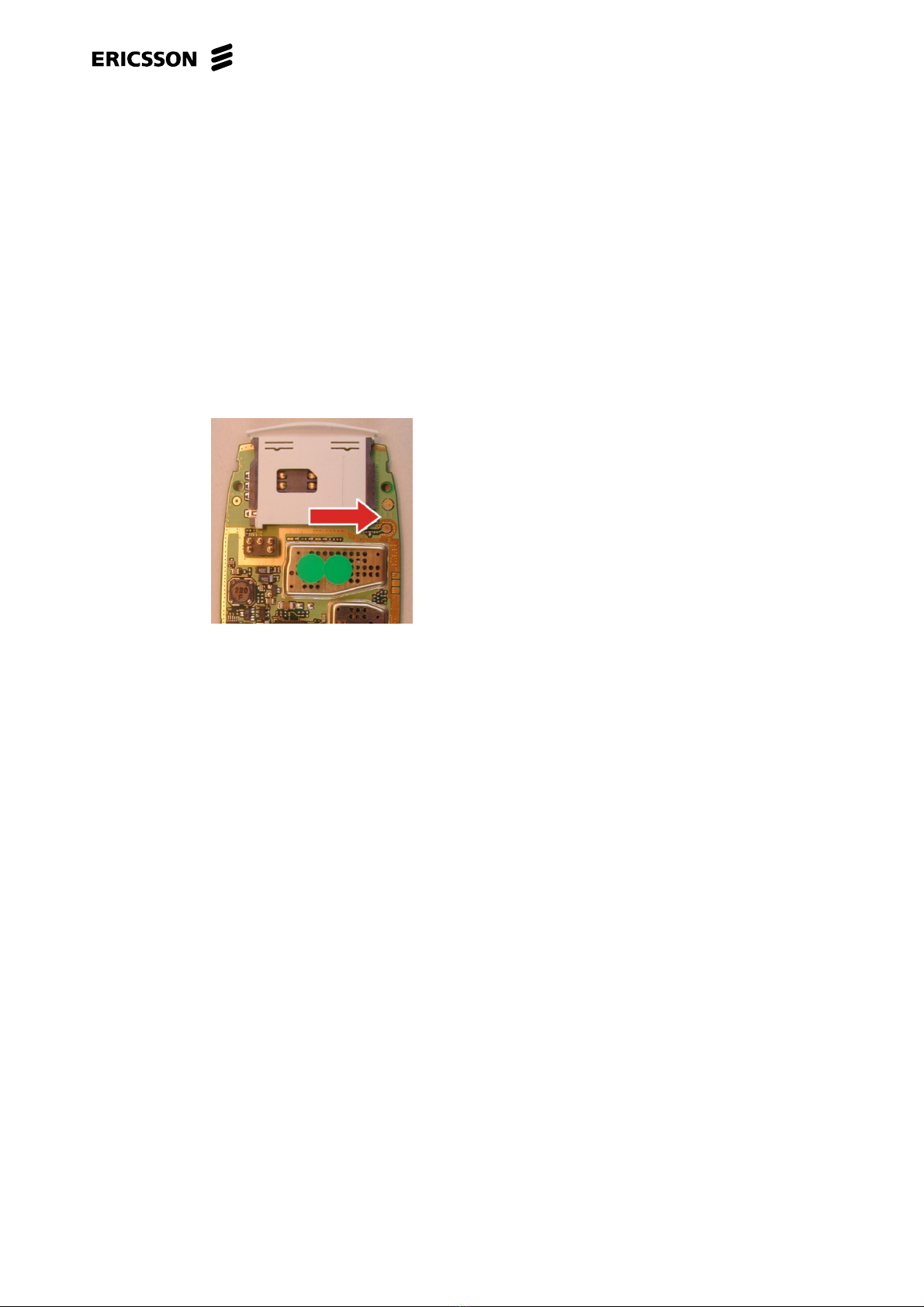
• If the illumination is missing check if the illumination screw is loose or missing (Fig. 3).
If necessary, tighten or replace screw.
If the fault still remains replace the dome assembly.
• If the fault still remains handle the unit on according to the local company directives.