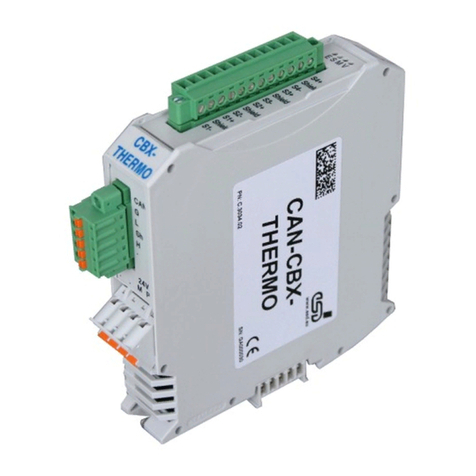
CAN-CBM-Clock
Hardware Manual • Doc.-No.: C.2836.21 / Rev. 1.3
Page 7 of 34
Content
1. Overview ....................................................................9
1.1DescriptionoftheModule....................................................9
1.2 View of the Module with Connectors and Coding Switches . . . . . . . . . . . . . . . . . . . . . . . . 10
2. Technical Data ..............................................................11
2.1GeneralTechnicalData.....................................................11
2.2MicrocontrollerUnit .......................................................11
2.3CANInterface ............................................................12
2.4SerialInterface ...........................................................12
2.5RTC....................................................................13
2.6Software ................................................................13
3. Description of the Units .......................................................14
3.1CANInterface ............................................................14
3.1.1InterfaceCircuit ....................................................14
3.2SerialInterface ...........................................................15
3.2.1 Default Setting of the Module . . . . . . . . . . . . . . . . . . . . . . . . . . . . . . . . . . . . . . . . . 15
3.3 Setting Node Number and CAN Bit Rate via Coding Switch . . . . . . . . . . . . . . . . . . . . . . . . 16
3.3.1 Overview of the Coding Switch Settings . . . . . . . . . . . . . . . . . . . . . . . . . . . . . . . . . 16
3.3.2SettingtheCANBitRate .............................................16
3.3.3 Assignment of the Position of the Coding Switch to the CAN Bit Rates . . . . . . . . . 17
3.3.4 Setting the CANopen Node Number . . . . . . . . . . . . . . . . . . . . . . . . . . . . . . . . . . . . 17
3.4LEDDisplay .............................................................18
4. Quick Start .................................................................19
5. Connector Assignment ........................................................20
5.1CANBus(X250,Combicon-Style)............................................20
5.1.1 Conductor Connection/Conductor Cross Sections . . . . . . . . . . . . . . . . . . . . . . . . . . 21
5.2 Serial Interface (X100, 9 pin DSUB, male) . . . . . . . . . . . . . . . . . . . . . . . . . . . . . . . . . . . . . 22
5.3PowerSupply(X101,UEGM) ...............................................23
6. Correct Wiring of Electrically Isolated CAN Networks .............................24
6.1StandardsconcerningCANWiring............................................24
6.2 Light Industrial Environment (Single Twisted Pair Cable) . . . . . . . . . . . . . . . . . . . . . . . . . . 25
6.2.1GeneralRules ......................................................25
6.2.2Cabling .................................................26
6.2.3Termination........................................................26
6.3 Heavy Industrial Environment (Double Twisted Pair Cable) . . . . . . . . . . . . . . . . . . . . . . . . 27
6.3.1GeneralRules ......................................................27
6.3.2DeviceCabling .....................................................28
6.3.3Termination........................................................28
6.4ElectricalGrounding .......................................................29
6.5BusLength ..............................................................29
6.6ExamplesforCANCables ..................................................30
6.6.1 Cable for Light Industrial Environment Applications (Two-Wire) . . . . . . . . . . . . . 30
6.6.2 Cable for Heavy Industrial Environment Applications (Four-Wire) . . . . . . . . . . . . 30