6
Basic Operations
Turning On/Off
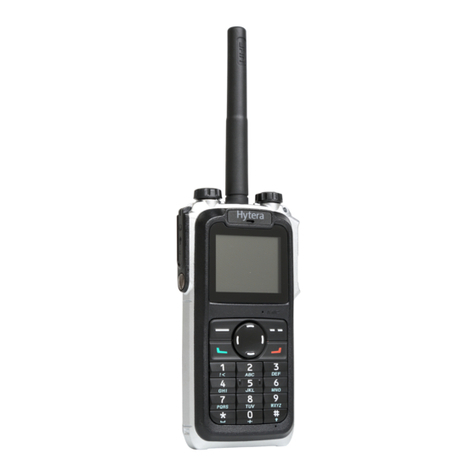
To turn on the terminal, rotate the Power On-Off/
Volume Control knob clockwise. Then the LED
indicator flashes green, and the terminal shows the
power-up screen and sounds power-up alert. Upon
successful powering on, the terminal enters the home
screen. In TMO, after being turned on, the terminal will
logon to the network. In DMO, the terminal will be ready
for use after being turned on.
To turn off the terminal, rotate the Power On-Off/
Volume Control knob counter-clockwise until a click is
heard.
Switching Operation Mode
This terminal can operate in either TMO or DMO. To
switch the operation mode, press the Options/Back key
in the home screen to enter the “Options” menu, and
then select “TMO” or “DMO”.
Adjusting the Call Volume
Rotate the Power On-Off/Volume Control knob
clockwise to increase the call volume, or counter-
clockwise to decrease the volume. After the adjustment,
the terminal will save the settings and return to the
former screen automatically.
Inputting through Keypad
You can use the numeric keypad to enter user alias
and number, edit messages, etc. The terminal supports
these input methods: English and Number. To switch
the input method, press the key on the numeric
keypad. In either input method, you can enter special
characters and common punctuations by pressing
, enter “*” by pressing and enter a space by long
pressing this key . As for other language input
methods (depending on your customization), operate
accordingly.
Locking/Unlocking the Keypad
To enable the keypad lock, enter the Func menu by
pressing the Func/OK key in the home screen, and then
go to “Settings -> KP Lock -> On”. After this feature is
enabled, keypad will get locked automatically when the
preset time (preset by the dealer) expires. To unlock the
keypad, press the Func/OK key and then .
Apart from locking the keypad via menu, you can lock
the keypad quickly and temporarily by pressing the
Func/OK key and then directly in the home
screen.
PIN Code Security and Changing
PIN code can prevent unidentied user from using your
terminal. To enable or disable the PIN Code feature,
enter the Func menu from the home screen by pressing
the Func/OK key, then go to “Settings -> Security ->
PIN Code”. Every time you need to change the settings,
it is required to input the PIN code first (default PIN
code: 1234, preset by the dealer).
With this feature enabled, you will need to enter the
correct PIN code prior to operating the terminal after
turning it on. If you input the wrong code for continuous
3 times (predened by the dealer), the terminal will be
locked. In this case, you will need to enter the correct
PUK code (default PUK code: 12345678) to reset the
PIN code.
To change the PIN code, go to “Settings -> Security
-> ChangePIN” from the home screen, and input the
correct current PIN code prior to changing the code.
Managing the Contacts
Contact List
To view the list, go to the “Func. -> PhoneBook” from
the home screen.
New Contact
To add a new contact, you can enter the Func menu
by pressing Func/OK key and go to “PhoneBook”.
Then press the Func/OK key to enter “Options -> New
Contact” to add a new contact: enter the contact’s alias
in the editing screen, and press the Func/OK key to
enter the “Input No.” screen to input the contact number.
And press the Func/OK key again to select the call type
(“Private No.”, “PABX” or “PSTN”).Finally, press Func/
OK key to conrm.
Viewing the Memory
To view the phonebook memory, you can enter the
Func menu by pressing the Func/OK key, and go to
“PhoneBook” menu; then press Func/OK to enter
“Memory”.
Call Services
TMO
Individual Call
In TMO, an individual call can be initiated either as a
half-duplex call or full-duplex call, which can be received
without pressing any key (Direct Signaling) or by
pressing the Answer/Call key or PTT (Hook Signaling).
Contact your dealer for such programming as well as
more details.
Initiating an Individual Call
●Via Menu
In the home screen, press Func/OK key to enter the
“PhoneBook” or “Call Log” submenu, and select a
contact. Then press PTT to initiate a half-duplex call, or
press to initiate a full-duplex call.
●Via Manual Dial
In the home screen, to initiate a half-duplex individual
call, input the number you want to call through the
keypad, and then press PTT. To initiate a full-duplex
individual call, input the number you want to call through