manuals.online logo
Brands
  1. Home
  2. •
  3. Brands
  4. •
  5. Ingenico
  6. •
  7. Payment Terminal
  8. •
  9. Ingenico iPA280 User manual

Ingenico iPA280 User manual

Other manuals for iPA280

1

Other Ingenico Payment Terminal manuals

Ingenico i7810 User manual

Ingenico

Ingenico i7810 User manual

Ingenico iWL222 User manual

Ingenico

Ingenico iWL222 User manual

Ingenico iCT220, iCT250 User manual

Ingenico

Ingenico iCT220, iCT250 User manual

Ingenico IWL220 GPRS User manual

Ingenico

Ingenico IWL220 GPRS User manual

Ingenico Aqua User manual

Ingenico

Ingenico Aqua User manual

Ingenico Move3500 User manual

Ingenico

Ingenico Move3500 User manual

Ingenico Link/2500 User manual

Ingenico

Ingenico Link/2500 User manual

Ingenico AXIUM RX7000 User manual

Ingenico

Ingenico AXIUM RX7000 User manual

Ingenico iCT220, iCT250 User manual

Ingenico

Ingenico iCT220, iCT250 User manual

Ingenico ML30 Contactless User manual

Ingenico

Ingenico ML30 Contactless User manual

Ingenico iWL250 WIFI User manual

Ingenico

Ingenico iWL250 WIFI User manual

Ingenico 5100 User manual

Ingenico

Ingenico 5100 User manual

Ingenico iWL200 Series User manual

Ingenico

Ingenico iWL200 Series User manual

Ingenico iWL252 User manual

Ingenico

Ingenico iWL252 User manual

Ingenico i5310 Operating instructions

Ingenico

Ingenico i5310 Operating instructions

Ingenico iCT220, iCT250 User manual

Ingenico

Ingenico iCT220, iCT250 User manual

Ingenico DESK/3500 User manual

Ingenico

Ingenico DESK/3500 User manual

Ingenico Desk 3500 with Pin-pad User manual

Ingenico

Ingenico Desk 3500 with Pin-pad User manual

Ingenico iSC250 User manual

Ingenico

Ingenico iSC250 User manual

Ingenico Move 3500 User manual

Ingenico

Ingenico Move 3500 User manual

Ingenico IWL220 GPRS User manual

Ingenico

Ingenico IWL220 GPRS User manual

Ingenico FLEX IPP320 User manual

Ingenico

Ingenico FLEX IPP320 User manual

Ingenico M3500G User manual

Ingenico

Ingenico M3500G User manual

Ingenico i5310 User manual

Ingenico

Ingenico i5310 User manual

Popular Payment Terminal manuals by other brands

LinkPoint 9100 Installation guides

LinkPoint

LinkPoint 9100 Installation guides

PAX D180SRF manual

PAX

PAX D180SRF manual

LinkPoint AIO Reference manual

LinkPoint

LinkPoint AIO Reference manual

Moneris hispeed 6200 operating manual

Moneris

Moneris hispeed 6200 operating manual

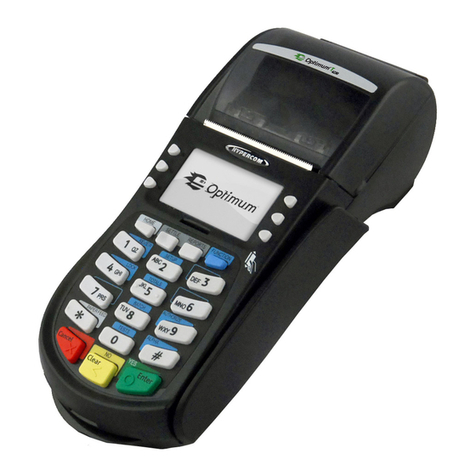
Optimum M4230 installation guide

Optimum

Optimum M4230 installation guide

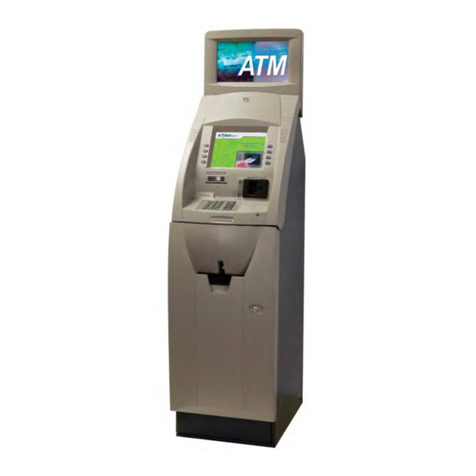
Triton RL5000 Service manual

Triton

Triton RL5000 Service manual

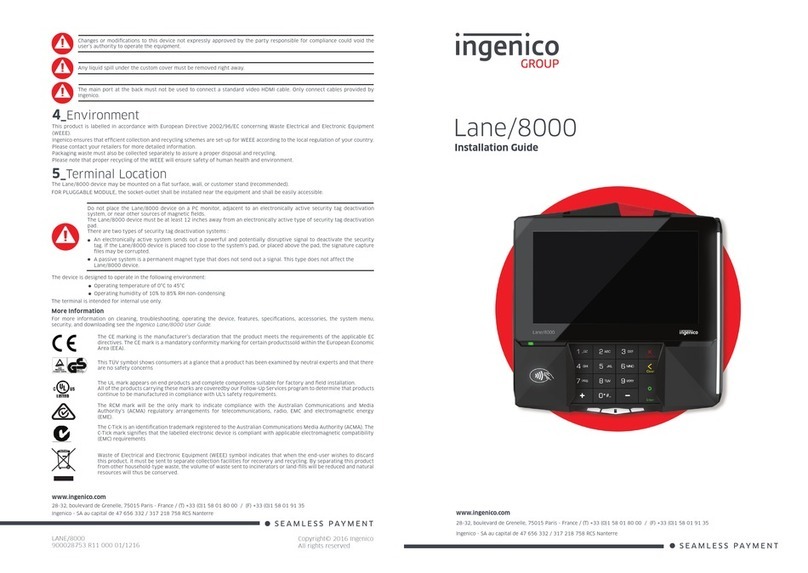
Ingenico group Lane/8000 installation guide

Ingenico group

Ingenico group Lane/8000 installation guide

Infinite Peripherals Infinea Tab Lite user manual

Infinite Peripherals

Infinite Peripherals Infinea Tab Lite user manual

VeriFone VX 520 Series user manual

VeriFone

VeriFone VX 520 Series user manual

Optomany axept S900 user guide

Optomany

Optomany axept S900 user guide

Moneris iWL220 reference guide

Moneris

Moneris iWL220 reference guide

PAX S920 Quick reference guide

PAX

PAX S920 Quick reference guide

Moneris iWL220 reference guide

Moneris

Moneris iWL220 reference guide

VeriFone HICAPS VX820 user guide

VeriFone

VeriFone HICAPS VX820 user guide

Skyzer iWL252 BLUETOOTH quick guide

Skyzer

Skyzer iWL252 BLUETOOTH quick guide

Magtek DYNAPRO Quick installation guide

Magtek

Magtek DYNAPRO Quick installation guide

VeriFone UX401 installation guide

VeriFone

VeriFone UX401 installation guide

Casio QT-2000 user manual

Casio

Casio QT-2000 user manual

manuals.online logo
manuals.online logoBrands
  • About & Mission
  • Contact us
  • Privacy Policy
  • Terms and Conditions

Copyright 2025 Manuals.Online. All Rights Reserved.

Ingenico – 190-192 Avenue Charles de Gaulle
92200 Neuilly sur Seine
Tél. (0)1 46 25 82 00 - Fax (0)1 47 72 56 95
www.ingenico.com
iPA280
U s e r G u i d e
IPA280 – User guide • 2/4 Copyright © 2010 Ingenico
9000002522 R11 000 02/1002 All rights reserved
Contents
1.
Introduction __________________________________________________ 5
2.
Unpacking ___________________________________________________ 6
3.
Reco endations_____________________________________________ 7
.1.
Security _____________________________________________________________7
.2.
Security of your terminal _______________________________________________7
. .
EC standard compliance marking_________________________________________7
.4.
FCC & IC compliance___________________________________________________8
.4.1.
FCC Statement ________________________________________________________________ 8
.4.2.
RF Radiation Exposure Statement _________________________________________________ 8
.4. .
FCC Hearing-Aid Compatibility (HAC) Regulations for Wireless Devices ___________________ 9
.5.
Water protection_____________________________________________________ 10
.6.
Main Characteristics __________________________________________________ 11
4.
Installation and connection _____________________________________12
4.1.
Battery _____________________________________________________________ 12
4.2.
Installing the SPM part on the iPA280 terminal ____________________________ 1
4. .
Installing SPM SAM ___________________________________________________ 14
4.4.
Installing PDA SAM and SIM____________________________________________ 14
4.5.
Installing Micro SD Memory ____________________________________________ 15
4.6.
Installing paper roll ___________________________________________________ 16
4.7.
Connections_________________________________________________________ 16
4.8.
Positioning the terminal _______________________________________________ 17
IPA280 – User guide • /4 Copyright © 2010 Ingenico
9000002522 R11 000 02/1002 All rights reserved
5.
Daily use _____________________________________________________18
5.1.
iPA Keypad functions _________________________________________________ 18
5.2.
Touch screen stylus __________________________________________________ 19
5. .
LED Display _________________________________________________________ 19
5.4.
Other keys __________________________________________________________20
5.5.
Card insertion _______________________________________________________ 21
5.5.1.
Reading a magnetic card ________________________________________________________21
5.5.2.
Reading a smart card ___________________________________________________________21
5.5. .
Reading Contactless Card ______________________________________________________ 22
5.5.4.
Reading Contactless Payment card_______________________________________________ 22
5.6.
Product Setup _______________________________________________________ 2
5.6.1.
Login sequence _______________________________________________________________ 2
5.6.2.
Main System _________________________________________________________________ 24
5.7.
Networking _________________________________________________________ 25
5.7.1.
Wireless network _____________________________________________________________ 25
5.7.1.1.
Bluetooth ________________________________________________________________ 25
5.7.1.2.
Wi-Fi_____________________________________________________________________ 26
5.7.1. .
GPRS connection __________________________________________________________ 27
5.7.2.
Ethernet_____________________________________________________________________ 28
5.7. .
Phone ______________________________________________________________________ 29
5.7.4.
Factory Reset _________________________________________________________________ 1
5.7.5.
Language____________________________________________________________________ 2
5.7.6.
System Info __________________________________________________________________ 2
5.7.7.
Date Time Setting _____________________________________________________________
5.7.8.
Barcode Reader_______________________________________________________________
5.7.9.
Hotkey ______________________________________________________________________ 6
5.8.
Power modes (connected and mobile) ___________________________________ 6
5.8.1.
Charging the battery___________________________________________________________ 6
5.8.2.
Normal mode ________________________________________________________________ 6
5.8. .
Standby mode________________________________________________________________ 6
5.8.4.
Reduced Power modes_________________________________________________________ 7
5.8.5.
Deep sleep___________________________________________________________________ 7
IPA280 – User guide • 4/4 Copyright © 2010 Ingenico
9000002522 R11 000 02/1002 All rights reserved
6.
Maintenance ________________________________________________ 38
6.1.
Paper roll ___________________________________________________________ 8
6.2.
Cleaning of the terminal _______________________________________________ 8
6. .
Transport and storage ________________________________________________ 9
6.4.
Troubleshooting _____________________________________________________ 9
6.5.
End of life___________________________________________________________ 9
7.
Extensions and accessories ____________________________________ 40
7.1.
Cradles _____________________________________________________________40
7.2.
Holster _____________________________________________________________ 41
7. .
Pistol ______________________________________________________________42
IPA280 – User guide • 5/4 Copyright © 2010 Ingenico
9000002522 R11 000 02/1002 All rights reserved
1. Introduction
Thank you for choosing a payment terminal Ingenico.
We recommend to read carefully this user guide : It provides the necessary information
about safety precautions, unpacking, installation, and maintenance of your terminal.
WARRANTY / SECURITY
To benefit from the guarantee-related product, and to respect the security, we ask you to
use only accessories delivered in box with the product, or original Ingenico accessories,
entrusting maintenance operations only to an authorized person.
Failure to comply with these instructions will void the manufacturer’s responsibility.
The IPA-280 terminal concept is :
This sy bol indicates an i portant Warning.
This sy bol indicates a piece of advice.
PDA
Module
SPM
Modul
e
(
Security Pay ent Module
)
IPA280 – User guide • 6/4 Copyright © 2010 Ingenico
9000002522 R11 000 02/1002 All rights reserved
2. Unpacking
ADVICE
Carefully preserve the packaging of the iPA280. It must be re-used whenever the terminal is
shipped.
According to the model, the following items are included in the iPA280 box (including
optional accessories):
•The iPA280 terminal
•The data and power cable
•The charging unit (including region specific power plug)
•The Paper roll
•The battery pack
•The user guide
•The smart card rubber cover and chord
•Stylus
•SPM Lock pin screws x2
The power supply unit provided with your equipment is specially designed for Ingenico
iPA280 terminals. Do not use any other power supply.
Power
Adaptor
Data and power cable
Paper roll
(in bag)
Smart Card Rubber
cover and ch
ord
User guide
Paper roll
Battery
Stylus
SPM lock pin screws x2
IPA280 – User guide • 7/4 Copyright © 2010 Ingenico
9000002522 R11 000 02/1002 All rights reserved
3. Reco endations
3.1. Security
Power on/Power down
To power on or power down the iPA280 press power on/off button on top of the product.
Electrical power supply network
Provide an electrical outlet:
- Located near the equipment and easily accessible
- Which meets the standards and regulations in the country of use.
- The terminal iPA280 can be connected to a power distribution system of the IT type.
3.2. Security of your ter inal
Upon receipt of your terminal you should check for signs of tampering of the equipment. It
is strongly advised that these checks are performed regularly after receipt. You should
check, for example: that there is no evidence of unusual wires that have been connected to
any ports on your terminal or associated equipment, or any other part of your terminal.
Such checks would provide warning of any unauthorised modifications to your terminal,
and other suspicious behaviour of individuals that have access to your terminal.
You are strongly advised to ensure that privileged access to your terminal is only granted to
staff that have been independently verified as being trustworthy.
3.3. EC standard co pliance arking
EC standard compliance marking certifies that the product stipulated below: iPA280.
•complies with the basic requirements of European Directive 1999/5/CE, known as the
«R&TTE Directive» concerning Radio Frequency equipment and telecommunications
terminals with respect to:
–Health and safety protection of the user and all other persons
–EMC protection
•conforms to the following harmonized standards :
–IEC/EN 60950-1 : Electrical safety of data processing equipment including electrical
office equipment. Issue DEC 2001
–EN 55022 : Data processing equipment – Radio electric disturbance characteristics -
Limits and measurement methods. Issue 1998 / A1-2000/A2-200
–EN 55024: Data processing equipment – Immunity characteristics - Limits and
measurement methods. Issue 1998 + A1- 2001 + A2- 200
•complies with the following specification:
–EN 01511 : Harmonized stand for mobile
–EN 00 28 : (BT + Wi-Fi) Electromagnetic compatibility and Radio Spectrum
–EN 00 0 : NFC Electromagnetic compatibility and Radio Spectrum

IPA280 – User guide • 8/4 Copyright © 2010 Ingenico
9000002522 R11 000 02/1002 All rights reserved
3.4. FCC & IC co pliance
FCC & IC has a specific naming.
The references uses for FCC & IC certifications are:
•IC: 2586D-IPA280
•FCC ID: XKBIPA280
3.4.1. FCC Statement
Federal Co unications Co ission (FCC) State ent
15.21
You are cautioned that changes or modifications not expressly approved by the part
responsible for compliance could void the user’s authority to operate the equipment.
15.105(b)
This equipment has been tested and found to comply with the limits for a Class B digital
device, pursuant to part 15 of the FCC rules. These limits are designed to provide reasonable
protection against harmful interference in a residential installation. This equipment
generates, uses and can radiate radio frequency energy and, if not installed and used in
accordance with the instructions, may cause harmful interference to radio communications.
However, there is no guarantee that interference will not occur in a particular installation. If
this equipment does cause harmful interference to radio or television reception, which can
be determined by turning the equipment off and on, the user is encouraged to try to
correct the interference by one or more of the following measures:
-Reorient or relocate the receiving antenna.
-Increase the separation between the equipment and receiver.
-Connect the equipment into an outlet on a circuit different from that to which the receiver
is connected.
-Consult the dealer or an experienced radio/TV technician for help.
This device complies with Part 15 of the FCC Rules. Operation is subject to the following two
conditions:
1) This device may not cause harmful interference and
2) This device must accept any interference received, including interference that may cause
undesired operation of the device.
3.4.2. RF Radiation Exposure Statement
For body worn operation, this device has been tested and meets RF exposure guidelines
when used with an accessory that contains no metal and that positions the device a
minimum of 1.5 cm from the body. Use of other accessories may not ensure compliance
with RF exposure guidelines.
Annex
Suggested text for the notice indicating compliance with this standard:
This Class [B] digital apparatus complies with Canadian ICES-00 .
IPA280 – User guide • 9/4 Copyright © 2010 Ingenico
9000002522 R11 000 02/1002 All rights reserved
3.4.3. FCC Hearing-Aid Compatibility (HAC) Regulations for Wireless Devices
On July 10, 00, the U.S. Federal Communications Commission (FCC) Report and Order in WT
Docket 01-09 modified the exception of wireless phones under the Hearing Aid
Compatibility Act of 1988 (HAC Act) to require digital wireless phones be compatible with
hearing-aids. The intent of the HAC Act is to ensure reasonable access to
telecommunications services for persons with hearing disabilities.
While some wireless phones are used near some hearing devices (hearing aids and cochlear
implants), users may detect a buzzing, humming, or whining noise. Some hearing devices
are more immune than others to this interference noise, and phones also vary in the
amount of interference they generate.
The wireless telephone industry has developed a rating system for wireless phones, to
assist hearing device users find phones that may be compatible with their hearing devices.
Not all phones have been rated. Phones that are rated have the rating on their box or a
label located on the box.
The ratings are not guarantees. Results will vary depending on the user’s hearing device
and hearing loss. If your hearing device happens to be vulnerable to interference, you may
not be able to use a rated phone successfully. Trying out the phone with your hearing
device is the best way to evaluate it for your personal needs.
M-Ratings: Phones rated M or M4 meet FCC requirements and are likely to generate less
interference to hearing devices than phones that are not labeled. M4 is the better/higher of
the two ratings. iPA280 is rated M4.
Hearing devices may also be rated. Your hearing device manufacturer or hearing health
professional may help you find this rating. Higher ratings mean that the hearing device is
relatively immune to interference noise. The hearing aid and wireless phone rating values
are then added together. A sum of 5 is considered acceptable for normal use. A sum of 6 is
considered for better use. A sum of 8 is considered for best use.
CAUTION
The user is cautioned that any changes or modification not approved by INGENICO could
void user’s authority to operate the equipment.
IPA280 – User guide • 10/4 Copyright © 2010 Ingenico
9000002522 R11 000 02/1002 All rights reserved
3.5. Water protection
SAM support lid
The SAM sliding lid located under the terminal (see chapter “Installation SAM”) must be in
place during normal operation of the terminal.
Headphone lid
The headphone lid is located on the side of the terminal must be in place
during normal operation of the terminal
SD Card lid
The SD card lid is located on the side of the terminal must
be in place during normal operation of the terminal
Cable lid
The cable lid is located under the terminal (see chapter “Installing
the iPA280”) must be in place during normal operation of the
terminal.
It shall be in connection configuration when the iPA280 is
connected into the cradle:
SPM S art Card Rubber Cover
A cover for the smart card connector entrance is attached to the
side of the PDA. It must be placed on the connector when the smart
card reader is not used in order to protect against unwanted liquid or
dust.