manuals.online logo
Brands
  1. Home
  2. •
  3. Brands
  4. •
  5. Leviton
  6. •
  7. Controllers
  8. •
  9. Leviton intellect ZL057-D0Z User manual

Leviton intellect ZL057-D0Z User manual

This manual suits for next models

3

Other Leviton Controllers manuals

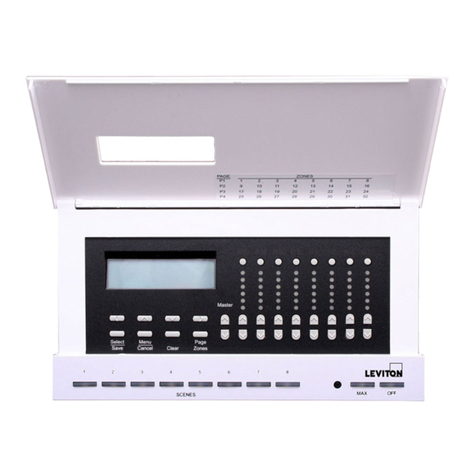
Leviton MC7008 User manual

Leviton

Leviton MC7008 User manual

Leviton RTD01-10 User manual

Leviton

Leviton RTD01-10 User manual

Leviton HCPRF Manual

Leviton

Leviton HCPRF Manual

Leviton MS602-BW User manual

Leviton

Leviton MS602-BW User manual

Leviton HXC10 User manual

Leviton

Leviton HXC10 User manual

Leviton Decora Smart DW15P User manual

Leviton

Leviton Decora Smart DW15P User manual

Leviton Decora HCC2D User manual

Leviton

Leviton Decora HCC2D User manual

Leviton ILLUMATECH INF05-1L User manual

Leviton

Leviton ILLUMATECH INF05-1L User manual

Leviton vizia rf+ User manual

Leviton

Leviton vizia rf+ User manual

Leviton DRKDN-U Series User manual

Leviton

Leviton DRKDN-U Series User manual

Leviton SGVSM-00W User instructions

Leviton

Leviton SGVSM-00W User instructions

Leviton Decora Home Controls 16450 User manual

Leviton

Leviton Decora Home Controls 16450 User manual

Leviton Intellect ZLDNK User manual

Leviton

Leviton Intellect ZLDNK User manual

Leviton 73A00-3ZB Mounting instructions

Leviton

Leviton 73A00-3ZB Mounting instructions

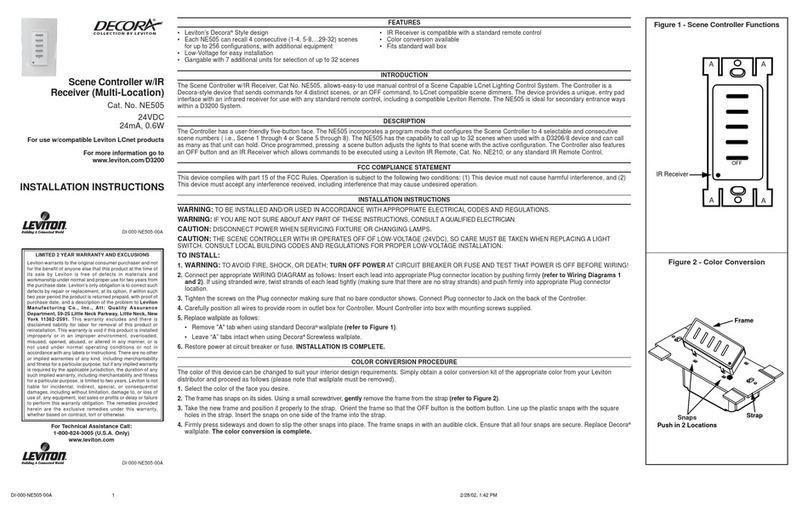
Leviton Decora NE505 User manual

Leviton

Leviton Decora NE505 User manual

Leviton MLC16 User manual

Leviton

Leviton MLC16 User manual

Leviton INI06-10 User manual

Leviton

Leviton INI06-10 User manual

Leviton LE-RZCZ Installation instructions

Leviton

Leviton LE-RZCZ Installation instructions

Leviton DECORA NE515 User manual

Leviton

Leviton DECORA NE515 User manual

Leviton ILLUMATECH IPE04-1L User manual

Leviton

Leviton ILLUMATECH IPE04-1L User manual

Leviton miniZ mZb00-102 User manual

Leviton

Leviton miniZ mZb00-102 User manual

Leviton MS302 User manual

Leviton

Leviton MS302 User manual

Leviton Decora NE515 User manual

Leviton

Leviton Decora NE515 User manual

Leviton CN221 User manual

Leviton

Leviton CN221 User manual

Popular Controllers manuals by other brands

Sunricher SR-ZV9003T3-RGBW-US Installation

Sunricher

Sunricher SR-ZV9003T3-RGBW-US Installation

Ksenia intro Installation and configuration manual

Ksenia

Ksenia intro Installation and configuration manual

Inovance CAN200 Series manual

Inovance

Inovance CAN200 Series manual

Gauzy LC6 FLEX Controller Installation and operation guide

Gauzy

Gauzy LC6 FLEX Controller Installation and operation guide

Viking SLP-1 Technical practice

Viking

Viking SLP-1 Technical practice

CKD KBX-30E-U Series instruction manual

CKD

CKD KBX-30E-U Series instruction manual

Sharp Energy Sun Flux User manual & installation guide

Sharp Energy

Sharp Energy Sun Flux User manual & installation guide

Yamaha RCX40 user manual

Yamaha

Yamaha RCX40 user manual

AB Quality PowerFlex 400 Frames D-H Service bulletin

AB Quality

AB Quality PowerFlex 400 Frames D-H Service bulletin

Yamaha MJC8 owner's manual

Yamaha

Yamaha MJC8 owner's manual

AL-KO ATC operating instructions

AL-KO

AL-KO ATC operating instructions

Savant SmartControl 2 Deployment guide

Savant

Savant SmartControl 2 Deployment guide

GameSir T3S user manual

GameSir

GameSir T3S user manual

Kostal inveor operating manual

Kostal

Kostal inveor operating manual

Emerson Yarway 20-55 Operating and safety instructions

Emerson

Emerson Yarway 20-55 Operating and safety instructions

CoCo ACM-LV24 Quick installation guide

CoCo

CoCo ACM-LV24 Quick installation guide

Brooks SLA5810/20 Installation and operation manual

Brooks

Brooks SLA5810/20 Installation and operation manual

SIGMA TEK SR 011 Technical manual

SIGMA TEK

SIGMA TEK SR 011 Technical manual

manuals.online logo
manuals.online logoBrands
  • About & Mission
  • Contact us
  • Privacy Policy
  • Terms and Conditions

Copyright 2025 Manuals.Online. All Rights Reserved.

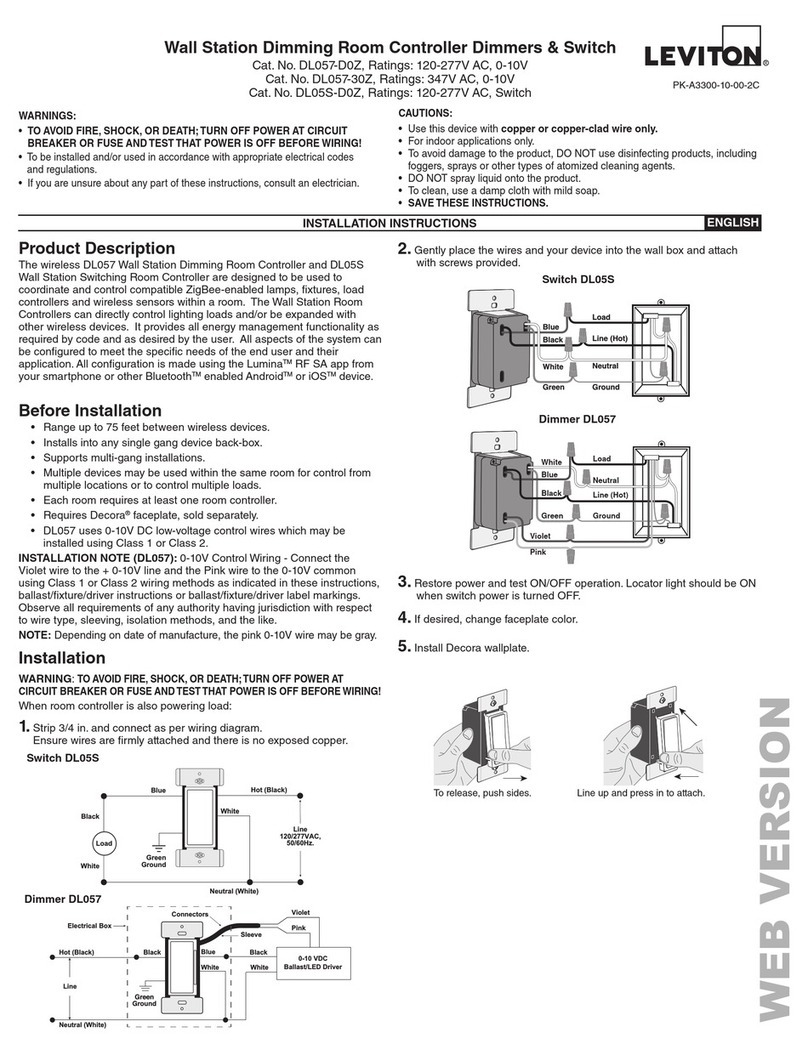
• Range up to 75 feet between Lumina RF devices.
• Installs into any single gang device back-box.
• Supports multi-gang installations.
• Multiple devices may be used within the same room for control from
multiple locations or to control multiple loads.
• Each room requires at least one room controller.
• Requires Decora®faceplate, sold separately.
• ZL057 uses 0-10Vdc low voltage control wires which may be installed
using Class 1 or Class 2.
INSTALLATION NOTE (ZL057): 0-10V Control Wiring - Connect the
Violet wire to the + 0-10V line and the Gray wire to the 0-10V common
using Class 1 or Class 2 wiring methods as indicated in these instructions,
ballast/xture/driver instructions or ballast/xture/driver label markings.
Observe all requirements of any authority having jurisdiction with respect
to wire type, sleeving, isolation methods, and the like.
The IntellectTM ZL057 Wallstation Dimming Room Controller and ZL05S
Wallstation Switching Room Controller are designed to be used to
coordinate and control compatible ZigBee-enabled lamps, xtures, load
controllers and wireless sensors within a room. The Wallstation Room
Controllers can directly control lighting loads and/or be expanded with
other Intellect devices. It provides all energy management functionality
as required by code and as desired by the user. All aspects of the system
can be congured to meet the specic needs of the end user and their
application. All conguration is made using the Leviton Intellect app from
your smartphone or other BluetoothTM enabled AndroidTM or iOSTM device.
WARNINGS
• TO AVOID FIRE, SHOCK, OR DEATH; TURN OFF POWER AT CIRCUIT
BREAKER OR FUSE AND TEST THAT POWER IS OFF BEFORE WIRING!
• To be installed and/or used in accordance with appropriate electrical codes and
regulations.
• If you are unsure about any part of these instructions, consult an electrician.
CAUTIONS
• Use this device with copper or copper clad wire only.
• For indoor applications only.
• Save these instructions.
PK-A3301-10-00-2A-X2© 2019 Leviton Mfg. Co., Inc.
WARNING: TO AVOID FIRE, SHOCK, OR DEATH; TURN OFF POWER
at circuit breaker or fuse and test that power is off before wiring!
When room controller is also powering load:
1. Strip 3/4 in. and connect as per wiring diagram.
Ensure wires are rmly attached and there is no exposed copper.
Before Installation Product Description
Installation
Wall Station Room Controller:
0-10V Dimmer & Switch
Cat. ZL057-D0Z, ZL057-30Z, ZL05S-D0Zv
Ratings: 120-277VAC, 50/60Hz.
INSTALLATION AND QUICK START SHEET ENGLISH
PK-A3301-10-00-2A-X2
Line
120/277VAC,
50/60Hz.
Blue
White
Hot (Black)
Black
Neutral (White)
White
Load
Green
Ground
To release, push sides. Line up and press in to attach.
White
Blue
Green
Black
Load
Neutral
Line (Hot)
Ground
0-10 VDC
Ballast/LED Driver
Black Blue Black
Hot (Black)
Gray
Neutral (White)
Line
Electrical Box
White White
Sleeve
Violet
Connectors
Green
Ground
Switch ZL05S
Switch ZL05S
Dimmer ZL057
Dimmer ZL057
2. Gently place the wires and your device into the wall box and attach
with screws provided.
4. If desired, change faceplate color.
5. Install Decora wallplate.
White Load
Neutral
Line (Hot)
Ground
Blue
Green
Violet
Gray
Black
3. Restore power and test ON/OFF operation. Locator light should be
ON when switch power is turned OFF.
intellectTM
PRELIMINARY
PK-A3301-10-00-2A-X2© 2019 Leviton Mfg. Co., Inc. For Technical Assistance Call: 1-800-824-3005 (U.S.A. Only) www.leviton.com
SPECIFICATIONS
Catalog No. ZL05S-D0Z ZL057-D0Z ZL057-30Z
Input Voltage/Frequency 120-277VAC, 50/60Hz. 347VAC, 60Hz
Input Current
120V Standby: 0.2W
Max: 0.5W+Load Current -
277V Standby: 0.3W
Max: 0.6W+Load Current -
347V - 0.5W+Load
Current
Load Ratings
LED, CFL, Electronic Ballast @ 120V 8A -
LED, CFL, Electronic Ballast @ 277V 5A -
LED, CFL, Electronic Ballast @ 347V - 4A, 1388VA
Magnetic Ballast @ 120V 10A
Magnetic Ballast @ 277V 10A
Magnetic Ballast @ 347V - 3.45A, 1200VA
Resistive, Tungsten @ 120V 6.67A -
Resistive, Tungsten @ 277V 6.67A -
Resistive, Tungsten @ 347V - 6.67A
Motor @ 120V 1/4Hp (FLA 5.8A) -
Motor @ 277V 1/3Hp (FLA 3.0A) -
Motor @ 347V - 1/4Hp
IP Rating IP10
Network Connections IEEE 802.15.4, 2.4Ghz, wireless, mesh network up to 75'
range between devices
Operating Temperature 0°C - 40°C (32°F - 104°F)
Storage Temperature -40°C to 85°C
UL Pollution Degree 2
UL Impulse Voltage 6000V
Purpose of Control Operating Control
Action Control Type 1
NOTE: Dash indicates model not rated for use.
FOR CANADA ONLY
For warranty information and/or product returns, residents of Canada should contact Leviton in writing at Leviton Manufacturing of Canada Ltd to the attention of the Quality
Assurance Department, 165 Hymus Blvd, Pointe-Claire (Quebec), Canada H9R 1E9 or by telephone at 1 800 405-5320.
FCC COMPLIANCE STATEMENT:
This equipment has been tested and found to comply with the limits for a Class
B digital device, pursuant to part 15 of the FCC Rules. These limits are designed
to provide reasonable protection against harmful interference in a residential
installation. This equipment generates, uses and can radiate radio frequency
energy and, if not installed and used in accordance with the instructions, may cause
harmful interference to radio communications. However, there is no guarantee that
interference will not occur in a particular installation. If this equipment does cause
harmful interference to radio or television reception, which can be determined
by turning the equipment off and on, the user is encouraged to try to correct the
interference by one or more of the following measures: Reorient or relocate the
receiving antenna.
—Increase the separation between the equipment and receiver.
—Connect the equipment into an outlet on a circuit different from that to which the
receiver is connected.
—Consult the dealer or an experienced radio/TV technician for help.
FCC CAUTION:
Any changes or modications not expressly approved by Leviton Manufacturing Co.,
Inc., could void the user’s authority to operate the equipment.
FCC SUPPLIER’S DECLARATION OF CONFORMITY:
IntellectTM RF Wall Station Room Controllers ZL057-D0Z, ZL057-30Z, ZL05S-D0Z
manufactured by Leviton Manufacturing Co., Inc. 201 North Service Road, Melville,
NY 11747. www.leviton.com. This device complies with part 15 of the FCC Rules.
Operation is subject to the following two conditions:(1) This device may not cause
harmful interference, and (2) this device must accept any interference received,
including interference that may cause undesired operation.
IC STATEMENT
This device complies with Industry Canada license-exempt RSS standard(s).
Operation is subject to the following two conditions: (1) this device may not cause
interference, and (2) this device must accept any interference, including interference
that may cause undesired operation of the device.
LIMITED 2 YEAR WARRANTY AND EXCLUSIONS
Leviton warrants to the original consumer purchaser and not for the benefit of anyone else that this product at the time of its sale by Leviton is free of defects in materials and workmanship under normal and proper
use for two years from the purchase date. Leviton’s only obligation is to correct such defects by repair or replacement, at its option. For details visit www.leviton.com or call 1-800-824-3005. This warranty
excludes and there is disclaimed liability for labor for removal of this product or reinstallation. This warranty is void if this product is installed improperly or in an improper environment, overloaded, misused,
opened, abused, or altered in any manner, or is not used under normal operating conditions or not in accordance with any labels or instructions. There are no other or implied warranties of any kind, including
merchantability and fitness for a particular purpose, but if any implied warranty is required by the applicable jurisdiction, the duration of any such implied warranty, including merchantability and fitness for a
particular purpose, is limited to two years. Leviton is not liable for incidental, indirect, special, or consequential damages, including without limitation, damage to, or loss of use of, any equipment,
lost sales or profits or delay or failure to perform this warranty obligation. The remedies provided herein are the exclusive remedies under this warranty, whether based on contract, tort or otherwise.
Installation (cont'd)Installation (cont'd)
Conguration and Programming
• System Conguration is performed using the Leviton Intellect application, downloadable from Google PlayTM or the App StoreTM, using any Bluetooth
enabled Android or iOS Device. Use the application to:
a.
Manually add/remove xtures, keypads, load controllers, sensors, switches or dimmers to the room for an advanced intelligent lighting control system.
b. Change Sensor Parameters like Sensitivity, Timeout, target light level.
c. Create user dened groups of xtures and loads.
d. Dene Scenes (Meeting, Presentation, Lunch, Dinner, Test, etc.).
• Factory Default – resets device to out of the box state
o Push top or bottom of paddle for approximately 20 seconds until the locator light ashes AMBER the second time.
o Release paddle.
o Locator light will alternate between green/amber while device is resetting, and turn off when complete.
o When complete, device will reboot. Locator light will blink GREEN slowly while looking for an open network.
NOTE: Renement is required to the initial conguration. Based on some room geometries, the system may not be able to accurately congure itself
automatically. The Intellect smart device application will lead you through this process.
6. Using the Intellect App, setup device and
congure your system.
Using your system, you can program
different functionality, such as pushing the
top of the paddle for a presentation scene
or pushing the bottom of the paddle for
OFF.
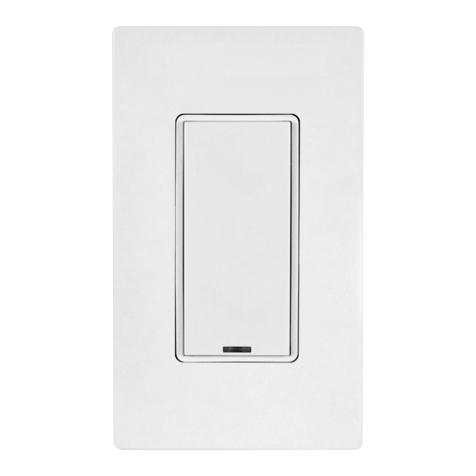
LOCATOR LIGHT - on when
switch is off so you can nd
your control
PADDLE BOTTOM
- OFF
PROGRAMMING
Can be performed by pressing
the top OR bottom of switch.
PADDLE TOP
- ON
RF EXPOSURE AND CO-LOCATION:
To comply with FCC OET Bulletin 65 and ISED RF exposure limits for general
population / uncontrolled exposure this device should be installed and operated with
a minimum distance of 7.9 inches (20 cm) between the radiator and your body. This
transmitter must not be co-located or operated in conjunction with any other antenna
or transmitter.
LOCATOR LIGHT- on when
switch is off so you can nd
your control
ROCKER DOWN
- Tap to lower 12%.
(deault rate)
Push and holdto lower
until released.
BRIGHTNESS INDICATORS
LEDs indicate brightness
level.
ROCKER UP
- Tap to raise 12%
(default rate)
Push and hold to raise
until released.
PADDLE TOP
- ON
PADDLE BOTTOM
- OFF
Switch ZL05S Dimmer ZL057
TRADEMARK DISCLAIMER: Use herein of third party trademarks, service marks,
trade names, brand names and/or product names are for informational purposes only,
are/may be the trademarks of their respective owners; such use is not meant to imply
afliation, sponsorship, or endorsement.
PRELIMINARY
ARTWORK PRINT SPECIFICATIONS
DIMENSIONS / FOLD SCHEME / BINDERY DIAGRAM
PART NUMBER REV DESCRIPTION
Line Screen:
Angle:
Resolution:
Offset Flexo
Other
Body Material:
Bindery
Thickness:
Trim
Perfect Bind
Die cut Saddle Stitch
Drill
Fold
The information in this document is the exclusive PROPRIETARY property of LEVITON MANUFACTURING COMPANY, INC. It is disclosed
with the understanding that acceptance or review by the recipient constitutes an undertaking by the recipient. (1) to hold this information in strict
confidence, and (2) not to disclose, duplicate, copy, modify or use the information for any purpose other than that for which disclosed.

PlantApprovals:
PN-ARN: Pilot Rev:ECR Number:
Released Artwork Format: Production PDF Artwork Release Date:
Artwork Print Specification Sheet Rev A12.eps
PMCQA
Artist:
Notes:
Other
Cust Other
S & A
Mktg Eng
FOR LEVITON USE ONLY
SPECIFICATIONS :
PROCESS :
MANUAL INTERIORS / BINDERY / FOLD SCHEME :
COMMENTS :
For manuals - designates cover specifications
Material:
Thickness:
Finish:
:
Artwork must be printed at 100% (1:1 scale)
Spot
CMYK
1:
4:
3:
2:
Color(s): over
1:
4:
3:
2:
Fonts:
Spot
CMYK
1:
4:
3:
2:
Color(s): over
1:
4:
3:
2:
Fonts:
Fold Line
Die Cut Punch/Drill Hole
Glue
Kiss Cut Cellophane
Fold Line
Perforate
Die Cut
Die Line Key:
PK-A3301-10-00-2A-X2
40 lb.
Black
1 1
x
Helvetica
Instruction Sheet
x
x
8.5"
11
"
Part No.
FINAL
4.25"
2.75" Part No.
x x
x
x
x
x
J. Tilleli
EM0296-6149
R. Parks, D. Buerer
cc: L. Pukhrambam
M. Blonder V. LoNigro
R. Brown D. Moskovkin
cc: F. Tse
J. Tang
cc: H. Cai
08
PRELIMINARY