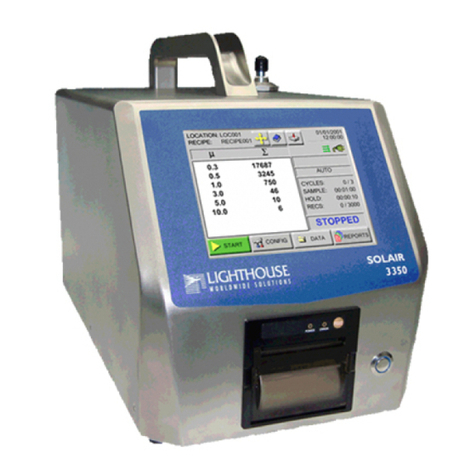
Lighthouse SOLAIR 1001+ Operating Manual
t-ii 248083294-1 Rev 2
Location Selection ............................................................................................. 4-7
Changing Locations ............................................................................... 4-7
Locations and AUTO Mode .................................................................. 4-9
Zoomed Data View .......................................................................................... 4-10
Viewing Two Columns of Data ........................................................... 4-11
Viewing One Column of Data ............................................................. 4-12
CFG (Configuration) Screen ........................................................................................ 4-14
DATA SETUP ............................................................................................................. 4-14
Particle Channels ............................................................................................. 4-15
Analog Channels .............................................................................................. 4-16
Analog Data Display ............................................................................ 4-18
Zoomed Analog Data Display ............................................................. 4-19
Sample Time .................................................................................................... 4-19
Sample Settings ................................................................................................ 4-22
COUNT Mode ..................................................................................... 4-22
Example Application for BEEP Mode ................................................. 4-23
Particle Display .................................................................................... 4-23
Particle Alarm .................................................................................................. 4-24
Channel Alarm Threshold .................................................................... 4-25
Alarm Acknowledge ............................................................................ 4-27
Clear Data Set Buffer ....................................................................................... 4-27
DEVICE SETUP .......................................................................................................... 4-27
Clock ................................................................................................................ 4-28
Options Screen ................................................................................................. 4-30
CONTRAST Adjust ............................................................................. 4-31
Audible BEEP Adjust .......................................................................... 4-31
............................................................................................................. 4-31
ALIGN Touch Screen .......................................................................... 4-31
Final Alignment Screen ....................................................................... 4-33
Alignment At Startup ........................................................................... 4-33
AutoStart Mode .................................................................................... 4-34
DiffCuml on Zoom .............................................................................. 4-34
OneChannel ......................................................................................... 4-34
One-Second Real Time MODBUS Output .......................................... 4-35
5 Second Startup .................................................................................. 4-35
COMM Address ............................................................................................... 4-36
Location ........................................................................................................... 4-36
Security ............................................................................................................ 4-38
POWER ON Password ........................................................................ 4-39
CONFIGURATION Password ............................................................ 4-39
Printer Setup .................................................................................................... 4-40
Trouble Shooting the Printer ........................................................................................ 4-41
Possible Causes for No Print: .......................................................................... 4-41
Possible Causes for printing not straight: ........................................................ 4-42
Service ............................................................................................................. 4-43
Data View Buffer screen .............................................................................................. 4-44