EnglishDeutsch
 logo
Brands
  1. Home
  2. •
  3. Brands
  4. •
  5. Midea
  6. •
  7. Vacuum Cleaner
  8. •
  9. Midea VCM43B16H User manual

Midea VCM43B16H User manual

Other manuals for VCM43B16H

1

Other Midea Vacuum Cleaner manuals

Midea M7 User manual

Midea

Midea M7 User manual

Midea VCS7P User manual

Midea

Midea VCS7P User manual

Midea C600 Administrator Guide

Midea

Midea C600 Administrator Guide

Midea MVC-B500VM Administrator Guide

Midea

Midea MVC-B500VM Administrator Guide

Midea MVC-V18PR User manual

Midea

Midea MVC-V18PR User manual

Midea SmartShell MR01 User manual

Midea

Midea SmartShell MR01 User manual

Midea MVC-V18K-BG User manual

Midea

Midea MVC-V18K-BG User manual

Midea Eureka I5C User manual

Midea

Midea Eureka I5C User manual

Midea Eureka I5C User manual

Midea

Midea Eureka I5C User manual

Midea VHS01A17Z0A User manual

Midea

Midea VHS01A17Z0A User manual

Midea C5 Administrator Guide

Midea

Midea C5 Administrator Guide

Midea Eureka I5C User manual

Midea

Midea Eureka I5C User manual

Midea M6 User manual

Midea

Midea M6 User manual

Midea MVC-SC861R User manual

Midea

Midea MVC-SC861R User manual

Midea M7 User manual

Midea

Midea M7 User manual

Midea MVC-12M-GR User manual

Midea

Midea MVC-12M-GR User manual

Midea MCS1825WB User manual

Midea

Midea MCS1825WB User manual

Midea VTW21A15T-140 User manual

Midea

Midea VTW21A15T-140 User manual

Midea SC861 User manual

Midea

Midea SC861 User manual

Midea M7 User manual

Midea

Midea M7 User manual
Midea B5 Administrator Guide

Midea

Midea B5 Administrator Guide

Midea VCR09 User manual

Midea

Midea VCR09 User manual

Midea MCS2025GB User manual

Midea

Midea MCS2025GB User manual

Midea VCP7 User manual

Midea

Midea VCP7 User manual

Popular Vacuum Cleaner manuals by other brands

Bissell LittleGreen Proheat 1425 Series user guide

Bissell

Bissell LittleGreen Proheat 1425 Series user guide

Panasonic MC-YL637S147-AE Service manual

Panasonic

Panasonic MC-YL637S147-AE Service manual

LG A9 Series owner's manual

LG

LG A9 Series owner's manual

Oreck Cordless Captura BK51700 Series user guide

Oreck

Oreck Cordless Captura BK51700 Series user guide

Kogan KAVACROBVWA user manual

Kogan

Kogan KAVACROBVWA user manual

Kränzle VENTOS 50 ID Use and maintenance

Kränzle

Kränzle VENTOS 50 ID Use and maintenance

NEFF N17XH10 0 Series instruction manual

NEFF

NEFF N17XH10 0 Series instruction manual

EVVO Ai35 instruction manual

EVVO

EVVO Ai35 instruction manual

DeWalt DWH200D instruction manual

DeWalt

DeWalt DWH200D instruction manual

Pontec Pondomatic Vacuum Cleaner operating instructions

Pontec

Pontec Pondomatic Vacuum Cleaner operating instructions

Cleanmaxx PC-P007E instruction manual

Cleanmaxx

Cleanmaxx PC-P007E instruction manual

RIDGID WD1685AU0 owner's manual

RIDGID

RIDGID WD1685AU0 owner's manual

Ezviz RE4P manual

Ezviz

Ezviz RE4P manual

STG global TANVAC HDV3000 Operator's manual

STG global

STG global TANVAC HDV3000 Operator's manual

Shark ROTATOR PRO COMPLETE NV550 Series manual

Shark

Shark ROTATOR PRO COMPLETE NV550 Series manual

Factory M3340 operating manual

Factory

Factory M3340 operating manual

Shop-Vac VN92 SERIES user manual

Shop-Vac

Shop-Vac VN92 SERIES user manual

Nobles 608669 Operator and parts manual

Nobles

Nobles 608669 Operator and parts manual

https://manuals.online logo
https://manuals.online logoBrands
  • About & Mission
  • Contact us
  • Privacy Policy
  • Terms and Conditions

Copyright 2026 Manuals.Online. All Rights Reserved.

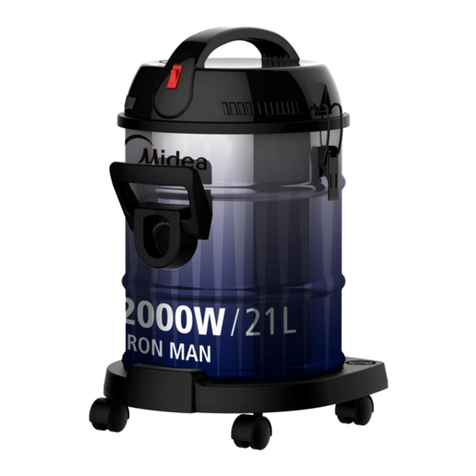
2000W HIGH POWER BARREL
VACUUM CLEANER
INSTRUCTION
MANUAL
Please review this instruction manual before operating.
Please read the Manual carefully before use, and keep it properly.
Contents Safety Introduction
Product Introduction
Product Operation
Product Maintenance
Trouble Shooting
2
4
2
6
8
9
Safety Introduction
1. For the first operation, it is advisable to read the
manual carefully before hand and keep it properly
for future use.
2. Before the first operation, make sure the dust cup
or the dust bag is properly installed.
3. Make sure the power supply is 220-240V~ 50/60Hz
4. Do not vacuum water and inflammable material.
5. Do not vacuum burning material and ashes.
6. Do not use the machine without a motor
protection filter filled.
7. Please change the dust bag immediately when it
was damaged.
8. Do not store or use the machine close to high
temperature places.
9. Dot not let children use the machine in case of
danger.
10.If abnormal noise, smell, smoke or any other failure
or breakage is found during the operation, you
should turn off the switch and unplug it. Then
contact with your service center for repair. Do not
repair by yourself.
11.If the supply cord is damaged, it must be replaced
by the manufacturer or its service agent or a
similarly qualified person in order to avoid a hazard.
3
12.This appliance is not intended for use by persons
(including children) with reduced physical, sensory
or mental capabilities, or lack of experience and
knowledge, unless they have been given
supervision or instruction concerning use of the
appliance by a person responsible for their safety.
13.Children should be supervised to ensure that they
do not play with the appliance.
The plug must be removed from the power socket
before any maintenance or replacement.
If the power cord is damaged, replace them only by
the factory or maintenance center or similarly
qualified persons.
Warning:
2
45
Product Introduction
Main Body
Hose
Main Brush
Crevice Tool
1
2
3
4
5
Extension Tube
Dusting Brush
6
7
8
1
7
3
8
4
5 6
Furniture Brush
Accessory Holder
6
Pull out the power cord to connect the power supply:
When you see the red mark on the power cord, do not pull out the cord outward.
01.
Product Operation
Product use
1
2
34
Press the ON/OFF button:
Control the start and stop of the vacuum cleaner.
02.
Adjust the suction:
Adjust the suction magnitude by rotating the knob. Use large suction for carpets and
flooring. Use small suction for curtains, tablecloths and other items.
03.
Press the take up button:
The power cord is automatically rolled back into the machine.
04.
Caution
Please slowly take up the cord, to avoid the power cord or power plug bruising human body
or furniture in the process of taking up.
Pull
7
Product Maintenance
Dust cup cleaning
Dust cup maintenance
Remove the dust cup: Press the dust
cup release button, gently lift the grip
of dust cup and remove the dust cup.
01. Remove the
dust cup
Dump the garbage: Tap the dust dumping button to dump the garbage.
02.
Open the dust cup: Gently lift the dust cup open button, and then lift up to open the dust
cup cover.
01.
Open the dust cup
Push
Push
8
Remove the filter cotton for cleaning: Open the dust cup, remove the filter cotton and clean it.
02.
Filter disassembly and cleaning: Raise the filter and remove the filter cover, put the filter
under the faucet for washing.
03.
Take out the filter
and clean
Clean the filter cotton
Check dust outlet to find if clogged
Caution
To ensure good performance, please do maintenance for filters regularly, if cyclone is
clogged, vacuum cleaner will loss suction.
9
Filter installation: Note the arrow direction.
04.
Filter installation
Note the arrow direction
Put back the filter cotton.
05.
Put back the filter cotton
Caution
1. The filter parts can be put back for use only after being cleaned and dried. It is recommended
to have sun exposure for 24 hours to ensure it is thoroughly dried.
2. All parts must be ensured to be properly installed, otherwise it will cause product failure.
3. Water is not allowed to penetrate into the vacuum cleaner electrical components, or otherwise
may cause product failure.
In case of malfunction, please refer to the following table
TROUBLESHOOTING
If the problem still can’t be solved, please contact local service center.
Solution
- Reinsert the plug
- Check the circuit breaker
- Press the machine's power switch
- Unplug the plug and wait for the thermal protector
to recover
- Clean up the stemming
- Timely clean up garbage
- Clean the filter cotton
The vacuum
cleaner does not
work
Possible reason
- The main brush or accessories are clogged
- Dust in the dust barrel is too full
- Dust in the dust cup filter cotton is too much
Suction becomes
weaker
Problem
- The power plug is not properly plugged into
the socket
- No electricity on the power socket
- The vacuum cleaner switch is not turned on
- Motor thermal protector acts