-7-
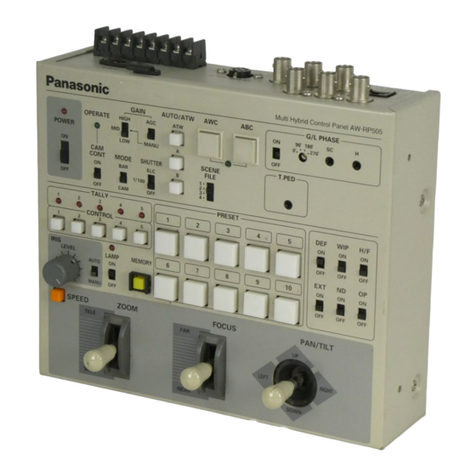
!5566 Genlock Phase Control Switch
[G/L PHASE, ON/OFF]
Used to adjust the genlock phase in operating the
camera in external sync mode. Set the switch to the
ON position only when adjusting the genlock subcarri-
er phase or genlock horizontal phase. Otherwise,
keep the switch in the OFF position.
!66 Genlock Subcarrier Phase Coarse Switch
[G/L PHASE, 0°/90°/180°/270°]
Used for coarse adjustment of the color phases of
genlock input and video output signals in operating the
camera in external sync mode. Used in combination
with G/L PHASE SC Control !7, the switch has an
adjustment range of over 360°. Set G/L PHASE
ON/OFF Switch !5 to the ON position before adjusting
the color phases with this switch.
!7 Genlock Subcarrier Phase Fine Control
[G/L PHASE, SC]
Used for fine adjustment of the color phases of gen-
lock input and video output signals in operating the
camera in external sync mode. Use this switch in
combination with G/L PHASE Coarse Switch !6. Set
G/L PHASE ON/OFF Switch !5 to the ON position
before adjusting the color phases with this switch.
!8 G/L Horizontal Phase Adjustment Control
[G/L PHASE, H]
Used to adjust the horizontal phases of genlock input
and video output signals in operating the camera in
external sync mode. Set G/L PHASE ON/OFF Switch
!5 to the ON position before adjusting the horizontal
phases with this switch.
!9 Total Pedestal Level Control [T. PED]
The set pedestal level of the camera’s Y (luminance)
signal can be adjusted. This control is used in a sys-
tem of two or more cameras to adjust the pedestal lev-
els of these cameras. The control may operate not
continuous sometimes due to digital signal processing.
@0 Cable Compensation Luminance Control
[CABLE COMP, Y]
Used to adjust the Y (luminance) signal level of video
output signals as appropriate to the cable length
between the pan/tilt head and this control panel. To
adjust it, first set MODE BAR/CAM Switch rto the
BAR position, then connect a waveform monitor, vec-
torscope, or other measuring instrument to the video
signal output. If the cable between the pan/tilt head
and this control panel is longer than 300 meters, set
the cable compensation switch on the pan/tilt head to
the ON position in advance. (For details, refer to the
OPERATING PROCEDURES at page 25 or to the
Operating Instructions for the Pan/tilt Head.) First,
adjust the Y (luminance) signal level with this control,
then adjust the C (chrominance) signal level with
CABLE COMP C Control @1. Repeat this until the video
output level of this control panel matches the camera
output level.
Turning this control changes not only the Y (luminance)
signal level but also the whole video signal level.