manuals.online logo
Brands
  1. Home
  2. •
  3. Brands
  4. •
  5. Rear view safety
  6. •
  7. Automobile Accessories
  8. •
  9. Rear view safety RVS-T16 User manual

Rear view safety RVS-T16 User manual

Other Rear view safety Automobile Accessories manuals
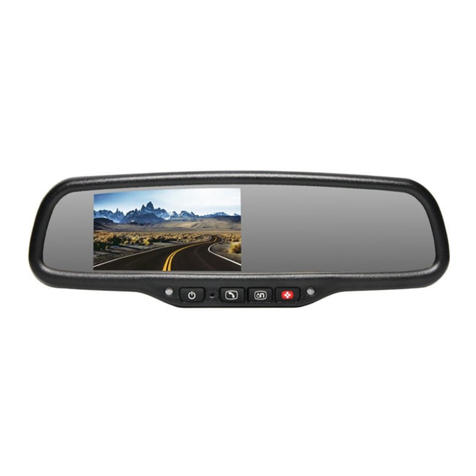
Rear view safety RVS-718-DOS User manual
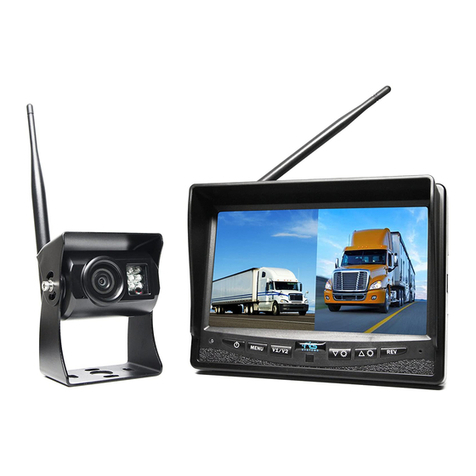
Rear view safety

Rear view safety RVS-718-DOS User manual

Rear view safety RVS-2CAM User manual

Rear view safety

Rear view safety RVS-2CAM User manual
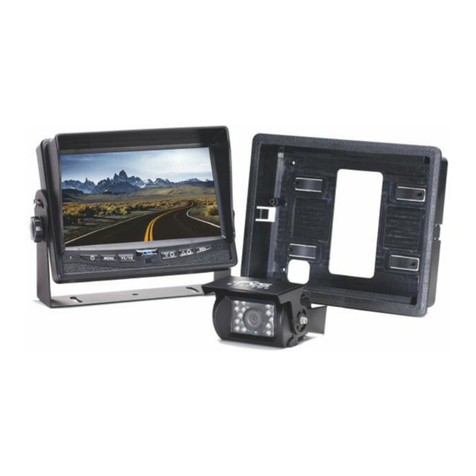
Rear view safety RVS-7706133 User manual
Rear view safety

Rear view safety RVS-7706133 User manual

Rear view safety RVS-916619P User manual
Rear view safety

Rear view safety RVS-916619P User manual

Rear view safety RVS-577FW User manual
Rear view safety

Rear view safety RVS-577FW User manual

Rear view safety RVS-83112-BA User manual

Rear view safety

Rear view safety RVS-83112-BA User manual

Rear view safety RVS-776718-FL User manual
Rear view safety

Rear view safety RVS-776718-FL User manual

Rear view safety RVS-CW-CAM User manual
Rear view safety

Rear view safety RVS-CW-CAM User manual

Rear view safety RVS-770613 User manual
Rear view safety

Rear view safety RVS-770613 User manual

Rear view safety RVS-776718-FLML User manual

Rear view safety

Rear view safety RVS-776718-FLML User manual

Rear view safety RVS-718-D User manual
Rear view safety

Rear view safety RVS-718-D User manual

Rear view safety RVS-770617N User manual
Rear view safety

Rear view safety RVS-770617N User manual

Rear view safety RVS-718-BT User manual
Rear view safety

Rear view safety RVS-718-BT User manual

Rear view safety RVS-770619N User manual

Rear view safety

Rear view safety RVS-770619N User manual

Rear view safety RVS-718-Dodge User manual
Rear view safety

Rear view safety RVS-718-Dodge User manual

Rear view safety RVS-ML700 User manual
Rear view safety

Rear view safety RVS-ML700 User manual

Rear view safety RVS-776718 User manual
Rear view safety

Rear view safety RVS-776718 User manual

Rear view safety RVS-091406 User manual
Rear view safety

Rear view safety RVS-091406 User manual

Rear view safety RVS-330 Vuemate User manual
Rear view safety

Rear view safety RVS-330 Vuemate User manual

Rear view safety RVS-912619P User manual
Rear view safety

Rear view safety RVS-912619P User manual
Rear view safety RVS-770615 User manual

Rear view safety

Rear view safety RVS-770615 User manual

Rear view safety RVS-OP7 User manual

Rear view safety

Rear view safety RVS-OP7 User manual

Rear view safety RVS-83112 User manual

Rear view safety

Rear view safety RVS-83112 User manual

Rear view safety RVS-062710 User manual

Rear view safety

Rear view safety RVS-062710 User manual

Popular Automobile Accessories manuals by other brands

Magneti Marelli AC161 Installation instruction

Magneti Marelli

Magneti Marelli AC161 Installation instruction

FDI uEZ GUI Start here

FDI

FDI uEZ GUI Start here

JCROffroad JT Install instructions

JCROffroad

JCROffroad JT Install instructions

Rostra VOXXElectronics 250-1930 owner's guide

Rostra

Rostra VOXXElectronics 250-1930 owner's guide

TOP VEHICLE TECH GR3FORD5 installation manual

TOP VEHICLE TECH

TOP VEHICLE TECH GR3FORD5 installation manual

Safe Fleet PRIME DESIGN AR-2000-BLK manual

Safe Fleet

Safe Fleet PRIME DESIGN AR-2000-BLK manual

Skoda Fabia Combi 5J Fitting instructions

Skoda

Skoda Fabia Combi 5J Fitting instructions

Camcar 40077 Al Mounting instructions

Camcar

Camcar 40077 Al Mounting instructions

Camcar 40089 AL Mounting instructions

Camcar

Camcar 40089 AL Mounting instructions

Impac Tradesman 2000 installation manual

Impac

Impac Tradesman 2000 installation manual

DVB OFFROAD BRSB-01 installation manual

DVB

DVB OFFROAD BRSB-01 installation manual

Safari Snorkel SS385HF installation guide

Safari Snorkel

Safari Snorkel SS385HF installation guide

ULTIMATE SPEED 279746 Assembly and Safety Advice

ULTIMATE SPEED

ULTIMATE SPEED 279746 Assembly and Safety Advice

SSV Works DF-F65 manual

SSV Works

SSV Works DF-F65 manual

ULTIMATE SPEED CARBON Assembly and Safety Advice

ULTIMATE SPEED

ULTIMATE SPEED CARBON Assembly and Safety Advice

Witter F174 Fitting instructions

Witter

Witter F174 Fitting instructions

WeatherTech No-Drill installation instructions

WeatherTech

WeatherTech No-Drill installation instructions

TAUBENREUTHER 1-336050 Installation instruction

TAUBENREUTHER

TAUBENREUTHER 1-336050 Installation instruction

manuals.online logo
manuals.online logoBrands
  • About & Mission
  • Contact us
  • Privacy Policy
  • Terms and Conditions

Copyright 2025 Manuals.Online. All Rights Reserved.

Reverse With Condence ™ 1
Backup Camera For
Jeep Wrangler (2007-2017)
Instruction Manual
RVS-T16
Rear View Safety
2
Introduction.............................. 03
SafetyInformation.............................. 04-06
BeforeBeginningInstallation ....................... 07-08
Installation........................... . . . . . 09-10
Camera Specications . . . . . . . . . . . . . . . . . . . . . . . . . . . 11
Warranty.......................... . . . . . 12
Disclaimer.......................... . . . . . 13
TABLE OF CONTENTS
Reverse With Condence ™ 3
NOTE! Please read all of the installation instructions
carefully before installing the product. Improper
installation will void manufacturer’s warranty.
Congratulations on purchasing a Rear View Backup
Camera System!
With this manual you will be able to properly install and
operate the unit.
The Backup Camera System is intended to be installed as a
supplement aid to your standard rear view mirror that already exists
in your vehicle. The Backup Camera System should not be used as a
substitute for the standard rear view mirror or for any other mirror
that exists in your vehicle.
In some jurisdictions, it is unlawful for a person to drive a
motor vehicle equipped with aTV viewer or screen located forward of
the back of the driver’s seat or in any location that is visible, directly
or indirectly, to the driver while operating the vehicle.
INTRODUCTION
Rear View Safety
4
Please read the entire manual and follow the instructions and
warnings carefully. Failure to do so can cause serious damage and/or
injury, including loss of life. Be sure to obey all applicable local
trac and motor vehicle regulations as it pertains to this product.
Improper installation will void manufacturer’s warranty.
• The Rear View Camera System is
designed to help the driver safe-
ly detect people and/or objects
helping to avoid damage or injury.
However, you the driver, must use it
properly. Use of this system is not a
substitute for safe, proper or legal
driving.
• Never back up while looking at the
monitor alone. You should always
check behind and around the vehi-
cle when backing up, in the same
way as you would if the vehicle did
not have the Rear View Camera
System.Ifyoubackupwhilelooking
only at the monitor, you may cause
damage or injury. Always back up
slowly.
•The Rear View Camera System is
not intended for use during exten-
sive back-up maneuvers or backing
into cross trac or pedestrian walk-
ways.
•Please, always remember, the area
displayed by the Rear View Camera
Systemis limited.It doesnotdisplay
the entire panorama that is behind
you.
USAGE:
SAFETY INFORMATION
Reverse With Condence ™ 5
•Electric shock or product
malfunction may occur if this
product is installed
incorrectly.
• Use this product within
the voltage range specied. Failure
to do so can cause
electronic shock or product
malfunction.
• Take special care when
cleaning the monitor.
•Make sure to rmly ax the prod-
uct before use.
• If smoke or a burning smell
is detected, disconnect the
system immediately.
•Where the power cable may touch
a metal case, cover the cable with
friction tape. A short circuit
or disconnected wire may cause a
re.
• While installing the Rear View
System be careful with the wire
positioning in order to avoid wire
damage.
• The Rear View System should only
be used when the vehicle is in
reverse.
• Do not watch movies or
operate the monitor while driving;
as it may cause an
accident.
• Do not install the monitor
where it may obstruct drivers
view or obstruct an air bag
device.
• Dropping the unit may cause
possible mechanical failure.
INSTALLATION:
SAFETY INFORMATION
Rear View Safety
6
IN NO EVENT SHALL SELLER OR MANUFACTURER BE
LIABLE FOR ANY DIRECT OR CONSEQUENTIAL DAMAGES OF
ANY NATURE, OR LOSSES OR EXPENSES RESULTING FROM
ANY DEFECTIVE PRODUCT OR THE USE OF ANY PRODUCT.
SAFETY INFORMATION
If you have questions about this product, contact:
Rear View Safety
1797 Atlantic Avenue
Brooklyn, NY 11233
Tel: 1.800.764.1028
Reverse With Condence ™ 7
Before drilling please check that no cable or wiring is on the other side
of the wall. Please clamp all wires securely to reduce the possibility
of them being damaged while vehicle is in use. Keep all cables away
from hot/moving parts and electrical noisy components.
We recommend doing a benchmark test before installation
to insure that all components are working properly.
BEFORE YOU BEGIN
Rear View Safety
8
BEFORE YOU BEGIN
1. Do not watch the video while driving unless you are monitoring the rear
view camera display.
Warning!
Note:
In order for this camera to function properly, you must use a
radio harness and OBD genie. Choose your connection type based on
the equipment you need.
Reverse With Condence ™ 9
INSTALLATION
RCA Installation
Remove the spare tire and attach the camera to the spare tire carrier.
Run the cable through the rear vent to the inside of the car. Remove the
two plastic covers on tailgate to receive the camera cable.
Remove the panels on the passenger side rear cargo area. Connect ca-
ble you ran through the tailgate to the red/yellow adaptor and then to
the long yellow cable. Remove panels and run the yellow cable along
the carpet closest to the rear/front door. Run the yellow cable to the
kick panel lower level left passenger side.
The next step is removing the head unit. There will be 4 screws on the
head unit that need to be removed.
Note:You will need to purchase an ALPINE- ALP-HRN-CAMCH CAMERA
INPUT HARNESS to complete this install.
Plug this input harness into the back of compatible radios (2007-up)
430ren-430rbz-430n-rhb-730n-rer-730n-rhr Chrysler factory head
units. Once plugged run the video cable down to the kick panel and
connect the video cable that you just ran from the rear camera (With
this install you do not need to connect the red wires on both ends of
the RCA video cable just tape them).
Rear View Safety
10
INSTALLATION
The last step is to hook up power. Remove the rear passenger brake light
and run the power cable down the body grommet. Connect the black to
the black and the red to the white/grey wire (2017 Jeep Wrangler). Zip
tie or tape all connections to secure system. Put the panels and spare
tire back on. The nal step is to have a Chrysler JeepTechnician program
the head unit so it recognizes the camera.