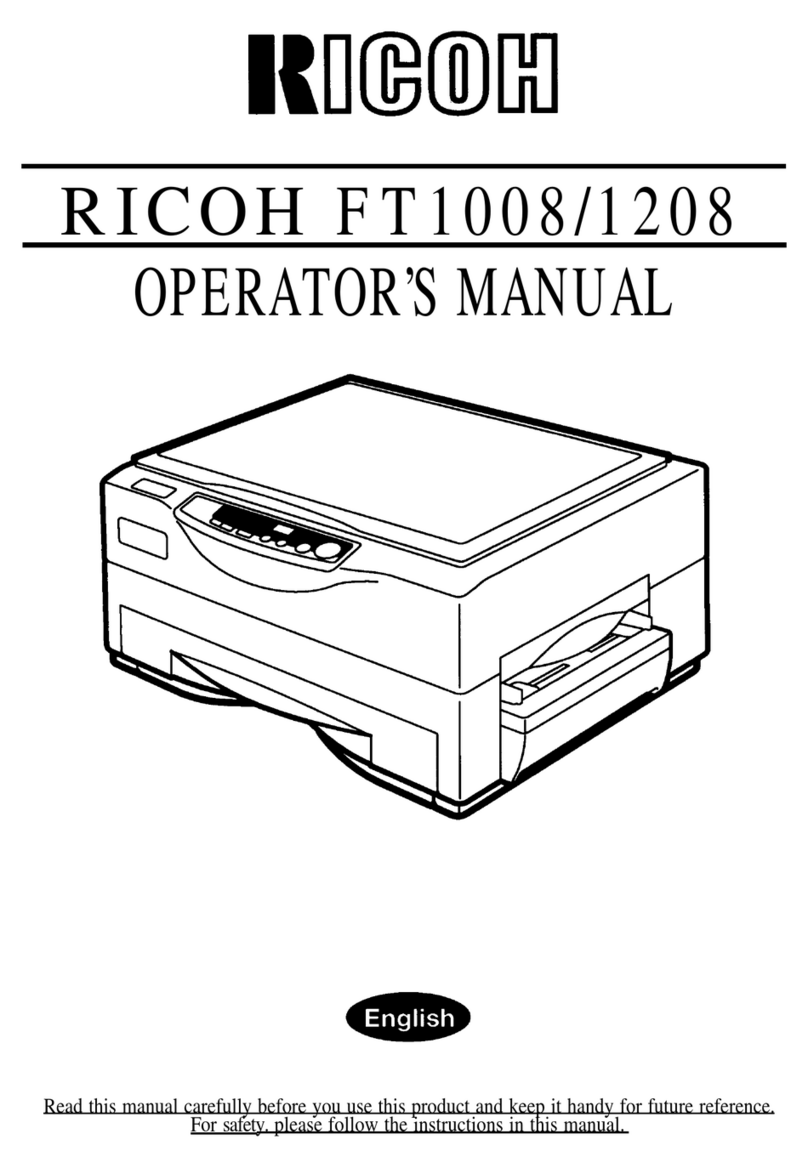
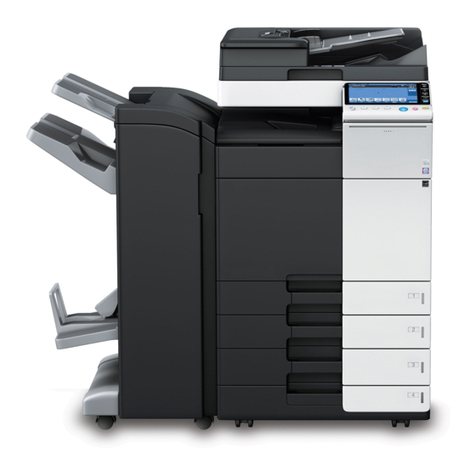
Ricoh FT8982 User manual

TABLE OF CONTENTS
WHERE IS IT & WHAT IS IT
COPIER EXTERIOR......................................................................................2
COPIER INTERIOR.......................................................................................4
OPERATION UNIT .......................................................................................6
Touch Panel Display ....................................................................................7
WHAT YOU CAN DO WITH THIS COPIER
FUNCTIONS ..................................................................................................10
BASIC
STARTING THE COPIER .............................................................................20
When The Main Switch Is In The Stand-by Position...................................20
When The Touch Panel Display Is Off ........................................................21
When The Copier Is Set For User Codes....................................................21
When The Copier Has Been Turned Off By The Weekly Timer.................22
USING THE TOUCH PANEL DISPLAY .......................................................23
GETTING HELP ON THE DISPLAY.............................................................25
Seeking Guidance In The Stand-by Condition ............................................25
Seeking Guidance While Entering Copy Job Settings.................................26
RECOMMENDED & NON-RECOMMENDED ORIGINALS..........................27
Recommended Originals..............................................................................27
Non-recommended Originals For The Document Feeder ...........................27
SETTING A STACK OF ORIGINALS IN THE DOCUMENT FEEDER
(ADF, ARDF) .................................................................................................28
SETTING ONE ORIGINAL AT A TIME IN THE DOCUMENT FEEDER
(SADF)...........................................................................................................29
SETTING ORIGINALS ON THE EXPOSURE GLASS ................................31
SETTING COMPUTER FORMS ON THE DOCUMENT FEEDER...............32
tb-eu-toc
TABLE OF CONTENTS
iii

SETTING ONE ORIGINAL IN THE MOVING-ORIGINAL SCAN TABLE ...35
PROOF COPYING.........................................................................................36
COPYING
BASIC OPERATIONS...................................................................................38
One-to-one Copying ....................................................................................38
Adjusting Copy Image Density....................................................................40
Selecting The Copy Paper Size (Manual Paper Select) ............................41
Having The Copier Choose The Paper Size (Auto Paper Select).............. 41
Having The Copier Choose The Reproduction Ratios
(Auto Reduce/Enlarge)................................................................................44
Temporarily Stopping One Job To Copy Something Else
(Interrupt Copying).......................................................................................45
Storing Your Copy Settings In Memory (Program) ..................................... 48
Setting Special Functions (Special Feature) ..............................................50
Entering Copy Job Settings During The Warm-up Period (Auto Start) ......53
COPYING FROM THE BYPASS TRAY .......................................................54
COPYING FROM THE BYPASS TABLE IN THE MOVING-ORIGINAL
SCAN MODE.................................................................................................55
REDUCING AND ENLARGING ....................................................................57
Reducing And Enlarging Using Preset Ratios (Preset R/E) ......................57
Reducing And Enlarging In 1% Steps (Zoom)............................................ 58
Fitting The Original To A Copy Of A Different Size
(Size Magnification).....................................................................................60
WORKING WITH BOTH SIDES OF ORIGINALS AND COPIES (Duplex).61
Making Two-sided Copies From One-sided Originals
(1 Sided Originals →2 Sided Copy) ..........................................................61
Making Two-Sided Copies From Two-Sided Originals
(2 Sided Original →2 Sided Copy)............................................................. 62
Making One-Sided Copies From Two-sided Originals
(2 Sided Original →1 Sided Copies) ......................................................... 63
ADDING MARGINS FOR BINDING (Margin Adjustment) .........................64
Margin For One-sided Copying .................................................................. 64
tb-eu-toc
TABLE OF CONTENTS
iv

Margin For Two-sided Copying....................................................................65
EDITING THE COPY IMAGE (Edit Image)..................................................66
Erasing Part Of Original Image....................................................................66
Erasing The Center Margin And Surrounding Area Of The Original Image
(Cent./Bord.) ................................................................................................69
Merging Images (Overlay) ...........................................................................70
Editing The Copy Image When Making Two Sided Copies .......................71
ADDING OR INSERTING SHEETS (Cover/Slip Sheet ) ............................73
Copying The Front Cover Of The Originals ................................................73
Copying The Front And Back Covers Of The Originals ..............................74
Adding A Front Cover Sheet .......................................................................76
Adding Front And Back Cover Sheets ........................................................77
Copying Designated Pages Of Originals Onto Slip Sheets
(Paper Designate) .......................................................................................78
Copying Designated Pages Of Originals Onto Tab Sheets
(Tab Sheet) ...............................................................................................80
Inserting Slip Sheets Between OHP Transparencies
(OHP Slip Sheet) .......................................................................................84
FINISHING.....................................................................................................85
Sorting Into Sets When The Number Of Originals Is 70 Or Less
(123, 123, 123) (Sort)...................................................................................85
Sorting Into Sets When The Number Of Originals Is More Than 70
(123, 123, 123) (Large Volume Sort)...........................................................87
Stacking Together All Copies Of A Page
(111, 222, 333) (Stack)...............................................................................89
Stapling Copies (Staple) ..............................................................................90
COMBINATION CHART................................................................................94
WHAT TO DO IF SOMETHING GOES WRONG
IF YOUR COPIER DOES NOT OPERATE AS YOU WANT .......................98
IF YOU CANNOT MAKE COPIES AS YOU WANT ....................................100
LOADING PAPER.........................................................................................101
Non-recommended Paper For Paper Trays.................................................101
Notes For Paper...........................................................................................101
tb-eu-toc
TABLE OF CONTENTS
v

Loading Paper In The 500-sheet Paper Tray (Tray 1 and 2).....................102
Loading Paper In The 1,700-sheet Paper Tray (Tray 3) ............................ 103
Loading Paper In The Optional Large Capacity Tray (Tray T)...................104
Loading Tab Sheets In the Tray 2 .............................................................. 105
ADDING TONER ...........................................................................................107
ADDING STAPLES .......................................................................................108
CLEARING MISFEEDS................................................................................109
Check The Misfeed Location Display..........................................................109
Rearranging Originals After Clearing Misfed Paper.................................... 110
Clearing Paper Misfeeds.............................................................................111
Clearing Original Misfeeds .......................................................................... 112
CHANGING THE COPIER’S SETTINGS
CHANGING PAPER SIZE.............................................................................114
500-sheet Paper Trays (Tray 1 and 2)........................................................114
USER TOOLS................................................................................................116
How To Access User Tools......................................................................... 116
User Tool Menu........................................................................................... 117
SERVICE REPRESENTATIVE SETTING.....................................................129
MAINTAINING YOUR COPIER
WHERE TO PUT YOUR COPIER
DO’S AND DON’TS
REMARKS
USE AND STORAGE OF SUPPLIES
MAINTAINING YOUR COPIER.....................................................................132
Operation Unit.............................................................................................. 132
Document Feeder........................................................................................ 133
WHERE TO PUT YOUR COPIER.................................................................134
Copier Environment.....................................................................................134
Power Connection .......................................................................................134
Access To Copier........................................................................................135
tb-eu-toc
TABLE OF CONTENTS
vi

DO’S AND DON’TS.......................................................................................135
Copier...........................................................................................................135
Document Feeder.........................................................................................136
REMARKS.....................................................................................................137
Copier...........................................................................................................137
Sorter Stapler (Option).................................................................................138
USE AND STORAGE OF SUPPLIES...........................................................138
Copy Paper ..................................................................................................138
Paper Storage ..............................................................................................139
Toner Storage ..............................................................................................139
SPECIFICATIONS
COPIER .........................................................................................................142
DOCUMENT FEEDER...................................................................................145
SORTER STAPLER (OPTION).....................................................................147
LARGE CAPACITY TRAY (LCT) (OPTION)................................................148
INDEX
INDEX ............................................................................................................150
tb-eu-toc
TABLE OF CONTENTS
vii

tb-eu-toc
TABLE OF CONTENTS
viii

INTRODUCTION
This manual contains detailed instructions on the operation and mainte-
nance of this copier. To get maximum versatility from this copier, all
operators should carefully read and follow the instructions in this manual.
Please keep this manual in a handy place near the machine.
Please read the next section before using this copier. It contains important
information related to USER SAFETY and PREVENTING EQUIPMENT
PROBLEMS.
SAFETY INFORMATION
When using your copier, the following safety precautions should always be
followed.
Safety During Operation
In this manual, all safety messages are identified by the words "WARNING"
and "CAUTION". These words mean the following:
WARNING: Important information to alert you to a situation that might
cause serious injury and damage to your property if in-
structions are not followed.
CAUTION: Important information that tells how to prevent damage to equip-
ment, or how to avoid a situation that might cause minor injury.
WARNINGS:
Since some parts of the copier are supplied with high electrical volt-
age, touch only the parts specified in this manual.
Do not modify or replace any parts other than the ones specified in
this manual.
Do not incinerate toner or toner containers. Toner dust might ignite
when exposed to open flames.
Do not store toner where it will be exposed to heat.
Do not eat or swallow toner, and keep it out of reach of children.
tb-eu-1
INTRODUCTION
i

The fusing section can be very hot. Be careful when handling it.
CAUTIONS:
While copying, do not turn off the main switch.
While copying, do not open the front doors.
While copying, do not lift the document feeder.
While copying, do not unplug the power cord.
Do not lay anything weighing more than 10 kg, 22 lb on the exposure glass.
Do not place tools or other hard objects on the exposure glass.
Keep corrosive liquids, such as acid, off the machine.
Do not allow paper clips, staples, or other small metallic objects to fall inside
the machine.
General Safety Information
❐Always turn the copier off when you have finished copying for the day, but
leave it plugged in.
❐When the copier will not be used for a long period, disconnect the power cord.
❐If the copier must be transported by vehicle, please contact your service repre-
sentative.
❐When the main switch is in the Stand-by position, the anticondensation heaters
are on. In case of emergency, unplug the machine’s power cord.
❐To disconnect the power source, the main plug must be pulled.
tb-eu-1
SAFETY INFORMATION
ii

WHERE IS IT
& WHAT IS IT
WHERE IS IT & WHAT IS IT
tb-eu-2
1

COPIER EXTERIOR
1
2
4
6
789
10
11
12 13
14
15
3
5
tb-eu-2
COPIER EXTERIOR
2
This manual suits for next models
3
Table of contents
Other Ricoh Copier manuals

Ricoh
Ricoh FT2012+ User manual

Ricoh
Ricoh B089 User manual
Ricoh
Ricoh Afico 3030 User manual
Ricoh
Ricoh A183 User manual

Ricoh
Ricoh Priport JP5800 User manual

Ricoh
Ricoh Gim-MF1a Quick start guide
Ricoh
Ricoh MP 401 spf User manual

Ricoh
Ricoh Pro C900s Quick start guide
Ricoh
Ricoh Aficio GS 106 User manual
Ricoh
Ricoh Di-C1 User manual
Ricoh
Ricoh FT8880 User manual
Ricoh
Ricoh MP 2014 Series User manual
Ricoh
Ricoh Aficio SP C400DN User manual
Ricoh
Ricoh DSc332 User manual
Ricoh
Ricoh Pro C7100 User manual

Ricoh
Ricoh A229 User manual
Ricoh
Ricoh DSc535 User instructions
Ricoh
Ricoh M281 Series User manual

Ricoh
Ricoh FT5540 User manual

Ricoh
Ricoh Pro 8100S User manual