manuals.online logo
Brands
  1. Home

  2. •
  3. Brands
  4. •
  5. Sharp
  6. •
  7. Printer
  8. •
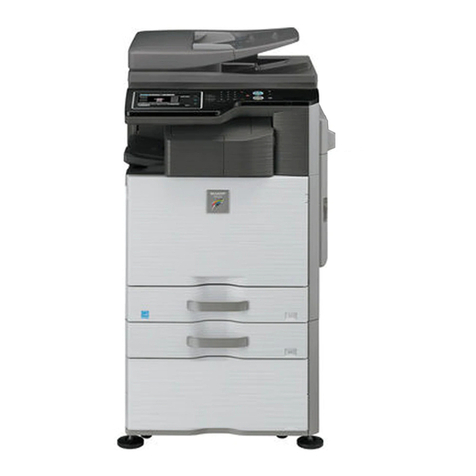
  9. Sharp MX-M904 User manual

Sharp MX-M904 User manual

Other manuals for MX-M904

3

This manual suits for next models

4

Other Sharp Printer manuals

Sharp MX-2300G User manual

Sharp

Sharp MX-2300G User manual

Sharp MZ-80P6 User manual

Sharp

Sharp MZ-80P6 User manual

Sharp MZ-1P16 User manual

Sharp

Sharp MZ-1P16 User manual

Sharp DX-C200 User manual

Sharp

Sharp DX-C200 User manual

Sharp AJ-2000 Setup guide

Sharp

Sharp AJ-2000 Setup guide

Sharp CE-129P User manual

Sharp

Sharp CE-129P User manual

Sharp AR-TE3 User manual

Sharp

Sharp AR-TE3 User manual

Sharp CE-126P User manual

Sharp

Sharp CE-126P User manual

Sharp Network Scanner User manual

Sharp

Sharp Network Scanner User manual

Sharp MZ-80P4 User manual

Sharp

Sharp MZ-80P4 User manual

Sharp DX-B350P User manual

Sharp

Sharp DX-B350P User manual

Sharp MX-M260 Setup guide

Sharp

Sharp MX-M260 Setup guide

Sharp M-820 User manual

Sharp

Sharp M-820 User manual

Sharp MX-2301N User manual

Sharp

Sharp MX-2301N User manual

Sharp DSPF User manual

Sharp

Sharp DSPF User manual

Sharp JX-720 User manual

Sharp

Sharp JX-720 User manual

Sharp MX4111N User manual

Sharp

Sharp MX4111N User manual

Sharp MX-M350-U User manual

Sharp

Sharp MX-M350-U User manual

Sharp AR-P350 User manual

Sharp

Sharp AR-P350 User manual

Sharp DX-B350P User manual

Sharp

Sharp DX-B350P User manual

Sharp DX-B352P User manual

Sharp

Sharp DX-B352P User manual

Sharp AR-M351N User manual

Sharp

Sharp AR-M351N User manual

Sharp AR-235 User manual

Sharp

Sharp AR-235 User manual

Sharp AR-M350 Imager User manual

Sharp

Sharp AR-M350 Imager User manual

Popular Printer manuals by other brands

Evolis Elypso user guide

Evolis

Evolis Elypso user guide

Lexmark 522n - C Color Laser Printer Service manual

Lexmark

Lexmark 522n - C Color Laser Printer Service manual

Panduit COUGAR LS9Q Operator's manual

Panduit

Panduit COUGAR LS9Q Operator's manual

Olivetti PG L2140 Operation guide

Olivetti

Olivetti PG L2140 Operation guide

Samsung SL-M2820DW user manual

Samsung

Samsung SL-M2820DW user manual

Kyocera FS-9530DN specification

Kyocera

Kyocera FS-9530DN specification

Canon LASER SHOT LBP-1210 Specifications

Canon

Canon LASER SHOT LBP-1210 Specifications

Canon PIXMA PRO-1 Series Getting started

Canon

Canon PIXMA PRO-1 Series Getting started

Canon LBP113w Getting started

Canon

Canon LBP113w Getting started

Lexmark Infoprint 1332 user manual

Lexmark

Lexmark Infoprint 1332 user manual

Epson M1120 user guide

Epson

Epson M1120 user guide

TransAct POSJET 1500 Spare parts

TransAct

TransAct POSJET 1500 Spare parts

Telpar MTP-1500 user manual

Telpar

Telpar MTP-1500 user manual

Star DP8340 SERIES user manual

Star

Star DP8340 SERIES user manual

MGI JETVARNISH 3DS user manual

MGI

MGI JETVARNISH 3DS user manual

Kyocera TASKalfa PA4500ci Operation guide

Kyocera

Kyocera TASKalfa PA4500ci Operation guide

Emaar EP-360 user manual

Emaar

Emaar EP-360 user manual

Fujitsu DL7400 user manual

Fujitsu

Fujitsu DL7400 user manual

manuals.online logo
manuals.online logoBrands
  • About & Mission
  • Contact us
  • Privacy Policy
  • Terms and Conditions

Copyright 2025 Manuals.Online. All Rights Reserved.

Professional Quality Booklet Making
for the MX-M904/M1054/M1204
Advanced Finishing at Your Fingertips
The Plockmatic Production Booklet Maker system is a flexible finishing solution designed for copy
rooms, high volume CRDs, commercial print environments and more. The Plockmatic Booklet
Maker System has been designed to integrate perfectly with the document handling features and
contemporary styling of the Sharp MX-M904/M1054/MX-M1204 high speed monochrome series
document systems. This Advanced Finishing System can output documents at the MFP engine speed
and can saddle-stitch staple up to 30 sheets, which creates booklets of up to 120 pages.* The
Plockmatic Booklet Maker System can also handle a wide variety of media types and weights. Additional
features such as face trimming and square folding add the final touch. And with Plockmatic’s modular
design, businesses can choose the finishing options they need based on their applications.
•Production Booklet Maker (Base Unit) – Creates up to 120 page
saddle-stitch booklets.
•Face Trimmer Module – Trims the open edge of the booklet
creating a clean straight edge that looks and feels professional.
•Square Fold Module – Provides a square folded edge and printable
spine that gives the appearance of a perfectly bound book.
•Cover Feeder – Enables users to add separate pre-printed
or colored covers.
PLOCKMATIC PRODUCTION BOOKLET MAKER SYSTEM
Easily create 120-page saddle-stitch booklets with
standard fold or square fold spine.
* Single sheet applications or applications with low sheet count may slow engine down slightly.
©2013 Sharp Electronics Corporation. All rights reserved. 3/13
SHARP ELECTRONICS CORPORATION
Sharp Plaza, Mahwah, NJ 07495-1163
1-800-BE-SHARP • www.sharpusa.com
Design and specifications subject to change without notice.
Sharp is a registered trademark of Sharp Corporation. All other
trademarks are the property of their respective owners.
PLOCKMATIC PRODUCTION BOOKLET MAKER SPECIFICATION
Features
The Plockmatic Production Booklet Maker
system is a fully integrated system featuring
automated workflow and job recovery that is
linked seamessly to the MX-M904/M1054/
M1204 document systems.
Features include:
•Production of high quality booklets
at MFP rated engine speed
•The booklet maker will make saddle
stitched books up to 120 pages
•Square Fold option creates a professional
square fold spine from saddle stitched
booklets
•Quick changes between jobs, means
you can turn around short run jobs
quickly and easy
•Easy programming of all settings
•Patented optimized folding mechanism
provides a professional, high quality look
and feel
•Unique set positioning mechanism
makes it possible to fine tune the
staple position during runs
•A Face Trimmer option will trim
the front edge of each book for
a professional finish
•The optional Cover Feeder adds
pre-printed covers of up to 140 lb
Index to the books
MX-BM50 Production Booklet Maker
(Base Unit)
Speed MFP engine speed
Standard Paper Sizes 8.5" x 11", 8.5" x 14", 11" x 17",
12" x 18"
Paper Size (Min) 8.1" (W) x 10.8" (L)
Paper Size (Max) 12.6" (W) x 18" (L)
Paper Weight (Min) 18 lb Bond
Paper Weight (Max) 110 lb Cover
Set Size (stapled folding) 2-30 Sheets stapled (20 lb Bond)
Set Size 1-6 sheets (non stapled folding)
Off-line Use Available
Power Source 100-230V 50-60Hz
Power Consumption 250W
Approx. Dimensions159¼" (L) x 39" (H) x 25½" (D)
Weight Approx. 297 lbs.
MX-TM50 Trimmer (Optional)
Minimum Trimming 0.0394"
Maximum Trimming 0.7"
Standard Paper Sizes Same as MX-BM50
Power Source From MX-BM50
Approx. Dimensions 14" (L) x 39" (H) x 25½" (D)
Weight Approx. 154 lbs.
MX-FD50 Book Fold / Square Fold Module
(Optional)
Paper Size (Min) Same as MX-BM50
Paper Size (Max) Same as MX-BM50
Set Size (stapled folding) Same as MX-BM50
Power Source From MX-BM50
Approx. Dimensions 14" (L) x 39" (H) x 25½" (D)
Weight Approx. 130 lbs.
MX-CF50 Cover feeder (Optional)
Paper Weight (Min) 18 lb Bond
Paper Weight (Max) 140 lb Index
Cover Feeder Capacity 200 Sheets (20 lb Bond)
Power Source From MX-BM50
Approx. Dimensions 23" (L) x 3" (H) x 21" (D)
Weight Approx. 15.5 lbs.
Main Unit and Options2
MX-BM50 Production Booklet Maker
MX-TM50 Trimmer Module
MX-FD50 Square Fold Module
MX-CF50 Cover Feeder
MX-XB50 Rail Unit
MX-PCB50 Interface Kit
MX-SC50 Staples (15,000)
1Includes Stacking Exit Tray.
2See Authorized Sharp Dealer for available configurations.
MX-M1204 typical configuration with
Plockmatic Booklet Maker System.