10
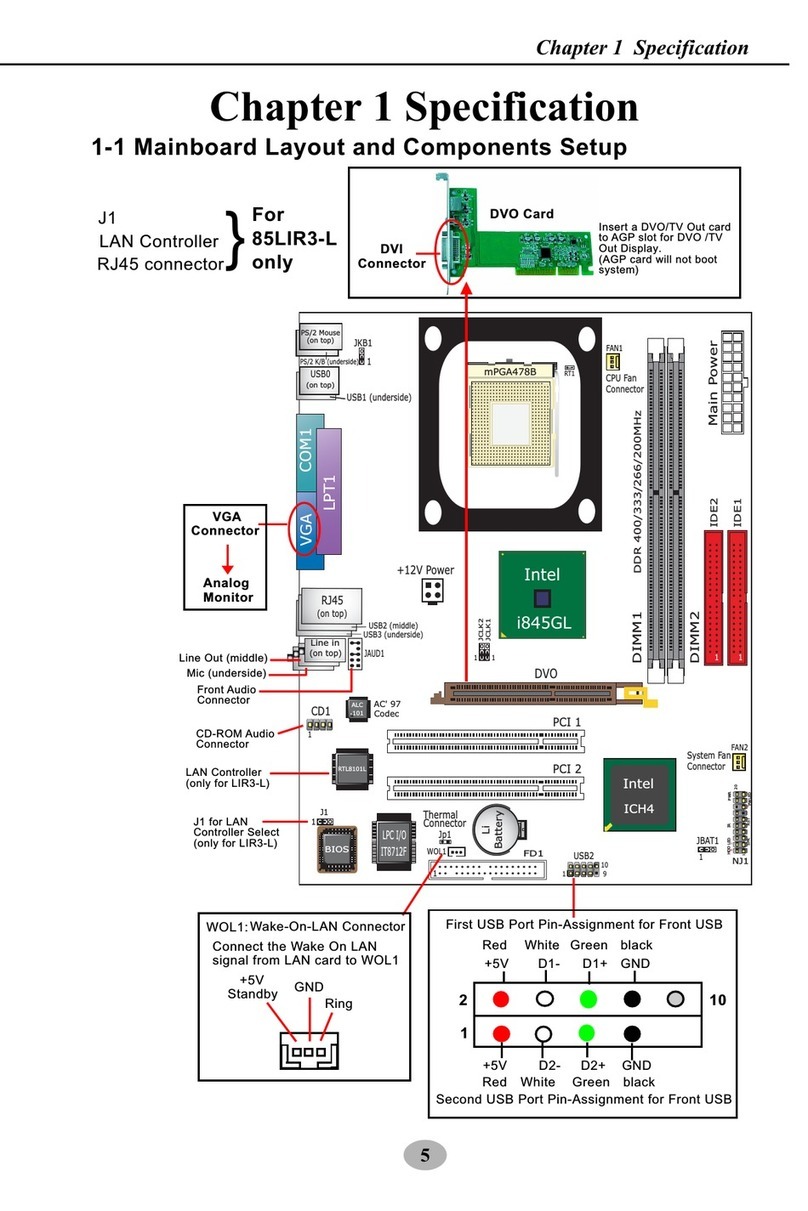
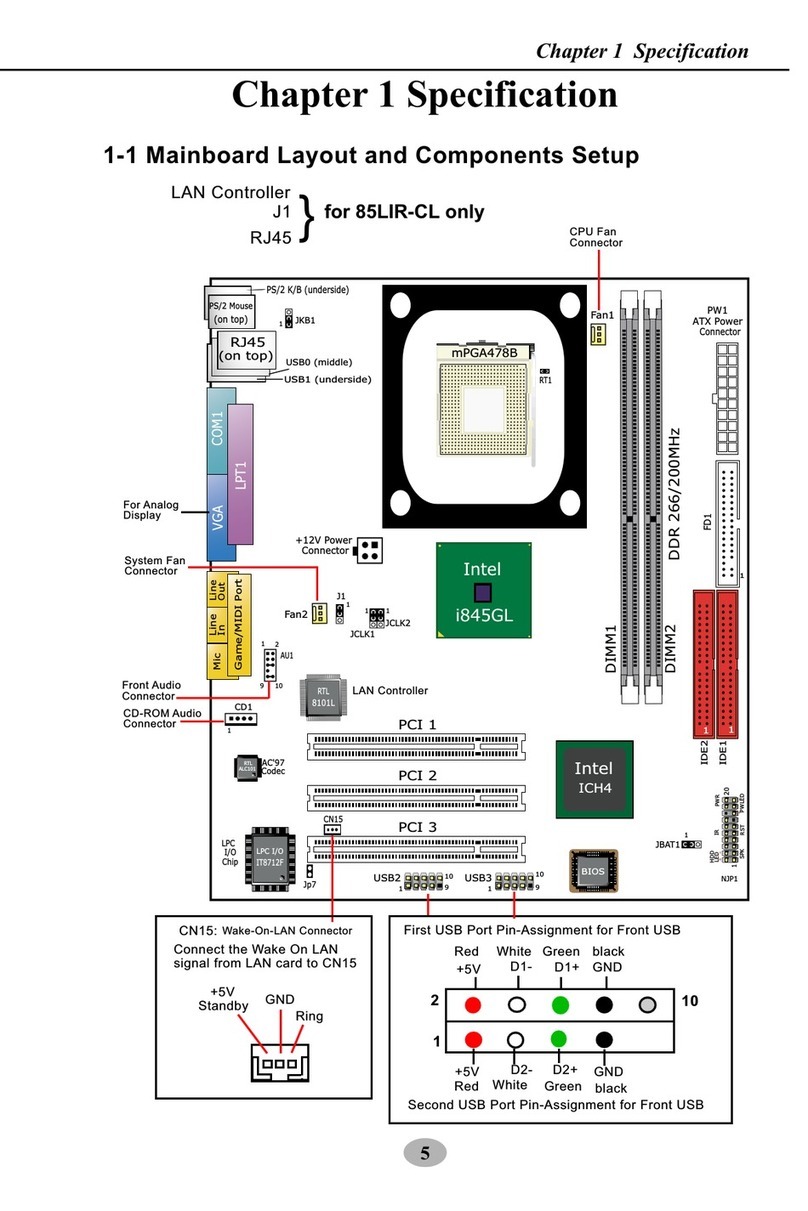
SL-845GLI / 845GLI-L Chapter 1 Specifications
PCI 1
PCI 2
PCI 3
IT8712F
LPC I/O
BIOS
IDE1
IDE2
ICH4
Intel
RTL
ALC650
AC'97
Li
Battery
LPT1
COM1
VGA
Fan1
PS/2 K/B (underside)
845GL
Intel
DIMM1
DIMM2
RT1
1
Fan2
1
JKB1
+12V Po er
CD1
1
JBAT1
PW1
ATX Po er
Jp7
PS/2 Mouse
(on top)
RTL
8101L
NJP1
HDD IR PWR
1
20
SPK RST + -
+-
PWLED
LED
1
JCLK1
1
JCLK2
USB3
1
1
J1
FD1
DDR *333/266/200MHz
mPGA478B
RJ45
(on top)
Line in
(on top)
2 USB Ports
JAUD1
Line Out
(middle)
Mic
(underside)
(2 USB Ports)
USB1
+
+
(DDR 333MHz - unguaranteed overclock support)
1-6.1 Front Audio Connector
This Mainboard is designed ith a Front
Panel Audio connector “JAUD1” hich
provides connection to your chassis.
1. When JAUD1 is set to 5-6 closed and
9-10 closed, this default setting
disables this connector and leaves the
Back Panel Audio enabled.
2. To use this Front Panel Audio
Connector, please open all pins of
JAUD1 and connect it to your chassis.
1-6 Other Connectors Setup
2. Connector Jp7: A thermal cable is needed
to connect Jp7 to on-board devices such
as HDD, Graphics card etc., so as to
detect the temperature generated therein.
Please connect the end (a) of the thermal
cable to Jp7, and tape another end (b) of
thermal cable on to the device hich you
ant to monitor. After you have finished
the thermal cable installation, you ill see
the detected temperature in BIOS setup
or Hardware Monitor utility.
RT1 is mounted ith Ther-
mal Resistor by default for
detecting the external CPU
temperature.
To Devices
To Jp1
Thermal Cable
RT1
Jp7
1. Resistor RT1: A thermal resistor is
mounted by default to connector RT1 so
as to detect the external CPU temperature
. What RT1 does is to transmit the thermal
signal to Hard are Monitor.
1-6.2 Thermal Resistor and Connector
JAUD1: Front Panel Audio Connector
Pin 1 Mic In
Pin 3 Mic VREF
Pin 5 FPOUT R
Pin 7 (Key)
Pin 9 FPOUT L
Pin 2 Aud GND
Pin 4 Aud Vcc
Pin 6 RET R
Pin 1 RET L
(Optional)
RT1
Jp7