Notes on operating instructions
The following reading aids are used to simplify these operating instructions:
☞requests you to perform an action.
❏identifies a list.
ASafety instructions and warnings contain important information for the safe use of the unit.
Failure to observe this information may result in a risk of damage or injury. Therefore, please ob-
serve this information with particular care.
WARNING:
Important information for safe operation
AFor safety reasons, the driver should not watch television or operate a video source (DVD
player, TV tuner, etc.) when driving. Please note that it is illegal in certain countries to watch or
operate the television when driving.
AWhen setting the volume, please make sure that traffic noises (horns, sirens, emergency
vehicles, etc.) are still audible.
Features
❏Automatic switching of video sources.
❏Audio / video input (RCA/Cinch).
❏Volume adaptation of connected video source.
Function
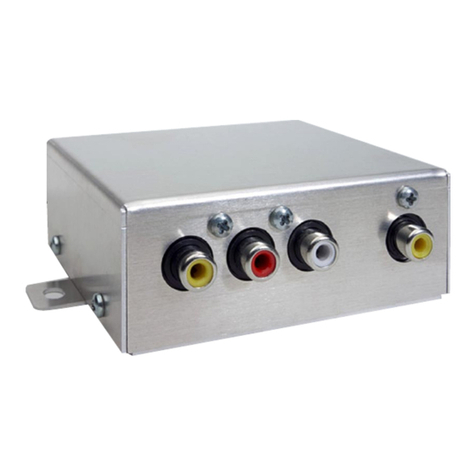
The MI 2100 multimedia interface enables building of a multimedia system, with little effort.
For this purpose, any video source (e.g. VDO Dayton DVD player DV 6100), a VDO Dayton
reversing camera as well as a navigation computer can be connected to the MI 2100.
Switching of the relevant video source (AV, reversing camera or navigation system) is per-
formed automatically by the MI 2100, depending upon the traffic situation and configura-
tion of the multimedia system.
Monitor stand-by
The MI 2100 is switched on and off together with the ignition. In addition, the connected
monitor can be activated or deactivated via the “Stand-by - On” switch. With the switch in
the “Stand-by” position, the monitor is always in stand-by mode.
Priority configuration
For the fully equipped multimedia system (MI 2100 + reversing camera + navigation system
+ external video source), the following priorities are defined for switching the sources to the
monitor:
1. Reverse gear engaged –> reversing camera image appears on the monitor.
2. Reverse gear not engaged –> navigation system image appears on the monitor.
3. Reverse gear not engaged, parking brake applied –> external video source (if switched on)
can be selected via the “Stand-by” option in the Start menu of the navigation system.
GENERAL INFORMATION
5
English