Vingtor Stentofon TCIV-2SIP Guide

Mounting Manual
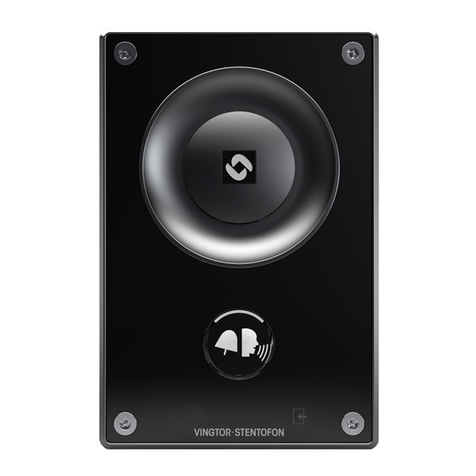
Turbine SIP Video Station
1 Turbine SIP Video Stations
This document specifies the dimensions, mounting procedure, and camera field of view of the Turbine SIP
Video Stations. Zenitel takes no responsibility for damages caused by improper or inadequate mounting.
The Turbine Video series comprises the following stations & accessories:
ITEM NUMBER TYPE ITEM NAME
1008215020 TCIV-2SIP Turbine SIP Video - stainless steel front plate
1008215030 TCIV-3SIP Turbine SIP Video - thermoplastic front plate
1008215060 TCIV-6SIP Turbine SIP Video - thermoplastic front plate with PMOLED display
1008140010 TA-1 Turbine On-Wall Back Box
1008140020 TA-2 Turbine Flush Mount 2-Gang Double-Depth Back Box
1008140050 TA-5 Turbine Bracket for Flush Mount Back Box
1.1 Station Dimensions
TCIV-2SIP TCIV-3SIP TCIV-6SIP
120 mm
96 mm
156 mm
180 mm
23.8 mm49 mm

2 On-Wall Surface Mounting
2.1 On-Wall Surface Mount Backbox - TA-1
2.2 On-Wall Surface Mounting Procedure
1. Mount the backbox onto the wall
2. Fit the gasket onto the backbox with the ridged side facing down
–Plug the Ethernet cable into the RJ-45 port on the station
3. Mount the station onto the backbox with the M5 fasteners provided applying 1.5 Nm
torque
76 mm
150 mm
D6.5 mm
25 mm
120 mm
Mounting holes are to be drilled
as shown.
Max. recommended screw
diameter: ISO M6 or ANSI 1/4".
Screw length must be greater
than 25 mm or 1".
A4 stainless steel socket head
screws/bolts are recommended.
Max. recommended screw
head diameter: 9.5 mm or 3/8".
3”
5.90”
4.72”
1”
0.25”
D
Mounting Hole
Mounting Hole Mounting Hole
Mounting Hole
Optional washers for extra protection
against corrosive effects between
surfaces are provided.
They should be placed at the bottom
of the 4 mounting holes.
Grommets and an M20 cable gland
are provided.
cable holes
M20 M16
Surface
Mount
Back Box
Gasket
Turbine
Station
1
2
3
Microphone
Washers
Camera
Lens
LThe Gasket MUST be mounted to
seal the station!
LEnsure the station is mounted verti-
cally with the microphone aperture
facing down.
LEnsure there is enough clearance
under the station so that the micro-
phone aperture is NOT smothered.
LPlace the washers at the bottom of
the 4 mounting holes on the back
box.
LUse the grommets and M20 cable
gland provided for the cable holes
on the back box.

3 Flush Mounting
3.1 Flush Mount 2-Gang Double-Depth Backbox - TA-2
LIt is recommended to utilize backboxes with weep holes at the bottom.
3.2 Flush Mount Bracket - TA-5
LThe TA-5 Bracket is mandatory for flush mounting.
96 mm / 3.78?
48 mm
25 mm
23 mm
89 mm / 3.50?
89 mm / 3.50?
96 mm / 3.78?
46 mm
SIDE
SIDE
22 mm
1.81? 0.98?
0.90?
0.87?
1.89?
83 mm
87 mm
46 mm
50 mm
4 mm
4 mm
74 mm
91 mm
Fits US 2-GANG electrical boxes.
Recommended screw diameter: up to M4 (5/32")
Use screw recommended by back box manufacurer.
CUTOUT
0.16”
1.81”
0.16”
3.58”
1.97”
3.42”
3.27”
2.91”

DOC NO.
Zenitel and its subsidiaries assume no responsibility for any errors that may appear in this publication, or for damages arising from the information therein. VINGTOR-STENTOFON products are developed and
marketed by Zenitel. The company’s Quality Assurance System is certified to meet the requirements in NS-EN ISO 9001. Zenitel reserves the right to modify designs and alter specifications without notice.
ZENITEL PROPRIETARY. This document and its supplementing elements, contain Zenitel or third party information which is proprietary and confidential. Any disclosure, copying, distribution or use is
prohibited, if not otherwise explicitly agreed in writing with Zenitel. Any authorized reproduction, in part or in whole, must include this legend. Zenitel – All rights reserved.
3.3 Flush Mounting Procedure
4 Camera Field of View
29.8.2018
A100K11826 customer[email protected]
1. Mount the 2-gang back box into the
wall
2. Mount the bracket onto the back box
3. Fit the gasket onto the bracket with
the ridged side facing down
–Plug the Ethernet cable into the RJ-45 port
on the station
4. Mount the station onto the bracket
with the M5 fasteners provided
90°
75 cm
192 cm
88 cm
140 cm
70°
Vertical Angle Horizontal Angle
75 cm
150 cm
LEnsure the station is mounted vertically
with the microphone aperture facing
down.
LEnsure there is enough clearance under
the station so that the microphone
aperture is NOT smothered.
LApply silicone sealant all around the
aluminum frame of the station, making
sure to leave the microphone aperture
open.
LThe Gasket MUST be mounted to seal the station!
2-Gang
Back Box
Gasket
1
3
Microphone
Bracket
2
Turbine
Station
4
Camera
Lens
This manual suits for next models
5
Table of contents
Other Vingtor Stentofon Intercom System manuals
Vingtor Stentofon
Vingtor Stentofon Exigo Ex EAPFX-1 User manual
Vingtor Stentofon
Vingtor Stentofon TCIV-2 Guide
Vingtor Stentofon
Vingtor Stentofon TCIS-1SIP Guide
Vingtor Stentofon
Vingtor Stentofon TCIS-1 User manual
Vingtor Stentofon
Vingtor Stentofon Exigo Ex EAPFX-1 Guide
Vingtor Stentofon
Vingtor Stentofon ITSV-1 User manual
Vingtor Stentofon
Vingtor Stentofon TCIS-1 Guide
Vingtor Stentofon
Vingtor Stentofon TCIS Series User manual
Vingtor Stentofon
Vingtor Stentofon Turbine Compact Analog TCAS Series Guide
Vingtor Stentofon
Vingtor Stentofon Turbine Mini SIP Station Guide