manuals.online logo
Brands
  1. Home
  2. •
  3. Brands
  4. •
  5. Vision Fitness
  6. •
  7. Exercise Bike
  8. •
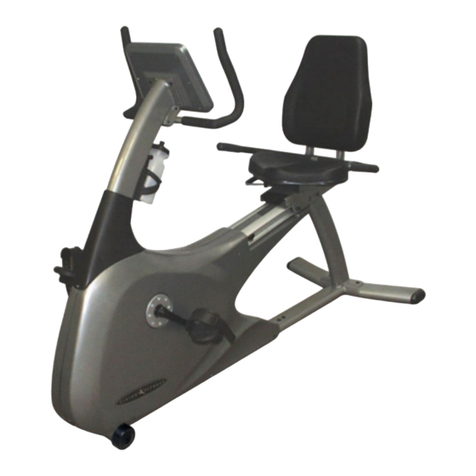
  9. Vision Fitness R70 User manual

Vision Fitness R70 User manual

Other manuals for R70

3

Other Vision Fitness Exercise Bike manuals

Vision Fitness R2200 User manual

Vision Fitness

Vision Fitness R2200 User manual

Vision Fitness E3200 Frame 9 User manual

Vision Fitness

Vision Fitness E3200 Frame 9 User manual

Vision Fitness R2750HRT User manual

Vision Fitness

Vision Fitness R2750HRT User manual

Vision Fitness U70 User manual

Vision Fitness

Vision Fitness U70 User manual

Vision Fitness R2100 User manual

Vision Fitness

Vision Fitness R2100 User manual

Vision Fitness E4000 User manual

Vision Fitness

Vision Fitness E4000 User manual

Vision Fitness R1500 Frame 9 User manual

Vision Fitness

Vision Fitness R1500 Frame 9 User manual

Vision Fitness R2000 User manual

Vision Fitness

Vision Fitness R2000 User manual

Vision Fitness E3600HRT User manual

Vision Fitness

Vision Fitness E3600HRT User manual

Vision Fitness ES700 User manual

Vision Fitness

Vision Fitness ES700 User manual

Vision Fitness U70 User manual

Vision Fitness

Vision Fitness U70 User manual

Vision Fitness R60 User manual

Vision Fitness

Vision Fitness R60 User manual

Vision Fitness E3600HRT User manual

Vision Fitness

Vision Fitness E3600HRT User manual

Vision Fitness R2850HRT User manual

Vision Fitness

Vision Fitness R2850HRT User manual

Vision Fitness NetTV General User manual

Vision Fitness

Vision Fitness NetTV General User manual

Vision Fitness E3800HRT User manual

Vision Fitness

Vision Fitness E3800HRT User manual

Vision Fitness E3600HRT User manual

Vision Fitness

Vision Fitness E3600HRT User manual

Vision Fitness R2250HRT User manual

Vision Fitness

Vision Fitness R2250HRT User manual

Vision Fitness E3000 User manual

Vision Fitness

Vision Fitness E3000 User manual

Vision Fitness R40 User manual

Vision Fitness

Vision Fitness R40 User manual

Vision Fitness R1400 User manual

Vision Fitness

Vision Fitness R1400 User manual

Vision Fitness U60 User manual

Vision Fitness

Vision Fitness U60 User manual

Vision Fitness R2200 User manual

Vision Fitness

Vision Fitness R2200 User manual

Vision Fitness E1500 Frame 9 User manual

Vision Fitness

Vision Fitness E1500 Frame 9 User manual

Popular Exercise Bike manuals by other brands

NordicTrack Gx5.1 Bike null

NordicTrack

NordicTrack Gx5.1 Bike null

NordicTrack Gx4.1 Bike null

NordicTrack

NordicTrack Gx4.1 Bike null

NordicTrack Gx4.1 Bike null

NordicTrack

NordicTrack Gx4.1 Bike null

NordicTrack Gx 3.1 Bike null

NordicTrack

NordicTrack Gx 3.1 Bike null

NordicTrack Gx 3.0 Gw Bike null

NordicTrack

NordicTrack Gx 3.0 Gw Bike null

NordicTrack Gx 3.4 Bike null

NordicTrack

NordicTrack Gx 3.4 Bike null

NordicTrack Gx 3.0 Gw Bike null

NordicTrack

NordicTrack Gx 3.0 Gw Bike null

TOORX BRX85 Instruction

TOORX

TOORX BRX85 Instruction

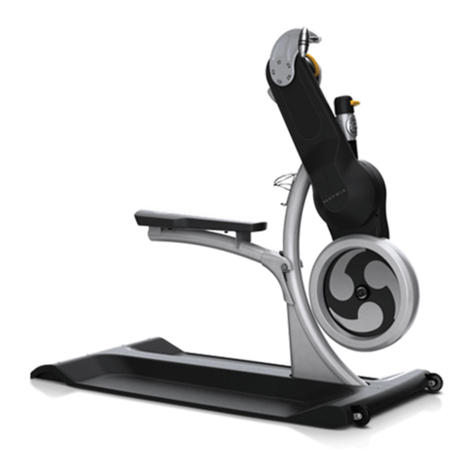
Matrix KranKcycle user manual

Matrix

Matrix KranKcycle user manual

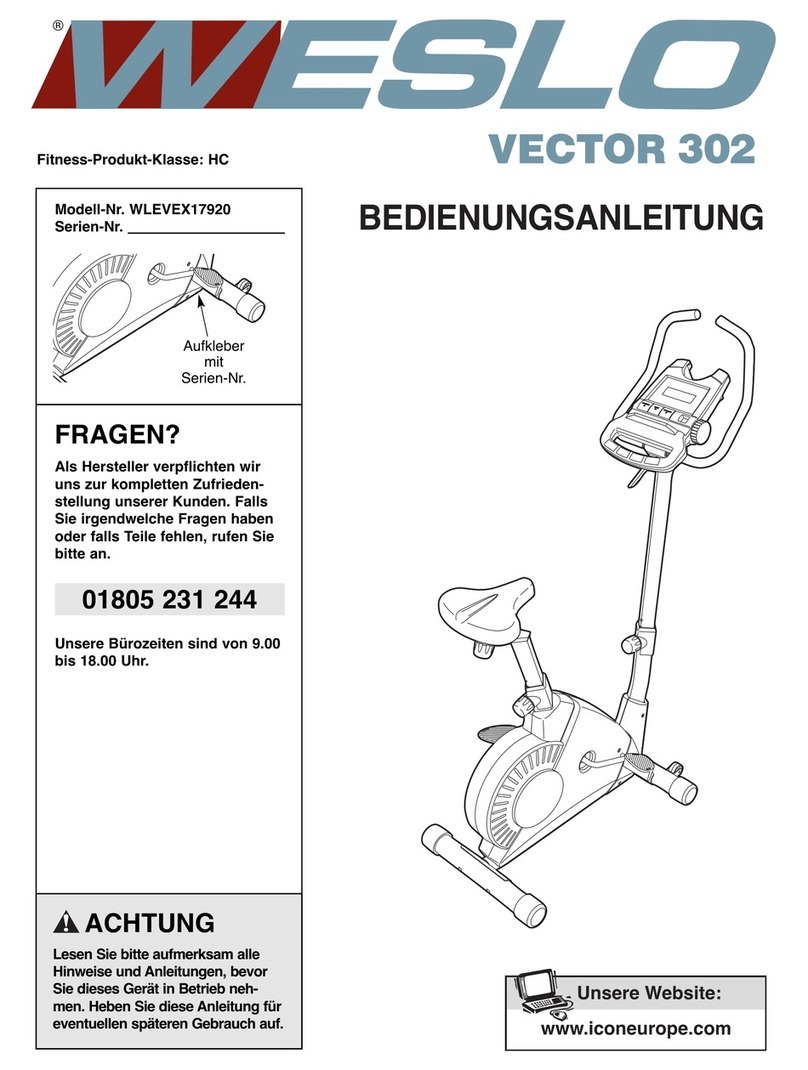
Weslo Vector 302 Bedienungsanleitung

Weslo

Weslo Vector 302 Bedienungsanleitung

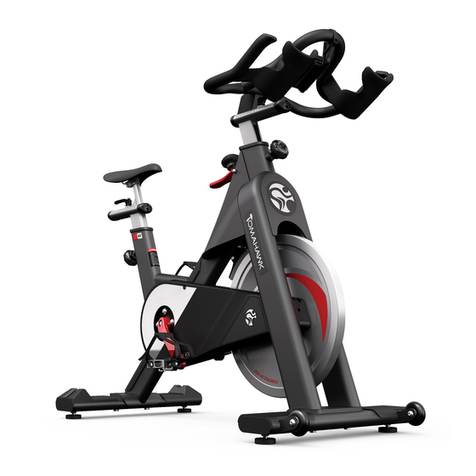
Matrix IC3 manual

Matrix

Matrix IC3 manual

Sunny Health & Fitness SF-B121021 user manual

Sunny Health & Fitness

Sunny Health & Fitness SF-B121021 user manual

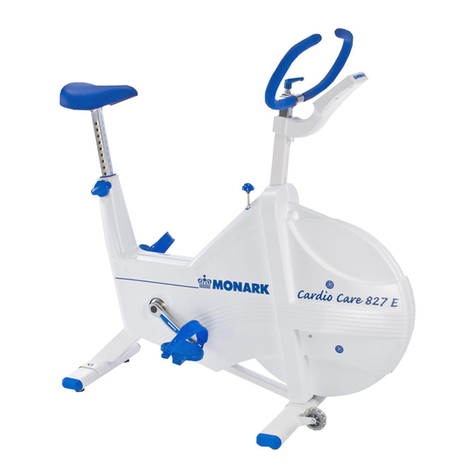
Monark 827E instruction manual

Monark

Monark 827E instruction manual

Stamina 1310 owner's manual

Stamina

Stamina 1310 owner's manual

American Fitness SPR-BK1072A owner's manual

American Fitness

American Fitness SPR-BK1072A owner's manual

Cateye CS-1000 (CYCLO SIMULATOR) Service manual

Cateye

Cateye CS-1000 (CYCLO SIMULATOR) Service manual

BH FITNESS H9158H Instructions for assembly and use

BH FITNESS

BH FITNESS H9158H Instructions for assembly and use

Body Sculpture BC-7220G manual

Body Sculpture

Body Sculpture BC-7220G manual

manuals.online logo
manuals.online logoBrands
  • About & Mission
  • Contact us
  • Privacy Policy
  • Terms and Conditions

Copyright 2025 Manuals.Online. All Rights Reserved.

R70
Commercial Fitness Bike
OWNER’S GUIDE
VF_12_R70_OG_121226.indd 1 1/2/13 8:32 AM
VF_12_R70_OG_121226.indd 2-3 1/2/13 8:32 AM
1
INTRO CONSOLE GENERAL
SAFETY INSTRUCTIONS..................... 4
ASSEMBLY & MOVING THE BIKE ..... 6
STABILIZING THE BIKE, PEDAL STRAP
ADJUSTMENT................................... 7
SEAT ADJUSTMENT,
LUMBAR ADJUSTMENT...................... 9
SELF-POWERED FEATURE................. 10
CONTACT HEART RATE..................... 11
INTRO
PREVENTATIVE MAINTENANCE.......... 29
TROUBLESHOOTING........................ 30
TROUBLESHOOTING HEART RATE
MONITOR CHEST STRAP.................. 32
LIMITED HOME USE WARRANTY....... 34
COMMERCIAL WARRANTY ............... 36
DEVELOPING A FITNESS PROGRAM... 38
EXERCISE GUIDELINES .................... 39
TARGET HEART RATE....................... 40
BALANCED FITNESS........................ 41
GENERAL
ongratulations on choosing a VISION FITNESS Bike. You’ve taken an
important step in developing and sustaining an exercise program! Your
Bike is a tremendously effective tool for achieving your facility’s fitness
goals. Regular use of your Bike can improve the quality of your members’
lives in so many ways.
Here are just a few of the health benefits of aerobic exercise:
 •WeightLoss
 •AHealthierHeart
 •ImprovedMuscleTone
 •IncreasedDailyEnergyLevels
 •ReducedStress
 •HelpinCounteringAnxietyandDepression
 •AnImprovedSelfImage
The key to reaping these benefits is to develop the exercise habit. Your
new Bike will be an important tool in helping your members achieve this
exercise habit. This Owner’s Guide provides you with basic information
onusingthisVISIONFITNESSBike.Amorecompleteknowledgeofyour
new Bike will assist you in helping your members achieve their goals.
Some kinds of service to your Bike should only be performed by your
VISION FITNESS retailer. Please contact your authorized VISION FITNESS
retailer should service be required. If a question or problem arises which
cannot be handled by your VISION FITNESS retailer, please contact us:
VISION FITNESS
1600LandmarkDrive
CottageGrove,WI53527
Ph:1.800.335.4348
Fax:1.608.839.8731
www.visionfitness.com
CTable of Contents
DISPLAY CONSOLE ......................... 12
DISPLAY CONSOLE DESCRIPTIONS.... 13
CARDIO PORT, BATTERY.................. 15
PROGRAM OVERVIEWS................... 16
USING THE PROGRAMS................... 20
USING THE SPRINT 8 PROGRAM ...... 22
USING HEART RATE TRAINING.......... 23
TELEMETRIC HEART RATE
CHEST STRAP, PLACEMENT.............. 24
ALL HRT PROGRAMS, ADJUSTING
TARGET HEART RATE....................... 25
USING CUSTOM PROGRAMS............ 26
ENGINEERING MODE....................... 28
CONSOLE
VF_12_R70_OG_121226.indd 4-1 1/2/13 8:32 AM

23
INTRO
FRONT FOOT &
TRANSPORT WHEELS
CONSOLE
COMMERCIAL SEMI-RECUMBENT FITNESS BIKE
R70
SEAT HANDLEBARS
CONSOLE MAST
HANDLEBARS
CONSOLE MAST
REAR FOOT
ACCESSORY
TRAY
SEAT
ADJUSTMENTS
VF_12_R70_OG_121226.indd 2-3 1/2/13 8:32 AM
45
INTRO
IMPORTANT SAFETY INSTRUCTIONS
SAVE THESE INSTRUCTIONS
Whenusingan electricalproduct, basicprecautions shouldalwaysbe
followed, including the following: Read all instructions before using this
exercise product.
Your VISION FITNESS Bike is self-generating (requiring no external power
source) and must be pedaled to power-up the console.
To reduce the risk of burns, fire, electrical shock or injury
to persons:
• Use this exercise product for its intended use as described in this
Owner’s Guide. Only use attachments recommended by the manufacturer.
• Neverdroporinsertanyobjectintoanyopening.
• DonotremovetheBike side covers. Service should be performed only
by an authorized VISION FITNESS retailer.
• Never operate this Bike if it is not working properly or if it has been
damaged or immersed in water. Return the Bike to a retailer for
examination and repair.
• Donotuseoutdoors.
CHILDREN
• KeepchildrenoffofyourBike at all times.
• WhentheBike is in use, young children and pets should be kept at least
10 feet away.
WARNING!
OTHER SAFETY TIPS FOR YOUR VISION FITNESS BIKE
CAUTION! If you experience chest pains, nausea, dizziness or shortness of
breath, stop exercising immediately and consult your physician before continuing.
• DonotwearlooseclothingthatmightcatchonanypartoftheBike.
• ReadthisOwner’sGuidebeforeoperatingthisBike.
• Drinkplentyoffluidsduringyourworkout.
CLEANING
• Cleanonlywithsoapandaslightlydampcloth;neverusesolvents.
VF_12_R70_OG_121226.indd 4-5 1/2/13 8:32 AM
67
INTRO
ASSEMBLY
It is recommended, when possible, that an authorized VISION FITNESS
retailer assemble your Bike. If you have elected to assemble this product
yourself, for your safety please read and follow each of the steps in the
enclosed assembly instructions. If you have any questions regarding any
part or function of your Bike, contact your retailer.
MOVING
Your VISION FITNESS Bike has transport wheels included for ease of
mobility. To move your Semi-Recumbent Bike, firmly grasp the rear of the
frameassembly,ortherearoftheseatrail.Carefullyliftandrollonthe
transport wheels. To move your Upright Bike, firmly grasp the handlebars,
carefully tip toward you, and roll on the transport wheels.
CAUTION: Our Bikes are well-built and heavy, weighing up to 160 pounds!
Use care and additional help if necessary.
STABILIZING THE BIKE
After positioning the Bike in
its intended location, check its
stability by attempting to rock it
side to side. Rocking or wobbling
indicates that your Bike needs
to be leveled. Determine which
leveler is not resting completely on
the floor. Loosen the wing nut at
the base of the leveler to allow the
leveler to rotate. Now rotate the
leveler to the left or right until the
Bikeisstable.Locktheadjustment
by tightening the wing nut against
the rear foot support.
PEDAL STRAP ADJUSTMENT
The straps are designed to fit your
individual foot size and should
be adjusted tight enough to keep
your feet from slipping. The pedals
include spring-loaded clips for
easy adjustment. To tighten the
strap, pull down the open end of
the strap. To loosen the strap, push
down on the top of the clip and
pull the strap up. Release the clip
to lock in place.
VF_12_R70_OG_121226.indd 6-7 1/2/13 8:32 AM
8
INTRO
9
INTRO
SEAT POSITIONING
To determine proper seat position, sit on the seat and position the ball of
your foot on the center of the pedal. Your knee should bend slightly at the
furthest pedal position. You should be able to pedal without locking your
knees or shifting your weight from side to side.
SEAT ADJUSTMENT
While seated on the Bike, lift the
spring-loaded seat lever on the
right side of the seat to make
adjustments. Slide the seat forward
or backward to desired location.
Release the spring-loaded seat
lever and gently attempt to rock
forward and backward to assure it
is locked in place.
LUMBAR ADJUSTABLE SEAT
To adjust the lumbar support, turn
the knob located on the right side
of the back support cushion. To
increase the lumbar support turn
theknobinaclockwisedirection;
to decrease support turn the knob
in a counterclockwise direction.
VF_12_R70_OG_121226.indd 8-9 1/2/13 8:32 AM
10
INTRO
11
SELF-POWERED FEATURE
The R70 is a self-powered unit, requiring no external power source.
Whenauserpedalsataspeedabove20revolutionsperminute(RPM),
the power is generated to allow the Bike to function properly. Because
of this self-generating feature, the console feedback will fade away when
youceasepedaling.Theconsoledoes,however,usea9-voltbatteryas
backuptosaveyourfeedbackinformationfor30secondsfromthetime
youstoppedpedaling.Ifyouresumepedalingwithinthe30seconds,the
informationwillreappear.Iftheinformationdoesnotappearwithinthe30
seconds, your battery may need to be plugged in or replaced.
CONTACT HEART RATE
HAND PULSE HEART RATE SENSORS
TheContactHandPulseSensorsareincludedoneachproducttomonitor
your heart rate. To use, grasp both of the sensors with a comfortable grip
duringyour workout.Theconsole willdisplayyour heartrate.Although
your signal will be displayed immediately, it may take the system a few
seconds to zero in on your actual heart rate.
VF_12_R70_OG_121226.indd 10-11 1/2/13 8:32 AM
12
CONSOLE
13
CONSOLE
DISPLAY CONSOLE
DISPLAY CONSOLE OVERVIEW
The computerized display allows the user to select a workout that meets
their desired fitness goals. It also allows the user to monitor the progress
and feedback of each workout so they can track improvements in overall
fitness over time.
A
D
E
H
DISPLAY CONSOLE DESCRIPTIONS
A. START/HOLD TO RESET
PresstheSTARTkeytobeginaMANUALworkoutimmediatelywithout
having to set individual information. When the program begins, you
have the ability to adjust resistance levels with the ARROW keys.
Feedback information will be calculated using default settings.
PAUSE:IfyouneedtoPAUSEyourprogramduringaworkout,pressing
the START key will PAUSE your program for 30 seconds. Pressing
STARTwillreturnyoutoyourworkout.
RESET: If you need to RESET the console during your workout, you can
dosobyholdingdowntheSTARTbuttonforthreesecondsoruntilthe
display resets.
B. ENTER
This key is used after entering each piece of information in setup
such as age, weight, or level.
C. ARROW BUTTONS
These keys are used to change values in setup mode prior to your workout.
 Duringyourworkout,theyareusedtochangeworkoutlevels.InHRT®
programs, they are used to change your target heart rate.
D. PROGRAM BUTTONS
These keys provide quick access to your favorite workouts. Press
the program repeatedly or use the arrow keys to select one of
multiple workouts.
E. CHANGE DISPLAY / HOLD TO SCAN
Press to change display information. Press and hold to scan
automatically between the two display options.
G
B
C
F
VF_12_R70_OG_121226.indd 12-13 1/2/13 8:32 AM
14
CONSOLE
15
CONSOLE
DISPLAY CONSOLE DESCRIPTIONS (continued)
F. PROFILE DISPLAY
This window provides a dot matrix profile of the workout segments
you are about to complete, as well as those you have already
completed, and the level of resistance for each segment.
G. FEEDBACK WINDOWS
These windows provide step-by-step instructions in the setup mode,
instructions, feedback and motivational messages during your workout.
FEEDBACK:
 Duringyourworkout,thesewindowsdisplayexercisefeedback
about your workout, including:
SPEED: the pedaling speed in miles or kilometers per hour.
DISTANCE: the total distance traveled in miles or kilometers since
the start of your workout.
WATTS: a measurement of workload; one watt is equal to six
kilogram-meters per minute.
METS:ameasurementof oxygenconsumption;oneMETequals
the approximate amount of oxygen consumed per minute by a
person at rest.
HEART RATE/HRT FEEDBACK WINDOW
This window provides feedback on your current heart rate and
the percent of your predicted maximum heart rate (% Heart
Rate). It also includes your target heart rate when using one of
the HRT®programs.
NOTE: At the end of your workout, the totals will be displayed
as averages of your total workout time. The only exceptions are
distance and calories, which are program totals.
H. MESSAGE WINDOW
This window provides step-by-step instructions in the setup mode,
instructions, feedback and motivational messages during your workout.
TIME: the time elapsed or the time remaining in your workout.
RPM:thepedalrateorRevolutionsPerMinute(RPM).
CALORIES: an estimate of calories burned since the beginning of
the workout.
RESISTANCE: the current resistance level you are currently in.
CARDIO PORT
ACardio Portislocated ontheback oftheconsole thatiscompatible
toentertainmentprotocol,suchasCardioTheatre.Thebottomportisthe
active port to use for this function
These ports are located on the backside of the console and are enclosed
by removable covers.
9V Battery
CARDIO PORT
BATTERY: Your console is equipped with a 9V battery to maintain
workout information.
VF_12_R70_OG_121226.indd 14-15 1/2/13 8:32 AM