FV37-US • Page 7
IMPORTANT NOTE: Excessive water flow creates noise, while
too little flow will not satisfy the needs of the fixture. Proper
adjustment is made when:
1. The plumbing fixture is cleansed after each flush without
splashing water out from the lip.
2. A quiet flushing cycle is achieved.
After adjusting, replace the Zurn stop cap screw cover.
NOTE:
The final setting for urinals should be such so that the
fixture will not overflow with continuous flushing.
CARE AND CLEANING INSTRUCTIONS
Do not use abrasive or chemical cleaners to clean Flushometers
and actuators as they may dull the luster and attack the chrome
or special decorative finishes. Use only mild soap and water,
then wipe dry with a clean cloth or towel.
While cleaning the bathroom tile, the Flushometer and actuator
should be protected from splattering of cleaner. Acids and
cleaning fluids can discolor or remove chrome plating.
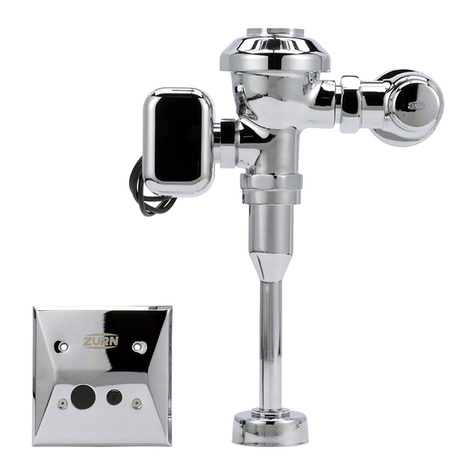
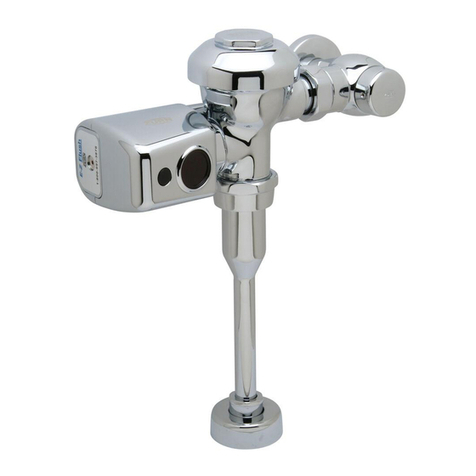
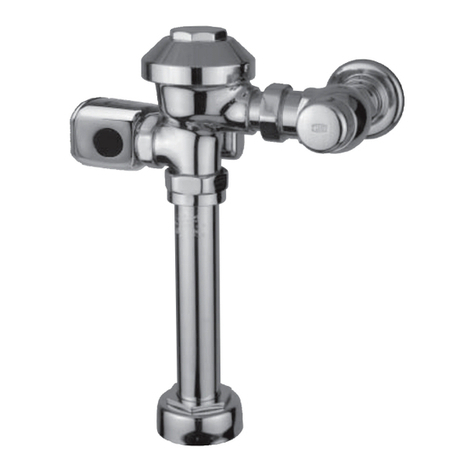
SENSOR FEATURES (See Step 9 for instructions.)
Courtesy Flush: The Sensor will provide a courtesy flush two
seconds after a person is first detected. The courtesy flush removes
any residue from the fixture. The main flush will occur when the
user steps away from the fixture. The courtesy flush can be
manually activated/deactivated at any time.
Automatic 24-Hour Flush: The sensor will provide an automatic
flush 24 hours after the last user. The automatic flush can be
manually activated/deactivated at any time.
Indicator Lights: The sensor unit has two operation lights, red
and green. The red light is lit when an object is detected. The
green is lit when the unit is flushing. The indicator lights can be
manually activated/deactivated at any time.
Maintenance Override (For Maintenance Purposes):
The sensor may be disabled for 10 minutes by placing a magnet
on the sensor lens for 3 to 5 seconds. After 10 minutes the sensor
will automatically resume functioning. Placing a magnet on the
sensor for one second will restore normal operation and also pro-
vide a flush. These features are often desired for cleaning purposes.
Adjustable Range: The viewing distance is adjustable from 12"
to 60".
Function Light: If an object is in the viewing range for more
than 30 minutes the red LED will blink. Range readjustment
may be required.
TROUBLE SHOOTING
Problem Cause* Corrective Action*
Valve will not operate. 1.) Stop valve is closed. 1.) Open stop valve.
2.) Supply valve is closed. 2.) Open supply valve.
Insufficient volume of water 1.) Stop valve is not open enough. 1.) Open stop valve for desired volume of water.
to adequately siphon fixture. 2.) Urinal trip mechanism installed in wrong kit, 2.) Replace urinal part with proper closet valve part.
urinal for closet.
3.) Insufficient volume or pressure at supply. 3.) If gauges are not available to measure supply pressure or volume of
water at the valve, completely remove the working parts and open the
stop valve to allow water to pass through the empty valve. If the supply is
adequate to siphon the fixture, the guide ring may be removed from the
guide assembly to provide additional flow. Should this prove unsatisfactory,
steps should be taken to increase the pressure and/or supply.
Flush valve shuts off too quickly. 1.) Damaged or punctured diaphragm. 1.) Install new P6000-EUA or P6000-ECA replacement kit to remedy
the problem.
2.) Enlarged by-pass orifice. 2.) Install new P6000-EUA or P6000-ECA replacement kit to remedy
the problem.
Valve is short flushing. 1.) Diaphragm kit is not matched to the fixture. 1.) Install the proper P6000-EUA or P6000-ECA replacement kit to remedy
the problem.
2.) Urinal trip mechanism (black) is in the closet flush valve. 2.) Install closet trip mechanism (white).
Valve is flushing too long or 1.) Trip mechanism not seating properly due to foreign 1.) Disassemble parts and rinse thoroughly.
not shutting off. material between trip mechanism and retainer disc.
2.) By-pass orifice is plugged or partially plugged. 2.) Examine by-pass orifice and clean if necessary being certain not to
enlarge orifice opening.
3.) Line pressure is not adequate to force trip mechanism 3.) Pressure is inadequate or has dropped below minimum operating range.
to seal. Steps should be taken to increase the line pressure.
4.) Cracked cover. 4.) Replace cover with new one.
Water splashes out of fixture. 1.) Supply volume is more than is necessary. 1.) Adjust downward on control stop.
2.) Lime accumulation on vortex or spreader holes 2.) Remove the lime build up.
of fixture.
Flush is not considered quiet. 1.) Control stop may not be adjusted for quiet operation. 1.) Adjust the control stop for quiet operation keeping in mind the fixture
evacuation requirements.
2.) Fixture may be contributing to noise. 2.) Check noise created by fixture by placing a cover over the bowl opening
to separate valve noise from bowl noise. If it is determined the fixture is
too noisy consult with fixture manufacturer.
3.) Piping system may be source of noise. 3.) High pressure in the system can sometimes be controlled by the stop
valve. Other sources of noise may be the absence of air chambers and
shock arrestors, loose pipes, improper size pipes, etc. In these cases
the building engineer should be consulted.
Handle assembly leaking. 1.) Handle assembly is not tight. 1.) Tighten handle assembly.