AJAX StreetSiren DoubleDeck User manual

StreetSiren DoubleDeck User Manual
Updated November 25, 2020
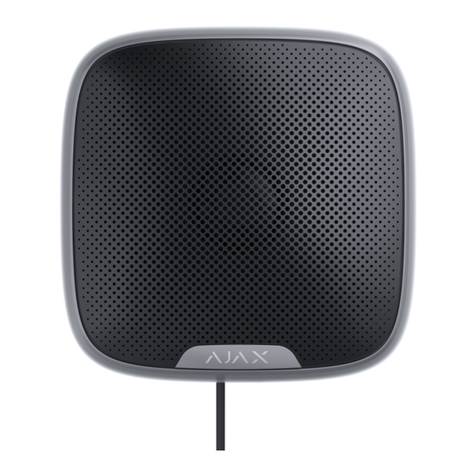
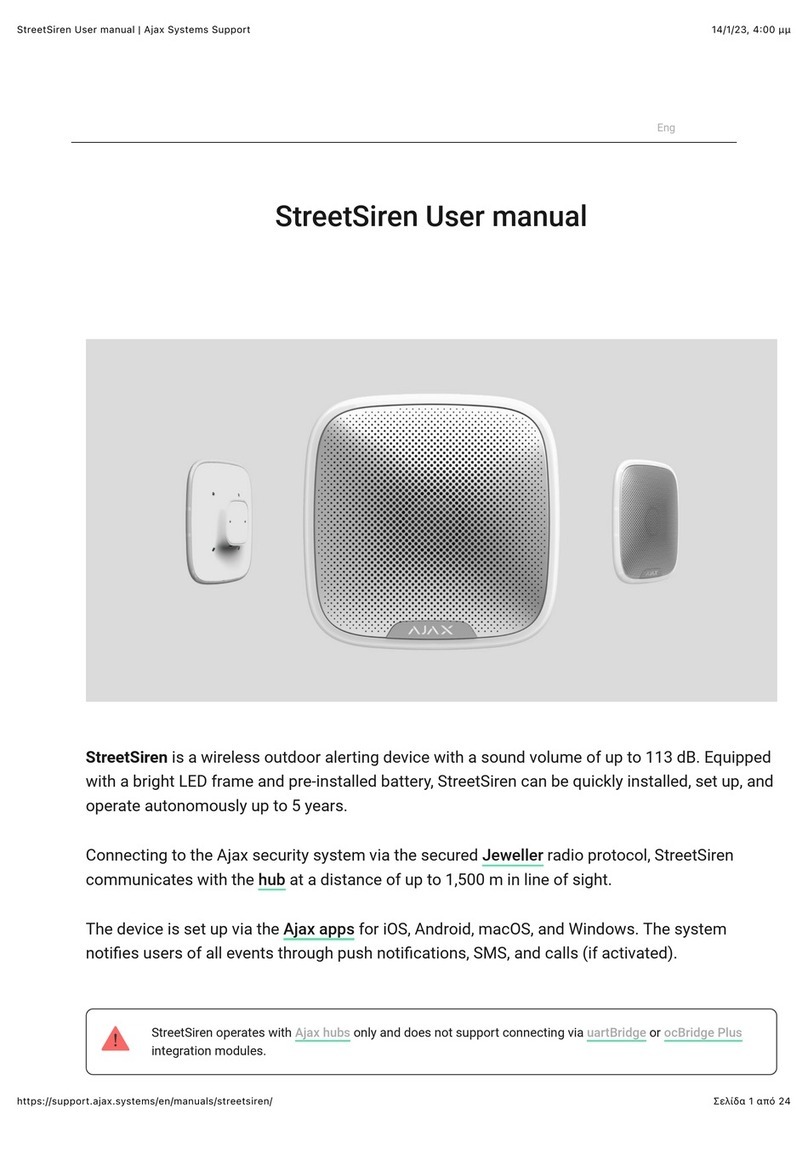
StreetSiren DoubleDeck is a wireless outdoor siren with mount for the branded
faceplate. Equipped with a LED frame and piezoelectric alarm indicator
producing sound volume up to 113 dB, StreetSiren can operate up to 5 years
from pre-installed batteries. It can also be powered from an external 12 V power
supply.
StreetSiren DoubleDeck communicates with the hub via the secured Jeweller
radio protocol. The communication range is up to 1,500 meters provided there
are no obstacles.
The siren only works as part of the Ajax security system. Integration with third-party
systems and connection to or are not supported.
The siren is set up via for iOS, Android, macOS, and Windows. The
system noties users of all events with push notications, SMS, and calls (if
activated).
ocBridge Plus uartBridge
Ajax apps

The Ajax security system can be connected to a central monitoring station
(CMS) of the security company. A list of security companies is available
.
Functional elements
Buy street siren StreetSiren DoubleDeck
Buy branded faceplate for StreetSiren DoubleDeck
on the
website
1. LED frame
2. Piezoelectric alarm indicator
3. Latches for mounting the Brandplate
The Brandplate is sold separately
4. Place for xing the Brandplate with a screw
5. SmartBracket mounting plate
6. Terminals for connecting the external power supply
7. QR code. The QR code includes the ID/serial number of the device
8. On/off button
9. Place for xing the SmartBracket panel with a screw

Operating principle
StreetSiren DoubleDeck performs two tasks:
1. Informs about the alarm. The device responds to triggering of the tamper and
security system alarms in less than a second, including a siren and LED
backlight, which scares off intruders and attracts the attention of neighbors.
2. Serves as a security status indicator. The siren uses LED indication to notify
that the object is armed, as well as uses sound and LEDs to notify about the
delay when entering/leaving. These functions will be useful when controlling the
security system using SpaceControl or KeyPad (the siren reminds you of
disarming when you enter the object).
When installed properly, it is hard to dismount and disconnect an activated siren:
its body is robust, the buzzer protected, and power is from the bundled batteries,
so the siren will continue to work even if there is a power outage at the object.
Also, if the system is armed, the power button is blocked, preventing the siren
from being turned off.
The siren is equipped with a tamper button and an accelerometer. The tamper
button is triggered when the device body is opened/broken, and the
What is Delay When Entering/Leaving

accelerometer is triggered when somebody’s attempting to move or dismantle
the device.
Connecting a siren to a hub
Before starting connection
Only users with administrator rights can connect the StreetSiren DoubleDeck to the hub.
To connect StreetSiren DoubleDeck
The power button is recessed into the body and is tight to press. You can use a thin, hard
object, like a pencil, to press it.
What is a tamper
1. Install the . . Add a hub to the app and create at
least one room.
Ajax app Create an account
2. Make sure that the hub is on and has Internet access. The status of the
Internet connection is available in the Ajax app and is also indicated by the
color of the hub’s logo (lights white or green).
3. Make sure that the hub is disarmed and is not starting updates. This can be
checked in the Ajax app.
1. Go to the Devices tab in the Ajax app and click Add Device.
2. Name the device, scan or type the QR code (located on the body and
packaging), and select the location room.
3. Click Add; the countdown will begin.
4. Turn on StreetSiren DoubleDeck by holding the power button for 3 seconds.
Keep in mind that the hub connection request is only sent when the siren is
turning on.

For detection and pairing to take place, StreetSiren DoubleDeck must be within
the hub’s radio communication range, i. e. at the same guarded object.
StreetSiren DoubleDeck shuts down automatically 6 seconds after turning on if
it failed to connect to the hub. There is no need to deactivate the device to retry
the connection. If StreetSiren DoubleDeck has already been assigned to another
hub, turn off the siren and follow the standard addition procedure.
The connected siren will appear in the list of hub devices in the app. Updating
device statuses in the list depends on the ping time dened in Jeweller settings.
The default value is 36 seconds.
Up to 10 sirens can be connected to one hub.
States of StreetSitren DoubleDeck
Icons
Icons display some of the StreetSiren DoubleDeck states. You can view them in
the , in the Devices menu .
Icon Value
Shows Jeweller signal strength between the hub and StreetSiren DoubleDeck
Battery charge level
Displayed if the device is working via a ReX radio signal range extender
States
Siren states can be found in the Ajax app:
Ajax app
1. Go to the Devices tab .
2. Select StreetSiren DoubleDeck from the list.

Parameter Value
Temperature
Siren temperature, which is measured on the
processor and changes gradually. Increment of
1°C
Jeweller signal strength
Signal strength between the hub and siren.
We recommend installing the siren in places
with the signal strength of 2-3 bars
Connection
Connection status between the hub and
StreetSiren DoubleDeck:
Battery Charge
Battery level of the device. Two states available:
Lid
The tamper status of the device, which
responds to the opening of the device body
Range extender name
ReX range extender connection status.
Displays when the siren is operating via a
External power
External power supply status of the siren:
Alarm volume Volume level in case of alarm:
Online — the siren is connected to the hub
Oine — the siren is not connected to the
hub
ОК
Battery discharged
How battery charge is displayed in
Ajax apps
What is a tamper
ReX
radio signal range extender
Connected — external 12 V power supply is
connected to the siren
Disconnected — siren powered by pre-
installed batteries

Alarm duration Duration of the alarm sound: 3 to 180 seconds
Alert if moved
Alarm when the accelerometer is triggered.
When enabled, the siren is triggered if you turn
the body or detach the device from the mount
Armed mode indication
If enabled, the siren LED frame blinks once
every 2 seconds when the system is in the
armed mode
LED indication
Siren LED indication status:
Beep when arming/disarming
If enabled, the siren alerts you by backlighting
the LED frame and a short beep when arming
and disarming
Beep on entry/exit delay If this option is enabled, the siren signals about
a delay when entering/leaving
Temporary Deactivation
Shows the status of the device: active,
completely disabled by the user, or only
notications about triggering of the device
tamper button are disabled
Firmware StreetSiren DoubleDeck rmware version. It is
not possible to change the rmware
ID
StreetSiren DoubleDeck ID/serial number. Also
located on the device packing box and under
the SmartBracket mount
Settings
To set up StreetSiren DoubleDeck:
Muted
Quiet
Loud
Very loud
Off — LED indication is off
Armed — the siren blinks only when in the
armed mode
Always — the siren blinks regardless of the
state of the security system

Note that after editing the settings, you should click the Back button to save them.
Settings Value
First eld
Siren name that can be edited. The name of
device you can see at notications in the event
feed.
The name can contain up to 12 Cyrillic
characters or up to 24 Latin symbols
Room
Selecting the virtual room to which StreetSiren
DoubleDeck is assigned. The room name you
can see at notications in the event feed
Alarms in group mode
Selecting the group to which the siren is
assigned. You can select one or all groups:
Regardless of the group selected, the siren will
respond to activation and
alarms
Alarm volume The siren responds to system alarms with the
selected volume:
1. Go to the Devices tab in the .Ajax app
2. Select StreetSiren DoubleDeck from the list.
3. Go to Settings by clicking on the .
When assigned to a group, the siren and its
indication are related to alarms and events
of this group
When attached to all groups, the siren and
its indication are related to alarms and
events of all groups in the system
Night Mode
Muted — the siren does not sound when the
alarm is raised
Quiet — 85 dB volume
Loud — 100 dB volume
Very loud — 113 dB volume

The volume level is measured 1 m away from
the siren
Alarm duration
Determines how long the siren sounds in case
of alarm: 3 to 180 seconds for each operation.
Set in increments of 3 seconds
Alert if moved
Alarm when the accelerometer is triggered: the
siren is triggered if you turn the body or detach
the device from the mount.
The built-in accelerometer takes 60 seconds to
remember the normal position. Do not rush to
check the performance of the function before
this time expires
LED indication
Setting the LED indication of the siren:
Beep when arming/disarming
When this option is enabled, the siren warns of
arming and disarming by lighting of the LED
frame and by a short beep
Beep on entry/exit delay
If this option is enabled, the siren signals about
a delay when entering/leaving
Beep volume
Selecting the volume level of the siren at the
time of notication on arming/disarming or
delay when entering/leaving:
The volume level is measured 1 m away from
the siren
Off — LED indication is off
Armed — the siren blinks only when the
alarm is enabled
Always — the siren blinks regardless of the
state of the security system
What is Delay When
Entering/Leaving
Quiet — 85 dB volume
Loud — 100 dB volume
Very loud — 113 dB volume

Volume test Switches the device to the volume test mode
Jeweller Signal Strength Test
Switching the siren to the Jeweller signal
strength test mode. The test allows you to
check the signal level between the hub and
StreetSiren DoubleDeck and determine the
optimal installation location
Attenuation Test
Switching StreetSiren DoubleDeck to the signal
attenuation test mode
Temporary Deactivation
Allows the user to disconnect the device
without removing it from the system.
Two options are available:
User Guide Opens the StreetSiren DoubleDeck User Guide
Unpair Device Unpairs StreetSiren DoubleDeck, disconnects it
from the hub, and deletes its settings
Setting up the processing of detector alarms
Through the Ajax app, you can congure which detector alarms can activate the
siren. This can help to avoid situations when the security system noties of
What is Volume Level Test
What is Jeweller Signal Strength
Test
What is Attenuation Test
Deactivate entirely — the device will not
execute system commands or participate in
automation scenarios, and the system will
ignore device alarms and other notications
Deactivate lid notications — the system
will ignore only notications about the
triggering of the device tamper button
Learn more about temporary
deactivation of devices
This manual suits for next models
2
Table of contents
Other AJAX Security System manuals

AJAX
AJAX Hub 2 Plus User manual

AJAX
AJAX DoubleButton User manual

AJAX
AJAX StreetSiren User manual
AJAX
AJAX KeyPad Plus User manual

AJAX
AJAX StreetSiren User manual

AJAX
AJAX Hub 2 Plus User manual

AJAX
AJAX StreetSiren User manual

AJAX
AJAX HomeSiren User manual

AJAX
AJAX Ajax Hub User manual

AJAX
AJAX Hub 2 Plus User manual

AJAX
AJAX Hub 2 User manual

AJAX
AJAX StreetSiren User manual

AJAX
AJAX HomeSiren User manual
AJAX
AJAX MotionProtect User manual
AJAX
AJAX KeyPad User manual

AJAX
AJAX HomeSiren User manual

AJAX
AJAX StreetSiren User manual

AJAX
AJAX HomeSiren User manual

AJAX
AJAX HomeSiren User manual

AJAX
AJAX StreetSiren User manual