manuals.online logo
Brands
  1. Home
  2. •
  3. Brands
  4. •
  5. BDI
  6. •
  7. Indoor Furnishing
  8. •
  9. BDI Novia 8424 User manual

BDI Novia 8424 User manual

Other BDI Indoor Furnishing manuals

BDI REVEAL 1196 User manual

BDI

BDI REVEAL 1196 User manual

BDI Sequel 20 6101 User manual

BDI

BDI Sequel 20 6101 User manual

BDI CORRIDOR User manual

BDI

BDI CORRIDOR User manual

BDI CLOUD 9 1186 User manual

BDI

BDI CLOUD 9 1186 User manual

BDI STANCE MODESTY PANEL 6657 User manual

BDI

BDI STANCE MODESTY PANEL 6657 User manual

BDI CORRIDOR User manual

BDI

BDI CORRIDOR User manual

BDI Sequel 6001 User manual

BDI

BDI Sequel 6001 User manual

BDI CORA 1172 User manual

BDI

BDI CORA 1172 User manual

BDI Icon 9423 User manual

BDI

BDI Icon 9423 User manual

BDI LINEA 6222 User manual

BDI

BDI LINEA 6222 User manual

BDI DUO 6241 User manual

BDI

BDI DUO 6241 User manual

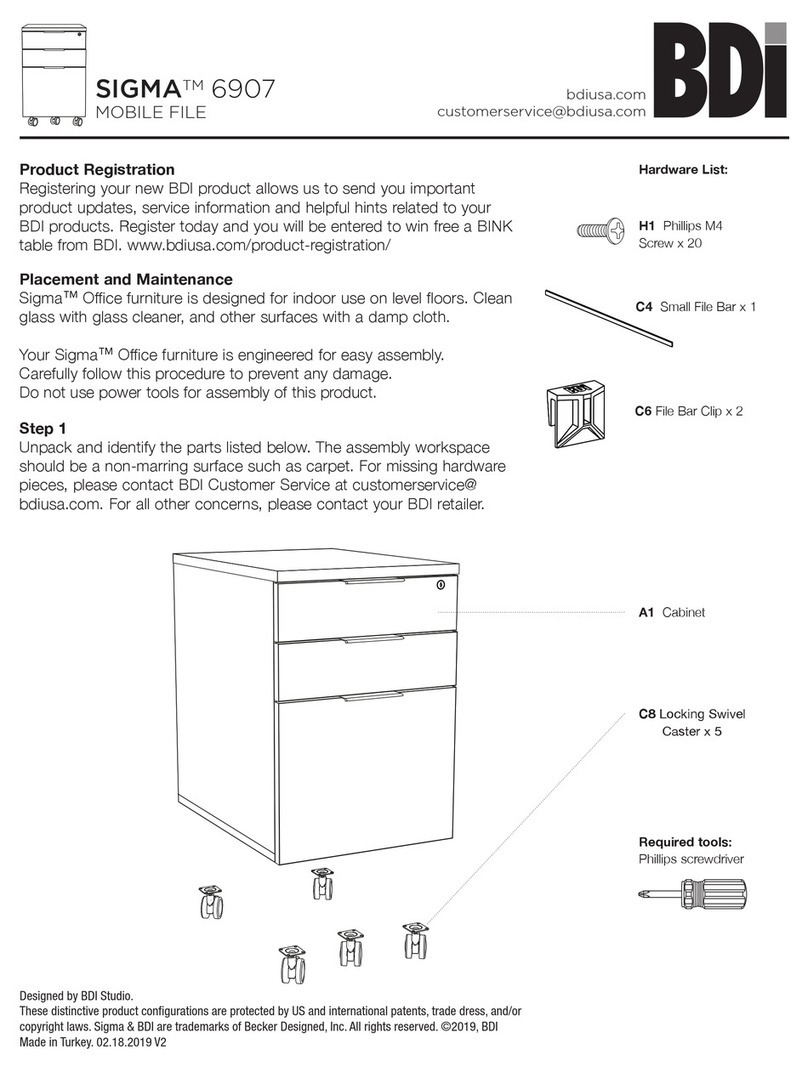
BDI SIGMA 6907 User manual

BDI

BDI SIGMA 6907 User manual

BDI CORRIDOR User manual

BDI

BDI CORRIDOR User manual

BDI CORRIDOR BAR 5620 User manual

BDI

BDI CORRIDOR BAR 5620 User manual

BDI CENTRO User manual

BDI

BDI CENTRO User manual

BDI CIRRUS 8158 User manual

BDI

BDI CIRRUS 8158 User manual

BDI SOMA 1130 User manual

BDI

BDI SOMA 1130 User manual

BDI Revo 9981 User manual

BDI

BDI Revo 9981 User manual

BDI TC-223 223DHF User manual

BDI

BDI TC-223 223DHF User manual

BDI Sequel User manual

BDI

BDI Sequel User manual

BDI TERRACE 1150 User manual

BDI

BDI TERRACE 1150 User manual

BDI Sequel User manual

BDI

BDI Sequel User manual

BDI CENTRO 6459-2 User manual

BDI

BDI CENTRO 6459-2 User manual

BDI LINQ 9186 User manual

BDI

BDI LINQ 9186 User manual

Popular Indoor Furnishing manuals by other brands

Homelegance California 1662PEK-1CK Assembly instruction

Homelegance

Homelegance California 1662PEK-1CK Assembly instruction

Osmond Ergonomics FLO instructions

Osmond Ergonomics

Osmond Ergonomics FLO instructions

OVE ELOISE 42 installation manual

OVE

OVE ELOISE 42 installation manual

overstock MF286255 Assembly instructions

overstock

overstock MF286255 Assembly instructions

Sonoma 160-801 Assembly instructions

Sonoma

Sonoma 160-801 Assembly instructions

BOLERO Wicker Side Chair CF158 Care Instructions

BOLERO

BOLERO Wicker Side Chair CF158 Care Instructions

Coaster 4799N Assembly instructions

Coaster

Coaster 4799N Assembly instructions

Stor-It-All WS39MP Assembly/installation instructions

Stor-It-All

Stor-It-All WS39MP Assembly/installation instructions

Lexicon 194840161868 Assembly instruction

Lexicon

Lexicon 194840161868 Assembly instruction

Next AMELIA NEW 462947 Assembly instructions

Next

Next AMELIA NEW 462947 Assembly instructions

impekk Manual II Assembly And Instructions

impekk

impekk Manual II Assembly And Instructions

Elements Ember Nightstand CEB700NSE Assembly instructions

Elements

Elements Ember Nightstand CEB700NSE Assembly instructions

JWA CARY 68429 Assembly instruction

JWA

JWA CARY 68429 Assembly instruction

VIPACK AMORI AMKB9014 Assembly instructions

VIPACK

VIPACK AMORI AMKB9014 Assembly instructions

Rowico SANNA Assembly instructions

Rowico

Rowico SANNA Assembly instructions

Southern Enterprises CK556000TX Assembly instructions

Southern Enterprises

Southern Enterprises CK556000TX Assembly instructions

hygena 314/5041 Assembly instructions

hygena

hygena 314/5041 Assembly instructions

VINNOVA Kinsley 536060S manual

VINNOVA

VINNOVA Kinsley 536060S manual

manuals.online logo
manuals.online logoBrands
  • About & Mission
  • Contact us
  • Privacy Policy
  • Terms and Conditions

Copyright 2025 Manuals.Online. All Rights Reserved.

1
Your Novia®Home Theater Furniture is engineered for easy assembly.
Carefully follow this procedure to prevent any damage.
Placement and Maintenance
Novia®Home Theater Furniture is designed for indoor use on level
floors. Clean glass with glass cleaner, and steel parts and wood veneer
with a moist cloth.
Step 1
Unpack and Identify
Unpack and identify the components at left. Note that some components
are shipped inside the cabinet. The assembly workspace should be a non-
marring surface such as carpet. For missing hardware pieces, please
contact BDI Customer Service at [email protected]. For all
other concerns, please contact your BDI Retailer.
Step 2
Build Base Assembly
First, remove all internal components from the cabinet including shelves,
hardware box and legs.
Install Cam Screws (E) into Leg Sections (D) and hand tighten. Insert
Small Wood Dowels (F) into legs on either side of the Cam Screws (E) as
shown in drawing.
Locate the Cam Lock Nuts (H) in the Side Stretchers (G). Loosen the
head of the Cam Lock Nuts (H) using the provided Phillips Screwdriver
(A).
Place Stretchers so Cams are facing towards the wheels and the
grooved edge detail faces outward.
Component List
Designed by Matthew Weatherly
These distinctive product configurations are protected by US and international
patents, trade dress, and/or copyright laws.
“Novia” and BDI are trademarks of Becker Designed, Inc.
All Rights reserved. ©2009, BDI
Made in China. 8424REV120709v3
Novia®
8424
a s s e m b l y instructions
b d i u s a .c o m customerservice@b d i u s a .c o m
A - Phillips Screwdriver x 1
B - 4mm Hex Driver x 1
F - Small Wood Dowels x 8
I - Large Wood Dowels x 4
J - Assembled Cabinet x 1
K - 1/4-20 x 4” Bolts x 4
M - 1/4-20 x 1.5” Bolts x 6
N - Center Leg x 1
G - Side Stretchers
x 2
H - Cam Lock Nuts x 4
(pre-installed)
D - Leg Sections x 2
E - Cam Screws x 4
C - Leveler Wrench x 1
O - Top Glass x 1
P - M4 x 25mm Pull Bolts x 2
Q - Pull x 2
R - Adjustable Shelf x 2
S - Back Panel x 1
Attach Legs to Stretchers from both ends.
Tighten Cam Lock Nuts (H) using Phillips Screwdriver (A).
2
assembly instructions
b d i u s a .c o m c u s t o m e r s e r v i c e @b d i u s a .c o m 3
Step 4
Fasten Base Frame to Assembled Cabinet
NOTE: Don’t over tighten the bolts until they
are all in place! Once in place, tighten all bolts.
Using two (2) 1/4-20 x 4” Bolts (K) and the
4mm Hex Driver (B), fasten the leg sections
of the assembled base frame to the bottom of
the Assembled Cabinet (J).
Using six (6) 1/4-20 x 1.5” Bolts (M) and
the 4mm Hex Driver (B), fasten the side
stretchers of the assembled base frame to
the bottom of the Assembled Cabinet (J).
Using two (2) 1/4-20 x 4” Bolts (K) and the
4mm Hex Driver (B), install the Center Leg
(N) to the bottom of the Assembled Cabinet
(J). Place Center Leg so that the leveler is
towards the back of the cabinet.
Step 3
Attaching Base Frame to Assembled Cabinet
Install the four (4) Large Wood Dowels (I) into the four corners holes
of the Assembled Cabinet (J) and tap in place. Then carefully lower the
assembled base frame over the Assembled Cabinet (J), aligning Large
Wood Dowels (I) into the corresponding base frame holes.

3
assembly instructions
b d i u s a .c o m c u s t o m e r s e r v i c e @b d i u s a .c o m
Step 5
Repositioning Assembled Cabinet
Carefully turn Assembled Cabinet (J) over and install Top Glass (O)
on top.
Step 6
Installing Back Panel
Install Back Panel (S) to the rear side of cabinet. Velcro straps are
included as wire management for your convenience.
Install Pulls (Q) to the front side of the doors using M4 x 25
mm Pull Bolts (P) and Phillips Screwdriver (A).
The shelf pins located inside the left and right cabinet space
may be repositioned, allowing you to raise or lower the shelf to
the desired level.
Install Adjustable Shelf (R) inside the left and right cabinet area.
NOTE: To place the adjustable shelf inside the cabinet, the shelf
must be tilted sideways to clear the door.
1.
2.
4
assembly instructions
b d i u s a .c o m c u s t o m e r s e r v i c e @b d i u s a .c o m
STEP 2 - Adjust Door Hinges (if needed)
The doors on your cabinet should be evenly spaced and the doors should open and close freely without rubbing against the
door frame.
If the cabinet’s doors appear out of alignment, this condition can be
corrected with minor adjustment to the European hinges on each
door.
Because these hinges are infinitely adjustable, adjusting one
hinge element can sometimes cause the need for adjustments
to other elements. But with a few adjustments, you can modify

the orientation of the cabinet doors to make sure that they hang
perfectly within your cabinet.

Use a Phillips screwdriver to adjust the door hinges:
By adjusting
• Screw 1, the door will move LEFT
or RIGHT within the frame. Make minor adjustments at both
top and bottom hinges for best results.
By adjusting• Screw(s) 2, the door will move UP or DOWN
within the frame (the top and bottom hinges must
be adjusted the same amount).
By adjusting• Screw 3 the entire door will move IN or OUT,
opening or closing the gap between the door frame
and cabinet (this screw rarely needs adjustment).

1.
2.
3.
3.
1.
2.
*
2.
*
Thank you for choosing BDI.
Your BDI home theater cabinet is engineered to include a range of adjustments. Please read and retain this guide so
that you can fully enjoy the look and use of your cabinet for years to come.
Unless manual leveling is required or you wish to prevent the cabinet from rolling, you may prefer to keep the cabinet’s
levelers up and off the floor. This allows easier cabinet movement for greater access to rear panels and wire-
management, and permits easier cleaning/vacuuming underneath the cabinet.
By following the steps in this guide, you can be sure that your BDI cabinet is in optimum tune and adjustment. If you
need additional assistance, contact BDI at [email protected].
Fine tuning your BDI Home Theater Furniture
After unpacking and assembling your cabinet, inspect it to be sure that it is sitting level on the floor, that all doors
appear level, and that they open and close freely without rubbing or binding.
Due to uneven floors or perhaps gentle jostling during shipment, your BDI cabinet may not appear to be in perfect
alignment when first assembled or when loaded with heavier electronic equipment. Such alignment issues are usually
minimized or eliminated with only a few minor adjustments.
STEP 1 - Level the cabinet (if needed)
Levelers are integrated into each leg assembly and are accessed from outside
the cabinet. If your floor is uneven, you may extend one or more levelers (with the
provided Leveler Wrench (C)) to attain a level, stable cabinet placement. Turning the
leveler clockwise will extend the leveler; turning it counter-clockwise will retract it.
INCORRECT! Door is
out of alignment with
the rest of the unit.
CORRECT! Door is sit-
ting squarely and evenly
spaced on tops and
sides.