manuals.online logo
Brands
  1. Home
  2. •
  3. Brands
  4. •
  5. BEA
  6. •
  7. Accessories
  8. •
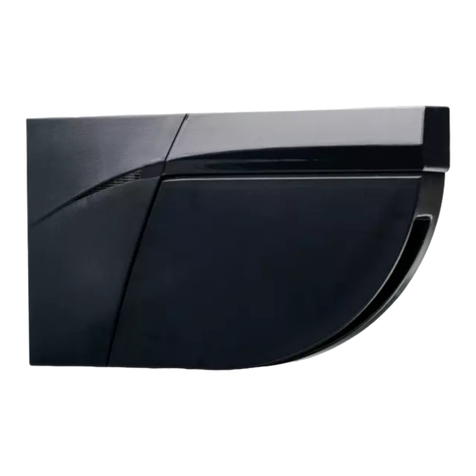
  9. BEA EAGLE 6+DRO Operating instructions

BEA EAGLE 6+DRO Operating instructions

Other BEA Accessories manuals

BEA IXIO-DT1 User manual

BEA

BEA IXIO-DT1 User manual

BEA Halma PBS45 Series User manual

BEA

BEA Halma PBS45 Series User manual

BEA Eagle HM User manual

BEA

BEA Eagle HM User manual

BEA IS40 User manual

BEA

BEA IS40 User manual

BEA Eagle One HM User manual

BEA

BEA Eagle One HM User manual

BEA SPARROW User manual

BEA

BEA SPARROW User manual

BEA WIZARD-C User manual

BEA

BEA WIZARD-C User manual

BEA IXIO-DT3 User manual

BEA

BEA IXIO-DT3 User manual

BEA PBR45 Series User manual

BEA

BEA PBR45 Series User manual

BEA MAGIC SWITCH CHROMA User manual

BEA

BEA MAGIC SWITCH CHROMA User manual

BEA MW6 User manual

BEA

BEA MW6 User manual

BEA VIO-ST User manual

BEA

BEA VIO-ST User manual

BEA 1SAFE User manual

BEA

BEA 1SAFE User manual

BEA FOCUS User manual

BEA

BEA FOCUS User manual

BEA FALCON User manual

BEA

BEA FALCON User manual

BEA Iris Overhead Safety for Door User manual

BEA

BEA Iris Overhead Safety for Door User manual

BEA EAGLE User manual

BEA

BEA EAGLE User manual

BEA IXIO-DP1 User manual

BEA

BEA IXIO-DP1 User manual

BEA MS08 RETROFIT User manual

BEA

BEA MS08 RETROFIT User manual

BEA IS40 User manual

BEA

BEA IS40 User manual

BEA IXIO-ST User manual

BEA

BEA IXIO-ST User manual

BEA EAGLE ONE HM User manual

BEA

BEA EAGLE ONE HM User manual

BEA ACTIV8 THREE PULSE User manual

BEA

BEA ACTIV8 THREE PULSE User manual

BEA COLIBRI ONE User manual

BEA

BEA COLIBRI ONE User manual

Popular Accessories manuals by other brands

Quincy lab 140AE-1 operating manual

Quincy lab

Quincy lab 140AE-1 operating manual

HomePro ZIR000 user manual

HomePro

HomePro ZIR000 user manual

DOL 20SCR Technical user guide

DOL

DOL 20SCR Technical user guide

RAB Smart Task installation manual

RAB

RAB Smart Task installation manual

Kemppi KMS 300 quick guide

Kemppi

Kemppi KMS 300 quick guide

Stearns 57,500 Series Installation and service instructions

Stearns

Stearns 57,500 Series Installation and service instructions

iGuzzini TWILIGHT COPENAGHEN manual

iGuzzini

iGuzzini TWILIGHT COPENAGHEN manual

Adelaide Annexe & Canvas Avan Deluxe installation guide

Adelaide Annexe & Canvas

Adelaide Annexe & Canvas Avan Deluxe installation guide

OHAUS 5000 instruction manual

OHAUS

OHAUS 5000 instruction manual

HOME8 WLS1300 quick start guide

HOME8

HOME8 WLS1300 quick start guide

MAXBOTIX MaxSonar quick start guide

MAXBOTIX

MAXBOTIX MaxSonar quick start guide

ioSmart iSmart56 Installation and user guide

ioSmart

ioSmart iSmart56 Installation and user guide

Focusrite Scarlett 18i8 user guide

Focusrite

Focusrite Scarlett 18i8 user guide

Velleman ED38105 user manual

Velleman

Velleman ED38105 user manual

JumpSport SkyBounce user manual

JumpSport

JumpSport SkyBounce user manual

Prima-Temp PRIYA Instructions for use

Prima-Temp

Prima-Temp PRIYA Instructions for use

Tefcold BC85I-BC85I W user manual

Tefcold

Tefcold BC85I-BC85I W user manual

Vaisala WMS302 user guide

Vaisala

Vaisala WMS302 user guide

manuals.online logo
manuals.online logoBrands
  • About & Mission
  • Contact us
  • Privacy Policy
  • Terms and Conditions

Copyright 2025 Manuals.Online. All Rights Reserved.

EAGLE
6+DRO
2
1
7
4
5
Specifications are subject to changes without prior notice.
M
e
asured in speci
fi
c conditions
TECHNICAL SPECIFICATIONS
DESCRIPTION
ENGLISH
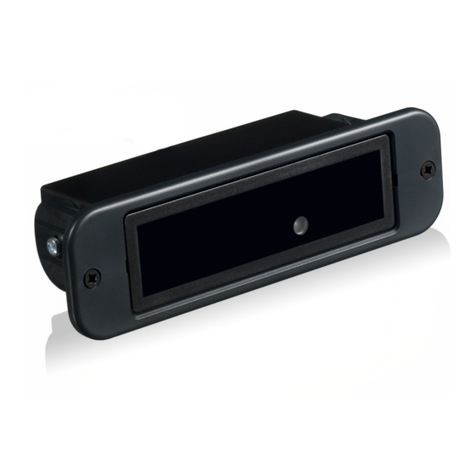
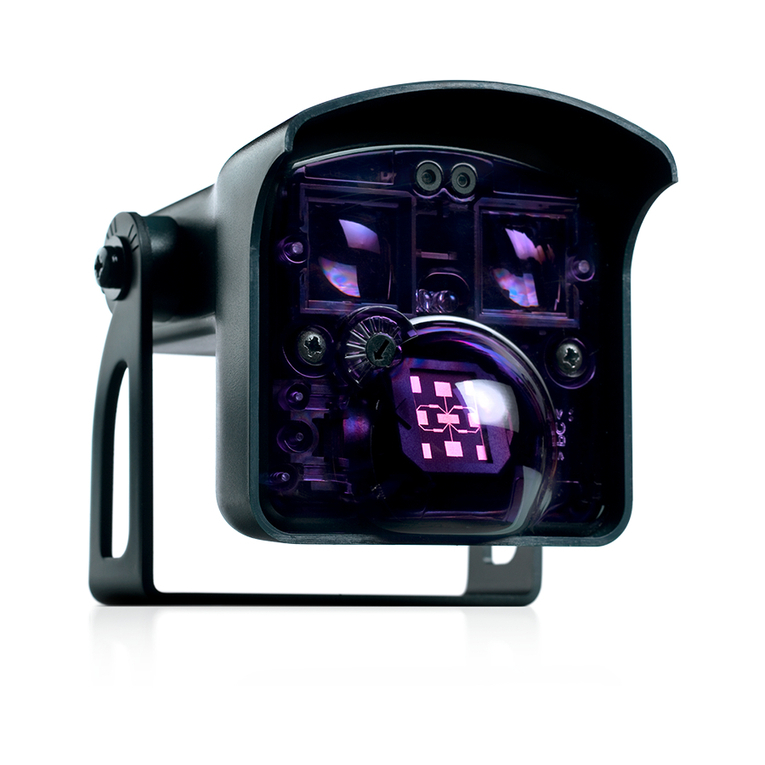
Opening sensors for automatic doors
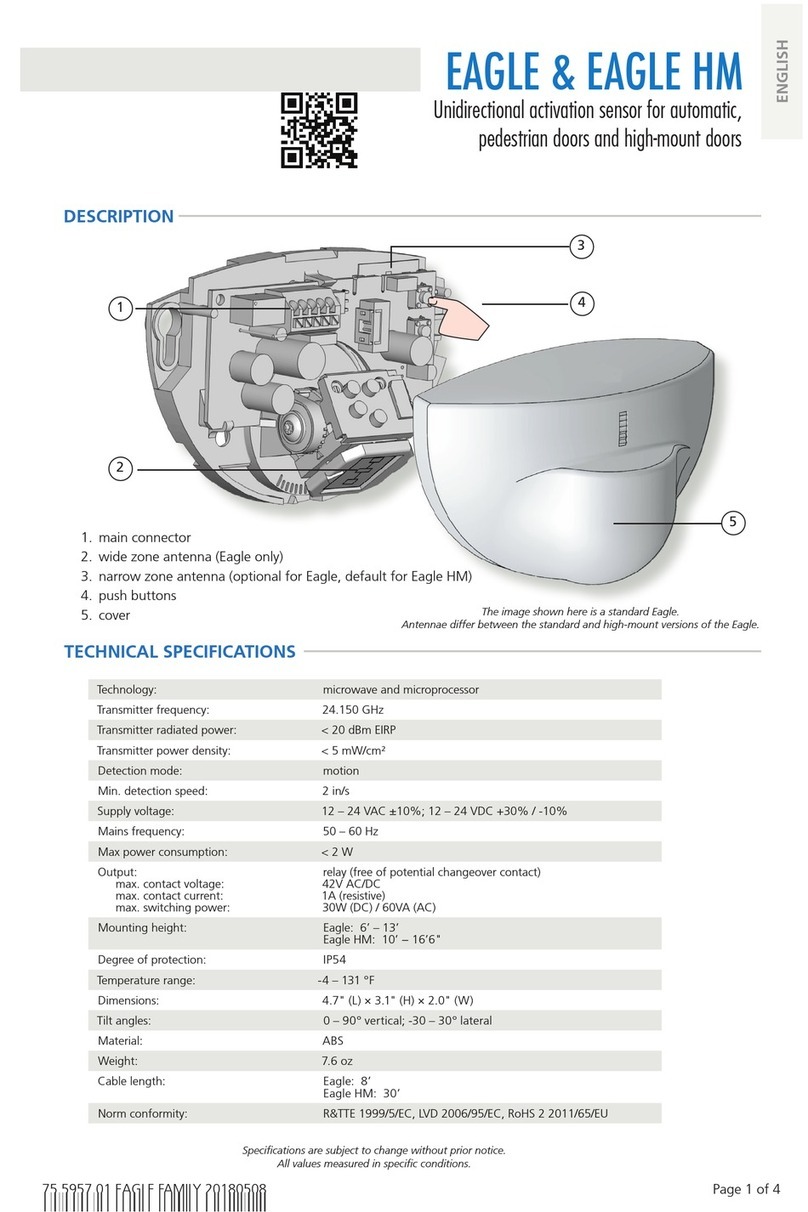
1.
main connector
2.
sensitivity adjustment
3.
radar antenna
4. DIP-switch
5.
cover
Technology:
Transmitter frequency:
Transmitter radiated power:
Transmitter power density:
Detection mode:
Min. detection speed:
Supply voltage:
Mains frequency:
Max power consumption:
Output:
Max. contact voltage:
Max. contact current:
Max. switching power:
Mounting height:
Degree of protection:
Temperature range:
Dimensions:
Tilt angles:
Material:
Cable lenght:
Norm conformity:
microwave doppler radar
24.150 GHz
< 20 dBm EIRP
< 5 mW/cm²
motion
5 cm/s (measured in sensor axis)
12 V to 24 V AC ±10%; 12 V to 24 V DC +30% / -10%
50 to 60 Hz
< 2 W
relay (free of potential change-over contact)
42 V AC/DC
1 A (resistive)
30 W (DC) / 60 VA (AC)
from 1.8 m to 4 m
IP54
from -20 °C to + 55 °C
120 mm (L) x 80 mm (H) x 50 mm (W)
0° to 90° vertical; -30° to +30° lateral
ABS
2.5 m
R&TTE 1999/5/EC; EMC 2004/108/EC
EAGLE 6+DRO: bidirectional sensor
Other use of the device is outside the permitted purpose and can not be
guaranteed by the manufacturer.
The manufacturer cannot be held responsible for incorrect installations or
inappropriate adjustments of the sensor.
Please keep for further use
Designed for colour printing
BEA |4th Floor, 401room, M8 Building / No. 1 Jiuxianqiao East Road, Chaoyang District, Beijing,PRC | T +86 10 57761616 / F +86 1062628775 www.bea-asiapacific.com
1
1
2
3
4
1
2
1
2
1
3
1
2
TROUBLESHOOTING
The door remains
closed.
The LED is OFF.
The sensor power is off. Check the wiring and the power supply.
The door does not
react as expected.
The door opens
and closes
constantly.
Improper output
configuration on the sensor.
The sensor is disturbed
by the door motion or
vibrations caused by the
door motion.
The door opens for
no apparent reason.
It rains and the sensor
detects the motion of the
rain drops.
Change the output configuration setting on
each sensor connected to the door operator.
Make sure the sensor is fixed properly.
Increase the antenna angle.
Increase the immunity filter.
Reduce the field size.
Change the antenna angle.
Decrease the field size.
Increase the immunity filter.
Install the ORA (rain accessory).
In highly reflective
environments, the sensor
detects objects outside of its
detection field.
In airlock vestibules,
the sensor detects the
movement of
the opposite door.
Change the antenna angle.
Increase the immunity filter.
©BEA | 69.0921 / V2 —09 .15
Detection area is too
small
Sensitivity is too low
Height mode is error set
2
1
Adjust sensitivity potentiometer, increase
sensitivity.
When mounting height is more than 3 meters,
turn the switch 3 to ON.
6
6. immunity adjustment
3
7.
LED

2
23
1
EAGLE 6+DRO
EAGLE 6+DRO
1
ADJUSTMENTS
Apply the mounting template.
Drill 1 hole for the cable and
pull it through.
Drill 2 holes for the screws.
Position the
cable as indicated.
Fix the sensor firmly.
ANGLE
2.2 m
2.2 m
Connect the wires to the door
operator as indicated.
SENSITIVITY DIP-SWITCH
field size: max
MOUNTING & WIRING
GREEN
BROWN
YELLOW
WHITE
POWER SUPPLY
RELAY - COM
RELAY - NO
EAGLE 6+DRO
Avoid proximity to neon
lamps or moving objects.
Do not cover the sensor.
Avoid vibrations.Do not touch electronical
parts.
Wall mounting
Before fixing After fixing
(sliding or revolving door) Ceiling mounting
(sliding, revolving or swing doors)
OPENING THE SENSOR
TIPS
APPLICATIONS
2 2
2
10 1
1
M
MIN
MAX
°0Angle: 3 Mounting m2height: 2.
ON
OFF
DIP 1
DETECTION MODE
DIP 2
OUTPUT CONFIG.
DIP 3
MOUNTING HEIGHT
DIP 4
bidirectional passive - NC 3m-4m
1.8m-3m
bidirectional active - NO
NOT USED
NOT USED

NOT USED
3 3
3
0M
°0Angle: 3 Mounting m0height: 4.
Max
Min
Min
IMMUNITY
To increase the immunity means to strengthen the resistance
to external disturbances such as rain, vibrations, etc...
MAX
MIN
Max
Max