7
English
Troubleshooting Guide
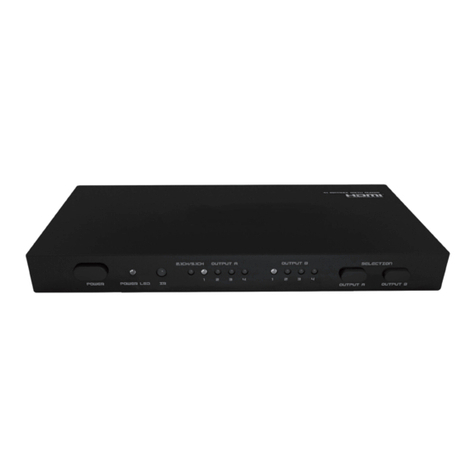
No indicator lights up. • Check that the adaptor is properly connected and the device
is turned on. Push [SELECT] once or [ ] on the remote to
turn on the device.
No picture is displayed and
no sound is heard.
• Check that all cables are undamaged and properly connected.
• Make sure the DVD movie is not copied since HDMI has
copy protection type HDCP (High-bandwidth Digital
Content Protection).
The picture is seen but no
sound is heard.
• Check that the DVD player or TV is set to the DVI position.
• Use only HDMI cables of newer version than 1.1.
• Turn on and off the device once to reactivate the input.
The HDMI switch does not
react on the remote control’s
signals.
• Check the battery and replace it if necessary.
• Make sure that nothing interferes the remote control’s signals
and the distance is not too big between the remote control
and the HDMI switch.
It is not possible to choose
input with [SELECT].
• Check that the button can be properly pushed in.
• Cut the power by unplugging the adaptor for a short while
and then turn the device on again.
Additional troubleshooting
Problem Solution Explanation
No picture from a computer
with a DVI connector.
Try switching the HDMI-switch
over to the computer’s input
as soon as the computer
has been turned on to get
a picture.
If this solves the problem, it
means that your computer’s
graphic card lacks HPD signal
(Hot Plug Detect) detection
and sends its DDC informa-
tion (Display channel Data)
too early (only when it is first
turned on). Some compu-
ters with DVI connectors
might not have this detection
feature, which means that
one must employ the above
solution.
The receiving unit such as a TV
or projector sends out an HPD
signal when it is ready to receive
DDC information from the source
unit such as a computer, DVD
player or Blu-ray player.
The units communicate via
the DDC connection. The TV or
projector even informs which
formats (resolutions) it can use so
that the source unit can set itself
up accordingly. The HDMI-switch
sends out an HPD signal every
time the input signal is switched
and is approved by HDMI
Authorized Test Centers. The use
of an HPD signal is a requirement
in accordance with the HDMI
organisation.