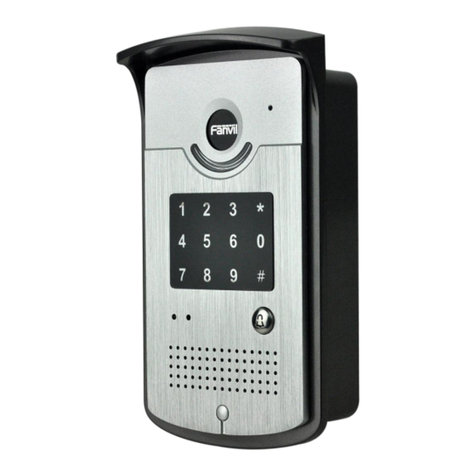
Fanvil i33V User manual

Software Version::2.4.0
Release Date: 2019/03/04
User Manual
i33V&i33VF

1
Directory
DDirectory.............................................................................................................................................................1
1 Picture................................................................................................................................................................3
2Table.................................................................................................................................................................. 4
3 Safety Instruction............................................................................................................................................... 1
4 Overview..............................................................................................................................................................2
5 Install Guide........................................................................................................................................................3
5.1 Use POE or external Power Adapter...................................................................................................... 3
6 Appendix Table...................................................................................................................................................4
6.1 Common command mode.......................................................................................................................4
6.2 Icon..........................................................................................................................................................4
7 Basic Introduction.............................................................................................................................................. 6
7.1 Panel Overview.......................................................................................................................................6
7.2 Quick Setting...........................................................................................................................................7
7.3 WEB configuration................................................................................................................................. 7
7.4 SIP Configurations..................................................................................................................................8
7.5 Door opening operation.......................................................................................................................... 9
8 Basic Function...................................................................................................................................................10
8.1 Making Calls.........................................................................................................................................10
8.2 Answering Calls....................................................................................................................................10
8.3 End of the Call...................................................................................................................................... 10
8.4 Auto-Answering....................................................................................................................................10
8.5 DND...................................................................................................................................................... 11
8.6 Call Waiting.......................................................................................................................................... 12
9 Advance Function.............................................................................................................................................13
9.1 Intercom................................................................................................................................................ 13
9.2 MCAST.................................................................................................................................................13
9.3 SIP Hotspot........................................................................................................................................... 15
10 Web Configurations....................................................................................................................................... 17
10.1 Web Page Authentication....................................................................................................................17
10.2 System >> Information....................................................................................................................... 17
10.3 System >> Account.............................................................................................................................18
10.4 System >> Configurations.................................................................................................................. 18
10.5 System >> Upgrade.............................................................................................................................19

2
10.6 System >> Auto Provision..................................................................................................................19
10.7 System >> FDMS................................................................................................................................22
10.8 System >> Tools................................................................................................................................. 22
10.9 Network >> Basic............................................................................................................................... 23
10.10 Network >> VPN.............................................................................................................................. 26
10.11 Network >> Web Filter.....................................................................................................................27
10.12 Line >> SIP.......................................................................................................................................28
10.13 Line >> Basic Settings......................................................................................................................32
10.14 Line >> SIP Hotspot......................................................................................................................... 33
10.15 EGS Setting >> Features...................................................................................................................34
10.16 EGS Setting & Intercom Setting >> Audio......................................................................................38
10.17 EGS Setting & Intercom Setting >> Video...................................................................................... 39
10.18 EGS Setting & Intercom Setting >> MCAST.................................................................................. 42
10.19 EGS Setting & Intercom Setting >> Action URL............................................................................43
10.20 EGS Setting & Intercom Setting >> Time/Date...............................................................................43
10.21 EGS Settings >> Trusted Certificates...............................................................................................44
10.22 EGS Settings >> Device Certificates................................................................................................44
10.23 EGS Access.......................................................................................................................................45
10.24 EGS Logs.......................................................................................................................................... 47
10.25 Door Lock......................................................................................................................................... 48
10.26 Alert...................................................................................................................................................49
11 Trouble Shooting............................................................................................................................................ 51
11.1 Get Device System Information..........................................................................................................51
11.2 Reboot Device.....................................................................................................................................51
11.3 Reset Device to Factory Default.........................................................................................................51
11.4 Network Packets Capture....................................................................................................................51
11.5 Common Trouble Cases......................................................................................................................52

3
1Picture
Picture 1 - Panel................................................................................................................................... 6
Picture 2 - Quickly setting....................................................................................................................7
Picture 3 - WEB Login.........................................................................................................................8
Picture 4 - SIP Line Configuration.......................................................................................................8
Picture 5 - Enable Auto Answer.........................................................................................................11
Picture 6 - Set DND Option............................................................................................................... 11
Picture 7 - Enable DND..................................................................................................................... 12
Picture 8 - Call Waiting......................................................................................................................12
Picture 9 - WEB Intercom..................................................................................................................13
Picture 10 - Multicast Settings...........................................................................................................14
Picture 11 - SIP hotspot client configuration..................................................................................... 16
Picture 12 - WEB Account Settings...................................................................................................18
Picture 13 - System Settings...............................................................................................................18
Picture 14 - Upgrade Settings............................................................................................................ 19
Picture 15 - Auto Provision Settings..................................................................................................19
Picture 16 - FDMS Configuration......................................................................................................22
Picture 17 - System Tools...................................................................................................................23
Picture 18 - Basic Network Settings..................................................................................................24
Picture 19 - Network VPN Settings................................................................................................... 26
Picture 20 - Web Filter settings..........................................................................................................27
Picture 21 - Web Filter Table..............................................................................................................28
Picture 22 - SIP Line Configuration...................................................................................................29
Picture 23 - Network Basic................................................................................................................ 32
Picture 24 - Basic Line Settings.........................................................................................................33
Picture 25 - ESG Feature Settings......................................................................................................34
Picture 26 - EGS Audio Settings........................................................................................................38
Picture 27 - EGS Video Settings........................................................................................................40
Picture 28 - Certificate Management.................................................................................................44
Picture 29 - Device Certificates......................................................................................................... 44
Picture 30 - EGS Management...........................................................................................................45
Picture 31 - EGS Logs........................................................................................................................47
Picture 32 - Door Lock.......................................................................................................................48
Picture 33 - Alert Settings.................................................................................................................. 49

4
2Table
Table 1 - Common command mode.....................................................................................................4
Table 2 - Icon Status.............................................................................................................................4
Table 3 - Panel introduction................................................................................................................. 6
Table 4 - Intercom.............................................................................................................................. 13
Table 5 - MCAST Parameters on Web...............................................................................................14
Table 6 - SIP hotspot Parameters....................................................................................................... 15
Table 7 - Auto Provision Parameters..................................................................................................20
Table 8 - FDMS Parameters...............................................................................................................22
Table 9 - Basic setting parameters......................................................................................................24
Table 10 - Line configuration on the web page................................................................................. 29
Table 11 - Basic Line Settings............................................................................................................33
Table 12 - ESG Feature Parameters................................................................................................... 34
Table 13 - EGS Audio Parameters..................................................................................................... 38
Table 14 - EGS Video Parameters......................................................................................................40
Table 15 - Web multicast parameters.................................................................................................42
Table 16 - Action URL Settings......................................................................................................... 43
Table 17 - Date&Time Parameters.....................................................................................................43
Table 18 - EGS Manage Parameters.................................................................................................. 45
Table 19 - EGS Logs Parameters.......................................................................................................47
Table 20 - Door Lock Parameters......................................................................................................48
Table 21 - Alert Settings Parameters..................................................................................................49
Table 22 - Trouble Cases....................................................................................................................52

1
3 Safety Instruction
Please read the following safety notices before installing or using this unit. They are
crucial for the safe and reliable operation of the device.
Please use the external power supply that is included in the package. Other power
supply may cause damage to the phone and cause noise issue.
Before using the external power supply in the package, please check the home
power voltage. Inappropriate power voltage may cause fire and damage.
Please do not damage the power cord. If power cord or plug is impaired, do not use it
because it may cause fire or electric shock.
Do not drop, knock or shake the phone. Rough handling can break internal circuit
boards.
This phone is design for indoor use. Do not install the device in places where there is
direct sunlight. Also do not put the device on carpets or cushions. It may cause fire or
breakdown.
Avoid exposure the phone to high temperature or low temperature below 0℃or high
humidity.
Avoid wetting the unit with any liquid.
Do not attempt to open it. Non-expert handling of the device could damage it. Consult
your authorized dealer for help, or else it may cause fire, electric shock and
breakdown.
Do not use harsh chemicals, cleaning solvents, or strong detergents to clean it. Wipe
it with a soft cloth that has been slightly dampened in a mild soap and water solution.
When lightning, do not touch power plug, it may cause an electric shock.
Do not install this phone in an ill-ventilated place. You may get bodily injury. Before
you work on any equipment, be aware of the hazards involved with electrical circuitry
and be familiar with standard practices for preventing accidents.

2
4Overview
i33V &i33VF is an access control product with LCD specially developed for the needs of
industry users on the basis of VoIP telephone technology for more than ten years. The standard
IP/RTP protocol is used for voice transmission, and the RTSP is used for video transmission.
With the advantages of good stability and carrier-grade sound quality of local-phone, it is
perfectly compatible with all current sip-based mainstream IP PBX/ softswitch /IMS platforms,
such as Asterisk, Broadsoft, 3CX, Elastix and so on, providing convenient experice for users to
quickly deploy equipment. Integrated with remote door.

3
5 Install Guide
5.1 Use POE or external Power Adapter
i33V&i33VF, supports two power supply modes, power supply from external power adapter or
over Ethernet (POE) complied switch.
POE power supply saves the space and cost of providing the device additional power outlet.
With a POE switch, the device can be powered through a single Ethernet cable which is also
used for data transmission. By attaching UPS system to POE switch, the device can keep
working at power outage just like traditional PSTN telephone which is powered by the telephone
line.
For users who do not have POE equipment, the traditional power adaptor is useful. If the device
is connected to a POE switch and power adapter at the same time, the power adapter will be
used in priority and will switch to POE power supply once it fails.
Please use the power adapter supplied by Fanvil and the POE switch which meets the
specifications to ensure the device work properly.

4
6 Appendix Table
6.1 Common command mode
Table 1 - Common command mode
Action
Description
IP Broadcast under
standby mode
In standby mode, long presse ‘#’
Switch network
mode
In standby mode, long press ‘C’ for 10 seconds, there will be a toot
sound. Within 5 seconds, press ‘C’ three times quickly to switch the
network mode. Network state in static or PPPoE mode will be
switched to DHCP mode; If the network is in DHCP mode, it will
switch to static IP 192.168.1.128. IP will be reported after
successful switch
6.2 Icon
Table 2 - Icon Status
Icon
Description
Icon
Description
Connect to the network
Network not connected,
flashing
Successfully registered
Registration failed, flashing
Ringing
Dialing
Call failed (no response)
Hang up by the other party
Lock off
Lock on
Dial interface lock
Dial interface lock is open
Open the door
Handsfree
Fault prompt 1
(with error number)
Fault prompt 2
(?: flashing)

5
IIcon
Description
IIcon
Description
Connected to the TR069
Not connected to the
TR069,flashing
Password error
Invalid card
Other manuals for i33V
1
This manual suits for next models
1
Table of contents
Other Fanvil Intercom System manuals
Fanvil
Fanvil i10 Installation and user guide
Fanvil
Fanvil i10 User manual
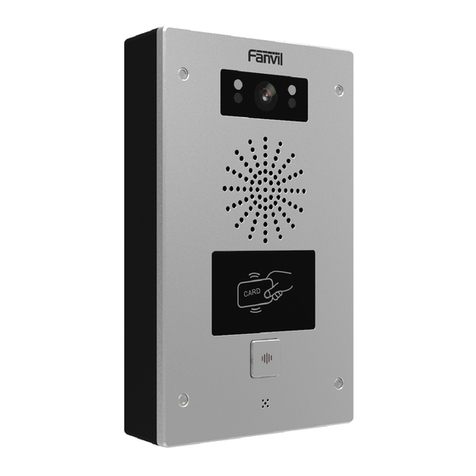
Fanvil
Fanvil i32V User manual
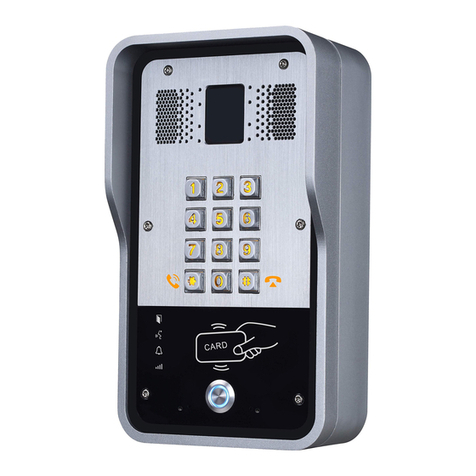
Fanvil
Fanvil i23S User manual
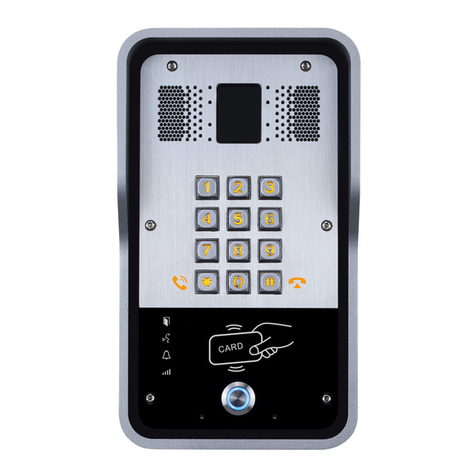
Fanvil
Fanvil i23 User manual
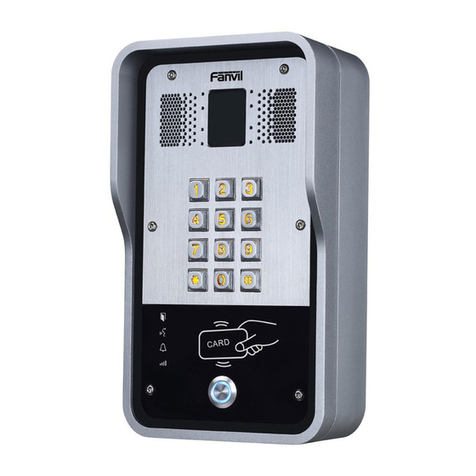
Fanvil
Fanvil i31S User manual
Fanvil
Fanvil i10 User manual
Fanvil
Fanvil i51W User manual
Fanvil
Fanvil i51W User manual
Fanvil
Fanvil i16V User manual