manuals.online logo
Brands
  1. Home
  2. •
  3. Brands
  4. •
  5. Fri-Jado
  6. •
  7. Commercial Food Equipment
  8. •
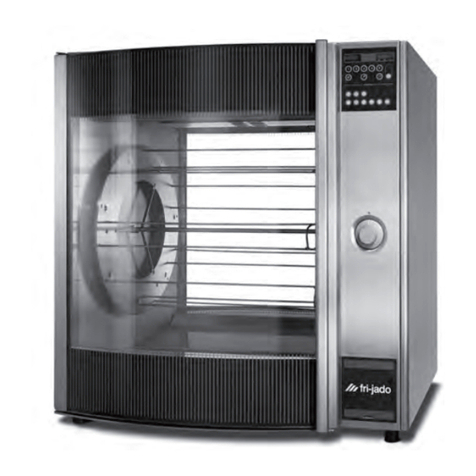
  9. Fri-Jado TDR 5 M User manual

Fri-Jado TDR 5 M User manual

Other manuals for TDR 5 M

3

This manual suits for next models

1

Other Fri-Jado Commercial Food Equipment manuals
Fri-Jado GO Combi User guide

Fri-Jado

Fri-Jado GO Combi User guide

Fri-Jado BS3i User manual

Fri-Jado

Fri-Jado BS3i User manual

Fri-Jado MCC-60 H User manual

Fri-Jado

Fri-Jado MCC-60 H User manual

Fri-Jado TDR7i auto clean User manual

Fri-Jado

Fri-Jado TDR7i auto clean User manual

Fri-Jado HD 3 User manual

Fri-Jado

Fri-Jado HD 3 User manual

Fri-Jado GO Combi User guide

Fri-Jado

Fri-Jado GO Combi User guide

Fri-Jado STO6-INTELLIGENT User manual

Fri-Jado

Fri-Jado STO6-INTELLIGENT User manual
Fri-Jado Multi Deck 60 Essential User manual

Fri-Jado

Fri-Jado Multi Deck 60 Essential User manual

Fri-Jado LDR 8s AC Gas User manual

Fri-Jado

Fri-Jado LDR 8s AC Gas User manual

Fri-Jado MDD User manual

Fri-Jado

Fri-Jado MDD User manual

Fri-Jado GO Combi User guide

Fri-Jado

Fri-Jado GO Combi User guide

Fri-Jado MDD-24-3 User manual

Fri-Jado

Fri-Jado MDD-24-3 User manual

Fri-Jado TDR 7 p Gas User manual

Fri-Jado

Fri-Jado TDR 7 p Gas User manual

Fri-Jado MDD-3 60 Original operating manual

Fri-Jado

Fri-Jado MDD-3 60 Original operating manual

Fri-Jado Cold CC User manual

Fri-Jado

Fri-Jado Cold CC User manual

Fri-Jado TDR auto-clean Series User manual

Fri-Jado

Fri-Jado TDR auto-clean Series User manual

Fri-Jado Deli Multisserie User manual

Fri-Jado

Fri-Jado Deli Multisserie User manual
Fri-Jado TDR 7 p Gas User manual

Fri-Jado

Fri-Jado TDR 7 p Gas User manual
Fri-Jado Turbo Retail Combi User manual
Fri-Jado

Fri-Jado Turbo Retail Combi User manual

Fri-Jado STG 5-I User manual

Fri-Jado

Fri-Jado STG 5-I User manual

Fri-Jado GO Combi Two-GO User guide

Fri-Jado

Fri-Jado GO Combi Two-GO User guide

Fri-Jado TDR 7 s AC User manual

Fri-Jado

Fri-Jado TDR 7 s AC User manual

Fri-Jado TDR auto-clean User manual

Fri-Jado

Fri-Jado TDR auto-clean User manual

Fri-Jado 9124709 User manual

Fri-Jado

Fri-Jado 9124709 User manual

Popular Commercial Food Equipment manuals by other brands
Costco 5P-08WT manual

Costco

Costco 5P-08WT manual

Beper BT.651Y manual

Beper

Beper BT.651Y manual

Blue Seal EF30 Installation & operation manual
Blue Seal

Blue Seal EF30 Installation & operation manual

Tecfrigo Snelle 400 GS installation instructions
Tecfrigo

Tecfrigo Snelle 400 GS installation instructions

Follett PFT Series Operation and maintenance manual
Follett

Follett PFT Series Operation and maintenance manual

MEFE CAT 206 PTR User manual and maintenance

MEFE

MEFE CAT 206 PTR User manual and maintenance

Diamond AL1TB/H2-R2 Installation, Operating and Maintenance Instruction
Diamond

Diamond AL1TB/H2-R2 Installation, Operating and Maintenance Instruction

Salva IVERPAN FC-18 User instructions

Salva

Salva IVERPAN FC-18 User instructions
Allure Melanger JR6t Operator's manual

Allure

Allure Melanger JR6t Operator's manual

saro FKT 935 operating instructions

saro

saro FKT 935 operating instructions

Hussmann Rear Roll-in Dairy Installation & operation manual
Hussmann

Hussmann Rear Roll-in Dairy Installation & operation manual

Cornelius IDC PRO 255 Service manual

Cornelius

Cornelius IDC PRO 255 Service manual
Moduline HSH E Series Service manual

Moduline

Moduline HSH E Series Service manual
MINERVA OMEGA DERBY 270 operating instructions
MINERVA OMEGA

MINERVA OMEGA DERBY 270 operating instructions

Diamond OPTIMA 700 Installation, use and maintenance instructions
Diamond

Diamond OPTIMA 700 Installation, use and maintenance instructions

Diamond G9/PLCA4 operating instructions

Diamond

Diamond G9/PLCA4 operating instructions

Cuppone BERNINI BRN 280 Installation

Cuppone

Cuppone BERNINI BRN 280 Installation

Arneg Atlanta Direction for Installation and Use

Arneg

Arneg Atlanta Direction for Installation and Use

manuals.online logo
manuals.online logoBrands
  • About & Mission
  • Contact us
  • Privacy Policy
  • Terms and Conditions

Copyright 2025 Manuals.Online. All Rights Reserved.

Cooking without pre-
heating process
Load the rotisserie as
suggested. Press start . The
screen shows the last used
program.
Use the arrow keys to
select a program and press
OK to confirm the selected
program.
Loading the rotisserie
Cooking & holding - TDR Programmable Cooking - TDR Manual
Turbo Deli Rotisserie (TDR) grilling
Meat forks - step 2
Prick one point of the spit
through the breast of the
bird near the wings. Push
the other point through the
leg. Do not forget to pin the
wings at the same time.
Important: always wear disposable rubber gloves for food safety!
Meat forks - step 3
Repeat for the other
chickens.
Meat forks/V-spits - step 1
Mount the spits in the rotor
disk so that the breast of the
chicken points towards the
customer. Push the
points of the spit into the
appropriate holes in the left
rotor disk.
Meat forks/V-spits - step 2
Put the other end into the
corresponding holes in the
right disk.
Cooking with pre-heating
process
If programmed, the TDR
will start up the pre-heating
process. When pre-heating
is ready, a sound signal will
be given. Load the rotisserie
as suggested and close the
door. A reminder to empty
the fat drawer appears. Press
OK to confirm.
End of program - step 2
(optional)
A request for additional time
appears. Press arrow right
for more minutes or press
arrow left for less minutes.
Then press OK to confirm.
End of program - step 3
To unload, press the rotor
key to rotate. Close the
door afterwards.
Meat forks/V-spits - step 3
Create a bit of free space
between chickens, so the
whole of the chicken will be
browned evenly.
Meat forks/V-spits - step 4
Press the rotor key .
Skip the next position and
place the second spit. Load
alternating positions to
prevent an unbalanced load
of the rotisserie.
Chicken racks or meat
baskets
Hold the rack or basket with
two hands and place outside
brackets over support pins
on the rotor disc. Make sure
chicken racks are placed with
the birds breast foreward.
Holding (optional)
When the holding step has
been programmed, the
holding process automatically
follows after the cooking
process.
End of program - step 1
When the program is ready,
open the door. A message
to measure the core
temperature appears.
Cooking
Set the temperature knob
and timer knob. Then turn
the main switch to start the
rotisserie.
Meat baskets
Place the meat basket on a
flat surface and place the
chicken or chicken pieces in
the basket. Make sure no
parts stick out of the basket.
Chicken racks
Place the chicken rack on
a flat surface and place
the chicken on top of the
V-shape.
V-spits - step 3
Repeat for two or three more
chicken (depending on size).
Meat forks - step 1
Hold the meat fork with the
bended part towards you.
V-spits - step 1
The chicken must be bound
to avoid the parts from
touching and damaging each
other while rotating in the
rotisserie.
V-spits - step 2
Place the V-spit on a flat
surface. Make sure the “V”
shape of the spit is facing
down so the finished spit has
the breasts facing outward.
Pierce the chicken through
the cavity and out the neck.
Slide to the end.
Important: the buttons of the TDR Programmable are lit when functional.
TDR-EN-01012018
www.frijado.com
Removal of partsUnloading
Unloading - step 2
Tilt meat fork, chicken
rack, meat basket or V-spit
foreward and the chicken
will slide off or out instantly.
Manually slide the chicken
off the meat fork or V-spit.
Important: always wear heat protective gloves when
unloading the rotisserie!
Important: make sure the rotisserie is cooled down! Important: all equipment must be cleaned and sanitized everyday
after the last shift.
Removal of parts - step 1
Slide out the drawer. Place a
bucket on the floor beneath
the fat drain valve that is
attached to the slide out
drawer. Open the fat drain
valve and let the fat pour out
of the drain, into the bucket.
Reassembling - step 1
Place the dripplates back in
the rotisserie.
Reassembling - step 4
Slide the fat drawer back in
the rotisserie, make sure the
drain valve is closed.
Removal of parts - step 2
When the drawer is empty,
close the drain valve and
remove the fat drawer.
Cleaning - step 1
Clean the meat forks,
chicken racks, meat baskets
or V-spits, fat drawer and
drip plates with warm soapy
water and soft cloth or
spunge.
Reassembling - step 2
Place the rotor in the
rotisserie with drum engaged
on drive arm.
Removal of parts - step 3
Remove the dripplates and
rotor carefully.
Cleaning - step 2
Clean the interior of the
rotisserie and glass doors
with warm soapy water and
a soft cloth or spunge to
remove all fat spattering and
other residu of the grilling
process.
Reassembling - step 3
Close the drip pan drain and
make sure it is in place. Fill
the drip pan with 1/2 cup of
water so the pan is easy to
clean next time.
Unloading - step 1
If you used the meat fork or
V-spit, grab the ends of the
meat fork or V-spit with spit
removers and lift out of the
grill.
If you used meat baskets
or chicken racks, grab the
baskets or racks by the end
and lift out.
Cleaning
Reassembling the rotisserie
TDR-EN-10072017
www.frijado.com