General DCS200 User manual

VIDEO INSPECTION SYSTEMS
Please read this manual carefully and thoroughly before using this product.
DCS200/DCS300
USER’S MANUAL
THE SEEKER 200 &
THE SEEKER 300
DCS200-300 MANUAL 071609 FINAL:Manual 7/16/09 1:25 PM Page 1

C NTENTS
Introduction ....................................3
Features .......................................3
Safety Instructions .............................4
Product Com onents ...........................5
Installation .....................................6
BatteryInstallation ..................................6
BatteryPrecautions..................................6
Connecting the Display Unit to the Camera ead and Probe 7
AccessoriesInstallation ..............................7
O eration Instructions ..........................8
BasicOperation.....................................8
OperationPrecautions.............................8-10
Maintenance Instructions . . . . . . . . . . . . . . . . . . . . . . . . . 10-11
TroubleShooting ...................................11
S ecifications .................................12
Cautions ......................................13
Warranty Information ...........................13
DCS200-300 MANUAL 071609 FINAL:Manual 7/16/09 1:25 PM Page 2

3
INTR DUCTI N
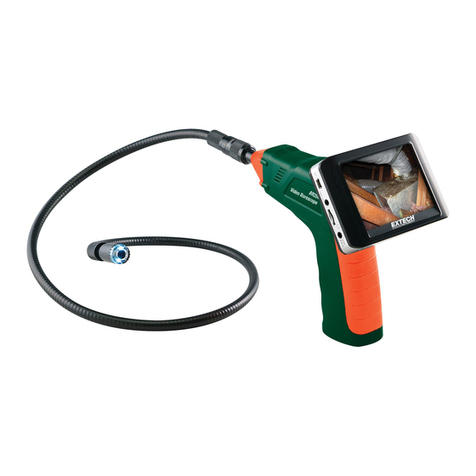
The Seeker 200 and The Seeker 300 inspection syste s have
been designed as a user friendly and econo ical way of solving
hidden proble s and increasing productivity. The product has
a high clarity color LCD to show clear i ages. The ca era head
is housed inside the tip of the probe with adjustable LED lights,
which helps you to reach into gaps and holes. The irror tip
is included to ake it possible to view different angles. The
agnetic tip is used to pick up s all etal objects. The hook
is used to grab onto objects.
The video inspection syste s have the advantages of clear
i ages, easy operation and portability. It is widely used in
applications such as HVAC/R building, aviation and vehicles
aintenance.
FEATURES
•DCS200: 2.4" (70mm) Color LCD Screen
for crystal clear image
•DCS300: 3.5" (88.9mm) Color LCD Screen
for superb clarity and viewing effect
• 0.47" (12mm) diameter Camera-tipped Probe is flexible
and strong with built-in adjustable LED lighting, and is
slim enough to perform automotive engine check-up
• Flexible Probe retains configured shape to suit
different inspection needs
• View findings instantaneously
• Mirror, Magnet and Pick-up ook
DCS200-300 MANUAL 071609 FINAL:Manual 7/16/09 1:25 PM Page 3

4
SAFETY INSTRUCTI NS
Failure to follow the instructions listed below may result in
electric shock or personal injury.
• Read and understand all instructions prior to any operation.
• Do not remove any labels from the product.
dark areas may cause accidents.
• Do not operate the product in the presence of
flammable/explosive gases.
• Do not use the product around corrosive chemicals
which can ruin the picture quality.
• Keep bystanders, children and visitors away
while operating the product.
• Stay alert, watch what you are doing and use common
sense. A moment of interruption can result in serious
personal injury.
• Do not over-reach. Keep proper footing and balance
at all times.
• Always wear eye protective gear. Dust mask, non-skid
safety shoes, hard hat or hearing protection must be used
for appropriate conditions.
• Do not place the product on any unstable cart or surface.
The product may fall causing serious injury to a person or
serious damage to the product.
• Never spill liquid of any kind on the video display units.
Liquid increases the risk of electrical shock and damage
to the product.
• Do not use the device for personal or medical use.
• The units are not shock-resistant. Do not drop it.
DCS200-300 MANUAL 071609 FINAL:Manual 7/16/09 1:25 PM Page 4

5
PR DUCT C MP NENTS
1. and eld Display Unit
2. Camera ead and Probe
3. Magnetic Tip
4. ook Tip
5. Mirror Tip
A. LCD Screen
B. Battery Compartment
C.Switch / LED Lighting Adjusting Button
D.Probe Connector
E. Probe
F. Camera ead
DCS200-300 MANUAL 071609 FINAL:Manual 7/16/09 1:25 PM Page 5

6
INSTALLATI N
BATTERY INSTALLATI N:
1. Use a screwdriver to open the screw on the battery
compartment cover (See Fig. 4).
2. Insert one “9V” alkaline battery (6LR61) into the battery
compartment. Close the battery cover and fasten
the screw (See Fig. 5).
BATTERY PRECAUTI NS!
• Remove the battery while cleaning the unit.
• Remove the battery before storing the unit for
a long period of time.
• Be sure to install the battery with the correct polarity
as indicated in the battery compartment.
• Properly dispose of the batteries. Exposure to high
temperatures can cause the batteries to explode.
Do not dispose in fire. Place tape over the terminals
to prevent direct contact with other objects. Some
countries have regulations concerning battery disposal.
Please follow all applicable regulations.
DCS200-300 MANUAL 071609 FINAL:Manual 7/16/09 1:25 PM Page 6

7
C NNECTING THE DISPLAY UNIT T THE CAMERA
HEAD AND PR BE:
The display unit must be connected to the cameral head and
probe. To connect the probe to the display unit, make sure the
keyed ends are properly aligned (See Fig. 6). Once they are
aligned, tighten the nut.
ACCESS RIES INSTALLATI N:
The three accessories include mirror tip, hook tip and
magnetic tip (See Fig. 2). All are attached to the camera
head the same way. old the camera head as shown in Fig. 7,
slip the semicircle end of the accessory over the flats of the
camera head and then rotate the accessory 90° to fix
as shown in Fig. 8.
DCS200-300 MANUAL 071609 FINAL:Manual 7/16/09 1:25 PM Page 7

8
PERATI N INSTRUCTI NS
BASIC PERATI N:
To turn the unit on, hold
the LCD display unit
facing you (See Fig. 9).
Roll the switch towards
you to turn the power
on. The switch then acts
as a dimmer for the twin
LED’s (See Fig.10), which
is the power supply for
the camera.
This product is designed for hard-to-reach distance inspection.
Typical applications include VAC/R inspections, car inspec-
tions, circuitry, vessel, and aircraft. While in operation, the
product is easy to extend ahead. The accessories can be used
to pick up items such as rings or screws on the floor.
PERATI N PRECAUTI NS!
1. Please read all the safety instructions carefully.
2. The probe is flexible to help you operate in hard-to-reach
areas. Please don’t insert or bend by force. Please do not
over bend any part of the probe. Normally, the bending
radius should not be less than 2" (50mm) to prevent from
causing permanent damage to the probe.
3. Don’t use the probe or camera head to modify
surroundings, clear pathways or clogged areas.
4. The hand-held display unit is not waterproof. The camera
head and its cover is waterproof, but not acid-proof or
fireproof. Do not touch these materials or they will ruin
the camera head’s protective plastic. Avoid submersing
DCS200-300 MANUAL 071609 FINAL:Manual 7/16/09 1:25 PM Page 8

9
the camera head into corrosive, oily places or high
temperature objects.
5. Don’t place the cameral head or probe into anything or
anywhere that may contain a live electrical charge.
Please check following methods to avoid injury.
For walls: For inspecting the inside walls, be sure to shut off
the circuit breaker to the whole house before
using the tool.
For pipes: If you suspect a metal pipe could contain an
electrical charge, have a qualified electrician
to check the pipe before using. A ground circuit,
in some cases, can be returned to the cast
aluminum pipes and cause them to be charged.
For automobiles: Be sure the automobile is not running during
inspection. Metal and liquid under the hood may
be hot. Don’t get oil or gas on the camera head.
• Please do not operate this product unless the manual
has been read thoroughly and proper training has been
completed.
• Do not immerse the handheld display unit in water which
will result in electric shock and damages.
• The camera head is water-proof, but the handheld display
is not water-proof.
• Do not use the product if condensation forms inside
the camera head.
• If the tool does not work well after turning it on. Please
take the batteries out and do not use. Please have the
unit checked by a qualified technician.
• Store idle products out of reach of children and other
untrained personnel. The product is dangerous in the
hands of untrained users.
• Maintain the inspection product with care. If the product
DCS200-300 MANUAL 071609 FINAL:Manual 7/16/09 1:25 PM Page 9

10
is dropped, check for the breakage which may affect it’s
operation. If it is damaged, have the product serviced
before using. Many accidents are caused by poorly
maintained products.
• Use only accessories that are recommended by the
manufacturer for your product. Accessories are suitable
for the product, but may become hazardous when used
on another product.
• Dry your hands before turning the product ON or OFF
and before replacing battery.
• Protect against excessive heat. The product should be
kept away from heat sources, such as radiators, heat
registers, stoves or other products (including amplifiers)
that produce heat. Do not use the product near moving
machinery or areas where the temperature exceeds
113°F (45ºC).
• Store the product in ventilated and dry places.
MAINTENANCE INSTRUCTI NS
• Product service must be performed only by qualified
repair personnel. Services performed by untrained
repair personnel could result in injury.
• When servicing the product, only use identical replacement
parts. Use of unauthorized parts or failure to follow
maintenance instructions may create a risk of electrical
shock or injury.
• Don’t attempt to take any pieces of this product apart
unless directed by this manual.
• Provide proper cleaning. Don’t use acetones to clean the
product. Use soap or soft cloth to clean. Gently clean the
LCD with a dry cloth. Remove the battery before cleaning.
DCS200-300 MANUAL 071609 FINAL:Manual 7/16/09 1:25 PM Page 10
Other manuals for DCS200
1
This manual suits for next models
3
Table of contents
Other General Analytical Instrument manuals

General
General SeaScope 600 User manual

General
General P16PIP User manual

General
General GLDM25 User manual

General
General DCS1600ART User manual
General
General DCS500 User manual

General
General Seeker 400 Series User manual

General
General DCS2000 User manual

General
General LDM1 User manual
General
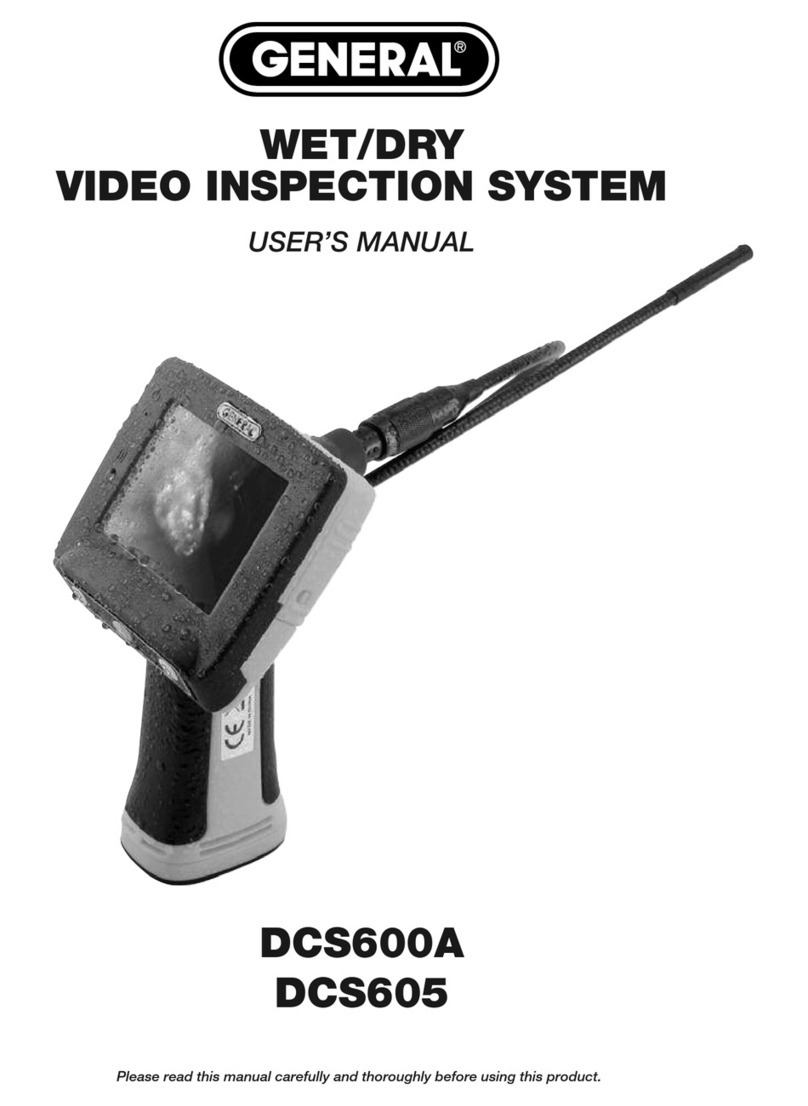
General DCS600A User manual

General
General DCS1800 User manual