TSA 325 NT
5
Operation
Operation4
Normal door operation4.1
GEZE revolving doors can be operated with special control elements, which deviate from the behaviour de-
scribed here. Please ask the responsible service technician for information on the special control elements which
are installed.
During normal door operation the door rotates as long as persons are within the range of inuence of the sen-
sors.
What happens? What does the door do?
A contactor (push button, switch or movement detector) is
triggered.
The door begins to rotate.
The safety sensor (start safety) triggers because an object
between the leaves was recognised.
The door slows down to a standstill, if necessary.
Safety sensor (anterior post safety) is triggered when the door
rotates.
As soon as the passing leaf comes nearer than the
preset danger distance, the door slows down to a
standstill.
Safety sensor at side element (post safety sensor) is triggered. The door slows down to a standstill.
Safety sensors at the leaf (draw-in safety) sense an obstacle
and are triggered.
The door slows down to a standstill.
Additional door functions4.2
In addition to the button programme switch, various other functions control the door manually via switches or
push buttons.
Which switch/push button? What does the switch/push button do?
Emergency-stop switch The door slows down to a standstill and can be rotated
freely.
Key-operated switch of the button programme switch If a key-operated switch is connected to the button
programme switch, the operation of the button pro-
gramme switch can be locked or released with it.
Contactor "Authorised" (e.g. outside key-operated switch) The door unlocks and rotates in accordance with the
number of sectors set and lets the person pass.
Actuation switch The door rotates at full speed
Handicapped access switch The door brakes and rotates at reduced speed
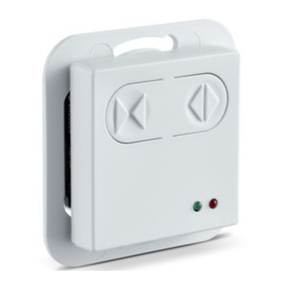
Selecting the operating mode4.3
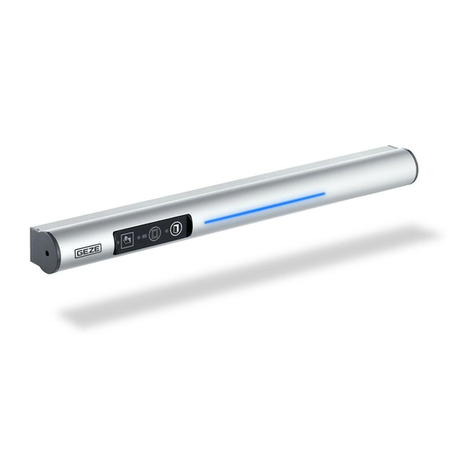
At the button programme switch, the system operating
mode is selected and the corresponding programme is
displayed.
The operating mode is changed by pressing the button
or .
The current operating mode is indicated by permanent
illumination of the corresponding LED.
The TPS-KDT indicates the actual operating mode, even
if the operating mode is changed via another operating
mode input (e.g. additional mounted switches).
The button programme switch is accessible for everyone.
Therefore we recommend the use of an additional key-
operated switch in order to block the button programme
switch. The button programme switch is only enabled while
the key-operated switch is operated.
Button programme switch TPS-KDT