manuals.online logo
Brands
  1. Home
  2. •
  3. Brands
  4. •
  5. Gira
  6. •
  7. Controllers
  8. •
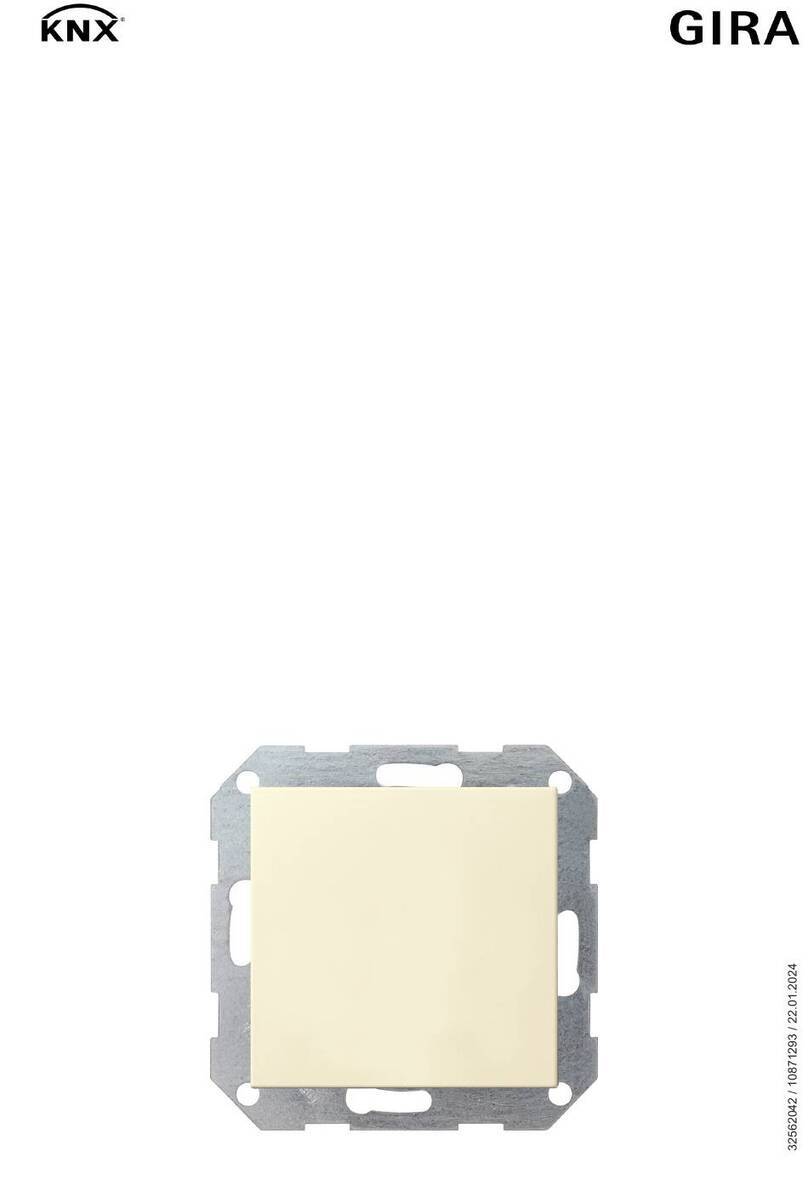
  9. Gira 1288 Series User manual

Gira 1288 Series User manual

Other Gira Controllers manuals

Gira 0388 00 User manual

Gira

Gira 0388 00 User manual

Gira One 5062 00 User manual

Gira

Gira One 5062 00 User manual

Gira 2100 Series User manual

Gira

Gira 2100 Series User manual

Gira 0425 00 User manual

Gira

Gira 0425 00 User manual

Gira 1039 00 User manual

Gira

Gira 1039 00 User manual

Gira KNX 5062 00 User manual

Gira

Gira KNX 5062 00 User manual

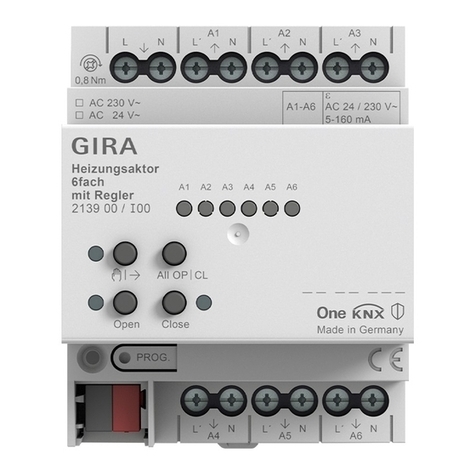
Gira KNX 213900 User manual

Gira

Gira KNX 213900 User manual

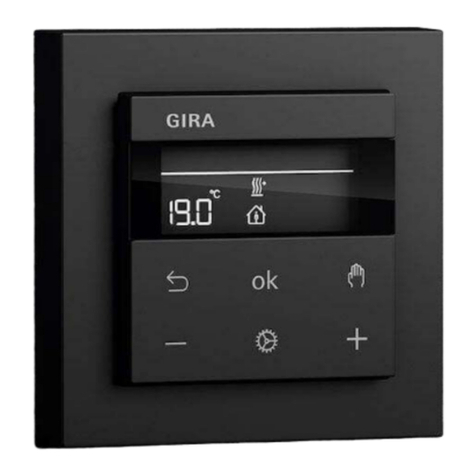
Gira G1 User manual

Gira

Gira G1 User manual

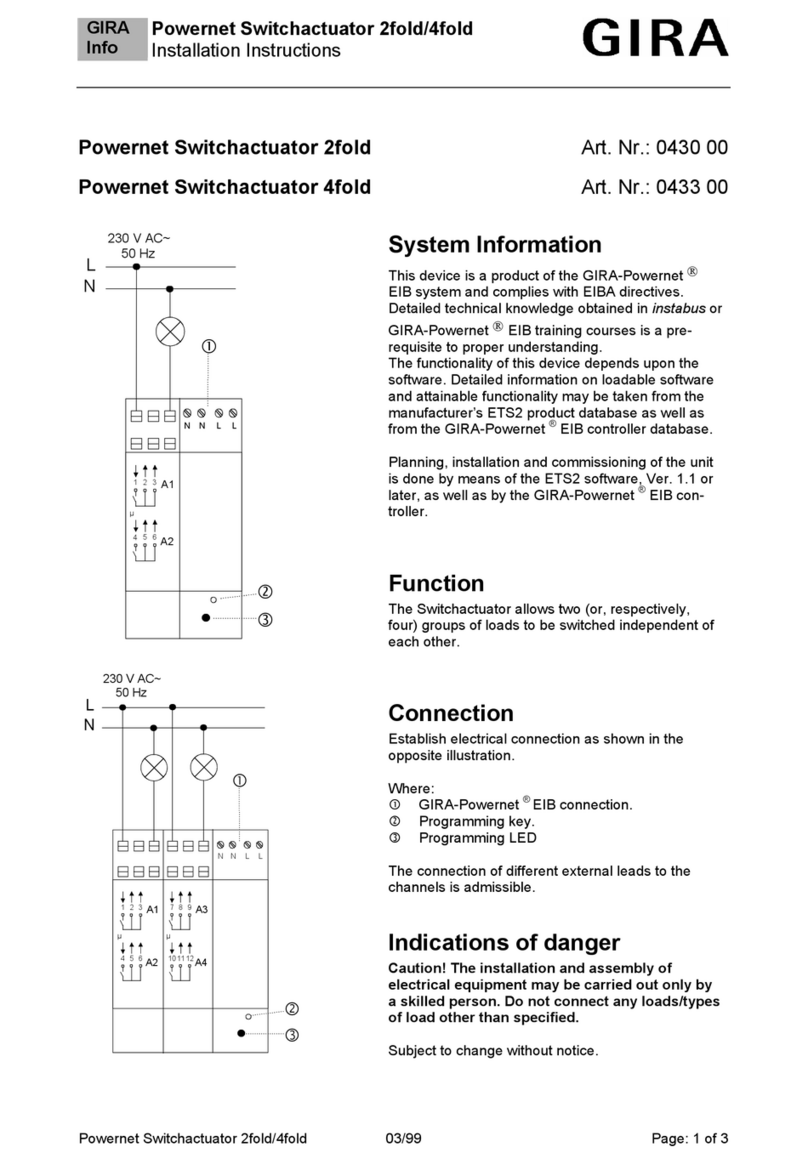
Gira Powernet Switchactuator 2fold User manual

Gira

Gira Powernet Switchactuator 2fold User manual

Gira One 5061 00 User manual

Gira

Gira One 5061 00 User manual

Gira KNX 1039 00 User manual

Gira

Gira KNX 1039 00 User manual

Gira 0570 00 User manual

Gira

Gira 0570 00 User manual

Gira 5423 00 User manual

Gira

Gira 5423 00 User manual

Gira 0399 00 User manual

Gira

Gira 0399 00 User manual

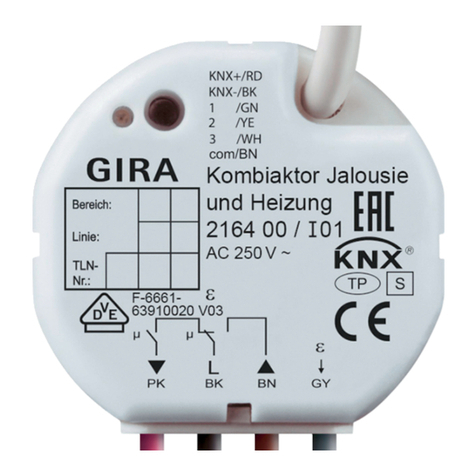
Gira 2164 00 User manual

Gira

Gira 2164 00 User manual

Gira Powernet Single Switching Actuator User manual

Gira

Gira Powernet Single Switching Actuator User manual

Gira 0309 00 User manual

Gira

Gira 0309 00 User manual

Gira 2101 Series User manual

Gira

Gira 2101 Series User manual

Gira One User manual

Gira

Gira One User manual

Gira 5431 00 User manual

Gira

Gira 5431 00 User manual

Gira 2114 00 User manual

Gira

Gira 2114 00 User manual

Gira System 3000 User manual

Gira

Gira System 3000 User manual

Gira System 3000 User manual

Gira

Gira System 3000 User manual

Gira KNX 5061 00 User manual

Gira

Gira KNX 5061 00 User manual

Popular Controllers manuals by other brands

Sunricher SR-ZV9003T3-RGBW-US Installation

Sunricher

Sunricher SR-ZV9003T3-RGBW-US Installation

Ksenia intro Installation and configuration manual

Ksenia

Ksenia intro Installation and configuration manual

Inovance CAN200 Series manual

Inovance

Inovance CAN200 Series manual

Gauzy LC6 FLEX Controller Installation and operation guide

Gauzy

Gauzy LC6 FLEX Controller Installation and operation guide

Viking SLP-1 Technical practice

Viking

Viking SLP-1 Technical practice

CKD KBX-30E-U Series instruction manual

CKD

CKD KBX-30E-U Series instruction manual

Sharp Energy Sun Flux User manual & installation guide

Sharp Energy

Sharp Energy Sun Flux User manual & installation guide

Yamaha RCX40 user manual

Yamaha

Yamaha RCX40 user manual

AB Quality PowerFlex 400 Frames D-H Service bulletin

AB Quality

AB Quality PowerFlex 400 Frames D-H Service bulletin

Yamaha MJC8 owner's manual

Yamaha

Yamaha MJC8 owner's manual

AL-KO ATC operating instructions

AL-KO

AL-KO ATC operating instructions

Savant SmartControl 2 Deployment guide

Savant

Savant SmartControl 2 Deployment guide

GameSir T3S user manual

GameSir

GameSir T3S user manual

Kostal inveor operating manual

Kostal

Kostal inveor operating manual

Emerson Yarway 20-55 Operating and safety instructions

Emerson

Emerson Yarway 20-55 Operating and safety instructions

CoCo ACM-LV24 Quick installation guide

CoCo

CoCo ACM-LV24 Quick installation guide

Brooks SLA5810/20 Installation and operation manual

Brooks

Brooks SLA5810/20 Installation and operation manual

SIGMA TEK SR 011 Technical manual

SIGMA TEK

SIGMA TEK SR 011 Technical manual

manuals.online logo
manuals.online logoBrands
  • About & Mission
  • Contact us
  • Privacy Policy
  • Terms and Conditions

Copyright 2025 Manuals.Online. All Rights Reserved.

Operating instructions
Video control device
1288 ..
Gira
Giersiepen GmbH & Co. KG
Elektro-Installations-
Systeme
Industriegebiet Mermbach
Dahlienstrasse
42477 Radevormwald
P.O. Box 12 20
42461 Radevormwald
Germany
Tel +49 (0)21 95 - 602-0
Fax +49 (0)21 95 - 602-191
www.gira.de
info@gira.de
1
Safety information
Serious injury, fire or damage to property
possible. Read and observe these instruc-
tions completely.
These instructions are an integral compo-
nent of the product and must remain with
the end customer.
Intended use
- Provision of bus voltage (26 V DC ± 2 V)
for the door communication system
- Control of up to 15 colour cameras (5 vid-
eo door stations and 10 DCS camera
gateways),
- Power supply of
- up to 31 video devices (e.g. 28 home
stations, 2 door stations with colour
camera, 1 DCS switching actuator)
- up to 70 audio devices
- up to 2 colour cameras (more with ad-
ditional power supply)
- Call-button illumination (max. 15, the
number of call-button illuminations that
can be supplied with power depends on
the system size and the number of
home stations operated in parallel)
- Provision of the door opener control incl.
power supply (12 V AC, 1,1 A) for the door
opener.
- Activation of the entire door communica-
tion bus system’s programming mode.
- Electronic overload, short-circuit and
overtemperature protection.
- “Operation” LED indicator (mains volt-
age), overload/short circuit,
- Adjustable door opener activation time.
Assembly
For drip and splash-proof installation,
mount the control device on a top-hat rail in
the distributor.
The mains and bus connection is made
using screw terminals.
The mains connection must be made using
an all-pole mains switch with a contact
opening of at least 3 mm.
The functional earth must be connected
using a distributor block.
The control device’s ventilation slits must
not be obstructed.
Electrical connections (Fig. 1)
L, N
Mains connection terminals L and N (AC
230 V, 50 Hz).
(Functional earth)
A functional earth is connected to this ter-
minal for functional reasons.
Connect the earth potential to the earth ter-
minal with a suitable line (not a green/yel-
low line).
Bus
Power supply output of the Gira door com-
munication bus with a regulated DC voltage
(26 V DC ± 2 V, 700 mA).
(Door opener output 230 V~/max. 2 A)
A door opener that cannot be connected to
the “12 V~” terminals due to its electrical
values (e.g. very low-ohm or 24 V) can be
connected to the equipotential-bonding
relay contact with an external power supply
(230 V~, max. 2 A).
12 V~ (door opener output 12 V~)
The 12 V~ output is used to supply power to
and control the door opener (8–12 V, max.
1.1 A).
Electrical devices may only be
installed and connected by a qua-
lified electrician.
EN
Remove blank plug
Before connection, remove the blank plug
from the terminal .
No permanent 12 V output
Power is not continuously supplied at the
door opener output. The 12 V supply at the
door opener output is only active for the
door opener time specified on the setting
controller.
L1
N
Functional earth
10870245 42/22
Start-up
Door station – home station assignment
Door opener – door station assignment:
Operation
“System progr.” button
If the “System progr.” button is pressed for
3 s, the door communication system is
switched to programming mode. The yellow
LED next to the programming button
flashes to indicate that programming mode
is active.
“Door-opener progr.” button
The “Door-opener progr.” button has two
functions:
1. Switch on door opener programming
mode:
If the “Door-opener progr.” button is
pressed for 3 s while the system is in pro-
gramming mode, the door opener pro-
gramming mode is activated.
The yellow LED next to the “Door-opener
progr.” button flashes to indicate that door
opener programming mode is active.
2. Operation of the connected door opener.
Briefly pressing the “Door-opener progr.”
button activates the door opener for the
set door opener time.
The yellow LED next to the “Door-opener
progr.” button lights up during the switch-
ing time.
“Door-opener time” setting controller
The activation time of the door opener can
be continuously adjusted using the “Door-
opener time” setting controller. The adjust-
ment time ranges from 1 s to 10 s. The
potentiometer can be adjusted using a
screwdriver with a 3 mm blade.
Indicators
“Operation” indicator
During fault-free normal operation, only the
green “Operation” LED lights up. It signals
that the device is being supplied with mains
voltage.
“Overload” indicator
The video control device has electronic
overload protection that protects the elec-
tronics of the control device against short
circuits and overload on the bus line.The
overload protection is activated if the bus
line is short-circuited due to an installation
error, for example, or if too many bus
devices/bus loads have been connected.
The red “Overload” LED signals both a short
circuit and an overload. The length of time
the LED flashes corresponds to the time
that the bus voltage is switched off in the
event of an error. After the error has been
corrected, the LED continues to flash for up
to 5 s.
In case of a permanent overload (or short
circuit), the bus voltage is switched off for
approx. 180 s after the third overload is
detected. During this switch-off phase, the
“System progr.”, “Door-opener progr.” and
“Overload” LEDs flash.
After the error has been corrected, the LEDs
continue to flash for up to 180 s.
Technical data
Primary rated
voltage: AC 230 V, 50 Hz
Secondary rated
voltage: SELV 26 V DC ± 2 V
Secondary rated
current: 700 mA
Continuous load
Overload cut-off
from approx. 900 mA
1.15 A peak load
(max. 5 s)
Protection type: IP 20
Screw terminals: 0.6 mm
to 2.5 mm2
Door opener output: 12 V AC, 1.1 A
(switched for the set
door opener time)
Door opener time: Can be set
continuously
1 s to 10 s
Power-on time
Door opener: 25% (max. 10 s ON,
then 30 s OFF)
Operating
temperature: - 5 °C to + 45 °C
Dimensions: 8 MW DRA housing
Warranty
The warranty is provided by the retailer in
accordance with the statutory require-
ments.
Please hand over or send faulty devices,
postage exempt, and with a description of
the problem to your supplier (retailer/instal-
lation company/electronics retailer).
They will forward the devices to the Gira
Service Centre.
Further information
Further information on application scenar-
ios, system limits, topologies, installation
and start-up can be found in the “System
basics for door communication”
in the Gira download area:
Control device
Press “System progr.” button (3 s),
“System progr.” LED flashes.
Door station
Press call buttons in teach-in sequence
(WS1, WS2, WS3) (3 s),
until short tone = release button,
then long tone.
Home station 3
Press “Light” button (3 s),
until short tone = release button,
then long tone = assignment OK.
Control device
Press “System progr.” button briefly,
“System progr.” LED off.
Home station 2
Press “Light” button (3 s),
until short tone = release button,
then long tone = assignment OK.
Home station 1
Press “Light” button (3 s),
until short tone = release button,
then long tone = assignment OK.
Door station
Press call buttons in teach-in sequence
(WS1, WS2, WS3) (3 s),
until short tone = release button,
then long tone.
Control device
Press “System progr.” button (3 s),
“System progr.” LED flashes.
Press “Door-opener progr.” button (3 s),
“Door-opener progr.” LED flashes.
Door station
Press any call button (3 s),
until short tone = release button,
then long tone = assignment OK.
Door opener is activated.
Control device
Press “Door-opener progr.” button briefly.
“Door-opener progr.” LED off.
Press “System progr.” button briefly,
“System progr.” LED off.
Systemprogr. Betrieb
ÜberlastTürönerprogr.