EnglishDeutsch
 logo
Brands
  1. Home
  2. •
  3. Brands
  4. •
  5. ICP DAS USA
  6. •
  7. Controllers
  8. •
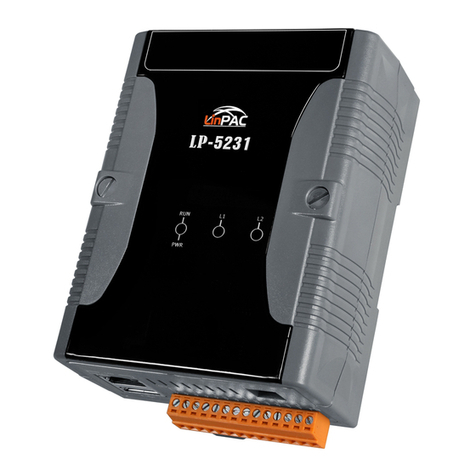
  9. ICP DAS USA I-7188EG User manual

ICP DAS USA I-7188EG User manual

This manual suits for next models

5

Other ICP DAS USA Controllers manuals

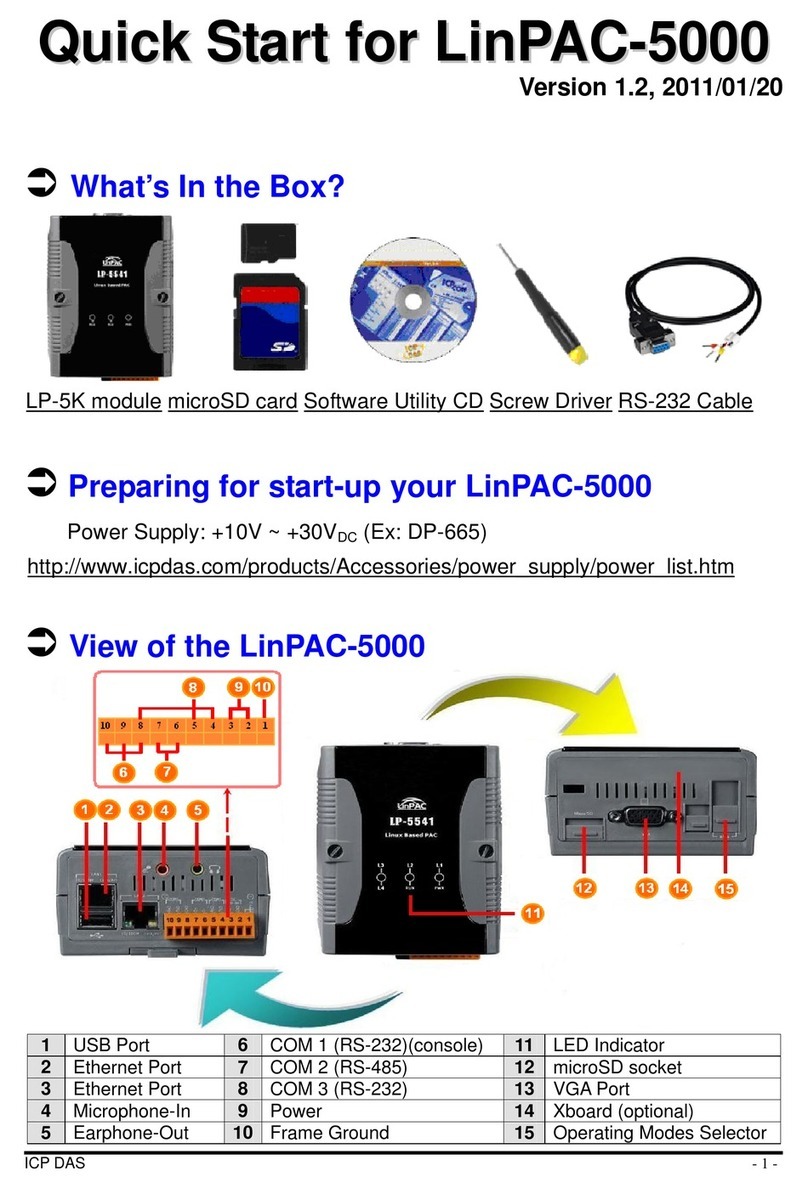
ICP DAS USA LinPAC-5000 User manual

ICP DAS USA

ICP DAS USA LinPAC-5000 User manual

ICP DAS USA TPD-433-H User manual

ICP DAS USA

ICP DAS USA TPD-433-H User manual

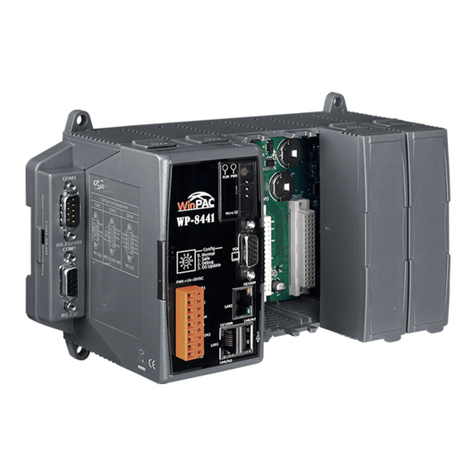
ICP DAS USA WinPAC-8000 Series User manual

ICP DAS USA

ICP DAS USA WinPAC-8000 Series User manual

ICP DAS USA TPD-283U-M1 User manual

ICP DAS USA

ICP DAS USA TPD-283U-M1 User manual

ICP DAS USA WinCon 8000 Instructions for use

ICP DAS USA

ICP DAS USA WinCon 8000 Instructions for use

ICP DAS USA i8094A User manual

ICP DAS USA

ICP DAS USA i8094A User manual

ICP DAS USA mPAC-7186EXD-CAN User manual

ICP DAS USA

ICP DAS USA mPAC-7186EXD-CAN User manual

ICP DAS USA TPD-283U-H User manual

ICP DAS USA

ICP DAS USA TPD-283U-H User manual

ICP DAS USA tWF-DA1PD2R1 User manual

ICP DAS USA

ICP DAS USA tWF-DA1PD2R1 User manual

ICP DAS USA WISE-52 Series User manual

ICP DAS USA

ICP DAS USA WISE-52 Series User manual

ICP DAS USA ALM-06-WF User manual

ICP DAS USA

ICP DAS USA ALM-06-WF User manual

ICP DAS USA WP-2000-CE7 Series User manual

ICP DAS USA

ICP DAS USA WP-2000-CE7 Series User manual

ICP DAS USA ISaGRAF WinCE ViewPAC User manual

ICP DAS USA

ICP DAS USA ISaGRAF WinCE ViewPAC User manual

ICP DAS USA Compact Embedded Controller LinPAC-8x41 Instructions for use

ICP DAS USA

ICP DAS USA Compact Embedded Controller LinPAC-8x41 Instructions for use

ICP DAS USA 7188XA Instructions for use

ICP DAS USA

ICP DAS USA 7188XA Instructions for use

ICP DAS USA I-7188XB Series User manual

ICP DAS USA

ICP DAS USA I-7188XB Series User manual

ICP DAS USA ISaGRAF PAC Series User manual

ICP DAS USA

ICP DAS USA ISaGRAF PAC Series User manual

ICP DAS USA I-7188E3D-232 User manual

ICP DAS USA

ICP DAS USA I-7188E3D-232 User manual

ICP DAS USA WISE-5801 User guide

ICP DAS USA

ICP DAS USA WISE-5801 User guide

ICP DAS USA WP-2641M-CE7 User manual

ICP DAS USA

ICP DAS USA WP-2641M-CE7 User manual

ICP DAS USA CAN-8123 Setup guide

ICP DAS USA

ICP DAS USA CAN-8123 Setup guide

ICP DAS USA LP-22 Series User manual

ICP DAS USA

ICP DAS USA LP-22 Series User manual

ICP DAS USA XP-9 88-IoT Series User manual

ICP DAS USA

ICP DAS USA XP-9 88-IoT Series User manual

ICP DAS USA CAN-8224 Setup guide

ICP DAS USA

ICP DAS USA CAN-8224 Setup guide

Popular Controllers manuals by other brands

Digiplex DGP-848 Programming guide

Digiplex

Digiplex DGP-848 Programming guide

YASKAWA SGM series user manual

YASKAWA

YASKAWA SGM series user manual

Sinope Calypso RM3500ZB installation guide

Sinope

Sinope Calypso RM3500ZB installation guide

Isimet DLA Series Style 2 Installation, Operations, Start-up and Maintenance Instructions

Isimet

Isimet DLA Series Style 2 Installation, Operations, Start-up and Maintenance Instructions

LSIS sv-ip5a user manual

LSIS

LSIS sv-ip5a user manual

Airflow Uno hab Installation and operating instructions

Airflow

Airflow Uno hab Installation and operating instructions

ABB ACS580-01 drives Hardware manual

ABB

ABB ACS580-01 drives Hardware manual

Panasonic GM1 Series Reference manual

Panasonic

Panasonic GM1 Series Reference manual

Emerson SW93 owner's manual

Emerson

Emerson SW93 owner's manual

AutoAqua Smart ATO micro SATO-120P manual

AutoAqua

AutoAqua Smart ATO micro SATO-120P manual

Panasonic FP? Positioning Unit RTEX Technical manual

Panasonic

Panasonic FP? Positioning Unit RTEX Technical manual

Alpha IP MIOB 21001 manual

Alpha IP

Alpha IP MIOB 21001 manual

Siemens OpenAir GMA 1 Series Mounting instructions

Siemens

Siemens OpenAir GMA 1 Series Mounting instructions

Surecom SR-629 user manual

Surecom

Surecom SR-629 user manual

Regulus SRS1 T Installation and operation manual

Regulus

Regulus SRS1 T Installation and operation manual

3M MicroTouch EX113 reference guide

3M

3M MicroTouch EX113 reference guide

KUHN TKS user manual

KUHN

KUHN TKS user manual

S&C PMH Instructions for operation

S&C

S&C PMH Instructions for operation

https://manuals.online logo
https://manuals.online logoBrands
  • About & Mission
  • Contact us
  • Privacy Policy
  • Terms and Conditions

Copyright 2026 Manuals.Online. All Rights Reserved.

I
I-
-7
71
18
88
8E
EG
G/
/E
EG
GD
DEthernet ISaGRAF

PAC
I
IS
Sa
aG
GR
RA
AF
F
V
Ve
er
r.
.3
3
S
So
of
ft
tL
Lo
og
gi
ic
c
I
In
ns
si
id
de
e
S
Su
up
pp
po
or
rt
t
I
IE
EC
C
6
61
11
13
31
1-
-3
3
+
+
F
Fl
lo
ow
w
C
Ch
ha
ar
rt
t
M
Mi
in
ni
iO
OS
S7
7
I
In
ns
si
id
de
e
8
80
01
18
88
8,
,
4
40
0
M
MH
Hz
z
C
CP
PU
U
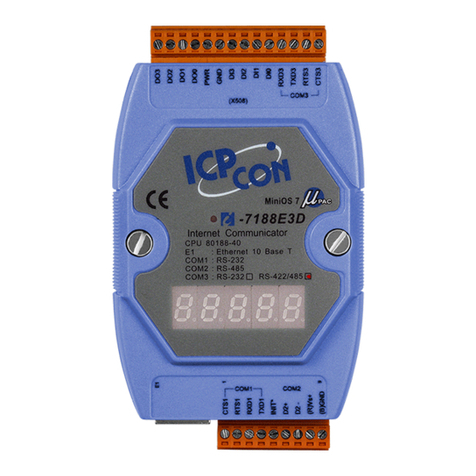
I-7188EG series is a palm-size PAC with ISaGRAF SoftLogic. It has one 10 Base-T Ethernet port, one
RS-232 port and one RS-485 port. The user can choose an I/O expansion board, X-board, to expand COM
Ports, I/Os or memories of I-7188EG.
I-7188EG supports Modbus serial protocol, Modbus TCP/IP protocol, Modbus Master protocol, Remote I/O,
Fbus, Ebus, SMS: Short Message Service, modem link, MMICON/LCD and user defined protocol.
I-7188EGD is the same as I-7188EG but with 5-digit 7-segment LED display.
.
ISaGRAF PAC supports ISaGRAF Ver.3 Workbench :
1 of 4 [ I-7188EG/7188EGD ]
http://www.icpdas.com
Support IEC 61131-3 Standard Open PLC
Programming Languages + Flow Chart :
1. Quick Ladder Diagram (LD)
2. Function Block Diagram (FBD)
3. Sequential Function Char t (SFC)
4. Structured Text (ST)
5. Instruction List (IL)
6. Flow Chart (FC)
Simulate program even without
controller
Debug on-line
Control on-line
Simple graphic HMI
Local/Remote I/O Application
Data Exchange: Ethernet & RS-485
Through Ethernet: Ebus Through RS-485: Fbus
PAC to PAC
VIP Communication Security
Set VIP (Very
Important IP No.)
for Modbus TCP/IP
security.
Modbus Master
(RTU, ASCII, RS-232/485/422)
Max. 2 COM Ports (COM1:RS-232 or COM2:RS-485 or
COM3: if X-board is plugged in)
Can link to Modbus PLC or M-7000 I/O or Modbus
devices (Power meter, temperature controller,
inverter…)
Modbus RTU/TCP Slave Ports
Modbus RTU (RS-232/485/422) : max. 2COM Ports
Modbus TCP/IP: max. 4PC/HMI/SCADA connection
Auto-report Acquisition Data & Control Data
I-7188EG/EGD can use UDP/IP to auto-report acquisition data & control data to local or remote internet PC/Server.
Advantage: Every I-7188EG/EGD in the different location doesn’t need a fixed IP.
http://www.icpdas.com
2 of 4 [ I-7188EG/7188EGD ]
Hot-Swap
Auto-Configuration
at run time
Plug & Play
at run time
High profile I-87K
only
Many types
for choices
Data Recorder and Data Logger
ZigBee Wireless Solution
ISaGRAF PAC plus ZB-2550P and ZB-2551P converters (ZigBee
to RS-232/485)
Please refer to www.icpdas.com > FAQ > Software > ISaGRAF
Ver.3 (English) - 110 for more information
SMS: Short Message Service
Short message can be sent in local language
format (like Chinese, English... others)
More at www.icpdas.com > FAQ > Software >
ISaGRAF Ver.3 (English) - 111
Ordering Information
I-7188EG CR
Ethernet ISaGRAF Palm-Size Programmable Automation Controller (RoHS)
80188, 40 MHz, 10 Base-T (blue)
I-7188EG-G CR
Ethernet ISaGRAF Palm-Size Programmable Automation Controller (RoHS)
80188, 40 MHz, 10 Base-T (gray)
I-7188EGD CR
Ethernet ISaGRAF Palm-Size PAC with 5-digit 7-segment display (RoHS)
80188, 40 MHz, 10 Base-T (blue)
I-7188EGD-G CR
Ethernet ISaGRAF Palm-Size PAC with 5-digit 7-segment display (RoHS)
80188, 40 MHz, 10 Base-T (gray)
Accessories
ISaGRAF-256-E
ISaGRAF Workbench Software Ver.3 (256 I/O Tags) with USB Dongle and English application book
ISaGRAF-256-C
ISaGRAF Workbench Software Ver.3 (256 I/O Tags) with USB Dongle and Chinese application book
ISaGRAF-32-E
ISaGRAF Workbench Software Ver.3 (32 I/O Tags) with English application book (Note)
ISaGRAF-32-C
ISaGRAF Workbench Software Ver.3 (32 I/O Tags) with Chinese application book (Note)
ISaGRAF Book-E
ISaGRAF application book (English version)
ISaGRAF Book-C
ISaGRAF application book (Chinese version)
X607 CR
128 KB battery backup SRAM (RoHS)
X608 CR
512 KB battery backup SRAM (RoHS)
NS-205 CR
Unmanaged 5-port Industrial 10/100 Ethernet Switch with Plastic Case (RoHS)
NS-208 CR
Unmanaged 8-port Industrial 10/100 Ethernet Switch with Plastic Case (RoHS)
3 of 4 [ I-7188EG/7188EGD ]
http://www.icpdas.com
* Using ISaGRAF-32 can control more than 32 I/O tags.
(Please refer to ISaGRAF User's Manual Ch. 3.4)
Note: No upgrade service from ISaGRAF-32 to ISaGRAF-256.
4 of 4 [ I-7188EG/7188EGD ]
http://www.icpdas.com
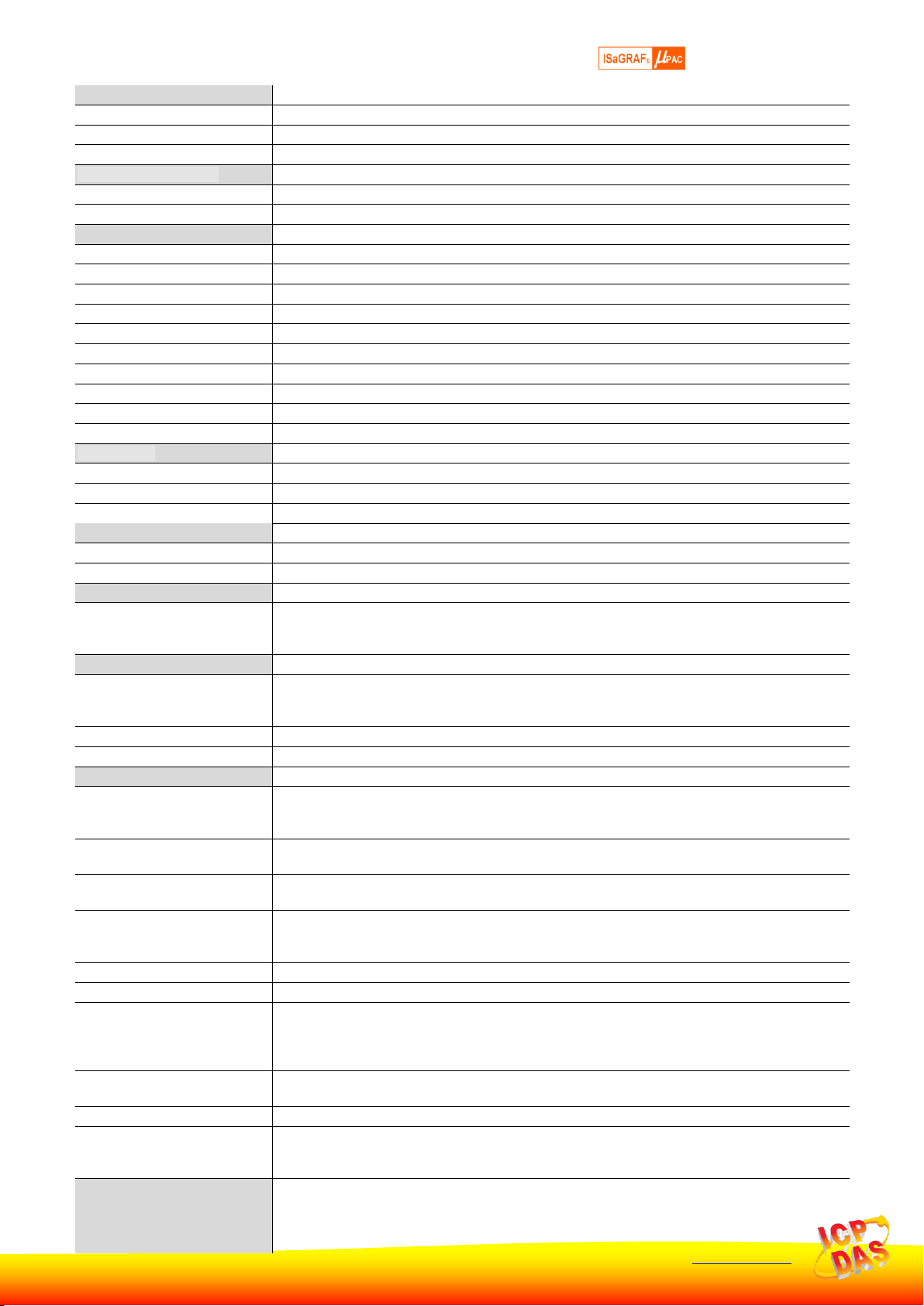
Specifications of I-7188EG & I-7188EGD
Power Supply
Protection
Power reverse polarity protection
Input Range
+10 ~ +30 VDC
Power Consumption
I-7188EG: 2 W , I-7188EGD: 3 W (when I/O slots are empty)
General Environment
Temperature
Operating: -25°C ~ +75°C, Storage : -30°C ~ +80°C
Humidity
5% ~ 90 % RH (non-condensing)
System
CPU
80188, 40 MHz, or compatible
Watchdog Timer
Yes
Real Time Clock
Gives hour, minute, sec, day of week, day of month, month & year (1980 ~ 2079)
SRAM
512 KB
FLASH Memory
512 KB, Erase unit is 64 KB, 100,000 erase/write cycles
NVRAM
31 bytes, battery backup, data valid up to 10 years
EEPROM
2048 bytes, retention > 100 years. 1,000,000 erase/write cycles
Display For I-7188EGD
5-Digit 7-Seg. LED on the front. It can display message & value.
Expansion I/O bus
One optional X-board series I/O board can be plugged inside the I-7188EG/7188EGD.
NET ID
User-assigned by software, 1 ~ 255
Serial Ports
COM1
RS-232: TxD, RxD, RTS, CTS, GND, Speed: 115200 bps max. Program downloads port.
COM2
RS-485: D+, D-, 115200 bps max. Self-tuner ASIC inside
Ethernet
10 Base-T, NE2000 compatible,. Program download port
Development Software
ISaGRAF Version 3
IEC 61131-3 standard. Languages: LD, ST, FBD, SFC, IL & FC
Max. Code Size
I-7188EG/7188EGD accepts max. 64 KB ISaGRAF code size (Appli.x8m must < 64 KB)

PWM Output
Pulse Width Modulation Output
All X-board series DO boards support PWM output. 8 channels max. for one controller.
500 Hz max. for Off=1 & On=1 ms
Output square curve: Off: 1 ~ 32767 ms, On: 1 ~ 32767 ms
Counters
Parallel DI Counter
All X-board series DI boards support DI counter.
8 ch. max. for one controller. Counter value: 32 bit
500 Hz max. Min. ON & OFF width must > 1 ms
Remote DI Counter
All remote I-7000 & I-87K DI modules support counters. 100 Hz max. value: 0 ~ 65535
Remote High Speed Counter
Optional I-87082:100 kHz max. , 32 bit
Protocols
Modbus Master Protocol
Up to 2 COM Ports (COM1, COM2 and COM3-in-X-board) support Modbus RTU/ASCII
Master protocol to connect to other Modbus slave I/O devices. Max. Mbus_xxx Function
Block amount: 64.
Modbus Slave Protocol
Up to 2 COM Ports (COM1 and one of COM2 / COM3-in-X-board) can support Modbus RTU
Slave protocol for connecting ISaGRAF, PC/HMI/OPC Server & MMI panels.
Modbus TCP/IP Protocol
Ethernet Port supports Modbus TCP/IP Slave protocol for connecting ISaGRAF & PC/HMI.
Max. 4 connections.
Remote I/O
One of COM2 (or COM3:RS-485 if found) supports I-7K, I-87K I/O modules as Remote I/O.
I-87K series must plug on RU-87P(High profile) or I-87K(Low profile) I/O Unit. Max. 64 I/O
modules for one PAC.
Fbus
Built-in COM2 Port to exchange data between ICP DAS’s ISaGRAF PACs.
Ebus
To exchange data between ICP DAS’s ISaGRAF Ethernet PACs via Ethernet port.
SMS: Short Message Service
One of (COM3:RS-232 or COM4:RS-232 if found) can link to a GSM modem to support SMS.
User can request data/control the controller by cellular phone. The controller can also send
data & alarms to user’s cellular phone.
Optional GSM modem: GTM-201-RS232 (GSM/GPRS modem, 850/900/1800/1900)
User Defined Protocol
User can write his own protocol applied at COM1, COM2 & (COM3 ~ COM8 if found) by serial
communication function blocks.
Modem Link
Supports PC remotely download & monitor the controller through COM4 of X504.
MMICON/LCD
One of (COM3:RS-232 if found) supports ICP DAS’s MMICON. The MMICON is featured with
a 240 x 64 dot LCD and a 4 x 4 Keyboard. User can use it to display picture, string, integer,
float, and input a character, string, integer and float.
Battery Backup SRAM
I-7188EG/7188EGD can support up to 1024 retain variables with an X607/X608 plug in the
only expansion I/O slot.
Data can be stored in X607/X608, and then PC can load these data via COM1 or Ethernet.
PC can also download pre-defined data to the X607/X608
Optional: X607: 128 KB, X608: 512 KB