
Inficon Protec P3000 Operational manual

Protec P3000(XL)
Helium-Schnüffellecksuchgerät
Translation of the original operating manual
from software version
document no
4.17
kina26en1-19-(1902)
Catalog No
Protec P3000
Protec P3000
520-001
520-002
Protec P3000XL
Protec P3000XL
520-003
520-004
Protec P3000(RC)
Protec P3000(RC)
520-103
520-104
Protec P3000XL(RC)
Protec P3000XL(RC)
520-105
520-106
230 V
115 V
230 V
115 V
230 V
115 V
230 V
115 V
Protec P3000(XL)
Helium Sniffer Leak Detector


Content 3
Content
1 General Information . . . . . . . . . . . . . . . . . . . . . . . . . . . . 11
1.1 Introduction . . . . . . . . . . . . . . . . . . . . . . . . . . . . . . . . . . . . . . . . . . . . . 11
1.1.1 Intended Use . . . . . . . . . . . . . . . . . . . . . . . . . . . . . . . . . . . . . 11
1.1.2 Available Configurations . . . . . . . . . . . . . . . . . . . . . . . . . . . . 12
1.1.3 Technical Data . . . . . . . . . . . . . . . . . . . . . . . . . . . . . . . . . . . . 12
1.2 Support by INFICON . . . . . . . . . . . . . . . . . . . . . . . . . . . . . . . . . . . . . . 13
1.3 Unpacking . . . . . . . . . . . . . . . . . . . . . . . . . . . . . . . . . . . . . . . . . . . . . . 15
1.3.1 Supplied Equipment . . . . . . . . . . . . . . . . . . . . . . . . . . . . . . . 15
1.3.2 Accessories . . . . . . . . . . . . . . . . . . . . . . . . . . . . . . . . . . . . . . 16
1.4 Notes on How to Use This Handbook . . . . . . . . . . . . . . . . . . . . . . . . . 17
1.4.1 Symbols of Vacuum Technology . . . . . . . . . . . . . . . . . . . . . . 17
1.4.2 Definition of Terms . . . . . . . . . . . . . . . . . . . . . . . . . . . . . . . . 18
1.5 Instrument Views of the Protec P3000 . . . . . . . . . . . . . . . . . . . . . . . . 19
1.6 Installation . . . . . . . . . . . . . . . . . . . . . . . . . . . . . . . . . . . . . . . . . . . . . . 19
1.6.1 Set up . . . . . . . . . . . . . . . . . . . . . . . . . . . . . . . . . . . . . . . . . . 19
1.6.2 Mechanical Connections . . . . . . . . . . . . . . . . . . . . . . . . . . . . 20
1.6.3 Electrical Connections . . . . . . . . . . . . . . . . . . . . . . . . . . . . . . 24
1.6.4 RS232 Interface . . . . . . . . . . . . . . . . . . . . . . . . . . . . . . . . . . . 24
1.6.5 I/O Port . . . . . . . . . . . . . . . . . . . . . . . . . . . . . . . . . . . . . . . . . 25
2 How the Protec P3000 Works . . . . . . . . . . . . . . . . . . . . 26
2.1 Description of the Functions . . . . . . . . . . . . . . . . . . . . . . . . . . . . . . . . 26
2.2 Description of the Subassemblies . . . . . . . . . . . . . . . . . . . . . . . . . . . 26
2.2.1 Backing Pump . . . . . . . . . . . . . . . . . . . . . . . . . . . . . . . . . . . . 26
2.2.2 Wise TechnologyTM Sensor . . . . . . . . . . . . . . . . . . . . . . . . . 26
2.2.3 Valve Holder . . . . . . . . . . . . . . . . . . . . . . . . . . . . . . . . . . . . . 27
2.2.4 Control Assembly . . . . . . . . . . . . . . . . . . . . . . . . . . . . . . . . . 27
2.3 Description of the Displays and User Interfaces . . . . . . . . . . . . . . . . . 27
2.3.1 Main unit display . . . . . . . . . . . . . . . . . . . . . . . . . . . . . . . . . . 27
2.3.2 SL3000(XL) Sniffer line with probe display . . . . . . . . . . . . . . 28
2.3.3 Built-in PRO-Check reference leak . . . . . . . . . . . . . . . . . . . . 30
3 Operation of the Protec P3000 . . . . . . . . . . . . . . . . . . . 32
3.1 Start-Up . . . . . . . . . . . . . . . . . . . . . . . . . . . . . . . . . . . . . . . . . . . . . . . 32
3.2 Controls on the main display unit . . . . . . . . . . . . . . . . . . . . . . . . . . . . 33
3.3 Controls on the probe display unit . . . . . . . . . . . . . . . . . . . . . . . . . . . 36
3.4 Performing measurements . . . . . . . . . . . . . . . . . . . . . . . . . . . . . . . . . 36
3.4.1 Standard Operation Mode . . . . . . . . . . . . . . . . . . . . . . . . . . . 37
3.4.2 I•Guide Operating Mode . . . . . . . . . . . . . . . . . . . . . . . . . . . . 39
3.4.2.1 Starting the I•Guide Mode . . . . . . . . . . . . . . . . . . . 39
3.4.2.2 Selecting an I•Guide Program . . . . . . . . . . . . . . . . 40
3.4.2.3 Using an I•Guide Program . . . . . . . . . . . . . . . . . . . 40

4Content
3.4.3 The Info Page . . . . . . . . . . . . . . . . . . . . . . . . . . . . . . . . . . . . 43
3.5 Calibration and Self-Test . . . . . . . . . . . . . . . . . . . . . . . . . . . . . . . . . . 44
3.5.1 Verifying a calibration (proof function) . . . . . . . . . . . . . . . . . . 45
3.5.2 Internal calibration . . . . . . . . . . . . . . . . . . . . . . . . . . . . . . . . 46
3.5.3 External calibration . . . . . . . . . . . . . . . . . . . . . . . . . . . . . . . . 47
3.6 Standby . . . . . . . . . . . . . . . . . . . . . . . . . . . . . . . . . . . . . . . . . . . . . . . . 49
3.7 Shutdown . . . . . . . . . . . . . . . . . . . . . . . . . . . . . . . . . . . . . . . . . . . . . . 49
3.8 Storage for fast availability as back-up unit . . . . . . . . . . . . . . . . . . . . 49
4 Equipment Settings . . . . . . . . . . . . . . . . . . . . . . . . . . . . 50
4.1 Menu Structure . . . . . . . . . . . . . . . . . . . . . . . . . . . . . . . . . . . . . . . . . . 50
4.2 The Service Menu . . . . . . . . . . . . . . . . . . . . . . . . . . . . . . . . . . . . . . . . 52
4.3 Selecting gas equivalents and setting trigger values . . . . . . . . . . . . . 52
4.3.1 Setting gas parameters . . . . . . . . . . . . . . . . . . . . . . . . . . . . . 52
4.3.2 Selecting a set of gas parameters . . . . . . . . . . . . . . . . . . . . . 57
4.4 Settings Sub-menu . . . . . . . . . . . . . . . . . . . . . . . . . . . . . . . . . . . . . . . 57
4.4.1 Vacuum & Access . . . . . . . . . . . . . . . . . . . . . . . . . . . . . . . . . 57
4.4.2 Audio Functions . . . . . . . . . . . . . . . . . . . . . . . . . . . . . . . . . . . 63
4.4.3 Display Settings . . . . . . . . . . . . . . . . . . . . . . . . . . . . . . . . . . . 64
4.4.4 Setting-up / editing an I•Guide Program . . . . . . . . . . . . . . . . 66
4.4.5 Miscellaneous Settings . . . . . . . . . . . . . . . . . . . . . . . . . . . . . 68
4.5 Interfaces . . . . . . . . . . . . . . . . . . . . . . . . . . . . . . . . . . . . . . . . . . . . . . 69
4.5.1 Control location . . . . . . . . . . . . . . . . . . . . . . . . . . . . . . . . . . . 69
4.5.2 Recorder outputs . . . . . . . . . . . . . . . . . . . . . . . . . . . . . . . . . . 69
4.5.3 RS232 Protocol . . . . . . . . . . . . . . . . . . . . . . . . . . . . . . . . . . . 71
4.5.4 Select PLC inputs . . . . . . . . . . . . . . . . . . . . . . . . . . . . . . . . . 72
4.5.5 Baud rate & end sign . . . . . . . . . . . . . . . . . . . . . . . . . . . . . . . 73
4.5.6 PRO-Check . . . . . . . . . . . . . . . . . . . . . . . . . . . . . . . . . . . . . . 73
4.6 The Info Menu . . . . . . . . . . . . . . . . . . . . . . . . . . . . . . . . . . . . . . . . . . . 73
4.7 History & Maintenance . . . . . . . . . . . . . . . . . . . . . . . . . . . . . . . . . . . . 77
5 Protec P3000 Messages . . . . . . . . . . . . . . . . . . . . . . . . 82
5.1 Error Messages and Warnings . . . . . . . . . . . . . . . . . . . . . . . . . . . . . . 82
6 Equipment Connections . . . . . . . . . . . . . . . . . . . . . . . . 91
6.1 I/O Port (Control Inputs and Outputs) . . . . . . . . . . . . . . . . . . . . . . . . . 91
6.1.1 Ground connectors . . . . . . . . . . . . . . . . . . . . . . . . . . . . . . . . 91
6.1.2 24V Output . . . . . . . . . . . . . . . . . . . . . . . . . . . . . . . . . . . . . . . 92
6.1.3 PLC Inputs . . . . . . . . . . . . . . . . . . . . . . . . . . . . . . . . . . . . . . . 92
6.1.4 PLC Outputs . . . . . . . . . . . . . . . . . . . . . . . . . . . . . . . . . . . . . 93
6.1.4.1 Relay outputs . . . . . . . . . . . . . . . . . . . . . . . . . . . . . 94
6.1.4.2 Recorder Outputs . . . . . . . . . . . . . . . . . . . . . . . . . . 95
6.1.5 How to perform a calibration? . . . . . . . . . . . . . . . . . . . . . . . . 95
6.2 RS232 interface . . . . . . . . . . . . . . . . . . . . . . . . . . . . . . . . . . . . . . . . . 96

Content 5
7 Maintenance . . . . . . . . . . . . . . . . . . . . . . . . . . . . . . . . . . 97
7.1 Maintenance schedule . . . . . . . . . . . . . . . . . . . . . . . . . . . . . . . . . . . . 97
7.2 Exchanging the air filter . . . . . . . . . . . . . . . . . . . . . . . . . . . . . . . . . . . 98
7.3 Exchanging the external fuses . . . . . . . . . . . . . . . . . . . . . . . . . . . . . 100
7.4 Replacing filters in the sniffer line . . . . . . . . . . . . . . . . . . . . . . . . . . . 100
7.4.1 Replacing the felt discs of the capillary filter
(for SL3000 only) . . . . . . . . . . . . . . . . . . . . . . . . . . . . . . . . . 101
7.4.2 Replacing the felt discs when using the water protection tip
(for SL3000 only) . . . . . . . . . . . . . . . . . . . . . . . . . . . . . . . . . 102
7.4.3 Checking / replacing the sinter filter
(for SL3000 only) . . . . . . . . . . . . . . . . . . . . . . . . . . . . . . . . . 103
7.5 Replacing the filter pad of the sniffer tip
(for SL3000XL only) . . . . . . . . . . . . . . . . . . . . . . . . . . . . . . . . . . . . . 104
7.6 Switching the capillary filter (for SL3000 sniffer line only) . . . . . . . . 107
7.6.1 Switching from metal to plastic capillary filter . . . . . . . . . . . 107
7.6.2 Switching from plastic to metal capillary filter . . . . . . . . . . . 108
7.7 Replacing the gas reservoir of the PRO-Check . . . . . . . . . . . . . . . . 109
8 Gas library . . . . . . . . . . . . . . . . . . . . . . . . . . . . . . . . . . . 113
9 CE Declaration of Conformity . . . . . . . . . . . . . . . . . . . 121
Appendix . . . . . . . . . . . . . . . . . . . . . . . . . . . . . . . . . . . . 123

6General Safety Precautions
General Safety Precautions
Hinweis Indicates special requirements the user must comply with.
The INFICON Protec P3000 leak detector has been designed for safe and efficient
operation when used properly and in accordance with this Technical Handbook. It is
the responsibility of the user to carefully read and strictly observe all safety precau-
tions described in this chapter and throughout this Technical Handbook. The Protec
P3000 must only be operated in the proper condition and under the conditions
described in this Technical Handbook. It must be operated and maintained by trained
personal only. Consult local, state, and national agencies regarding specific require-
ments and regulations. Adress any further safety, operation and / or maintenance
questions to our nearest office.
Failure to observe the following precautions could result in serious personal
injury:
Indicates procedures that must be strictly observed to prevent hazards to
persons.
Indicates procedures that must strictly be observed to prevent damage to or
destruction of the Protec P3000 leak detector.
Danger of explosion!
To use the Protec P3000 in explosion hazard areas could cause ignition of flam-
mable mixtures.
The Protec P3000 must only be operated outside of explosion hazard areas.
Only 3-core mains cables having a protective ground conductor must be
used. Operation of the Protec P3000 with the ground conductor unconnected
is not permissible.

General Safety Precautions 7
Hearing damage from excessively loud signals
The volume of signals can exceed 85 dB(A).
Keep away from the device if the volume has been set to high.
Wear ear protection, when needed.
Do not stare into the LEDs of the sniffer line intentionally for extended times
or at a close distance as this may cause permanent damage to the eye.
Danger of electric shock.
Don’t touch voltaged parts with the sniffer tip. Test samples need to be discon-
nected from electricity before leak testing.
For all contacts of the I/O Port a maximum voltage of 60 V DC or 25 V AC
must not be exeeded or reached to ground or ground equipment conductors.
According to the type of in- or outputs lower voltages had to be accepted. For
this, please refer to the information given in the responding chapters.
For all maintenance on the Protec P3000, the Protec P3000 must be
disconnected from power.
Before exchanging the air filter the Protec P3000 must be disconnected from
power.

8General Safety Precautions
Failure to observe the following precautions could result in damage to the
equipment:
Before exchanging the fuses the Protec P3000 must be disconnected from
power.
The Protec P3000 must not be operated while standing in water or when
exposed to drip water. The same applies to all other kinds of liquids.
This Protec P3000 should only be used in rooms.
Avoid contact of the Protec P3000 with bases, acids and solvents as well as
exposure to extreme climatic conditions.
Ensure sufficient air cooling (see also Section 1.1.2)
Before installation remove the transportation lock.
In order to ensure adequate ventilation of the Protec P3000, a space of at
least 20 cm 8) (8 in.) must be kept unobstructed to the sides. The clearance
at the rear must be no less than 10 cm (4 in.). Moreover, the Protec P3000
handles for carrying the leak detector at the sides of the main unit must not
be covered at any time as these acts as air inlet and outlet. Avoid the
presence of heat sources in the vicinity of the Protec P3000.

General Safety Precautions 9
Before connecting the Protec P3000 to the mains you must make sure that
the mains voltage rating of the Protec P3000 coincides with the locally
available mains voltage.
Do not suck in any liquids.
Permissible maximum input voltage PLC 28 V.
Permissible max. voltage and current for open collector outputs are: 28 V;
50 mA.
Maximum load rating relay outputs is 60 V DC / 25 V AC and 1 A per relay.
The air filter should be checked for contamination at least every 6 months
and should be definitely exchanged after 2 years.

10 General Safety Precautions
This manual suits for next models
1
Table of contents
Other Inficon Controllers manuals

Inficon
Inficon VGC031 User manual

Inficon
Inficon TPG300 User manual
Inficon
Inficon IC6 User manual

Inficon
Inficon TPG300 User manual
Inficon
Inficon MAG050 User manual
Inficon
Inficon VGC083C User manual
Inficon
Inficon VGC083C User manual
Inficon
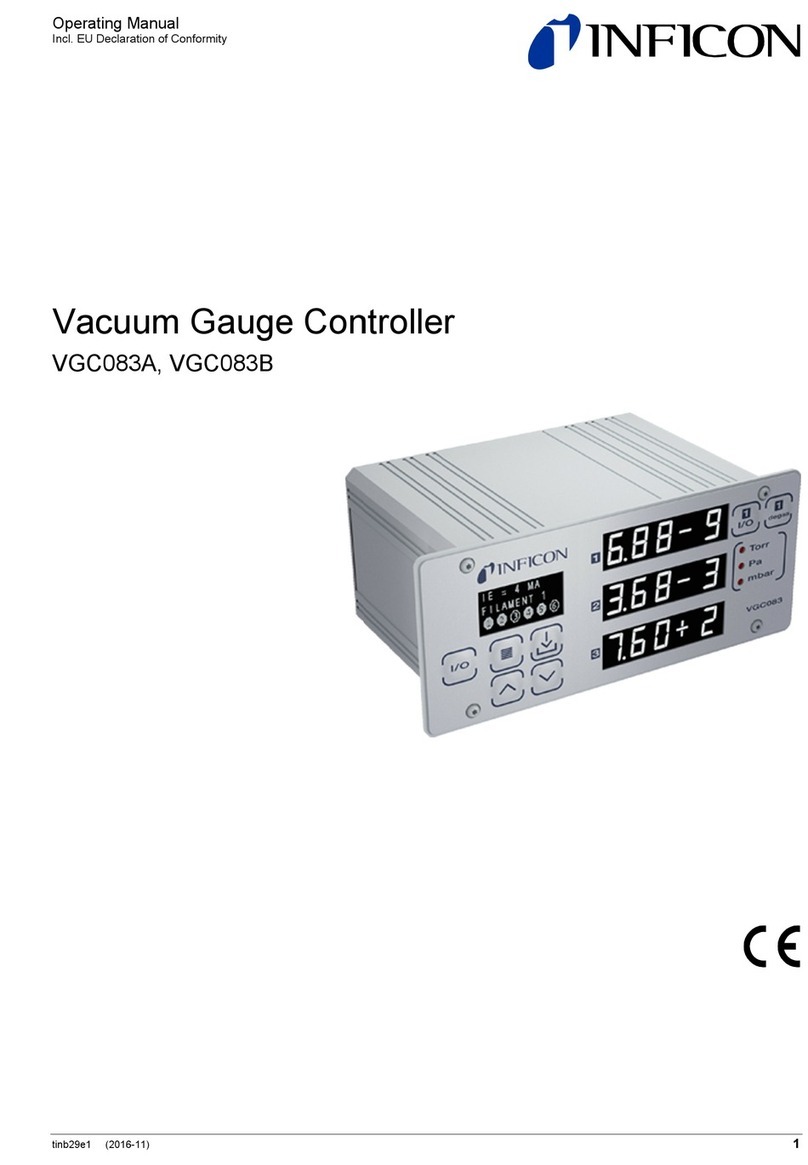
Inficon VGC083B User manual

Inficon
Inficon VGC083A User manual
Inficon
Inficon VGC031 User manual
Popular Controllers manuals by other brands

Digiplex
Digiplex DGP-848 Programming guide

YASKAWA
YASKAWA SGM series user manual

Sinope
Sinope Calypso RM3500ZB installation guide

Isimet
Isimet DLA Series Style 2 Installation, Operations, Start-up and Maintenance Instructions

LSIS
LSIS sv-ip5a user manual

Rockwell Automation
Rockwell Automation 1769-L31 installation instructions










