manuals.online logo
Brands
  1. Home
  2. •
  3. Brands
  4. •
  5. Infinity
  6. •
  7. Massager
  8. •
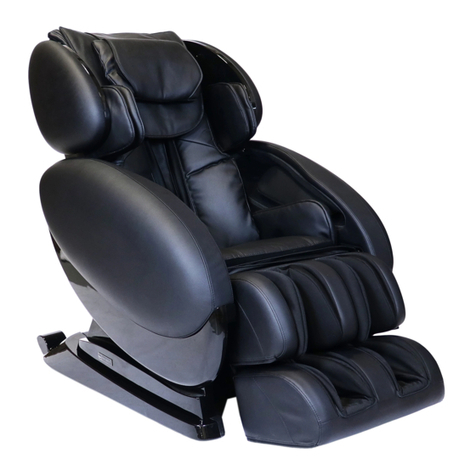
  9. Infinity Dynasty User manual

Infinity Dynasty User manual

Other Infinity Massager manuals
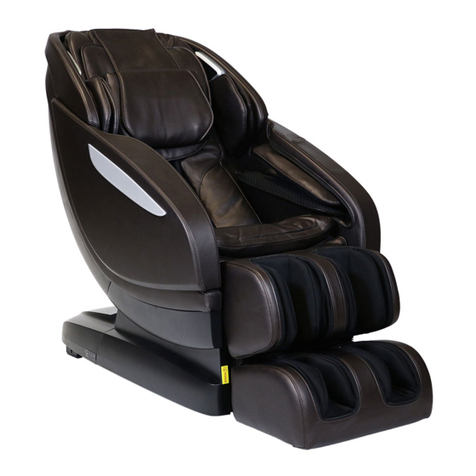
Infinity Presidential User manual

Infinity

Infinity Presidential User manual

Infinity 8500 series User manual

Infinity

Infinity 8500 series User manual

Infinity CIRCADIAN User manual

Infinity

Infinity CIRCADIAN User manual

Infinity ALTERA User manual

Infinity

Infinity ALTERA User manual

Infinity IT-8500 Plus User manual

Infinity

Infinity IT-8500 Plus User manual

Infinity RT8800 User manual

Infinity

Infinity RT8800 User manual

Infinity Riage User manual

Infinity

Infinity Riage User manual

Infinity Meridian User manual

Infinity

Infinity Meridian User manual

Infinity Riage User manual

Infinity

Infinity Riage User manual

Infinity Prelude MTS Center User manual

Infinity

Infinity Prelude MTS Center User manual

Infinity Riage CS User manual

Infinity

Infinity Riage CS User manual

Infinity Prelude MTS Center User manual

Infinity

Infinity Prelude MTS Center User manual

Infinity Solstice 4D User manual

Infinity

Infinity Solstice 4D User manual
Infinity IT-7800 User manual

Infinity

Infinity IT-7800 User manual

Infinity Syner-D Circadian User manual

Infinity

Infinity Syner-D Circadian User manual

Infinity Presidential User manual

Infinity

Infinity Presidential User manual
Infinity Presidential User manual

Infinity

Infinity Presidential User manual

Infinity Solstice 4D User manual

Infinity

Infinity Solstice 4D User manual

Infinity Evoke User manual

Infinity

Infinity Evoke User manual

Infinity OVERTURE User manual

Infinity

Infinity OVERTURE User manual

Infinity EVOLUTION MAX 4D User manual

Infinity

Infinity EVOLUTION MAX 4D User manual
Infinity IT-8500 User manual

Infinity

Infinity IT-8500 User manual

Infinity PR Pro Advantage User manual

Infinity

Infinity PR Pro Advantage User manual

Infinity PR Pro User manual

Infinity

Infinity PR Pro User manual
Popular Massager manuals by other brands

Panasonic EP30000 null

Panasonic

Panasonic EP30000 null

ELEEELS P2 instruction manual

ELEEELS

ELEEELS P2 instruction manual

Cenocco CC-9111 user manual

Cenocco

Cenocco CC-9111 user manual

Panasonic EP790-C1 Service manual

Panasonic

Panasonic EP790-C1 Service manual

Adler AD 2167 user manual

Adler

Adler AD 2167 user manual

Taurus Wellness TW-MC-M Assembly and operating instructions

Taurus

Taurus Wellness TW-MC-M Assembly and operating instructions

Hydas LH-095 instruction manual

Hydas

Hydas LH-095 instruction manual

AEG FM 5567 instruction manual

AEG

AEG FM 5567 instruction manual

OBH Nordica Shiatus Tunes manual

OBH Nordica

OBH Nordica Shiatus Tunes manual

Hutech Q9 user manual

Hutech

Hutech Q9 user manual

Medisana MM 825 user manual

Medisana

Medisana MM 825 user manual

SOLAC Therma Hydro Instructions for use

SOLAC

SOLAC Therma Hydro Instructions for use

Invacare Texas user manual

Invacare

Invacare Texas user manual

Casada Bismarck II manual

Casada

Casada Bismarck II manual

Fujiiryoki Cyber-Relax EC-1700 user manual

Fujiiryoki

Fujiiryoki Cyber-Relax EC-1700 user manual

Medisana HM 886 instruction manual

Medisana

Medisana HM 886 instruction manual

HoMedics BA-C200 instruction manual

HoMedics

HoMedics BA-C200 instruction manual

Repose Lynton user manual

Repose

Repose Lynton user manual

manuals.online logo
manuals.online logoBrands
  • About & Mission
  • Contact us
  • Privacy Policy
  • Terms and Conditions

Copyright 2025 Manuals.Online. All Rights Reserved.

Quick Start
Guide
Dynasty
Massage Chair
Button Operation:
On/Off:
press and hold
Change Auto Program:
Short press; new program
will be announced and start
Dial Operation:
Turn left or right to recline or incline
Intelligent Voice
Commands
72 Start Road, Seabrook, NH 03874
603-910-5000
www.infinitymassagechairs.com
Sounds
Chromotherapy
Quick Access Controller
Home/Lights
Themes > Select light in programs
Home/Sounds
Sound > Select from Nature sounds
Volume > Set volume level
BEEP > Set to OFF to stop sounds from remote
To play Nature Sounds, Bluetooth must remain
set to ON prior to selection the sound choice.
Solid – Single color light
Breathe – Single color that dims, then
brightens in repetition
Wake up: Blue enriched lights to boost energy
level - gradual brightness
Wind down – Colors of sunset absent blue
waves – gradual darkening
Multi-wave – All the colors of the rainbow
morphing into each other
Multi-rotate – Colors rotate from one to
another
Use the voice control commands below. (Once
you’ve activated voice control, give a command
within 5 seconds, or you will have to re-actvate the
voice function)
To Active Voice Mode say
“Switch to Voice Mode”
Power On
Switch Off
Activate Massage
Sports Refresh
Extension
Rest & Sleep
Working Relief
Neck & Shoulder
Waist & Spine
Deep Shiatsu
Healthy Breath
Massage Extend
Relaxation
Air Bag Massage
Demo
Zero Gravity
Start Heat
Heat Off
Prime Massage Chairs
(800) 566-2798
https://www.primemassagechairs.com
HOME
Power — Powers up the remote or
returns the chair to the exit position
and powers down remote
Multi-Functional Screen —
Use the directional buttons below to
navigate these menu screens. Then
press ok to select
Zero Gravity — Press for Zero
Gravity 1, press again for Zero
Gravity 2, press again to restore
to recline
Home — Shortcut to the home
page of all menu screens
Foot Roller — Press to turn off
Foot Roller, press again to
resume Foot Roller
4D — Press to increase or
decrease 4D intensity of back
mechanism. In-use screen
displays intensity dial
Seat Back Position — Press and
hold down arrow to recline the
seat back, press and hold the up
arrow to upright the seat back
Back Adjustment — Back
mechanism position adjustment;
press and hold up to raise, press
and hold down to lower. Use
during initial body scan fine
tuning or in manual partial or
point zone mode
Directional Button — Press up,
down, left or right to navigate the
display screen
Auto — Shortcut to the Auto
Programs menu screen
Pause — Press pause to
immediately stop all massage
chair activity, press again to
resume
Footrest — Press and hold up
arrow to bring foot rest up, Press
and hold down arrow to bring
footrest down
In-Use Screen:
Aer a massage
program is selected,
displays all settings
to that program
OK — After navigating to the
command desired on the display,
push OK to select.
Leg Length — Press and hold right
arrow to extend the leg length
adjustment, press and hold the left
arrow to retract the leg length
adjustment
SPORTS REFRESH
SPEED
WIDTH
AIRBAG
ROLLER