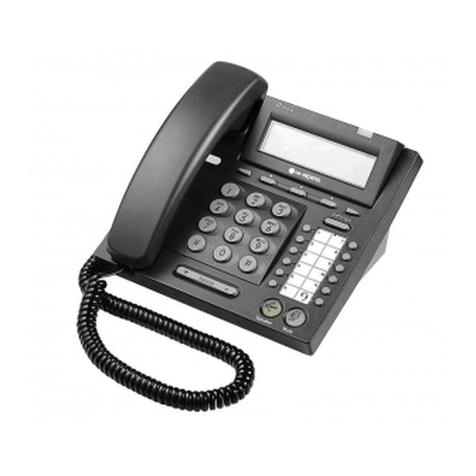
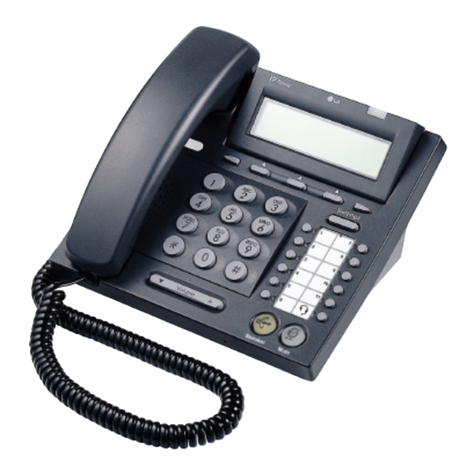
LIP-6804 User Guide
LGN68041227SNUG-01.02 June 07
If the second party does not answer, hang up the handset or press the Line button to cancel the
conference then, press the Line button to retrieve the original party.
If the originator of the conference call hangs up, the other two parties will be disconnected.
If either of the called parties hangs up, the call will remain connected.
2.6. Call Waiting-Multiple Call Appearance
Each Line configured on the LIP-6804 can have multiple call appearances; call activity appears
at more than one Line button to facilitate call handling. This is very useful if the user is on one
call and needs to act on another incoming call on the same Line. While on a call, you will
receive a call waiting tone and the caller’s number is displayed so you know who is calling
before you interrupt the current call; you can choose to pick up the incoming call, or ignore it.
To answer a second call:
1) Press the Line button; the first call is automatically placed on hold.
To place a second call:
1) Place the active call on hold by pressing .
2) Press another Line button to obtain dial tone, and dial the destination phone number.
NOTE: When you have two calls on a Line, you are able to toggle between the two calls with
the Line button. Pressing the Line button for the calls, you can move from one to the other call
and manage the selected call.
2.7. Redial
You can automatically redial the last number you dialed; pressing the Flexible button assigned
as Redial function will activate the speaker and dial the last dialed number. Lift the handset
prior to pressing the Flexible button assigned as Redial function to connect the call to the
handset rather than the Speaker.
To redial a call:
1) Press the Redial Flexible button.
NOTE: A Flexible button must be defined for the Redial function, refer to the Installer Guide for
the steps to configure a Redial button.
Your IP phone will not recall the last call dialed number after a loss of system power.